

Are you already using auto ISO?
Saturday 22 November 2025, 14:07 by Nando Harmsen | 2,730 views | 4 commentsThis article was translated from Dutch with the help of AI. Read the original.
Keeping the ISO setting low is always a good choice. But do not be afraid to increase it when needed. Leave it to the camera, and you have one less thing to keep an eye on. That is the power of auto ISO.
Forget that you 'have to' photograph in manual mode. Let technology help you and work for you. You do that with white balance and autofocus too, after all. Auto ISO is a very useful tool.
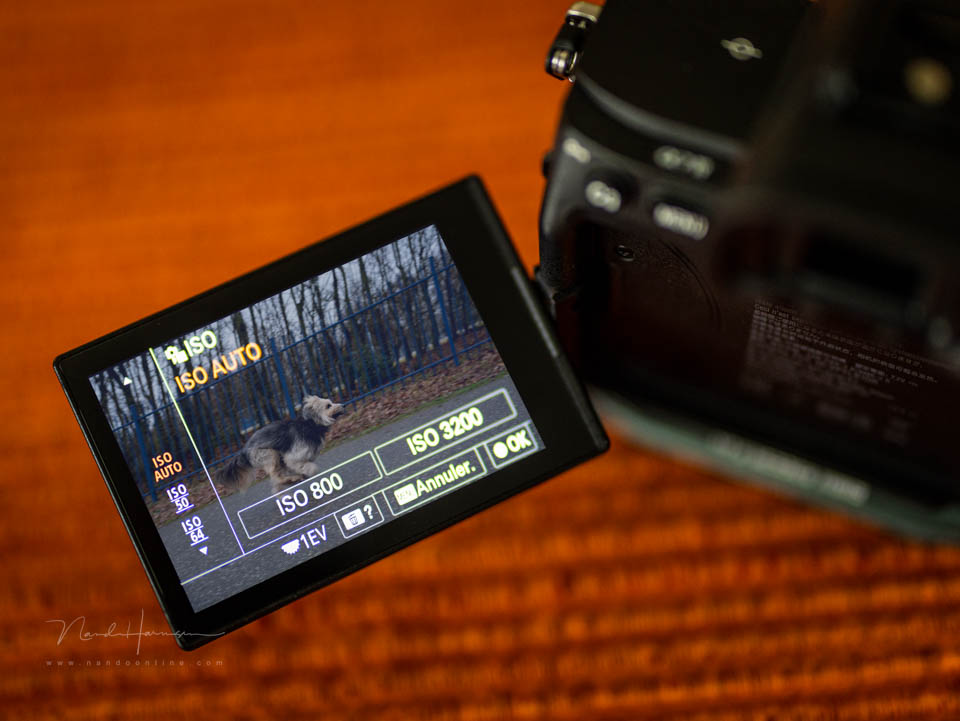
With auto ISO, you leave the choice of ISO value to the camera. This ensures that you never use a shutter speed that is too slow to keep the camera still. It prevents shutter speeds that are too slow.
As soon as it gets dark, the exposure time will become longer to produce a correctly exposed photo. If the shutter speed becomes too slow, you can no longer keep the camera still. Moving subjects can also become blurred.
To prevent this, you increase the ISO value. This allows the shutter speed to become faster. That means you always have to keep an eye on the shutter speed to know when the ISO value needs to be increased.
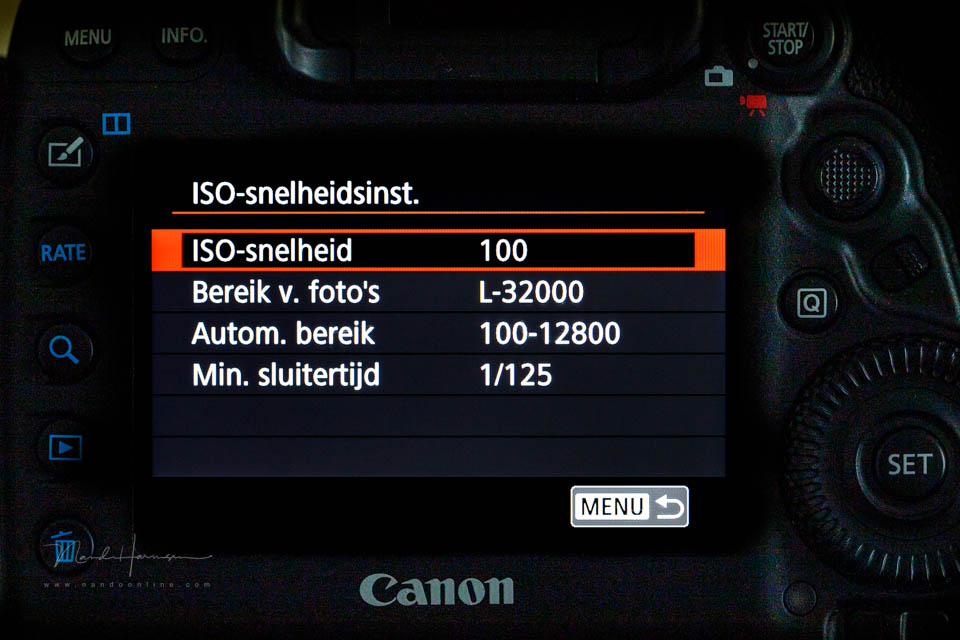
That is not always practical. Setting it manually is not wrong, but it takes time. As a result, you may miss the moment, which is a shame. With auto ISO, you leave the decision to increase the ISO to the camera.
Auto ISO ensures that you never take photos below a preset shutter speed. If the shutter speed falls below that limit, the camera increases the ISO value until that shutter speed is possible.
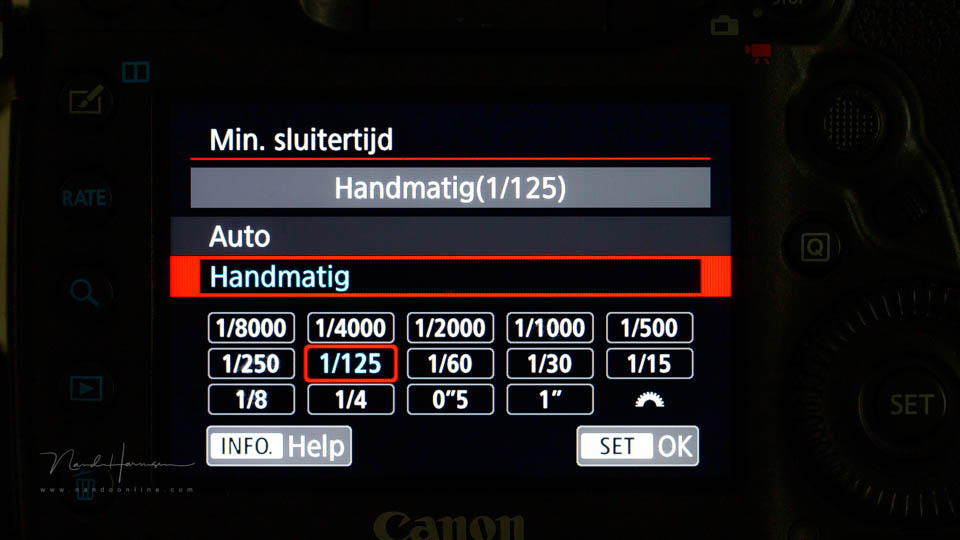
You can set the shutter speed manually or automatically. Manually means, for example, that you can choose a shutter speed fast enough to freeze movement. This way, you can be sure that your subject will always be sharp.
Automatically means that the shutter speed is set according to the 1/focal length rule. This prevents motion blur caused by your own movement or camera shake.
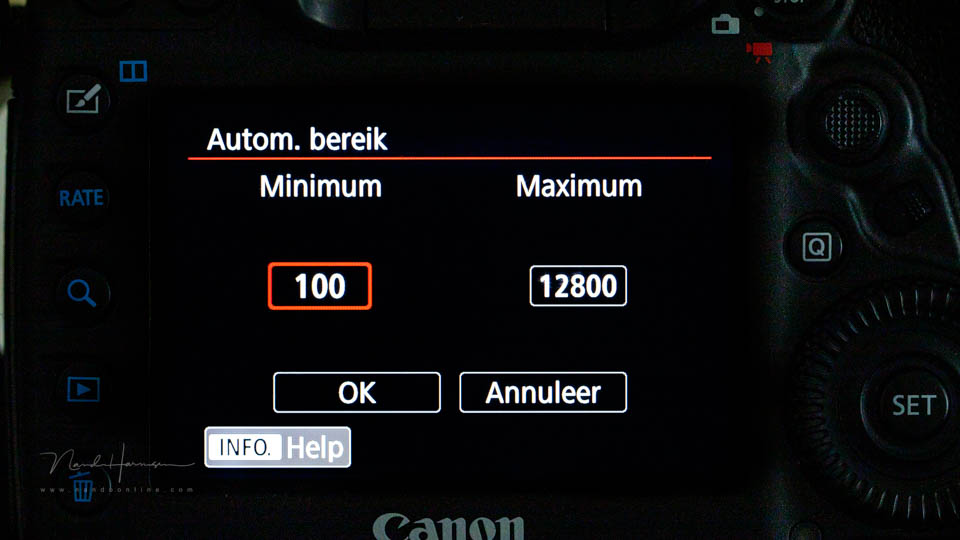
You do not have to worry about the ISO value becoming so high that the photo is unusable. You are in control of that yourself. You choose a maximum ISO value. The camera will never set the ISO above that value.
Auto ISO is perfect for handheld photography in all kinds of conditions. It ensures that you always use the lowest possible ISO value for your photo.
Are you already using the auto ISO setting on your camera? Share your opinion and experience below this article.
About the author
Nando Harmsen has been photographing for more than 40 years. He specialises in wedding photography and landscape photography. Nando also gives talks, workshops, masterclasses and photo trips, and regularly reviews new and interesting equipment.
You might also like
-
 Low, lower, lowest: finding the right viewpoint
by Erik Nevels
-
 Don't use a low ISO, use the right ISO setting
by Nando Harmsen
-
 Low-key is an edit, not underexposure
by Nando Harmsen
-
 When Is a Dark Photo Not Low-Key?
by Nando Harmsen
-
 Be careful that low-key does not turn into underexposure
by Nando Harmsen
-
 Don't Be Afraid of the Failed Photo
by Nando Harmsen
4 comments
-
 Peter Heins wrote on Monday 24 November 2025 at 15:50 | reply
Good article. I am now working on delving a bit more into Wildlife photography again alongside landscapes. I already have a Canon f4.5-5.6 100-400mm IS L II USM with 1.4 extender II but recently noticed while photographing a little egret that on a full frame that is on the tight side, also because you lose a lot of megapixels when cropping. So I was watching videos on YouTube and there a photographer used a Canon 7D Mark II with the above-mentioned lens and he also explained how he did that with AUTO-ISO . The 7D MArk II is on its way so then I will get to work with it this week. Thanks for the addition
Translated from Dutch. -
 Herbert Driesen wrote on Tuesday 25 November 2025 at 10:31 | reply
I always use auto ISO when photographing speed skating competitions because the light there isn't always optimal, I then have the shutter speed set to 320
Translated from Dutch. -
 Ron wrote on Tuesday 25 November 2025 at 13:00 | reply
Partly thanks to your tips I use auto ISO and am also not afraid to let it go a bit higher. I have set 2 of the custom modes with it, 1 with aperture priority and 1 with shutter priority. Each with their own min/max values, with mainly wildlife photography the choice between the two depends on the speed at which the subject is moving.
Translated from Dutch.
Doing everything manually is not an option for me, I always forget something then, there are just too many factors I have to pay attention to. Then I almost have to go through a checklist first
The advantage of the custom modes is that you always start up with the same basic settings when you switch on your camera, and not with a possibly extreme setting with which you ended the previous time. -
 Paul eos wrote on Wednesday 26 November 2025 at 08:24 | reply
I always shoot in M mode because I consider shutter speed and aperture important for my nature photography and video, ISO is always set to auto because with modern mirrorless cameras, noise at high ISO is limited and distracting noise is quite easy to remove in post-processing, both for photos and video. For photo post-processing I use DXO PL9 and for video editing DaVinci Resolve studeo.
Translated from Dutch.
Have your say
Please note: Articles older than a week can only be commented on by signed-in visitors.Would you still like to comment? sign in or create a free account.
Become a better photographer every week
A practical photography tip in your inbox every week.
38,982 photography enthusiasts already receive the tips! More about the weekly mail. Or keep up to date via  Facebook.

Elja Trum
Photofacts; everything to do with photography!
Would you like to take better photos and keep up with what is happening in photography? Photofacts publishes articles that teach you something about photography — from a product announcement to a practical shooting tip or a look at a website. Photofacts covers photography every day and is a hobby project of Elja Trum's that got out of hand. The articles are written by a team of volunteer authors. If you would enjoy writing one or more articles for Photofacts, do get in touch.More about PhotofactsPhotofacts is made possible in part by
