

Review: Canon EOS R5 Mark II
Friday 7 March 2025, 13:13 by Nando Harmsen | 6,270 views | 4 commentsThis article was translated from Dutch with the help of AI. Read the original.
The Canon EOS R5 Mark II has been on the market for a while now. This successor to the successful EOS R5 comes with new options and several improvements. Is it enough to consider an upgrade? I was given the camera for a review to find out.
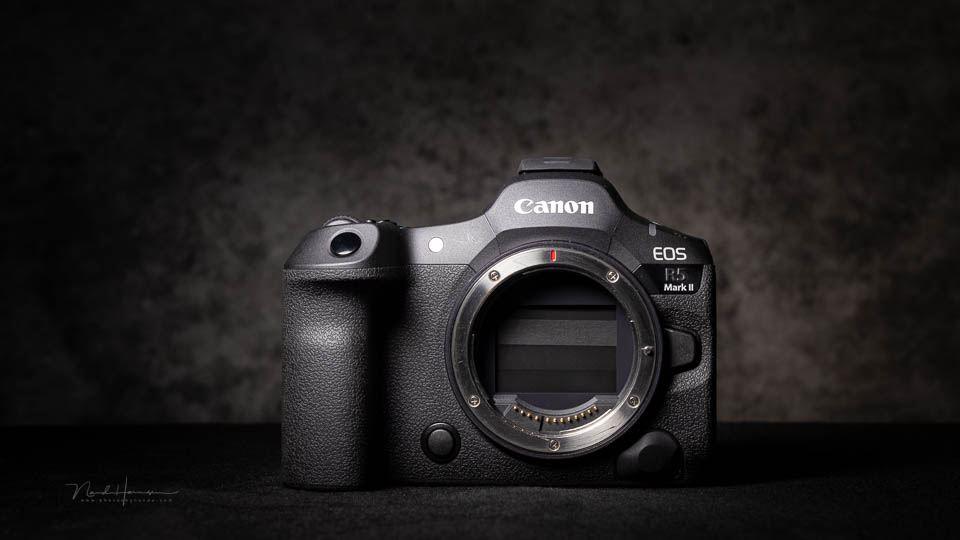
The original Canon EOS R5 was one of Canon's first mirrorless full-frame cameras aimed at the professional market. Over the years, the EOS R models have received small changes. The location of buttons, switches and menu functions has been improved where necessary.
With this model, the Canon EOS R5 Mark II is up to date again. New functions have also been added, and the autofocus has been equipped with the latest technology. Are the latest functions and updates enough to make an upgrade worthwhile?

Specifications
I have made a list of the camera's most important specifications.
- 45-megapixel backside-illuminated stacked CMOS sensor
- 5.76-megapixel OLED electronic viewfinder
- Eye sensor for autofocus subject selection
- Up to 30 frames per second without blackout in the viewfinder
- In-Body Image Stabilisation (IBIS) up to 8.5 stops
- 0.5-second pre-capture
- 8K video at 60 fps
- Canon C-log2 profile
- Waveform monitor and false colour overlay
- Full-size HDMI port
- Improved cooling for video
- Autofocus with machine learning for specific sports
- Simplified AF menu
- Option to register people for recognition
- AI noise reduction after shooting, and upscaling
- Photo/video button and better integrated on/off switch
- Multi-function hotshoe
The camera body in detail
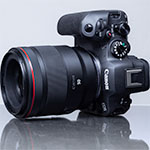
The Canon EOS R5 Mark II is largely the same as its predecessor. The camera is slightly taller but at the same time a few grams lighter. Its shape is a little more like that of the EOS R3. Most buttons are in the same place.
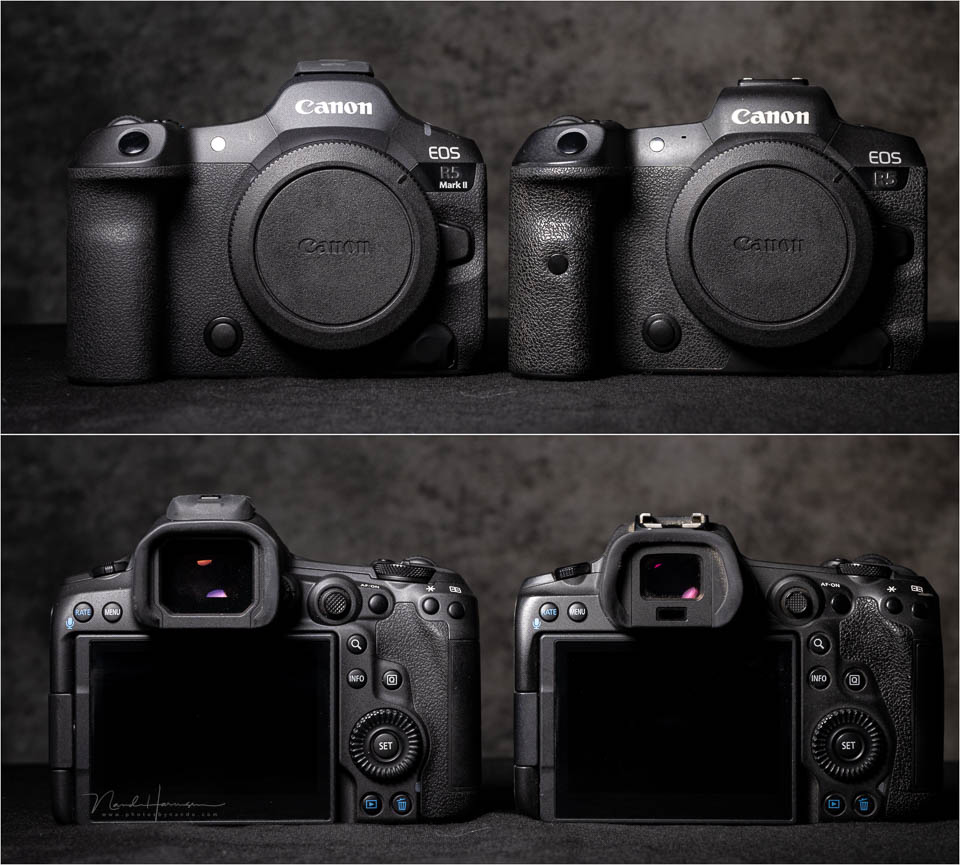
The exception is the main switch. It is now next to the mode button. This has made room for a photo/video button. Anyone upgrading will have to get used to this. Once you are used to it, you will notice that it is a better choice.
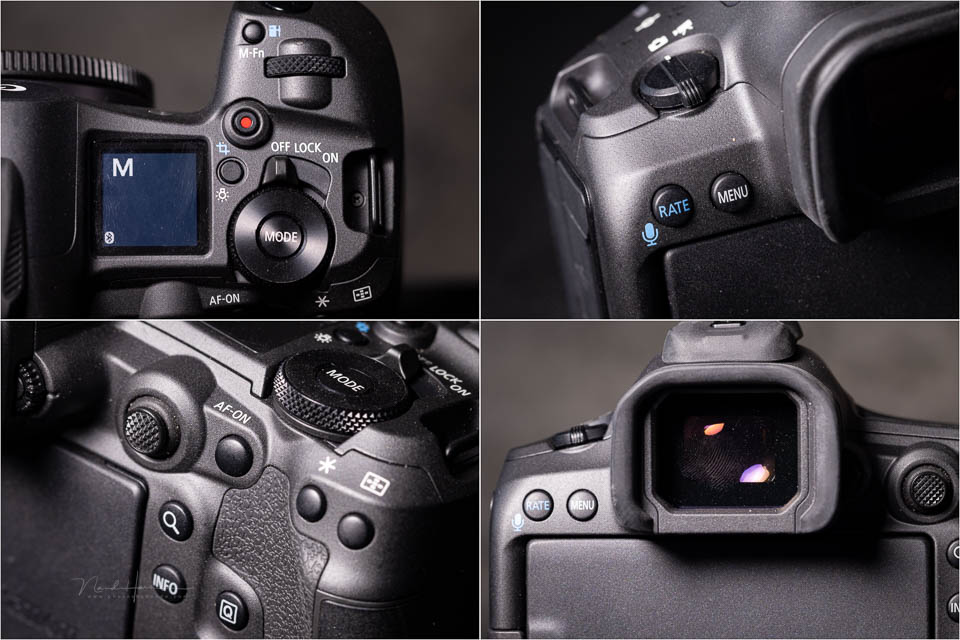
The camera's viewfinder looks large and impressive. However, the viewfinder itself has not changed. The space around it is used for the eye sensor, which allows you to control the autofocus with your eye.
The EOS R5 Mark II has a new battery. The camera is compatible with older-generation batteries. However, some functions will not be available with older batteries. These are very specific things, so in practice they hardly cause any problems.
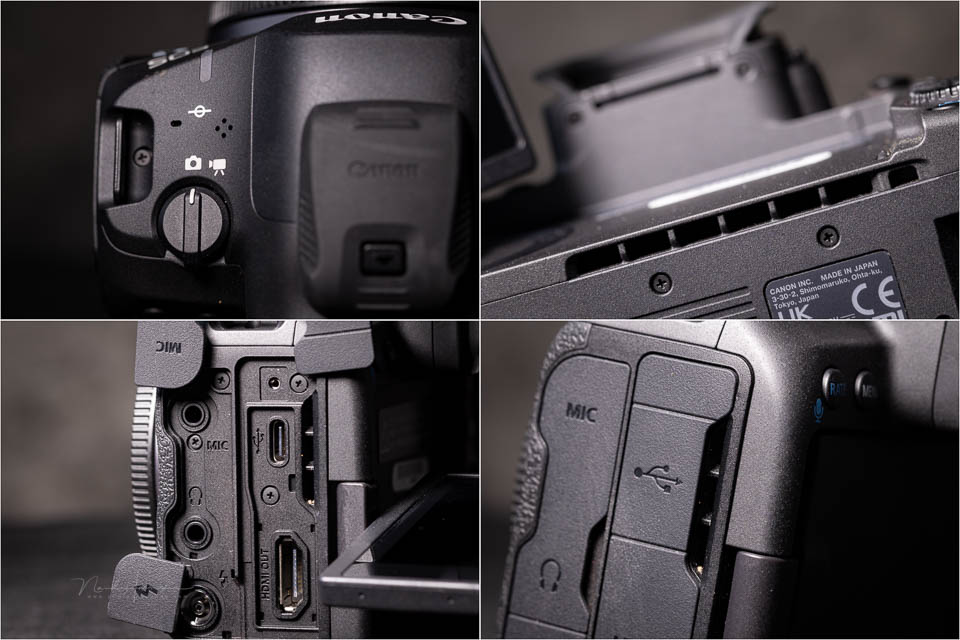
It is good to see that a full-size HDMI connection has been added. The other connections are as before. The hotshoe has multi-function contacts. The ventilation openings are noticeable. They help prevent overheating during video recording.
The camera still uses a UHS-II SD card and a CF Express Type B. If you upgrade, you can continue using the cards you already own.
The menu
The menu has received a small update. Removing the page numbers means that an extra menu item can be displayed on each page. The camera has gained an extra tab for the customisation options.
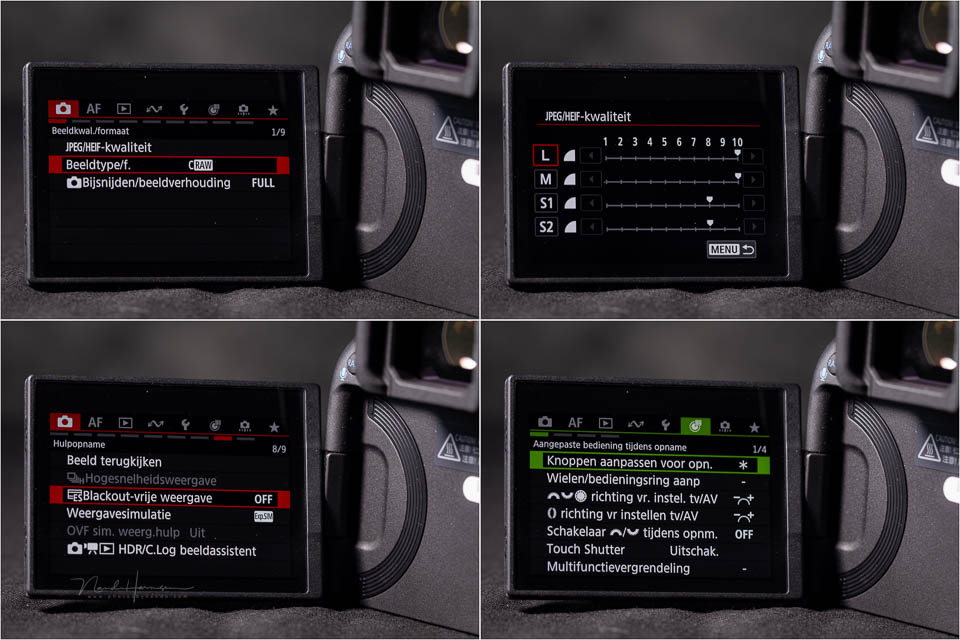
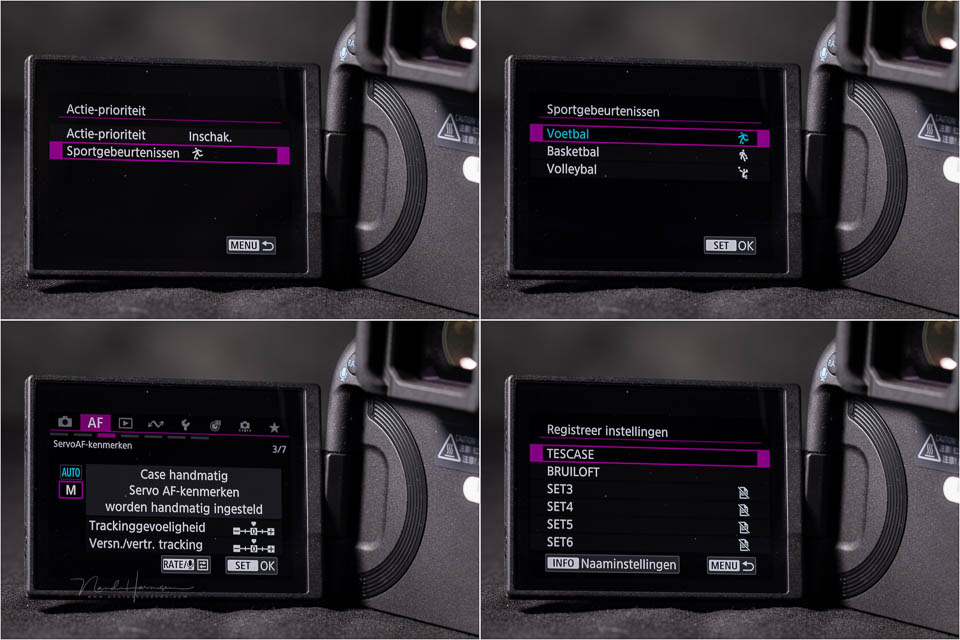
The autofocus menu has been greatly simplified. The cases for autofocus behaviour have been changed. Although this should make things simpler, it takes some getting used to if you are familiar with the old system.
The sensor and dynamic range
The CMOS sensor in the EOS R5 Mark II has the same resolution as its predecessor. However, it is a new backside-illuminated stacked sensor.
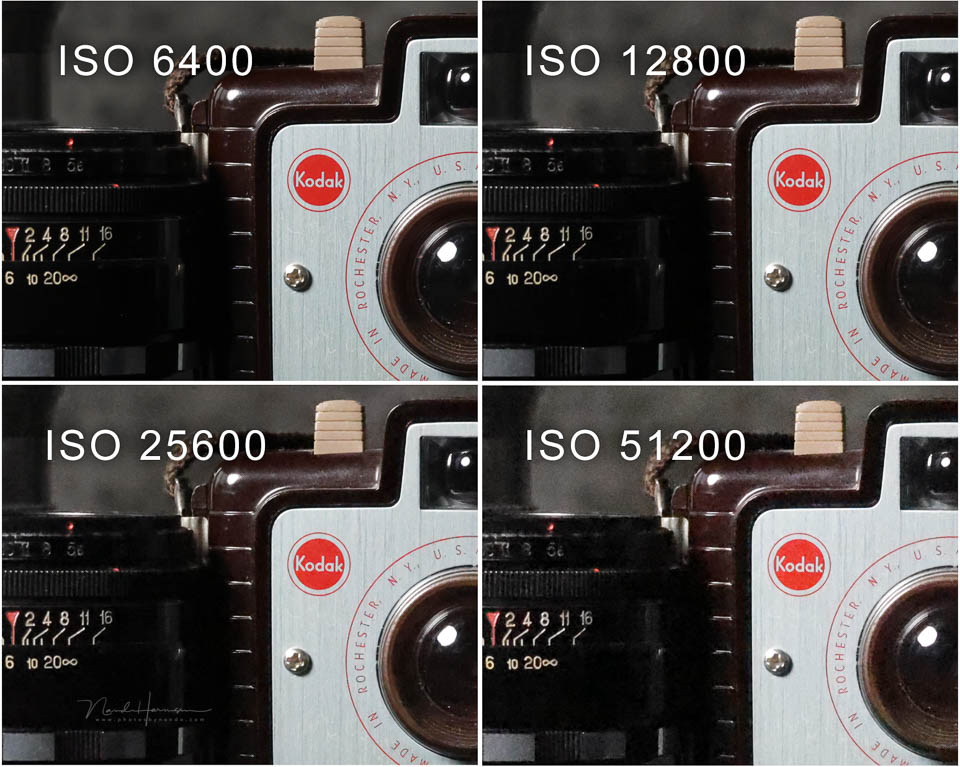
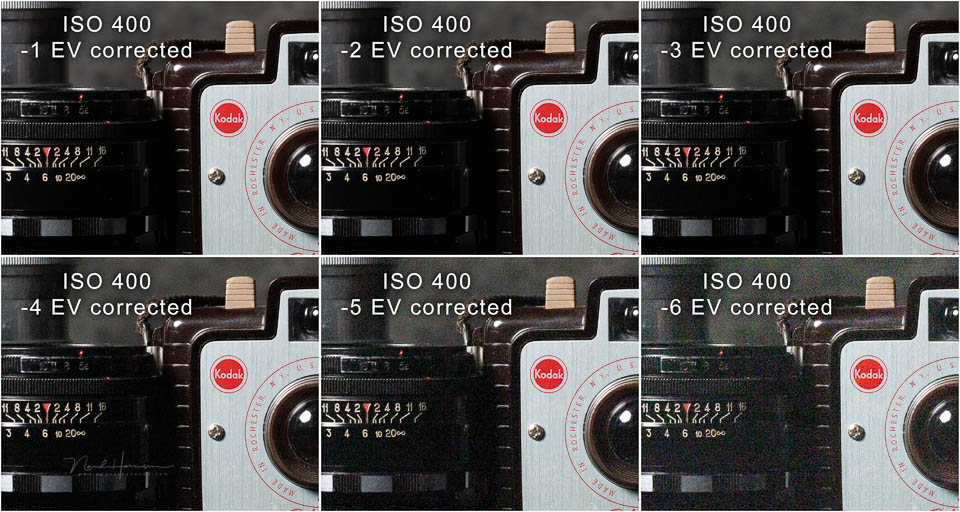
The dynamic range and ISO performance are almost the same as those of the old Canon EOS R5. If there are differences, they only become visible with extreme edits and corrections.
Autofocus performance
The autofocus system has been greatly improved compared with its predecessor. The changes in the menu are not the only thing that makes it easier to use. There are also presets made specifically for sports using machine learning.

Autofocus settings can be saved so they are quickly accessible. The EOS R5 Mark II has the eye-controlled autofocus options that were already available on the EOS R3. This lets you look at an object in the viewfinder to position the autofocus point.
Do you often photograph people? You can register faces. These people will then receive priority, so the autofocus 'knows' who is important.
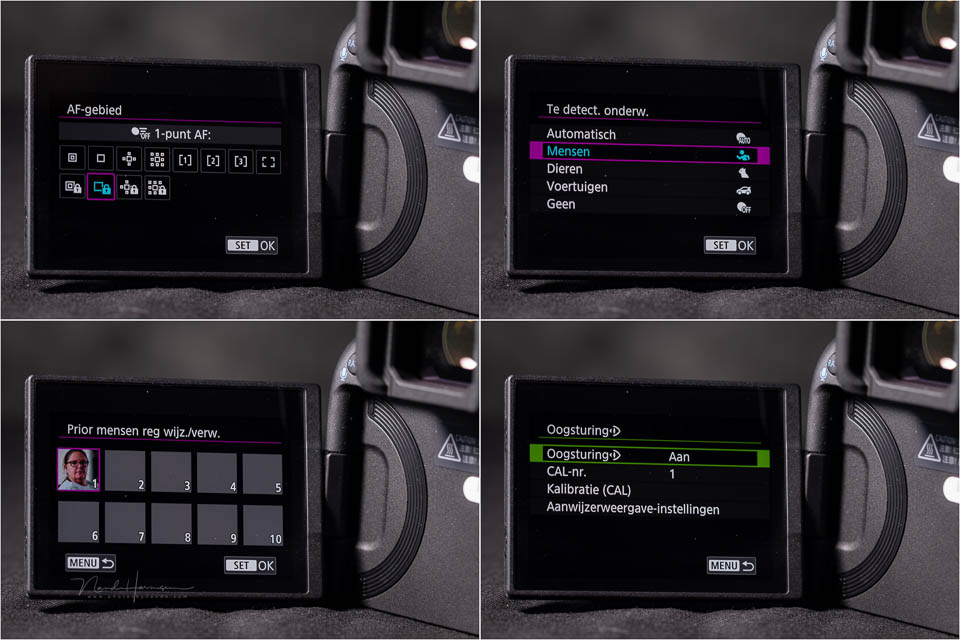
It is important to use the right autofocus settings. If you use the wrong combination of settings, performance may suffer. In many cases, the camera will make the right corrections, but not always.

Continuous shooting speed
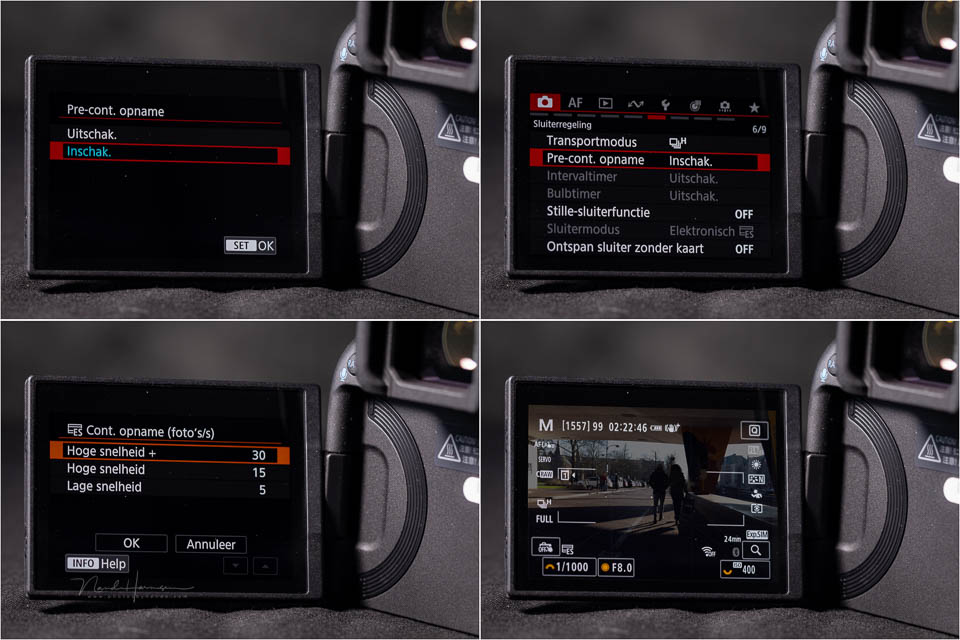
The EOS R5 Mark II has become faster. With the mechanical shutter, the maximum number of shots remains unchanged at 12 frames per second. The electronic shutter now offers 30 frames per second.
To increase your chances of getting the shot, the camera has half a second of pre-capture. When you half-press the shutter button, the camera already starts recording images. When you fully press the shutter button, the shots recorded half a second before pressing it are saved.
The EOS R5 Mark II in practice
Using the EOS R5 Mark II is not very different from using its predecessor. The only thing you regularly get wrong is the on/off switch. When you use it, you discover that it is the video/photo switch. This is just a matter of getting used to it.
There was little time to compare the autofocus with its predecessor in detail. It is good to see that the camera works quickly and accurately. As far as I can judge, eye-controlled AF works better than on the Canon EOS R3. It is a useful option, as long as you keep looking at the subject.

If you look at the edges of the photo for potentially distracting elements, the autofocus point follows your gaze. This means that the option is not always desirable. The same applies to the priorities you can assign to faces. If you are only photographing those people, it works well. If you want the person next to them to be sharp, it can work against you.

As always, you should use the options when they add value. This can differ from one situation to another. With the EOS R5 Mark II, it is also important to choose the right settings. Although the autofocus menu has been simplified, it can take some getting used to if you are familiar with the old one.

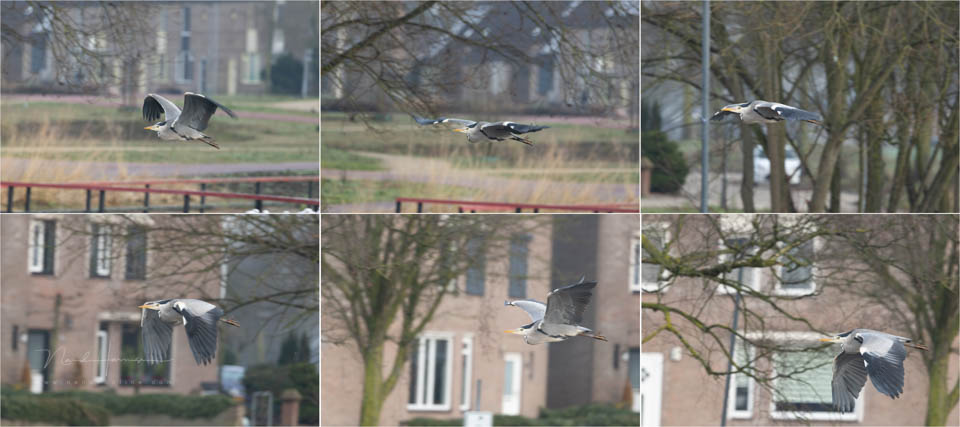
The pre-capture function is a welcome addition that helps you get ahead of the action. It increases your chances of getting the shot and the number of shots per action. At 30 frames per second, things move very quickly.
An additional benefit that should not be underestimated is the sensor's readout speed. At 6.3 ms instead of the previous EOS R5's 16.3 ms, there is hardly any chance of the dreaded rolling shutter effect.

Conclusion
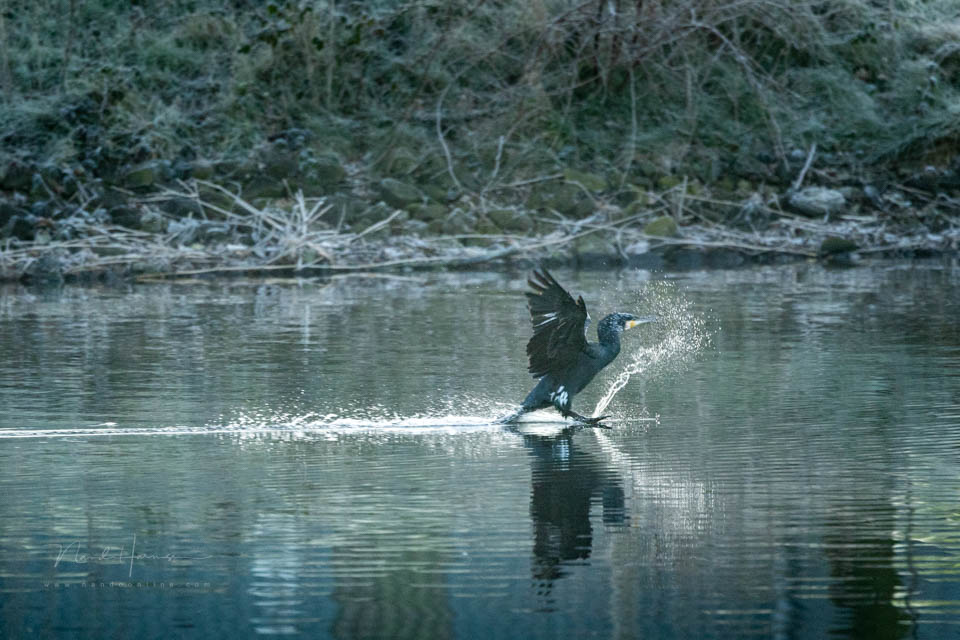
The Canon EOS R5 Mark II is a camera that will be a welcome upgrade for some photographers. That group is action photographers. Do you photograph sport, birds and other fast-moving subjects? Then the EOS R5 Mark II offers a significant upgrade.

Those who photograph less fast-paced moments, such as in portrait and wedding photography, will benefit much less from the new features offered by the EOS R5 Mark II. There are some pleasant improvements, but whether they are worth the extra investment of an upgrade is the question.

For landscape photographers, the upgrade offers no added value at all. Almost none of the improvements and extra options are used for this type of photography. You do not need eye AF or other action settings. To those photographers I say: stick with the original EOS R5.
Why upgrade
- 30 fps instead of 20 fps (electronic shutter)
- Minimal risk of rolling shutter effect due to the sensor's 6.3 ms readout speed
- Pre-capture (15 shots before pressing the shutter)
- Eye-controlled autofocus and registration of up to 10 faces
- Improved autofocus and subject recognition
- Many more autofocus points available
- Updated AF menu
- On/off switch moved and separate film/photo switch
- Blackout-free viewfinder
- Waveform monitor and false colour overlay for video
- Improved cooling for video
- Longer video recording time
- Canon Log2 available for video
- Multi-function hotshoe
Reasons not to upgrade
As you can see from the list above, almost all improvements are for photography where action and speed matter. It will also be attractive to those who do a lot of video work. However, if most of the points above offer you no added value, there is currently no reason to upgrade. It is as simple as that.

About the author
Nando Harmsen has been photographing for more than 40 years. He specialises in wedding photography and landscape photography. Nando also gives talks, workshops, masterclasses and photo trips, and regularly reviews new and interesting equipment.
You might also like
-
 Review: Canon EOS R5
by Nando Harmsen
-
 Review of the fantastic Canon EOS R6 Mark II
by Nando Harmsen
-
 Preview: Canon EOS R5 Mark II
by Elja Trum
-
 Review: Canon EOS R5 C for video
by Nando Harmsen
-
 Will the Canon EOS R5 Mark II Arrive in Mid-2023?
by Elja Trum
-
 Review of the Canon EOS M50 mark II
by Nando Harmsen
4 comments
-
 Paul eos wrote on Tuesday 11 March 2025 at 16:01 | reply
Hi Nando
Translated from Dutch.
You write that the new sensor isn't a stacked sensor, below I found this description of the sensor in the information from a well-known camera store!
"The updated, 45 megapixel Back Illuminated stacked CMOS sensor"
Anyway, as a wildlife photographer, the R5 mk II is the ideal camera for me. -

 Nando
wrote on Tuesday 11 March 2025 at 16:20
| reply
Nando
wrote on Tuesday 11 March 2025 at 16:20
| reply
The sources I had indeed talked about a BSI sensor, and specifically mentioned that it was not stacked.
Translated from Dutch.
I checked Canon's website (which I should have done earlier) and indeed; BSI stacked.
I corrected it in the text.
(incidentally: I also advise you not to use (un)known camera stores for this kind of information. They don't always get it right either)
But tell me; in what way is it the ideal camera for you? I’m very curious about that. -
Paul eos wrote on Tuesday 11 March 2025 at 17:03 | reply
Hi Nando
Translated from Dutch.
For my purchase of the R5 MK II I of course also consulted Canon's website.
For me it is the ideal camera because the autofocus works so incredibly well, even in more difficult conditions. But taking a stacked photo with this camera is also so simple and fast. You only need to delve into and read up on this camera a bit and set the controls according to your own preferences, that is sometimes forgotten by many photographers. -
Have your say
Please note: Articles older than a week can only be commented on by signed-in visitors.Would you still like to comment? sign in or create a free account.
Become a better photographer every week
A practical photography tip in your inbox every week.
38,937 photography enthusiasts already receive the tips! More about the weekly mail. Or keep up to date via  Facebook.

Elja Trum
Photofacts; everything to do with photography!
Would you like to take better photos and keep up with what is happening in photography? Photofacts publishes articles that teach you something about photography — from a product announcement to a practical shooting tip or a look at a website. Photofacts covers photography every day and is a hobby project of Elja Trum's that got out of hand. The articles are written by a team of volunteer authors. If you would enjoy writing one or more articles for Photofacts, do get in touch.More about PhotofactsPhotofacts is made possible in part by
