

Praktijktest: DxO ONE
Friday 10 June 2016, 14:41 by Laura Vink | 12,137 views | 7 commentsThis article was translated from Dutch with the help of AI. Read the original.
I first saw the DxO ONE at the Professional Imaging show in Nijkerk. A camera that clips onto your iPhone via the Lightning port, the charging port, with the phone serving as an LCD and control panel.
DxO is the company that also makes the Optics Pro software. In this image-editing programme, you can automatically correct lens faults, among other things. The company has been testing countless lenses for years. That naturally creates high expectations for the DxO ONE camera.
The little device has already won several awards, such as the DP Review Awards 2015 for 'mobile product of the year', and my interest was immediately piqued. The importer Transcontinenta therefore lent me the DxO ONE to test during a holiday in Gambia.
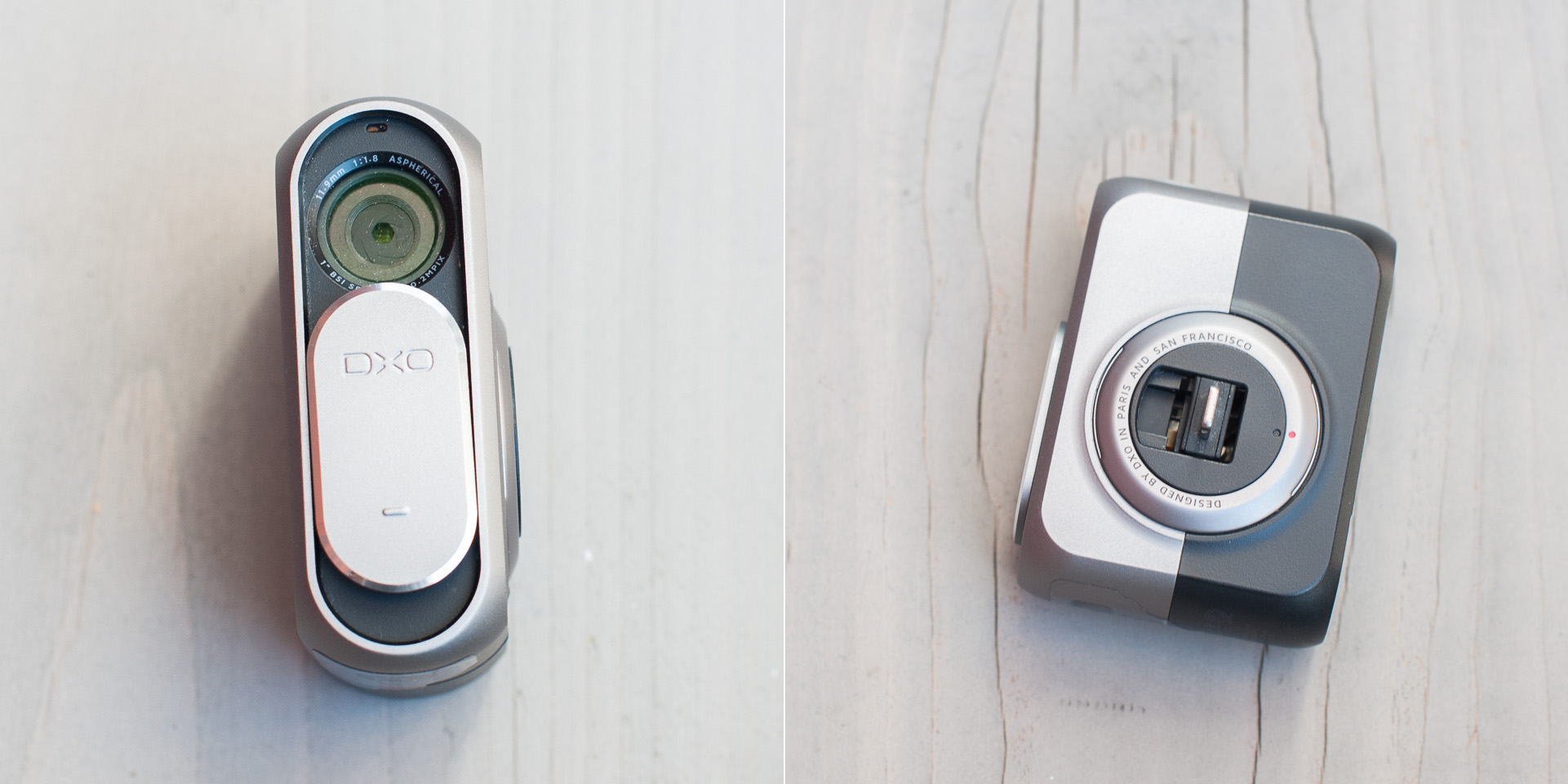
Specifications
First, some technical details. The sensor is 1 inch (2.54 centimetres) and produces 20.2-megapixel photos. For comparison, an iPhone 6 has a 1/3-inch sensor with 'only' 8 megapixels.
The DxO ONE has a fixed focal length lens, equivalent to 32mm on a full-frame camera.
The lens has a maximum aperture of f/1.8 and goes up to f/11. The wide aperture means you can still play around with depth of field when you are close to the subject. This effect is naturally limited by the short focal length.
The shutter speed can be set from 1/20000, no, that extra zero is not a mistake, to 30 seconds. Sensitivity ranges from 100 to 51,200 ISO (high 2).
The camera also has the familiar M-A-S-P modes, giving you full control over the settings. There is also an automatic mode and a scene mode for sport, portrait, landscape and night.
Using the sliders on your iPhone screen, you can easily adjust settings such as aperture, shutter speed and ISO, as well as things such as white balance and metering (spot/centre/multi-area). You tap your iPhone to set the focus point.
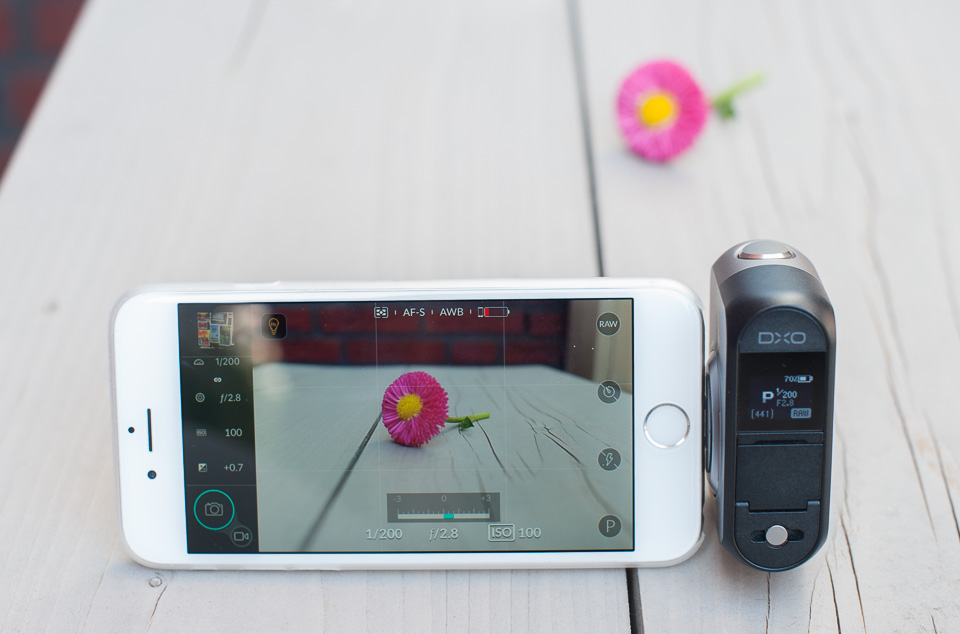
The camera feels very intuitive to operate, so you do not need to reach for the manual.
Admittedly, I did need it briefly to work out how to fold in the connector on the side. Pushing down the slider that covers the lens makes the connector fold out. It then locks at a ninety-degree angle. But how do you fold it back in? It turned out to be very simple. Push the same slider a little further down and you can fold the connector back in.
That way, when you have the camera in your pocket or bag, you can be sure that the connector will not catch on anything and your lens is protected too.
One small criticism in this area is that when the connector sticks out from the camera, the folding system seems to leave a small opening in the 'body'. That does not seem ideal for keeping out dust and sand. Perhaps DxO has thought of something to address this, but it is not visible from the outside.
There is only one button on the camera itself, the shutter button. You operate it through the free DxO ONE app or via the touch-control display on the back. When the DxO ONE is attached to the iPhone, you see the camera's live view on your phone's screen. You take the photo using the aforementioned shutter button or the 'button' on your iPhone's screen.
The little device weighs just over 100 grams, not including the iPhone. That is of course much lighter than many other cameras. You can also use the DxO ONE separately from the iPhone. You still have the same setting options.
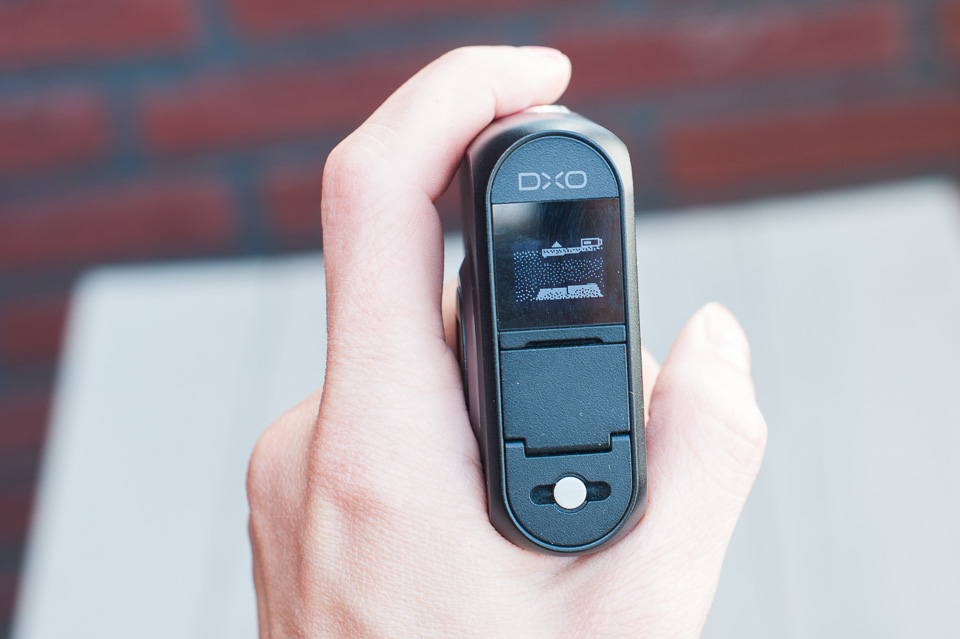
Because, just as with a GoPro, it is difficult to compose without a viewfinder, DxO came up with what it calls Framing Assist. The small screen on the back is comparable to the second display found on top of many DSLRs, but in black and white.
When taking photos, you can see the selected settings here. Swipe across the image to switch on Framing Assist. Lots of white dots then appear on the screen, showing the contrast in the photo. It is basically like a photo with only two colours.
This lets you see, for example, where the horizon is in the frame and whether the person you are photographing is fully included. A clever idea, although it naturally remains a bit of a guessing game when you can only see two colours.
RAW
A major advantage of the camera is that it saves photos in RAW. You can choose between two types of RAW files. A 'standard' .DNG and the 'superraw' .DXO. The latter combines several exposures to reduce noise. Unfortunately, I forgot to test that one, but I can say that the 'ordinary' .DNG files met my expectations when editing in Lightroom.
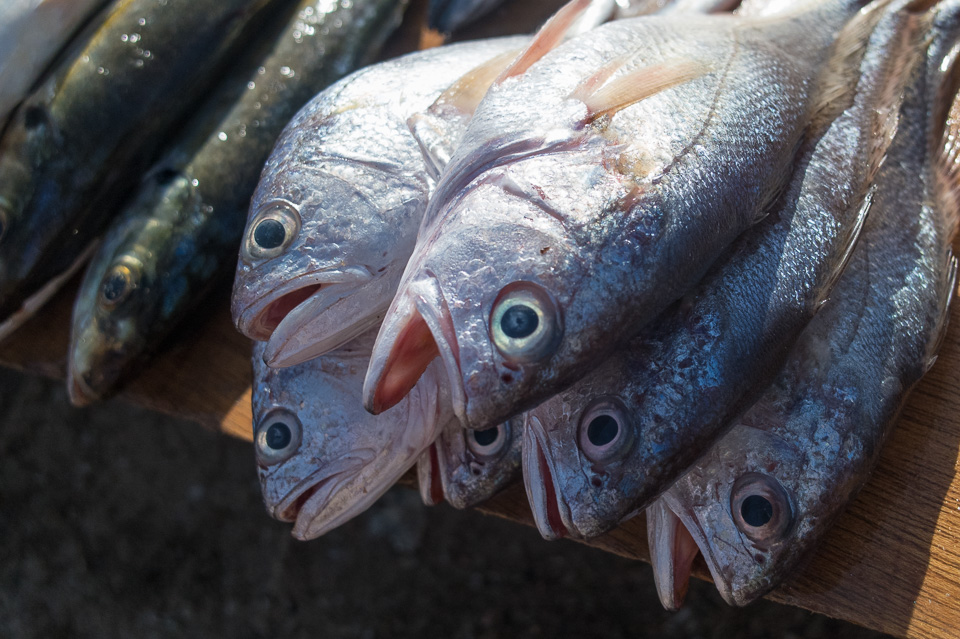
Image quality
The DxO ONE produces very sharp photos with lovely colours.
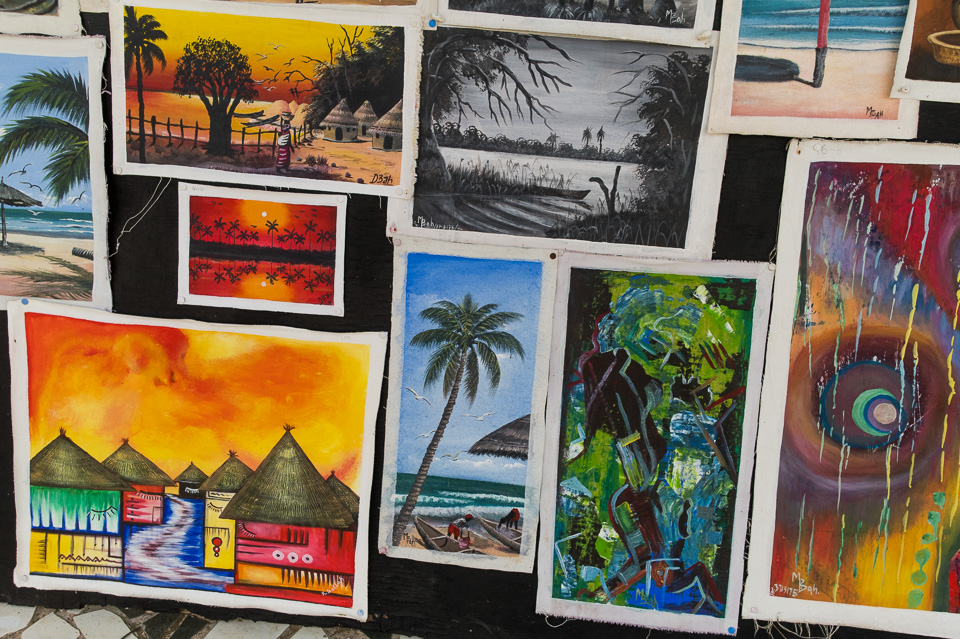
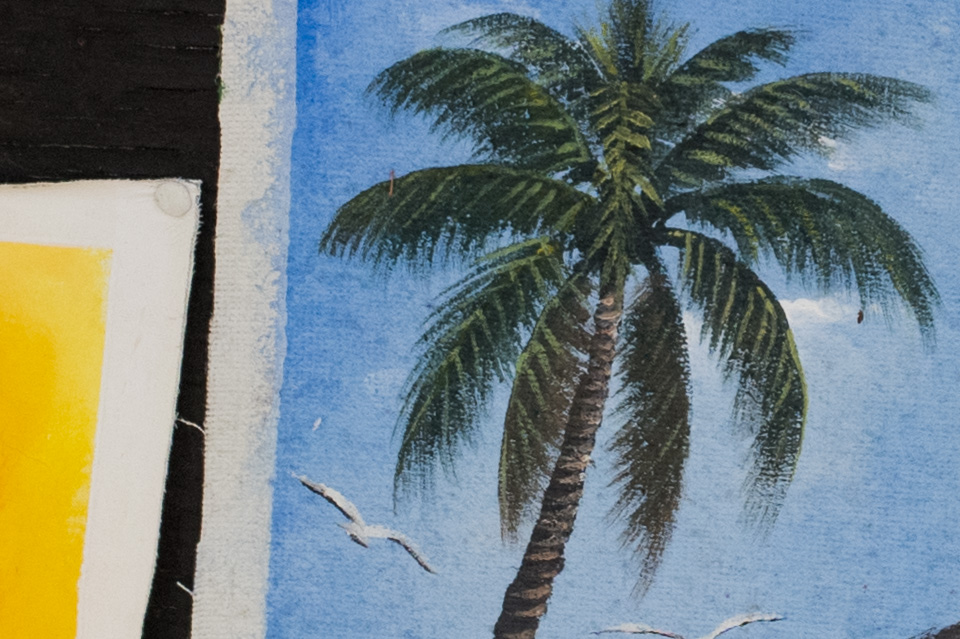
I am also pleased with the noise performance, considering the size of the sensor. It cannot be compared with a full-frame DSLR, but I still find the noise acceptable at, for example, ISO 3200.
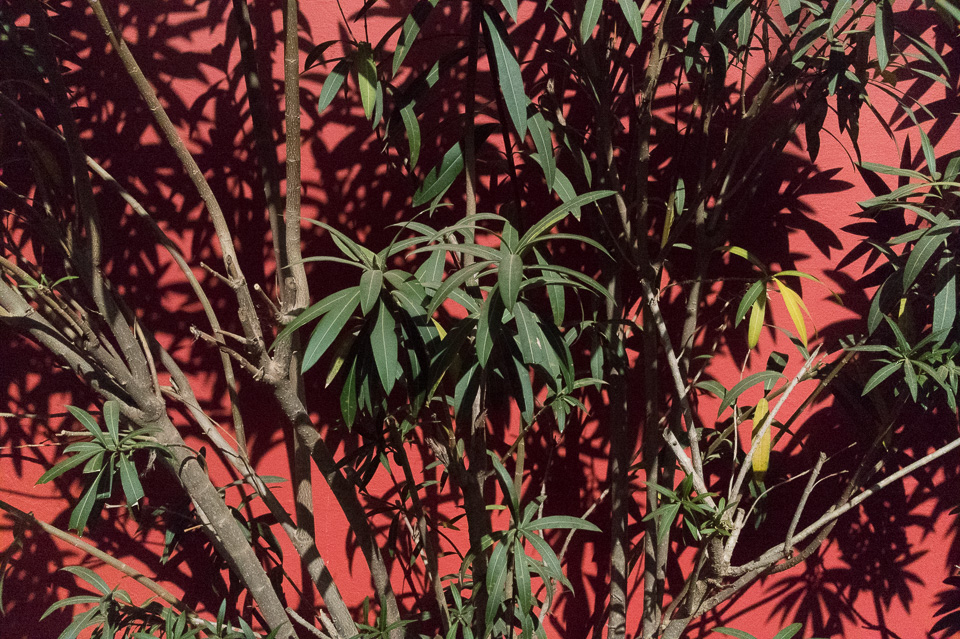
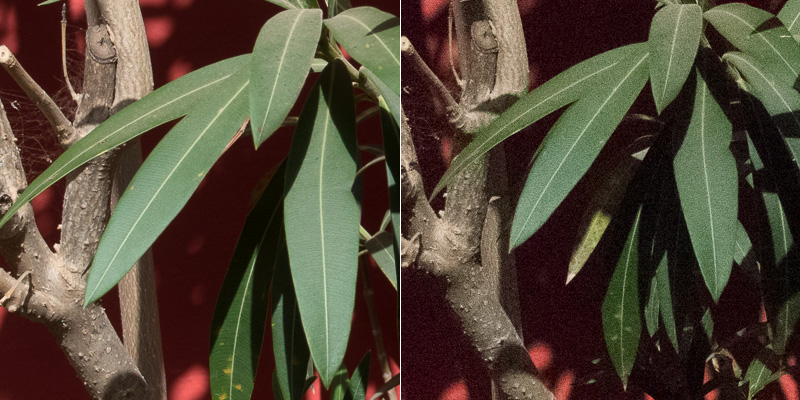
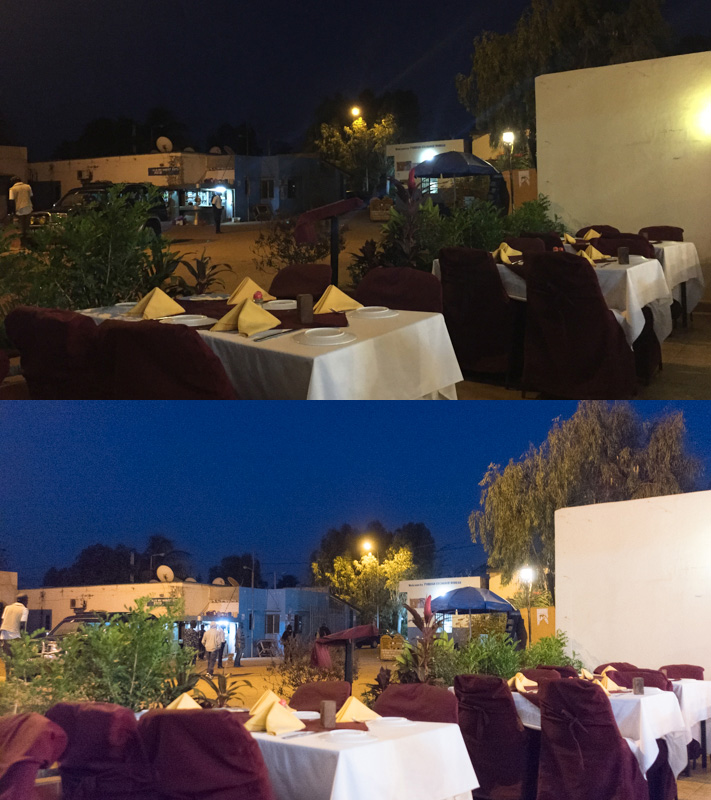
In low light, the DxO ONE also clearly shows its added value. Not only because it produces less noise than an iPhone, making the photo sharper, but also because it handles a dark situation much better.
Here is the difference between a photo taken with my iPhone, above, and one taken with the DxO ONE during the blue hour, below. Both photos were taken directly after each other.
The DxO ONE also produces good results in backlighting, especially if you save the photo in RAW and edit it afterwards. You can lower the highlights without any problems and easily lift the shadows to increase the dynamic range further.
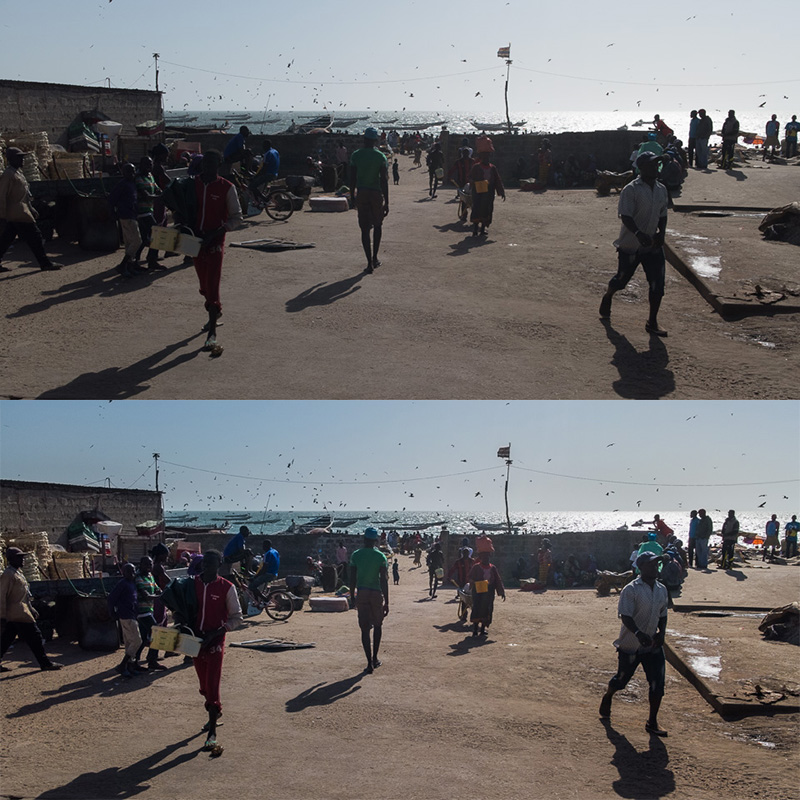
According to DxO, the dynamic range of SuperRAW is 13.3 stops, which is even one stop more than a Nikon D700. And one stop less than my D750. An excellent performance, and another advantage over using the iPhone alone.
Another advantage of the DxO ONE is that, with 20 megapixels, you can crop a little more creatively than with an iPhone, for example if you could not get close enough.
Holding and carrying it
During the holiday, I quickly discovered that the DxO ONE is easy to carry, and you can connect the DxO ONE and the iPhone in no time. It is a combination that you need to hold with both hands. According to DxO, the connector is strong enough to hold your iPhone, but it sometimes still feels a little unsteady.
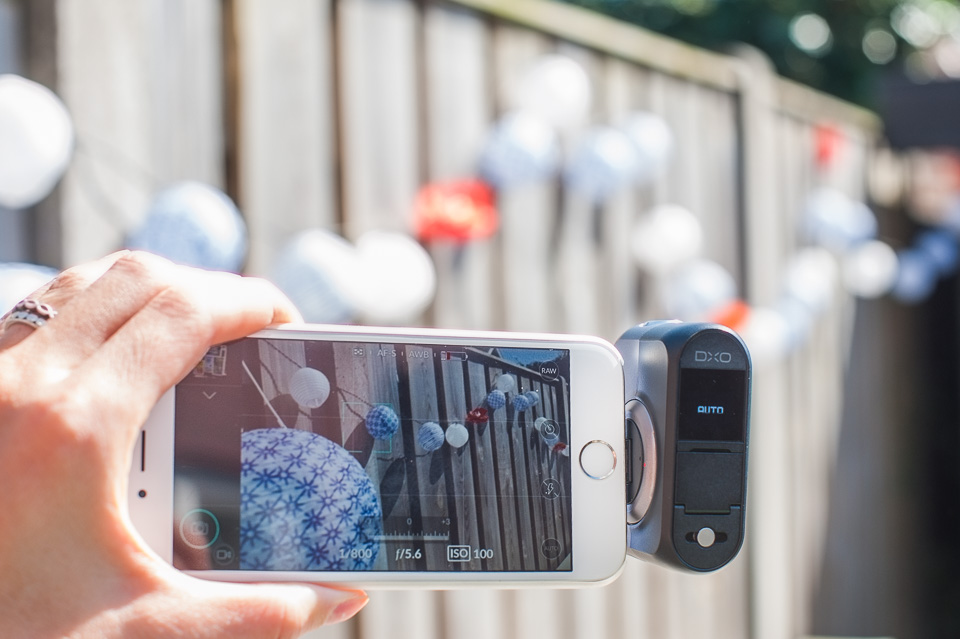
Because I did not want to let my iPhone crash onto the ground, which happens often enough already, and naturally did not want the same fate to befall a borrowed camera, I usually held them both.
When I used the camera on its own, without the iPhone, I was still trying to work out the best way to hold it, especially at first. Because of its small size, it does not immediately feel comfortable in your hand. I also occasionally took photos with part of my finger in front of the lens.
That said, I do not find an iPhone particularly comfortable to hold in one hand when taking photos either. On the other hand, I regularly leave my DSLR at home because I cannot be bothered carrying it around, whereas that excuse really does not apply to the DxO ONE. Especially because I already have my iPhone with me anyway.

Storage and sharing
The photos are saved to a microSD card. I used a 32-gigabyte one, and with RAW files of around 45 megabytes each, that was more than enough. A JPEG is around 15 megabytes.
You also have the option of saving the photos directly to your iPhone at the same time. This naturally makes the photos quick and easy to share. You can send them to family and friends via WhatsApp or post them on Instagram.
The photos are organised in the DxO app, but they also simply appear in your iPhone's camera roll.
Battery
I did not keep exact track, but I was a little disappointed by the camera's battery life. You really cannot happily keep clicking away all day, as you can with my DSLR. The camera does go into standby between shots, but the battery capacity still turns out to be limited.
According to the DxO ONE website, you can take around 200 photos on a single charge. The iPhone does not power the camera, by the way, even when it is connected. Because the battery cannot be replaced, it is useful to carry an external or portable charger with you. I hope DxO improves this in the future.
And also...
What I find disappointing, and for some reason had expected, is that you cannot take macro shots with the DxO ONE. Many compact cameras let you focus at distances of just a few centimetres. That is not possible with the DxO ONE.
The minimum focusing distance is twenty centimetres and the lens does not provide the real magnification needed to call it a macro shot.
One small advantage is that the camera has built-in GPS, and you can view the photos on a map both in your iPhone's camera roll and directly in Lightroom.

In practice
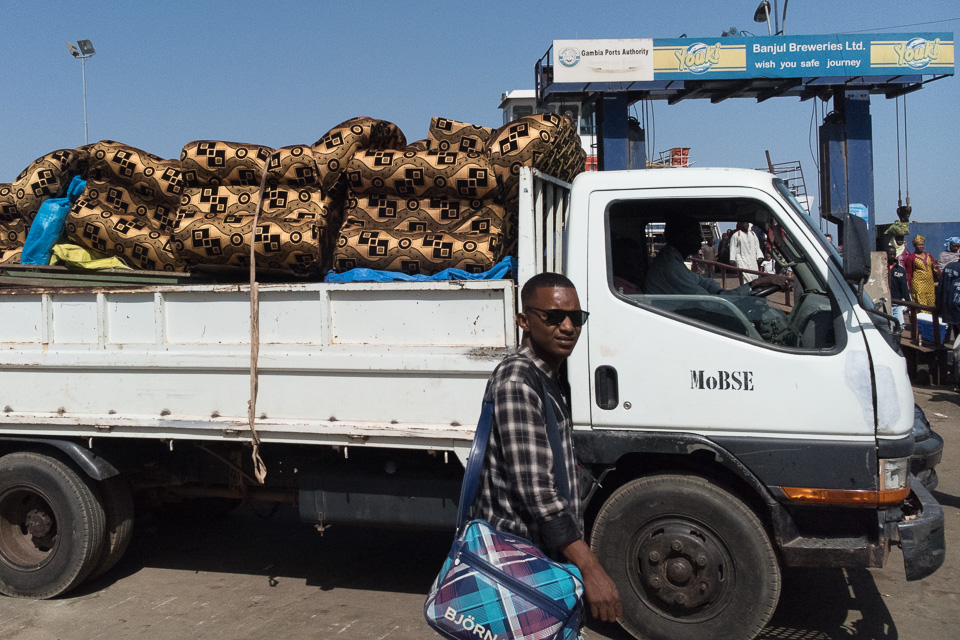
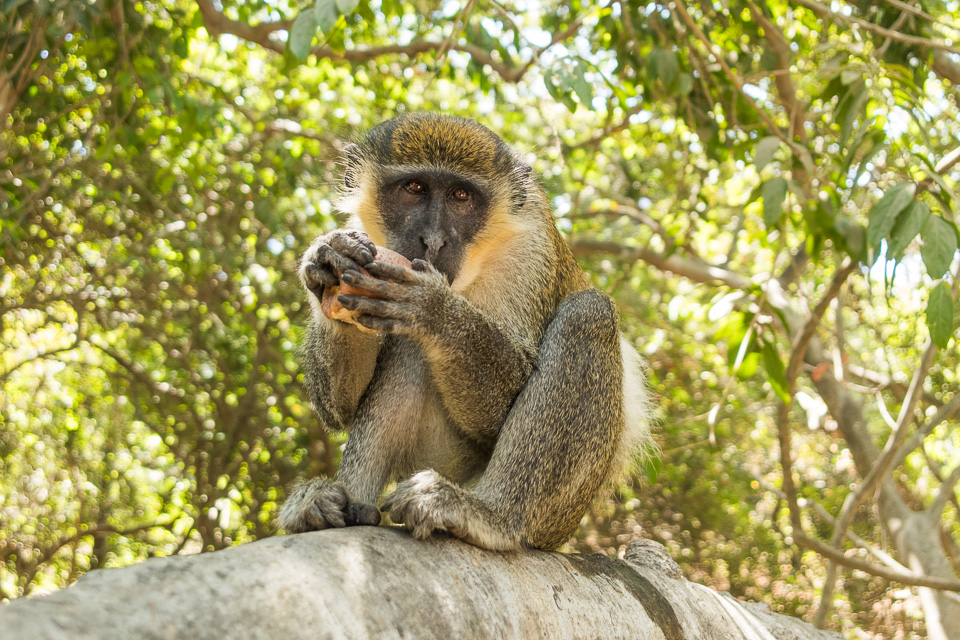
I took the DxO ONE to Gambia and Senegal, alongside my 'regular' DSLR, of course. Will the latter stay at home on my next holiday? Definitely not. The fixed focal length alone means I do not see the DxO ONE as a replacement for my current camera.
I do think it depends very much on what you want and what you photograph. In Senegal, I took a photo of a giraffe during a safari, but whether I used an iPhone or an iPhone with the DxO ONE, I would have needed to stand much closer to get a successful photo with either.
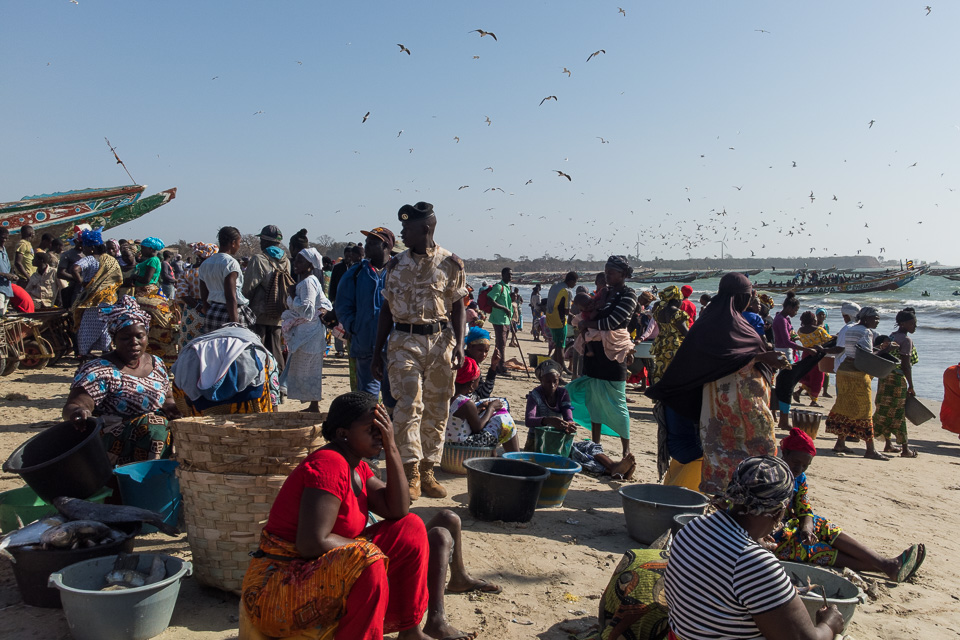
I did find the DxO ONE ideal for discreet street photography. The little camera fits easily in your hand and is barely noticed by the people around you. Of course, aiming without a screen takes some practice, hit and miss, but anyone who gets the hang of it can take some great shots with it.
The angle of view really does make you feel as if you are standing in the situation. Or you can look at your iPhone while pointing the camera forwards, allowing you to take photos discreetly.
The DxO is certainly worth considering if weight is an important factor in your camera-buying decision. Perhaps you simply do not want to carry much, or you are going on a multi-day hike through the mountains, for example. Precisely because it is so small and lightweight, it is easy to take with you wherever you go.
The DxO One also seems interesting to me for photographers who like taking selfies or making vlogs. It is not the case that the camera always points away from the screen of your iPhone. It can be tilted, as you can also see in the photo earlier in the article. For a selfie, you simply attach the camera to your iPhone the other way round.
If you are someone who already photographs almost exclusively with an iPhone, I particularly recommend the DxO ONE for situations with low light or backlighting. That is when you will notice its added value most quickly. But the DxO ONE also often delivers higher image quality than the iPhone in other situations, thanks to its larger sensor and better f/1.8 lens.
Smartphones/Tablets/Android
But what if you do not have an iPhone? Above, I have repeatedly talked about iPhones, but the DxO ONE can also be used with iPads. As long as they have the (8-pin) Lightning port and run at least iOS 8.
There is no support for Android, and the DxO website does not make it entirely clear to me whether this is planned for the near future. DxO support itself writes: 'Right now the DxO ONE is designed exclusively for iOS so that we can focus on creating the best possible product experience on one platform before extending it to others.'
About the author
Laura Vink is gek op reizen, fotografie en een combinatie van die twee. Ze schreef het boek Reisfotografie en op haar website Vink Acacemy vind je veel artikelen met fotografie tips, inspiratie en (gratis) eBooks. Ook geeft ze een online fotografie cursus. Volg Laura op Instagram.
You might also like
-
 Does the Smartphone Camera Make the Compact Camera Obsolete?
by Jasper van Wezel
-
 Review: Pictar grip for the iPhone
by Michelle Peeters
-
 Review: DigiEra external SSD for iPhone video
by Nando Harmsen
-
 The iPhone 7 Plus and computational photography
by Elja Trum
-
 DxO PhotoLab as an alternative to Lightroom
by Nando Harmsen
-
 Review: iPhone 7 Plus camera
by Lars Paymans
7 comments
-

 martinphili wrote on Friday 10 June 2016 at 15:39
| reply
Ja, dit is het helemaal he? We zijn net terug van een korte vakantie waarbij ik steeds met m'n SLR liep te zeulen. (dan had ik de rest van de spulletjes nog in de auto laten liggen)
This comment was written in another language and has not been translated yet.
Ik heb er een zere rug aan overgehouden.
En dit steek je in je broekzak!! -
 eroktame wrote on Tuesday 14 June 2016 at 12:43 | reply
Wat kost zoiets? En op elke gsm te gebruiken?
This comment was written in another language and has not been translated yet. -
 Laura wrote on Tuesday 14 June 2016 at 13:22 | reply
At the time of writing, the DxO One costs € 499,-
Translated from Dutch.
And as you can read in the last paragraph; for now it is only for iPhones and iPads. -
 Tillie wrote on Tuesday 14 June 2016 at 22:04 | reply
I already saw the little device in the MediaMarkt magazine. Sounds great to me! What I do wonder, though, is what happens when a newer version Iphone or Ipad comes out with a different port. That has happened before, after all!
Translated from Dutch. -
 Laura
wrote on Tuesday 14 June 2016 at 22:09
| reply
@Tillie: Good question, of course! Naturally, I don't have an answer to that, but if DxO is at all smart, they won't suddenly leave their customers with an unusable product. Surely an adapted connector piece or something similar will come along.
Translated from Dutch. -
Eugène wrote on Wednesday 15 June 2016 at 09:38 | reply
As far as I'm concerned, this kind of camera can completely move out of the gadget category. With current technology, conventional cameras are bulky, heavy and expensive. But we still buy them, so they continue to exist. How much longer? Beautiful image quality.
Translated from Dutch. -
 Henk Heijnen
wrote on Sunday 5 May 2019 at 23:07
| reply
Laura, I'm curious if you still use the One regularly?
Translated from Dutch.
Have your say
Please note: Articles older than a week can only be commented on by signed-in visitors.Would you still like to comment? sign in or create a free account.
Become a better photographer every week
A practical photography tip in your inbox every week.
38,695 photography enthusiasts already receive the tips! More about the weekly mail. Or keep up to date via  Facebook.

Elja Trum
Photofacts; everything to do with photography!
Would you like to take better photos and keep up with what is happening in photography? Photofacts publishes articles that teach you something about photography — from a product announcement to a practical shooting tip or a look at a website. Photofacts covers photography every day and is a hobby project of Elja Trum's that got out of hand. The articles are written by a team of volunteer authors. If you would enjoy writing one or more articles for Photofacts, do get in touch.More about Photofacts Photos





Photofacts is made possible in part by
