

DxO PhotoLab as an alternative to Lightroom
Friday 10 April 2026, 14:28 by Nando Harmsen | 2,357 views | 12 commentsThis article was translated from Dutch with the help of AI. Read the original.
Lightroom Classic is probably the most popular software for managing a photo catalogue. It also lets you develop photos digitally. There are alternatives, such as Capture One and DxO PhotoLab. I took a look at the latter.
The programme DxO PhotoLab differs in one important respect. You don't need a subscription. At least, not at the moment. With software companies, you never know how things will turn out.
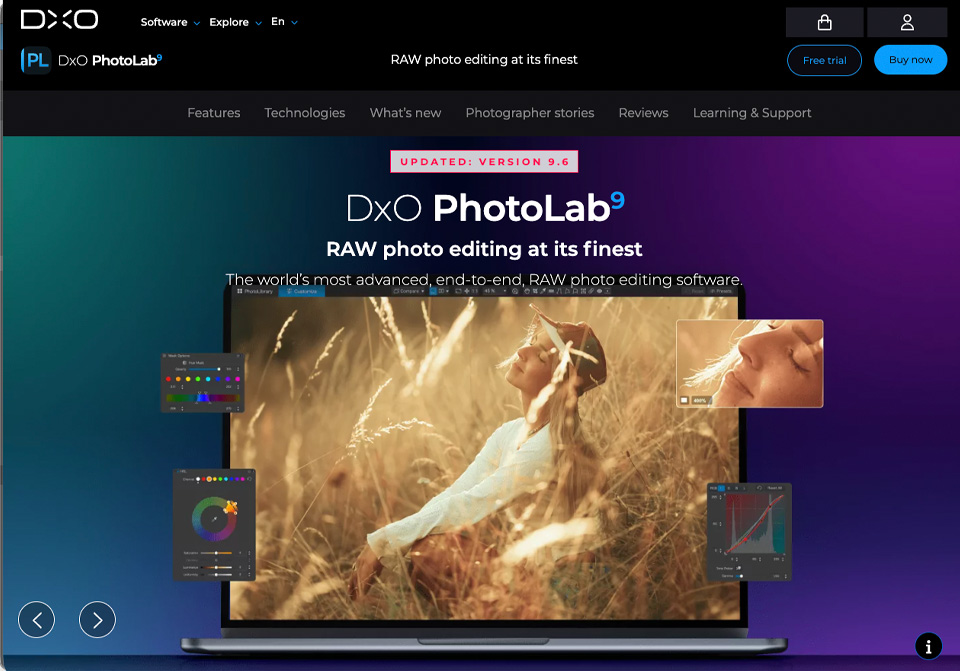
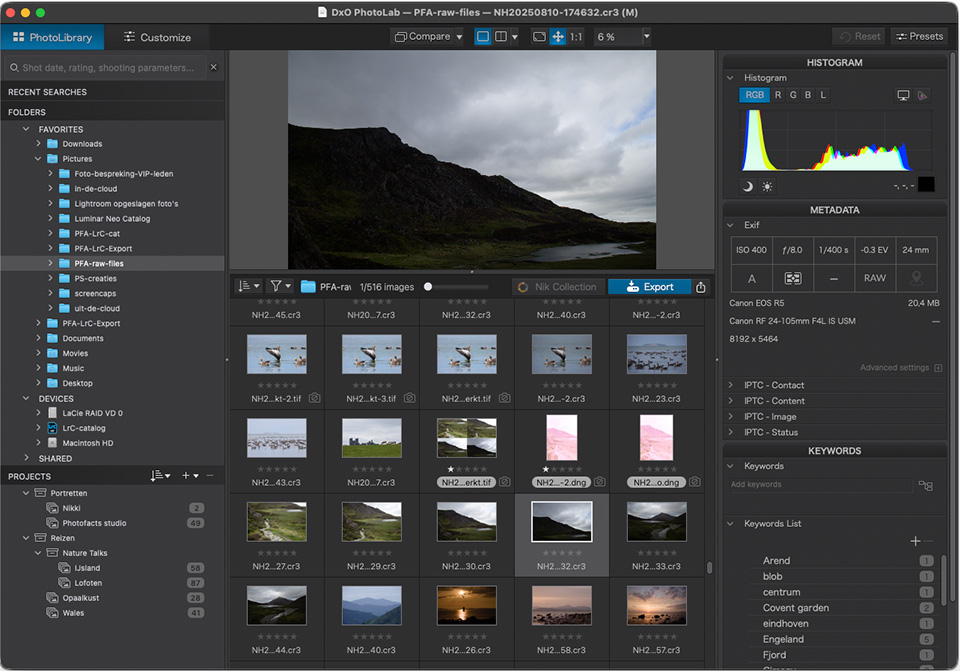
So, for now, it's a one-off purchase. You get a package that is comparable to Lightroom. But instead of a catalogue, DxO PhotoLab uses the folder structure on your hard drive.
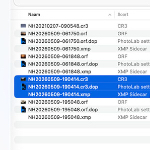
The lack of a catalogue also means that the edits you make aren't stored in a database. DxO PhotoLab saves the adjustments in a separate small file with its own unique extension, .DOP.
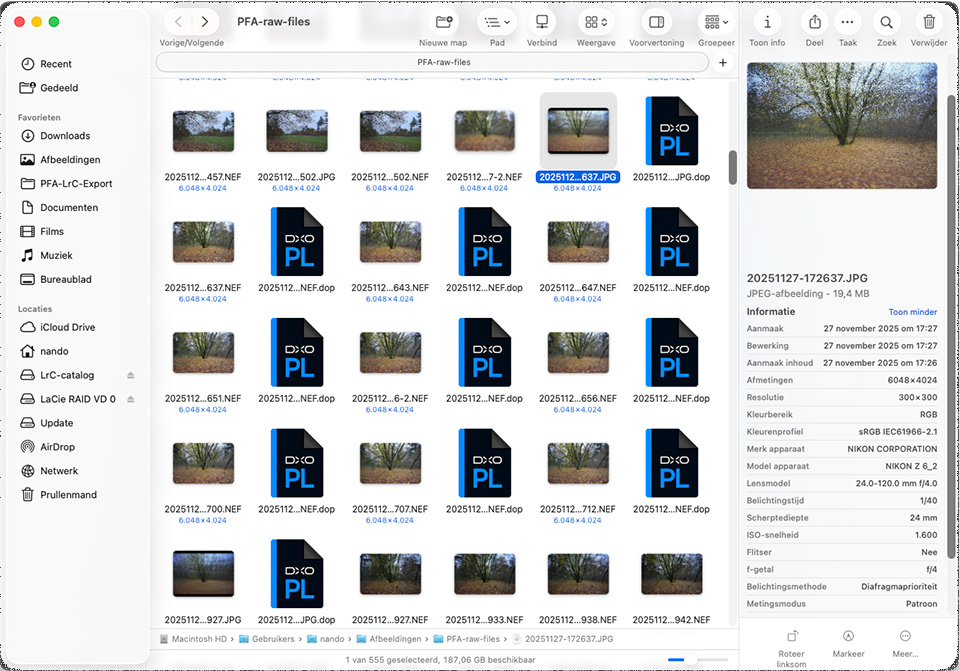
This DOP file contains all the information about the edits you make to a photo, the rating and colour label, and the keywords. So it's essential that this DOP file always stays with the photo file.
This method has advantages and disadvantages. The disadvantage is that it doubles the number of files in folders containing photos. These are small files, but if you have 200 photos, 200 small DOP files are added as well.
One advantage is how easy it is to move photos outside DxO PhotoLab. But above all, it provides the security that all edits are stored in a decentralised way. There is no large catalogue file that can become corrupted.
Both the appearance and functionality of DxO PhotoLab's PhotoLibrary are comparable to Lightroom Classic. You just need to get used to the way it works, which may take a week or two.
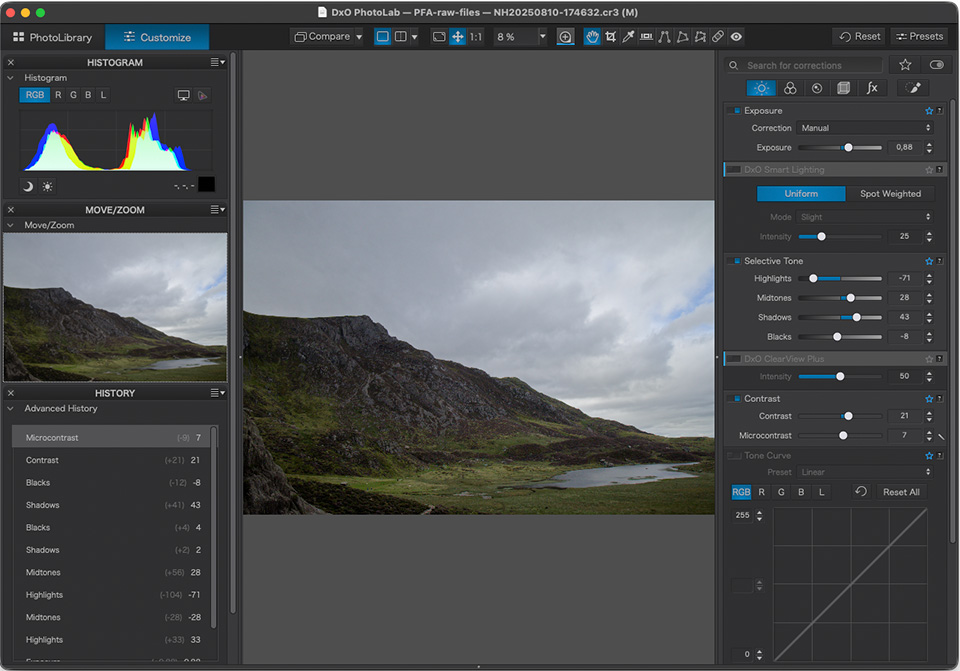
You also need to get used to the editing module, or Customize as it is called in DxO PhotoLab. The editing tools are arranged differently. You need to find your way around, which takes time.
DxO PhotoLab lets you mark tools as favourites, so that the tools you don't use often aren't visible. The biggest disadvantage I find is the small text and the colour scheme.
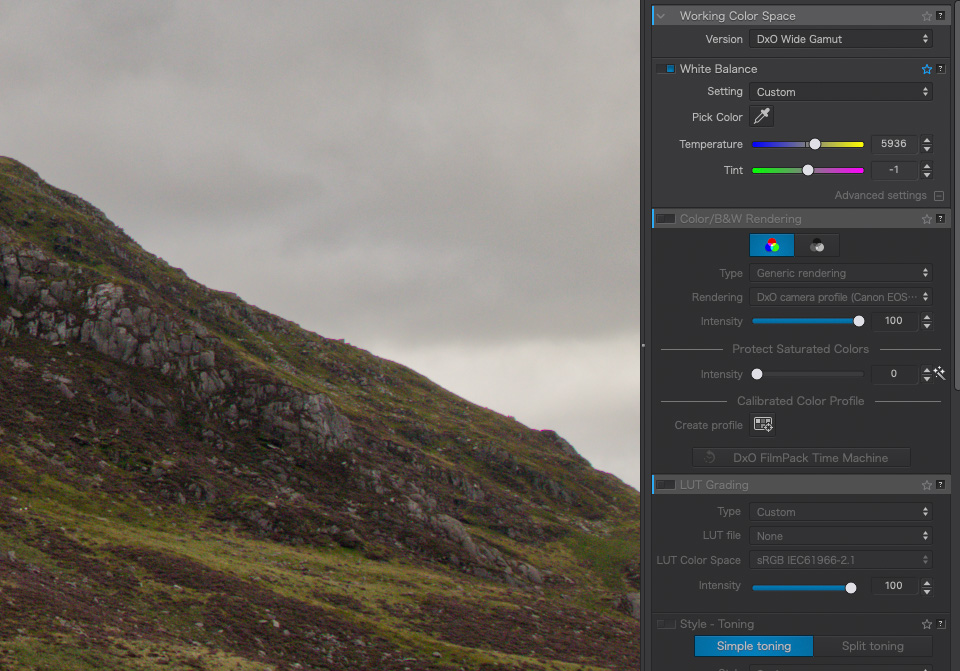
Inactive tools are light grey on grey, which makes them difficult to read, especially because of the text size. This improves when a tool is active, but the text remains small. Unfortunately, I couldn't find a setting to adjust this.
I haven't worked with DxO PhotoLab very much yet, and have only taken a general look at how the programme is put together. I quickly discovered that it is a perfect alternative to Lightroom Classic.
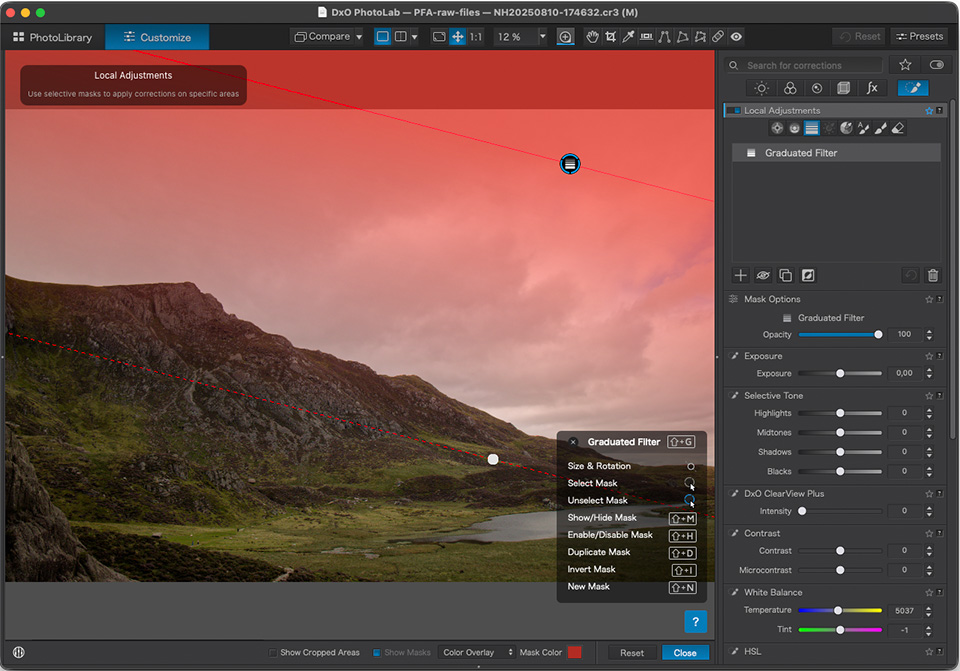
When you look at the DxO website, it isn't immediately clear which software you need. There are several packages, but with DxO PhotoLab you have everything you need, including DxO PureRAW.
Are you looking for a way to organise and edit your photos, without a subscription and without sacrificing functionality? Then I recommend taking a look at DxO PhotoLab.
About the author
Nando Harmsen has been photographing for more than 40 years. He specialises in wedding photography and landscape photography. Nando also gives talks, workshops, masterclasses and photo trips, and regularly reviews new and interesting equipment.
You might also like
-
 An honest comparison between DxO PhotoLab and Lightroom Classic
by Nando Harmsen
-
 An impression of the DxO PureRAW4 plugin for Lightroom
by Nando Harmsen
-
 DXO Photolab photography tip: Use sensible file management
by Nando Harmsen
-
 The new DXO PhotoLab version 10
by Nando Harmsen
-
 5 Tips for Managing Photos in Lightroom Classic (and Other Software)
by Nando Harmsen
-
 Price comparison of software with and without a subscription
by Nando Harmsen
12 comments
-
 Mac wrote on Monday 13 April 2026 at 08:54 | reply
I work a lot with DXO. and it really works very pleasantly. The noise reduction in particular is fantastic.
Translated from Dutch.
The only disadvantage of DXO I find is that you have to purchase more if you want to do panorama or HDR, for example. Now, that isn't so bad. But you can't even mirror a photo, and I find that a bit less. -

 Nando
wrote on Tuesday 14 April 2026 at 09:41
| reply
Nando
wrote on Tuesday 14 April 2026 at 09:41
| reply
Indeed, HDR and panoramas are not possible in the program.
Translated from Dutch.
For flipping photos, you have to buy DxO Vierwpoint as well (a few dozen euros more in a bundle).
But then I wonder: flipping a photo? Why?
Of course, you can combine DxO with, for example, Affinity (free). Then you can do as much flipping, HDR, panoramas, stacking and more as you like, outside DxO. -
 André wrote on Tuesday 14 April 2026 at 10:58 | reply
I have also been looking into DxO lab lately and it indeed seems like a very good alternative to Lightroom. In some respects, it might even be better. Certainly given Adobe's price development, saying goodbye seems like a logical step. I find the decision to switch over completely and say farewell to Lightroom and Photoshop difficult because I have worked with Lightroom for about fifteen years and the question arises what to do with all the edits made during those fifteen years?
Translated from Dutch. -
-
 Albert Wester
wrote on Tuesday 14 April 2026 at 11:24
| reply
Albert Wester
wrote on Tuesday 14 April 2026 at 11:24
| reply
Fortunately, I’ve been free of Adobe for years now and actually found the perfect successor in what was then PerfectEffects, now On1 PhotoRaw.
Translated from Dutch.
On1 PhotoRaw is essentially a combination of LR and PS with a nice asset management module. The folder structure is like that of DXO or any alternative other than LR. This structure makes it easy to also use other programs or switch more easily.
With On1, you have the choice between a subscription version and the purchased version. -
 Hans Stuurman wrote on Tuesday 14 April 2026 at 11:32 | reply
@Andre & @Photofacts. I also run into that issue after 15 years of LR with tens of thousands of photos. How are we going to safeguard that, or will we create a new edit based on the RAW if necessary? Usually your insights may have changed somewhat over time.
Translated from Dutch.
@Photofacts Has ON1 ever been looked at as well? I’m quite curious about that as an alternative -
Nando
wrote on Tuesday 14 April 2026 at 11:42
| reply
@Hans Stuurman and @Albert Wester:
Translated from Dutch.
Part of the edits in Lightroom can be saved in an XML file. This can be read by multiple software packages. This means you won't lose all your edits if you ever switch.
But note, very specific edits such as masks and removals are not read by other software.
XML files therefore help with the basics, keywords, title and caption, but not with the more advanced edits. -
Mac wrote on Wednesday 15 April 2026 at 08:01 | reply
Sometimes I mirror a photo because it just looks a little better that way. (and if you purchase ViewPoint, you can mirror it)
Translated from Dutch.
But one more thing about DXO. If you want to purchase it, it is wise to wait until the Black Friday sales, because then you get really good discounts.
and for HDR you could of course purchase Nik Collection as well. -
Hans Stuurman wrote on Wednesday 15 April 2026 at 13:32 | reply
@Photofacts Has ON1 ever been looked at as well? I'm curious about it as an alternative
Translated from Dutch. -
Albert Wester
wrote on Wednesday 15 April 2026 at 17:51
| reply
@Hans Stuurman & @Fotofacts: An article was devoted to it in 2019, but apart from that I can't find anything. https://www.photofacts.nl/fotografie/rubriek/tutorials/17-on1-photo-raw-tips.asp
Translated from Dutch.
In the meantime, On1 PhotoRaw has improved so much that that old article is no longer valid.
I would appreciate it if, despite the fact that I have been using On1 for years, there would also be a review of this program. And not a review from the perspective of LR users, but an in-depth objective review, perhaps after prolonged use, so that the conclusions drawn are useful for all photographers who want to switch from any program whatsoever.
I think that in general everything is tied too much to LR, while there are many photographers who want to leave Adobe but are stuck in the ecosystem Adobe creates. -
Hans Stuurman wrote on Thursday 16 April 2026 at 01:52 | reply
@Albert Wester. I completely agree that everything is focused on Adobe. These kinds of programs also deserve the proper attention, and especially in a group like this it would be nice if, after many years since an initial review, someone would take another objective look at them.
Translated from Dutch. -
 Jewe wrote on Thursday 16 April 2026 at 11:21
| reply
Jewe wrote on Thursday 16 April 2026 at 11:21
| reply
I would like to read experiences from open source software users. For example, Darkroom, Digikam and Gimp.
Translated from Dutch.
Have your say
Please note: Articles older than a week can only be commented on by signed-in visitors.Would you still like to comment? sign in or create a free account.
Become a better photographer every week
A practical photography tip in your inbox every week.
38,937 photography enthusiasts already receive the tips! More about the weekly mail. Or keep up to date via  Facebook.

Elja Trum
Photofacts; everything to do with photography!
Would you like to take better photos and keep up with what is happening in photography? Photofacts publishes articles that teach you something about photography — from a product announcement to a practical shooting tip or a look at a website. Photofacts covers photography every day and is a hobby project of Elja Trum's that got out of hand. The articles are written by a team of volunteer authors. If you would enjoy writing one or more articles for Photofacts, do get in touch.More about PhotofactsPhotofacts is made possible in part by
