

Review: FlexClip video maker
Friday 9 August 2019, 15:51 by Michelle Peeters | 6,198 views | 0 commentsThis article was translated from Dutch with the help of AI. Read the original.
Sophia from PearlMountain Limited asked us to take a look at their new app FlexClip. FlexClip is a simple but powerful video maker that helps you create videos for any purpose.
Here are some of its main features:
- Completely free;
- A blank storyboard for combining multiple photos and clips;
- Flexible video editing tools: trimming, splitting, text, voice-over, music, watermark, et cetera;
- High-definition video export.
FlexClip only works with the Google Chrome browser, so you have to download that first. I find this a considerable limitation.
Only MP4 format supported
I was also unable to import any of my existing videos, in MPG, MPeg and MOV format, via 'Add local media'. I received the error message 'Unsupported file type. Sorry, FlexClip cannot open this file. Please select the supported files and try again'.
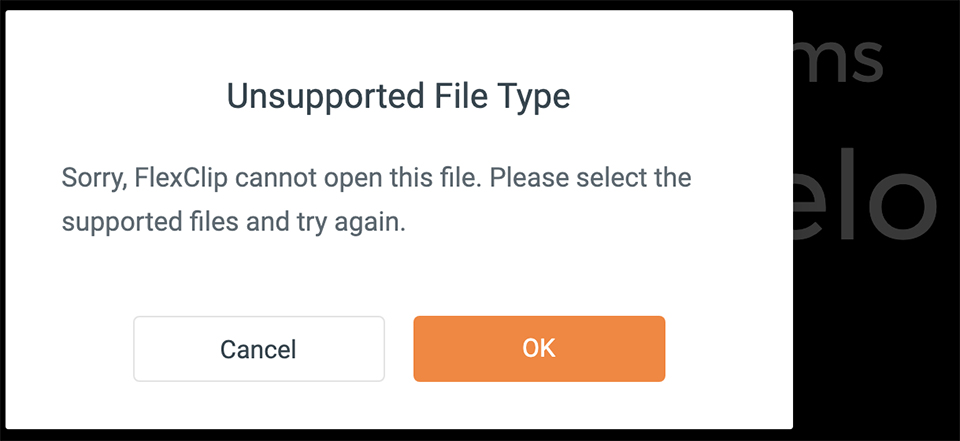
According to the FlexClip developers, the problem was caused by the different encoding modes of the MPG or MOV files. Some encoding modes may not be supported.
They converted my MOV video to MP4 format, after which I was able to import it.
FlexClip currently says it supports only the MP4, M4V, MOV and WEBM video formats. They are working hard to improve this in the near future and ensure that more file types and features are supported.
Using FlexClip
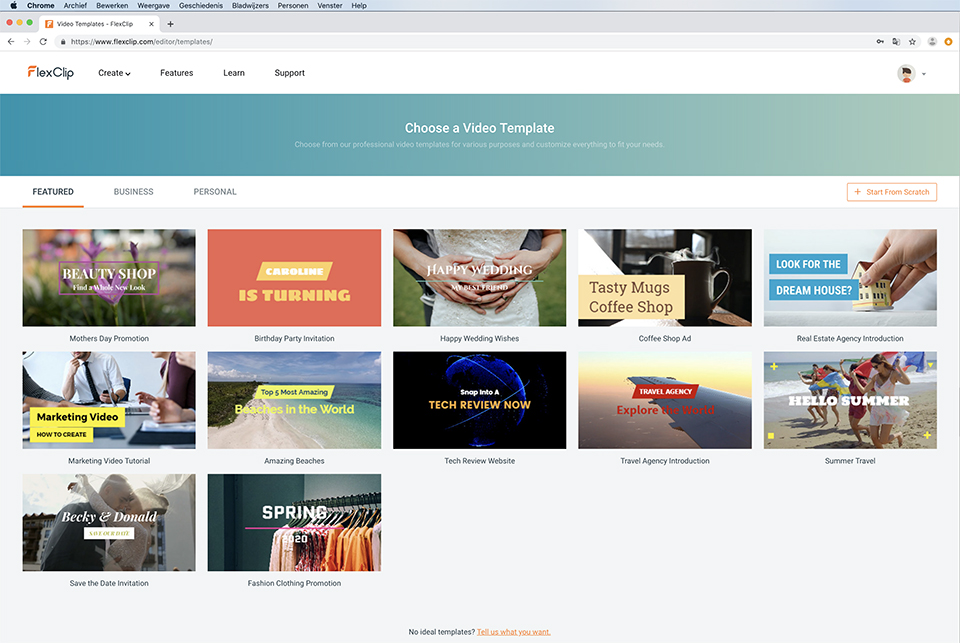
You can choose a video template, complete with music and existing footage, but you can also start 'from scratch'.

You should not think of it as an application such as Adobe Premiere. You can upload media, photos and videos, and put together a storyboard. It is even possible to record a voice-over, for example if you want to tell a story about the content of the video.
You can also edit your photos and/or videos. For example, you can remove unwanted elements or cut out uninteresting parts and then add other parts again.
You can also add text and choose a style in which that text should appear. You can rotate images or add a watermark. You can do the latter if you do not want someone else to take credit for your work.
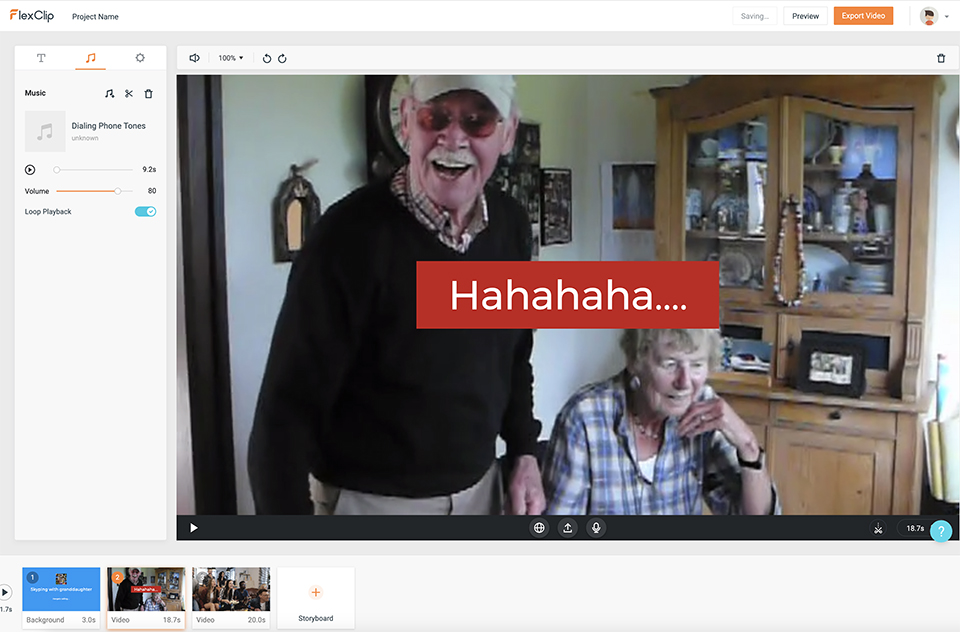
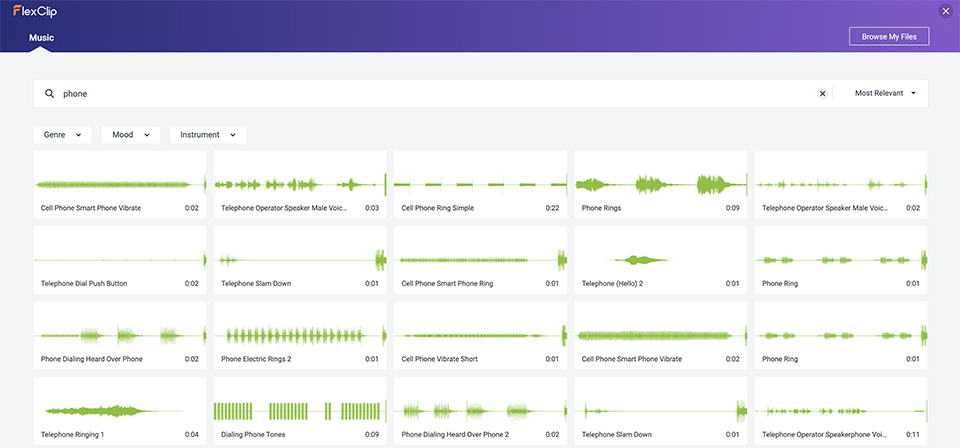
You can also add music. To do this, switch to the Music tab. You can use your own music or tunes and/or sounds supplied by them. Unfortunately, the software is only available in English.
Exporting
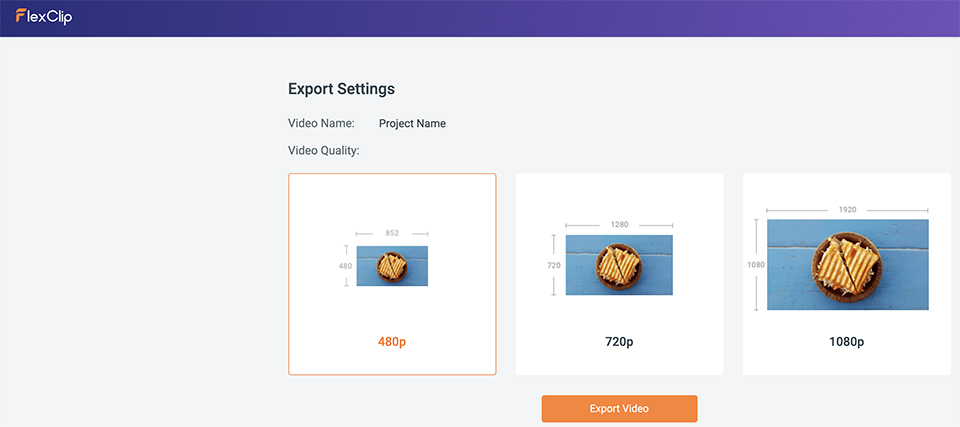
When you have finished editing, you can view the preview before saving everything. You can then export it all. Choose the video quality you want, 480p, 720p or 1080p, export everything and download your film. The higher the quality, the larger the file you download will be, of course.
What did I think of it?
The programme is free, but of course nothing is completely free. You do have to provide your email address and create an account so you can log in. FlexClip is an ideal little programme for anyone who wants to quickly create a video from their photos.
You can also use it to edit an existing MP4 video, but the options are of course nowhere near as extensive as those in Pinnacle Studio or Adobe Première. The software is in English and relatively limited, but you can use the available options in full.
If you do not want to install more powerful video editing software, or do not have the space for it, FlexClip is very useful as an easy-to-use package.
About the author
Michelle Peeters is fotografe en oprichter van DeuxBleus Fotografie. Michelle herkent het bijzondere in het gewone en het gewone in het bijzondere. Ze heeft zich nooit willen specialiseren en is daardoor van alle markten thuis.
You might also like
-
 Review: Amaran app for controlling lights
by Nando Harmsen
-
 Review: Canon EOS R50 mirrorless camera
by Nando Harmsen
-
 Review: Epson EcoTank ET 8500 photo printer
by Nando Harmsen
-
 Review: Canon EOS R5
by Nando Harmsen
-
 Review: Canon EOS R6
by Nando Harmsen
-
 Review: Canon EOS R7
by Nando Harmsen
0 comments
Be the first to share what you think!
Have your say
Please note: Articles older than a week can only be commented on by signed-in visitors.Would you still like to comment? sign in or create a free account.
Become a better photographer every week
A practical photography tip in your inbox every week.
38,982 photography enthusiasts already receive the tips! More about the weekly mail. Or keep up to date via  Facebook.

Elja Trum
Photofacts; everything to do with photography!
Would you like to take better photos and keep up with what is happening in photography? Photofacts publishes articles that teach you something about photography — from a product announcement to a practical shooting tip or a look at a website. Photofacts covers photography every day and is a hobby project of Elja Trum's that got out of hand. The articles are written by a team of volunteer authors. If you would enjoy writing one or more articles for Photofacts, do get in touch.More about PhotofactsPhotofacts is made possible in part by
