

Review: Nikon ZR
Friday 16 January 2026, 14:07 by Nando Harmsen | 5,425 views | 2 commentsThis article was translated from Dutch with the help of AI. Read the original.
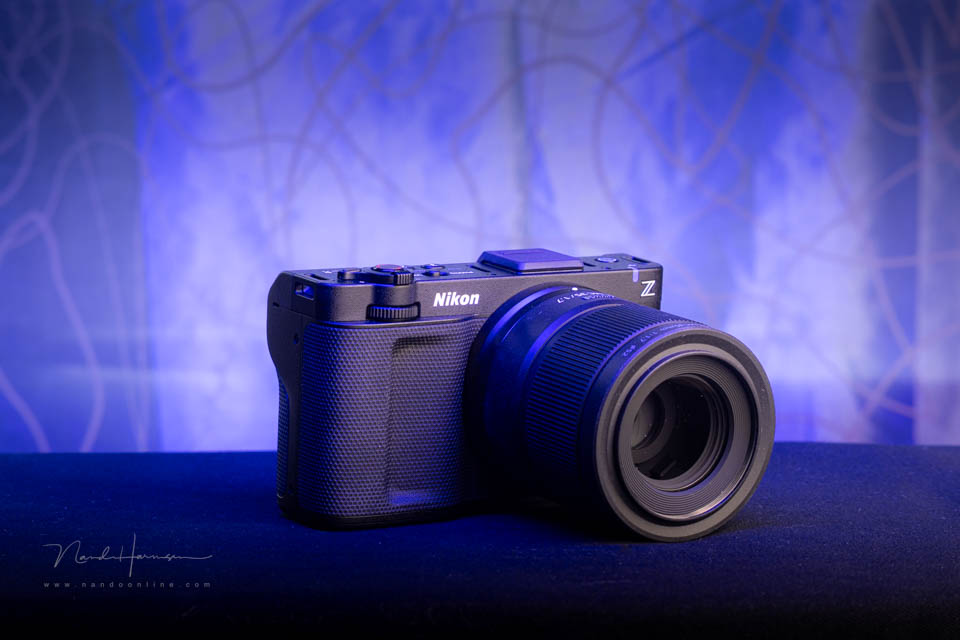
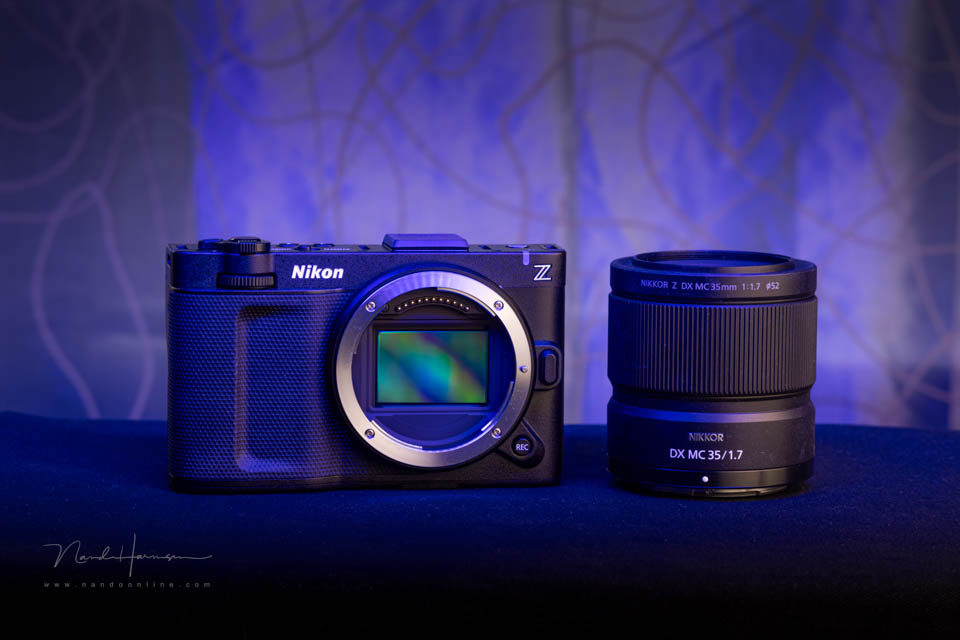
Nikon has launched the ZR, the first hybrid camera on the market aimed entirely at video. It is the result of Nikon and RED coming together. We had the opportunity to briefly review the camera.
In 2024, Nikon bought the American cinema camera manufacturer RED. Just over a year later, the first Z-Cinema camera has seen the light of day. This is the Nikon ZR, the hybrid camera primarily aimed at video.
Specifications
- Full-frame 25-megapixel Back-Side Illuminated CMOS sensor
- 4" fully articulating touchscreen LCD with 3 million pixels
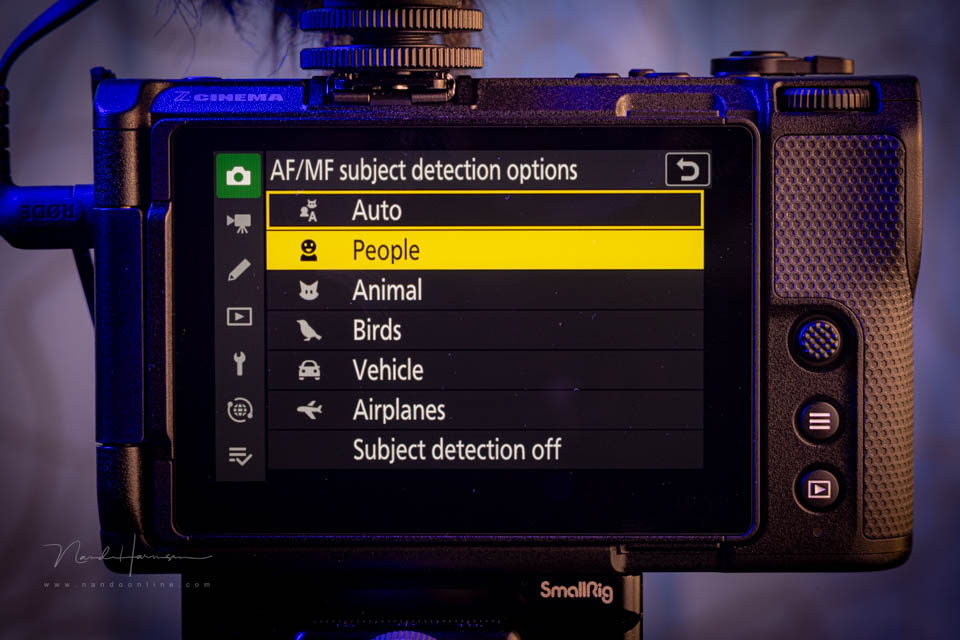
- Autofocus with image recognition using deep-learning AI technology
- Autofocus sensitivity from -10 EV to +19 EV
- 3D tracking for photography, subject-tracking AF for video
- 253 focus points for video, 299 for photography
- 7.5 stops of 5-axis sensor-shift image stabilisation
- Continuous shooting at up to 120 frames per second and Pre-release Capture
- Video recording in R3D NE up to 6K 60p in 12-bit
- Video recording in N-Raw, Apple ProRes Raw HQ and 422 HQ, H.264 and H.265
- Slow motion in 4K 120p and Full HD 240p
- Internal proxy recording in Full HD, MP4
- Continuous video recording for up to 125 minutes
- Log3G10, N-log, SDR and HLG gamma curves
- 32-bit float audio recording
- Passive heat management, no fan present
- RED LUTs available through Nikon Image Cloud
- 3.5mm microphone and headphone connections, USB-C-PD and micro-HDMI
- Weather sealed
- Battery capacity for 380 shots or 90 minutes of video, according to the specifications
- Dual card slot, with XQD/CF Express Type B and UHS-I micro-SD
- Dimensions 134 x 80.5 x 49mm
- Weight 630 grams
The appearance
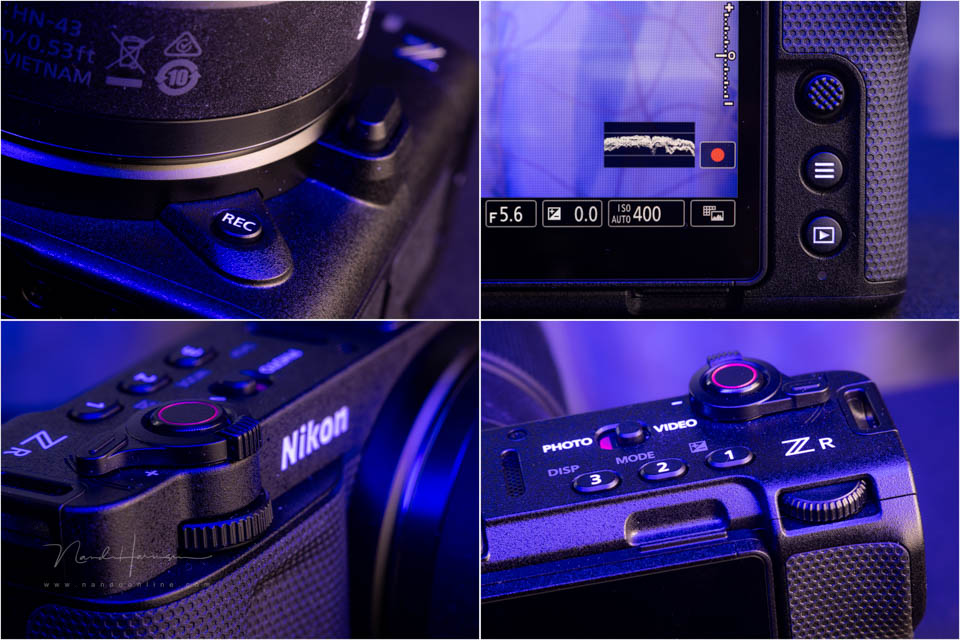
The first thing that stands out about the ZR is its huge LCD screen. It takes up so much of the back of the camera that little space is left for buttons. Everything is designed for touchscreen operation.
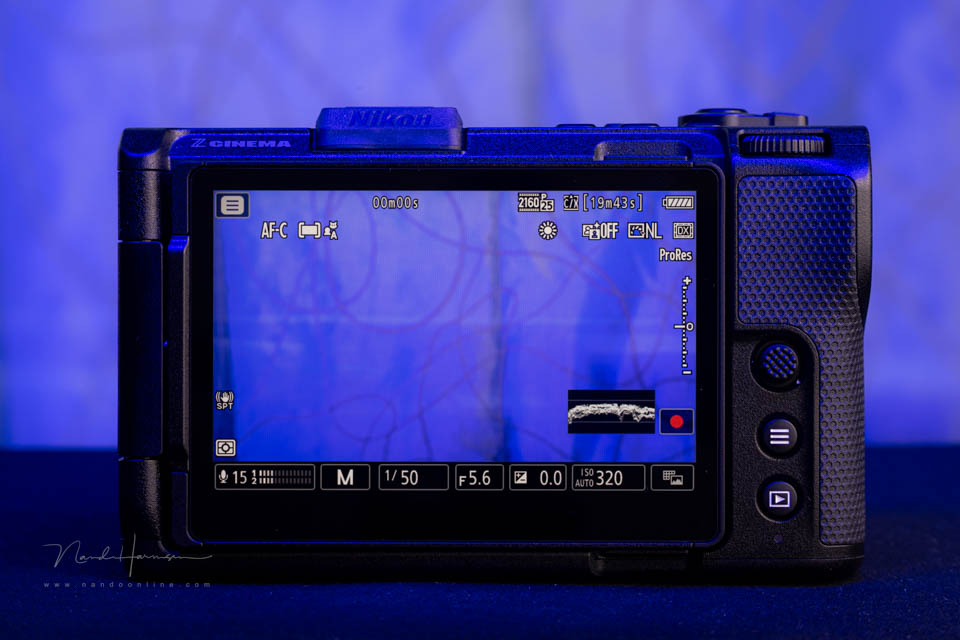
There are three programmable buttons and the photo and video switch on top of the camera. The shutter button has a lever that is used for menu operation and for the zoom function on a power zoom lens.
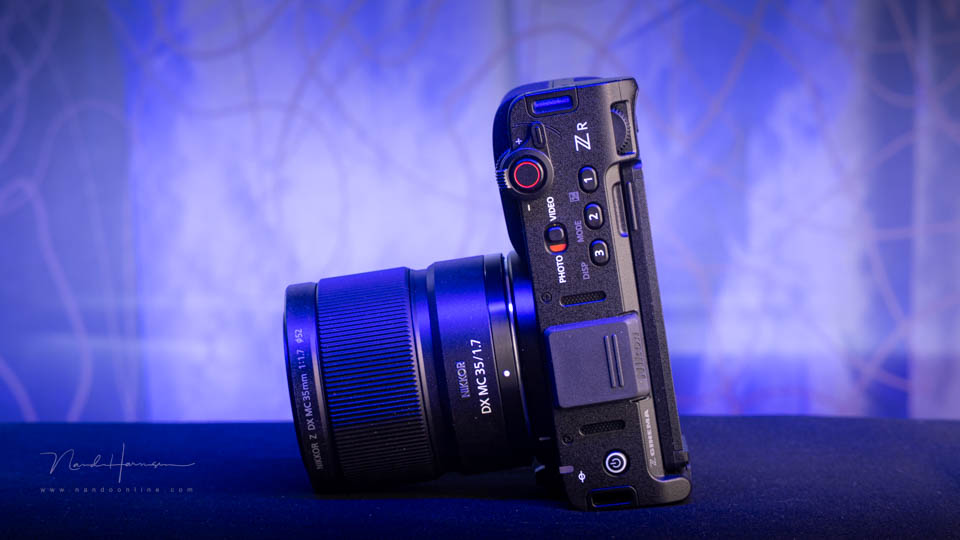
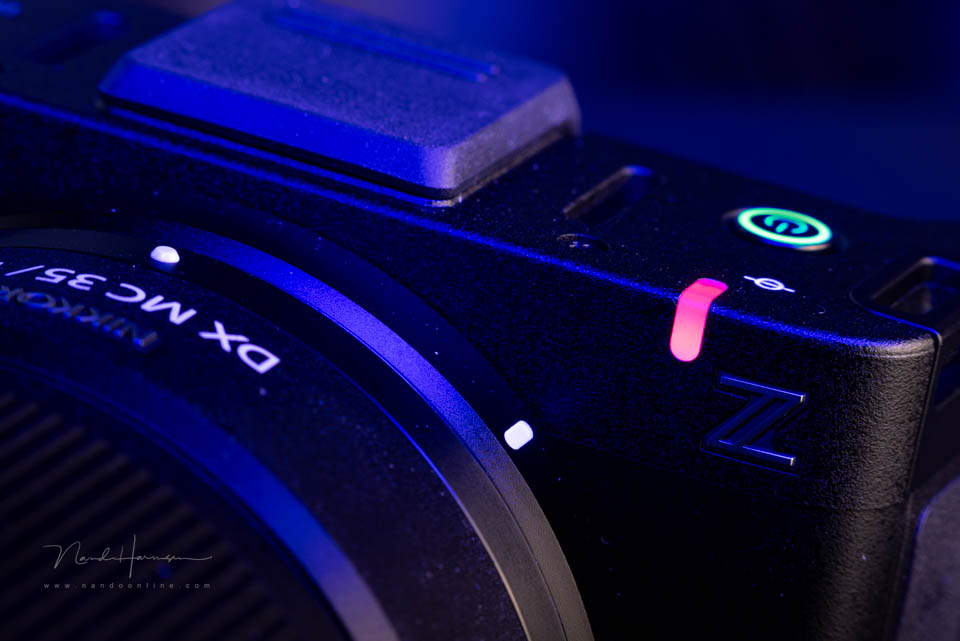
The shutter button is of course used to start video recording. A second shutter button is located next to the lens. There is a clear tally light, whose intensity can be adjusted in the menu.
Control dials provide access to settings such as exposure. There is no third control dial on the rear, but there is a joystick. The only other buttons on the camera are for opening the quick menu and for playback.
The camera accepts two memory cards. You find the card slots next to the battery, on the underside. One card slot is for an XQD / CF Express Type B card, the other for a UHS-I micro-SD card.
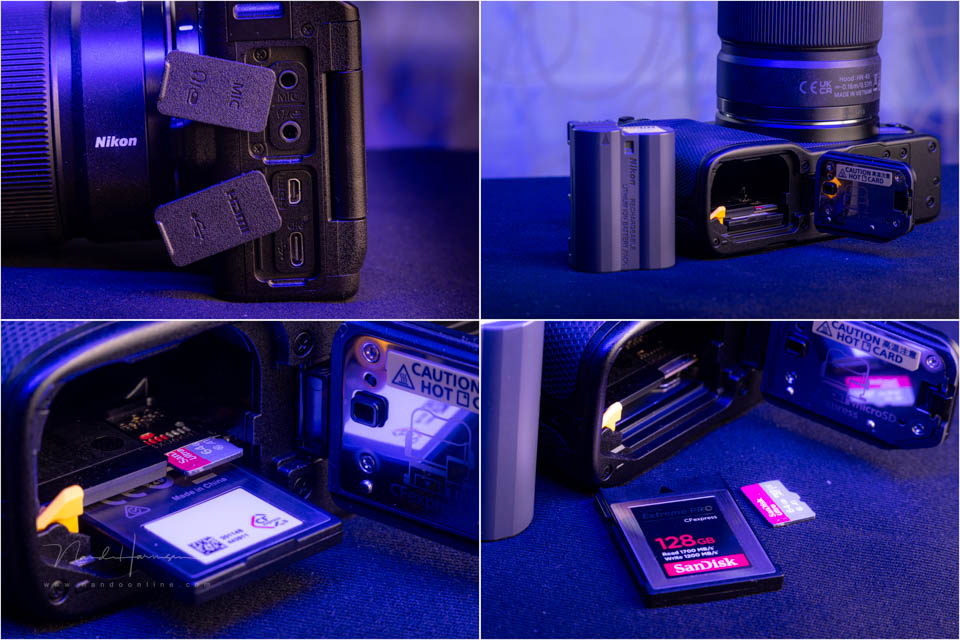
The side contains the camera's connections. Underneath is a USB-C-PD connection that can be used for both data transfer and charging. There is of course a microphone, headphone and micro-HDMI port.
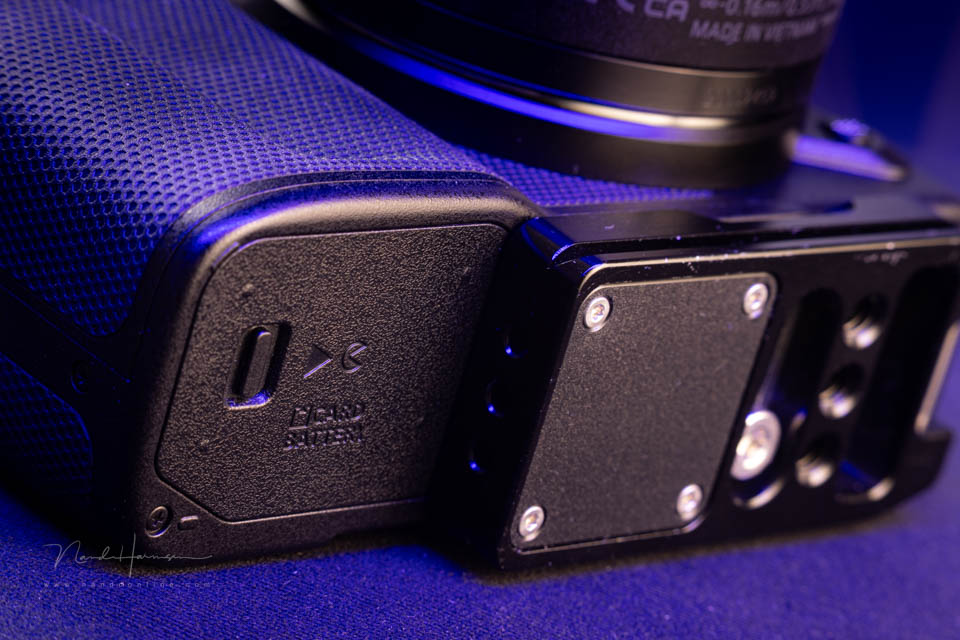
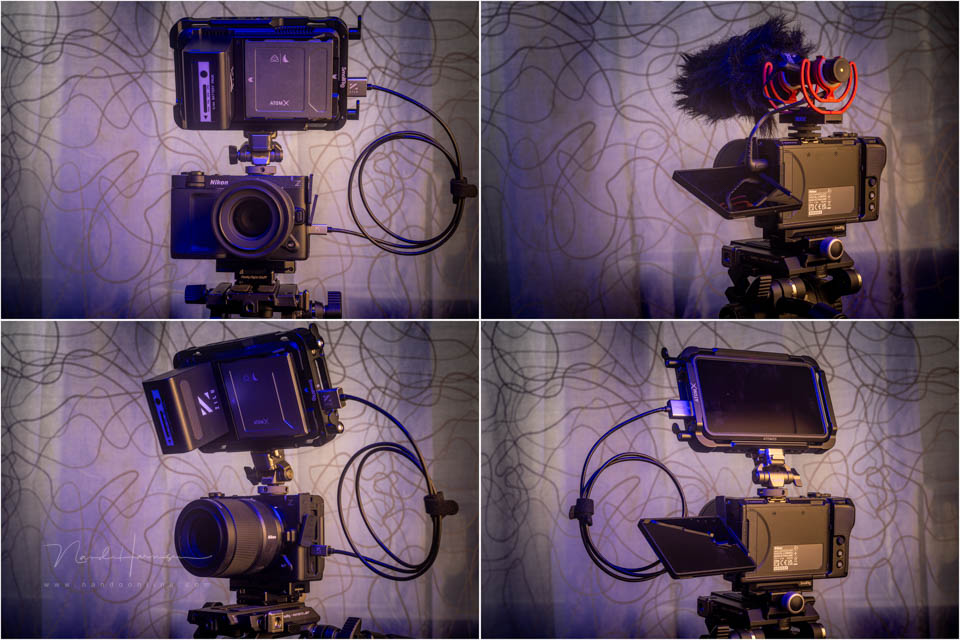
The camera body has a hot shoe with additional contacts. Apart from the tripod socket, there are no extra 1/4"-20 mounting points for accessories. If you want to connect video accessories, you need a cage.
Operation and the menu
There are three programmable buttons on top. The lack of other buttons means that you largely have to rely on the touchscreen. That may take some getting used to.
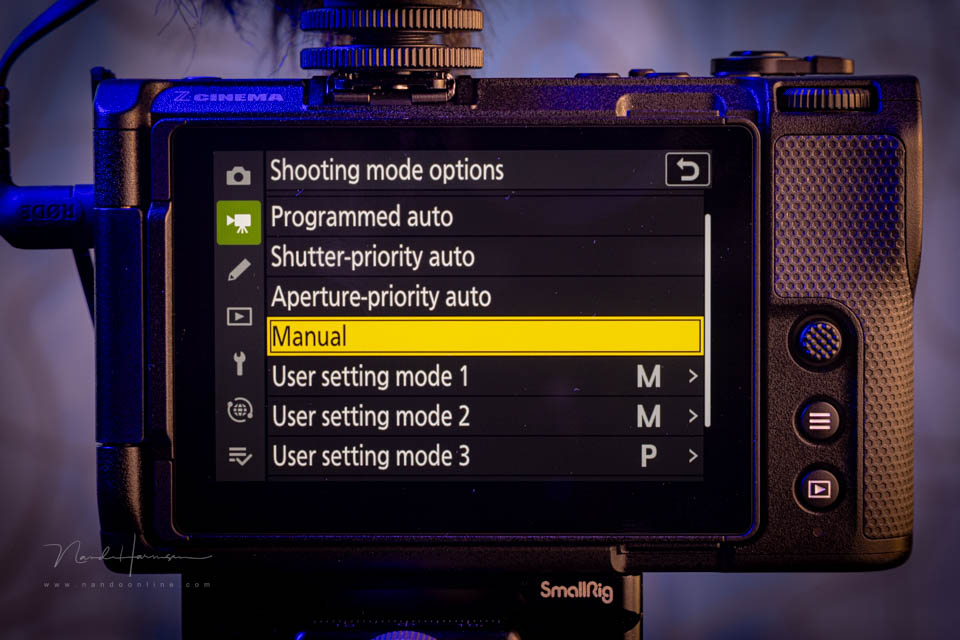
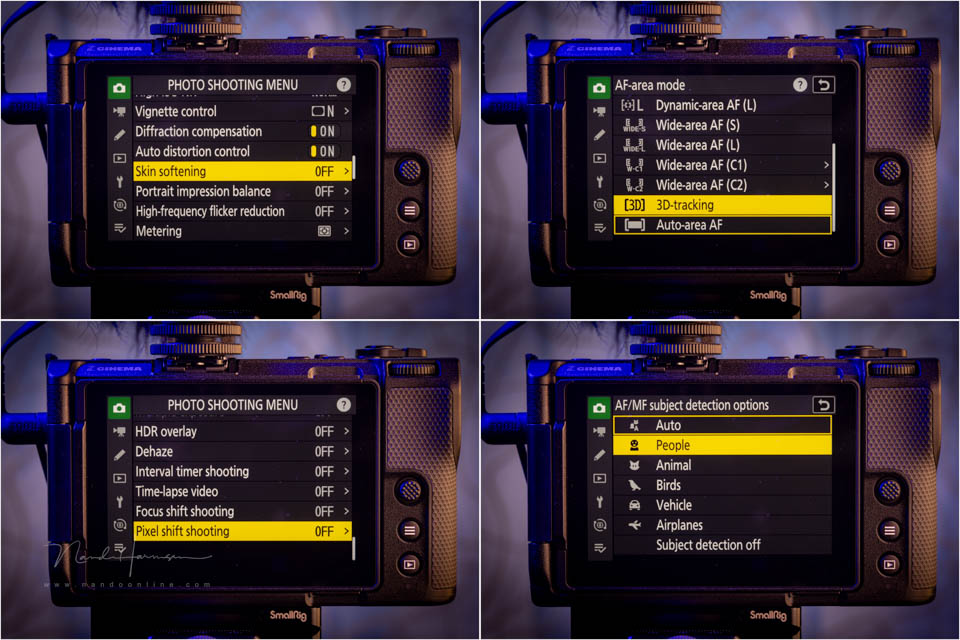
The back of the camera has a hamburger menu button. A short press activates the quick menu, the i-menu. Holding it down opens the full menu. The i-menu options also include a button for the full menu.
The menu will be very familiar to Nikon users. Everything is there, for both photography and video. You also have everything immediately available, regardless of whether the switch is set to video or photo.
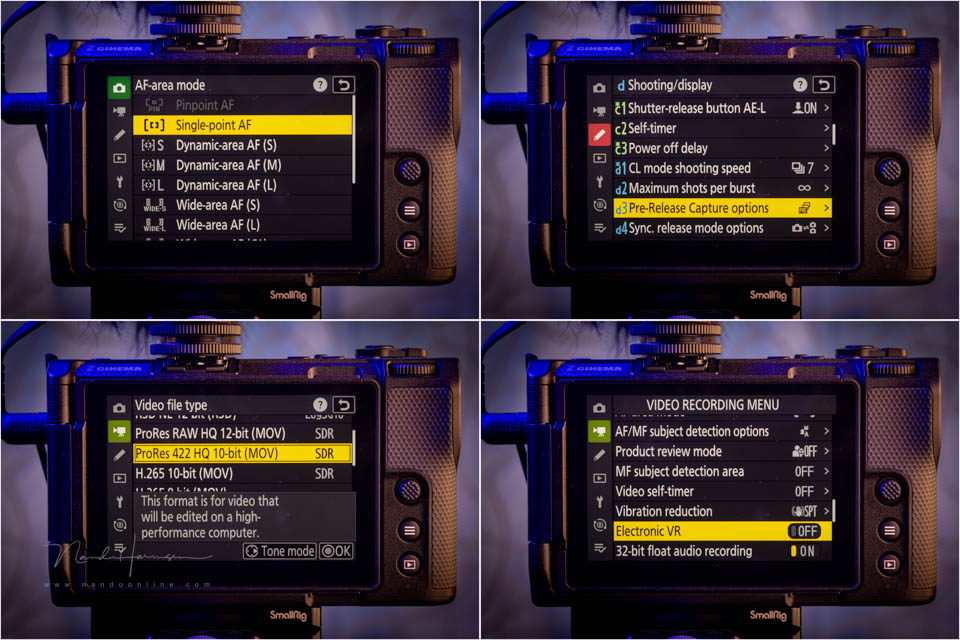
It is a shame that the menu is not separated according to the position of the switch. This means that you see many functions that are not intended for the way you are using the camera at that moment.
The ZR for video
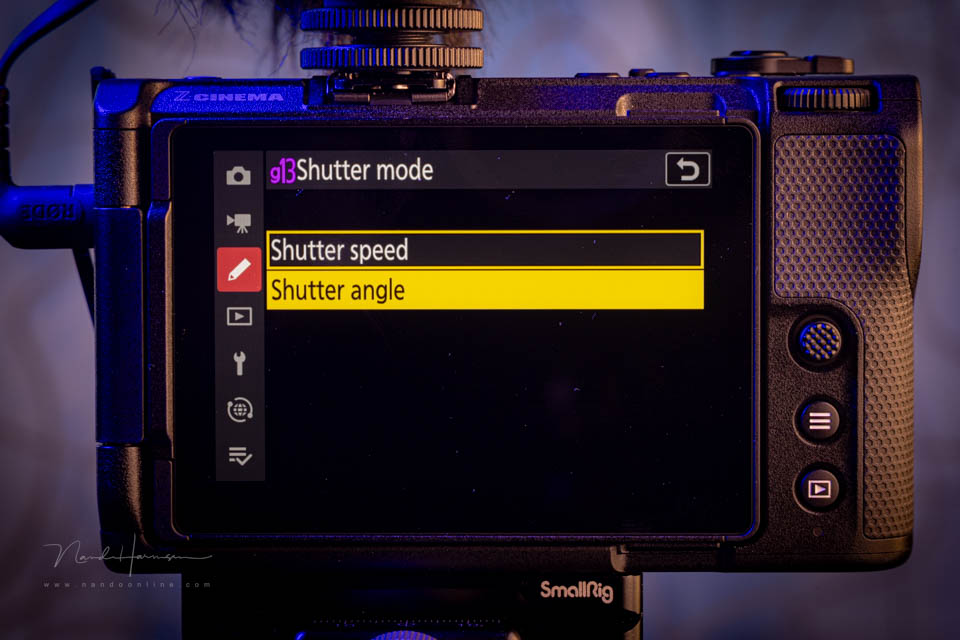
The name Z Cinema clearly tells you that the camera is primarily aimed at video. The Nikon ZR therefore includes a number of unique video-oriented functions. An important one is the ability to set the shutter angle.
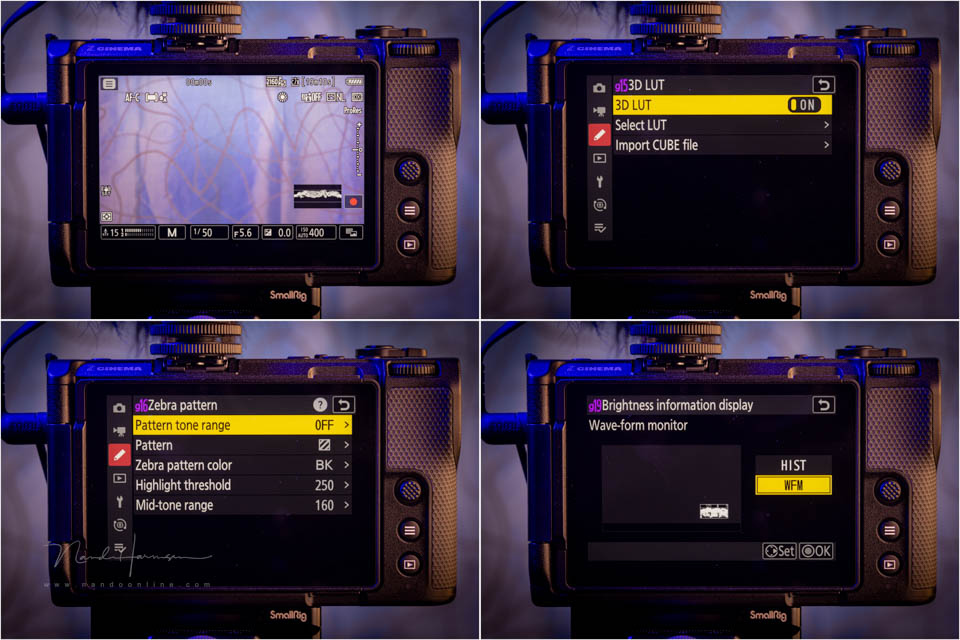
Nikon has thought about how the image is displayed. The ZR lets you choose a waveform monitor and zebra display. False colour appears to be missing, but you can load a LUT and import one if desired.
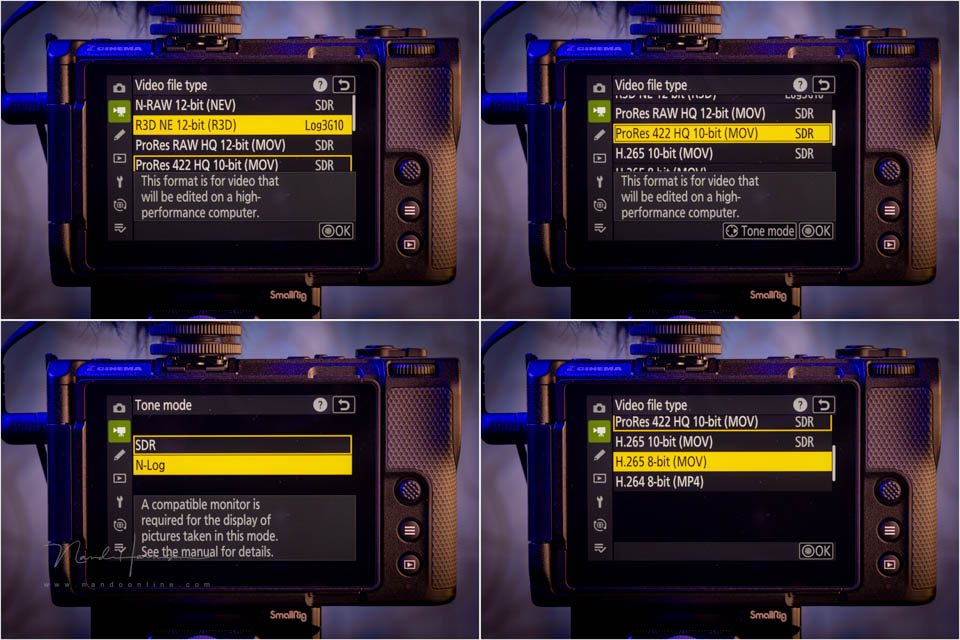
Besides familiar video formats such as ProRes 4:2:2, ProRes Raw, N-Raw, H.264 and H.265, the Nikon ZR can record in 12-bit R3D NE. This makes the ZR very suitable as a second camera alongside a RED cinema camera.
The Nikon ZR can record audio in 32-bit float. This means you no longer have to worry about clipping. It makes recording video very simple and carefree, with or without an external microphone.
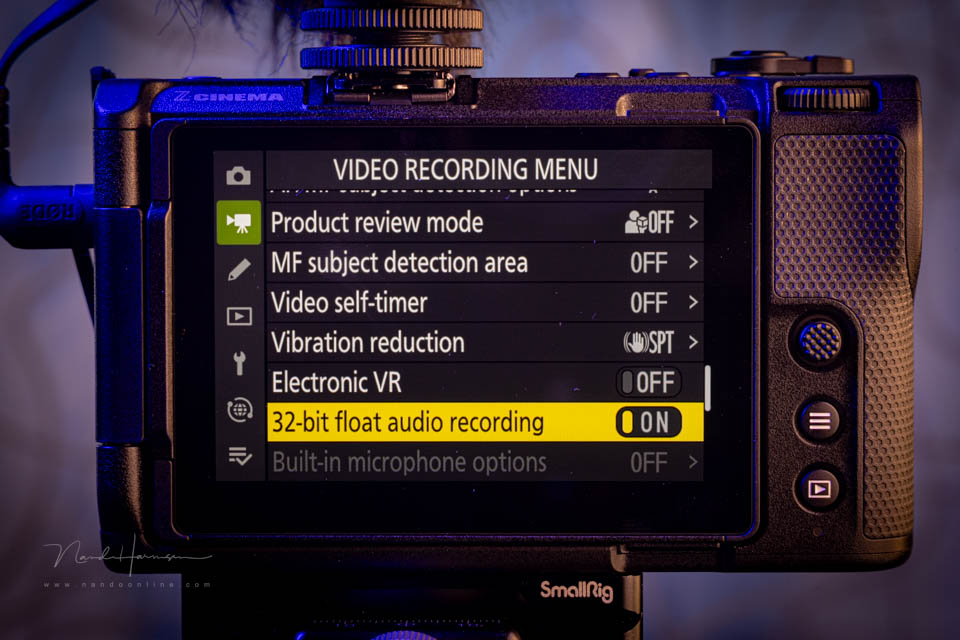
It is quite unique and admirable that Nikon chose to build image stabilisation into the ZR. This can be used in the normal mode, sports mode and electronic image stabilisation mode.
Filming with the Nikon ZR in practice
I took the Nikon ZR out with me to see how the camera performs straight out of the box. No cage or other aids, just the camera and a Z 24-120mm f/4 S lens.
For video, it is almost self-evident that the camera is held at stomach height. This provides optimum stability. The LCD screen must be folded out to the side.
Although the ergonomics are not optimal, you can hold the camera in your hand this way. The space freed up by folding out the LCD screen provides a little more grip. I still miss a good grip at the front.
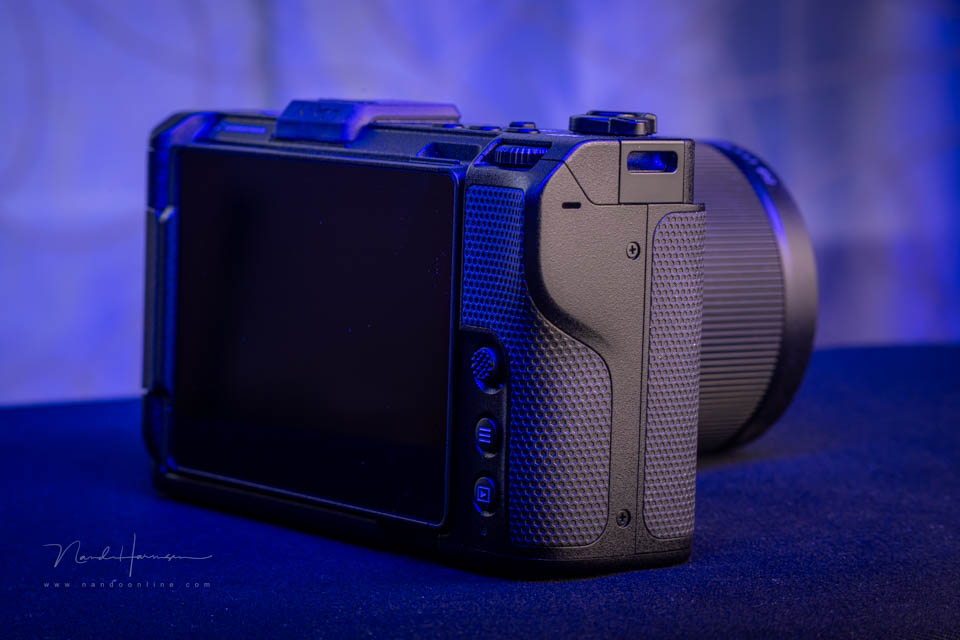
The ergonomics will mainly be troublesome when the camera is used for photography. This matters much less for video setups. Especially when a cage and handgrip are used, this design is perfectly fine.
It is important to take the connections on the side into account. A microphone, HDMI connection or USB-C power cable can get in the way when folding out the LCD screen. An external monitor solves this without any problems.
The camera is pleasant to use, with the front shutter button next to the lens being particularly useful. Since hardly any settings need to be changed for video, such as aperture or shutter speed/shutter angle, it is not that important how the rest of the controls are arranged.
I did notice that the autofocus did not react particularly quickly with the Z 24-120mm f/4 S. Sometimes it took a long time to find focus. I do not know whether this is down to the settings. I would need more time to find out.
The image stabilisation is very welcome when using the camera handheld. It provides noticeable extra stability, especially when the focal length gets longer.
Switching from R3D NE to the other video formats can be done quickly through the touchscreen. If you enter the menu, you have to ignore all the photography settings. This can make finding a setting a little more difficult.
Of course, personalising the camera is essential, so that all the functions you use can be reached quickly. You can do this through the i-menu, the custom menu or the three programmable buttons on top of the camera.
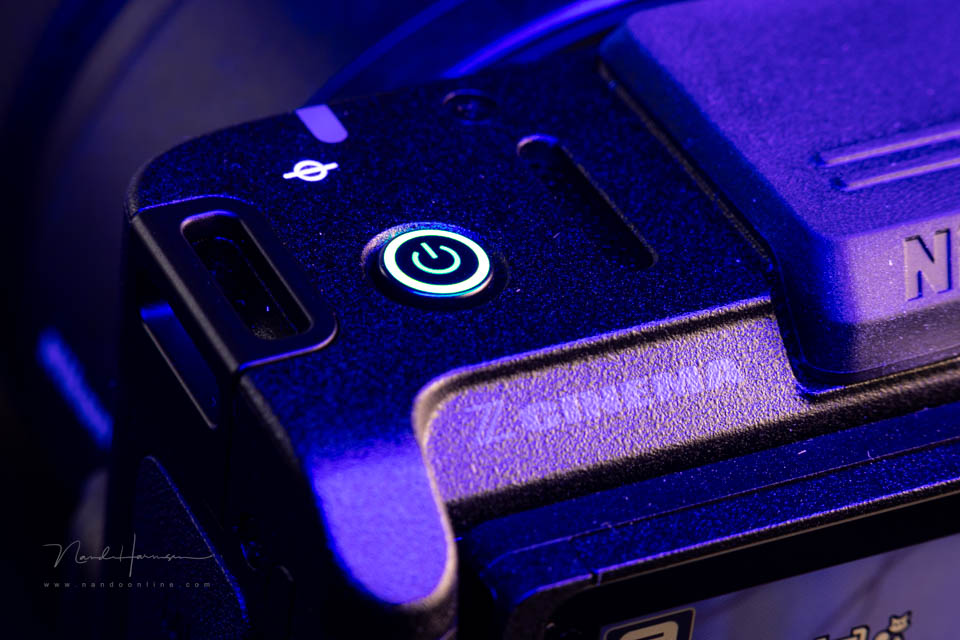
There is no way to tell that the camera is switched on when the LCD screen is folded in. You do not fold the screen in very often, unless it is for transport. You need to make sure that you switch the camera off before folding it in.
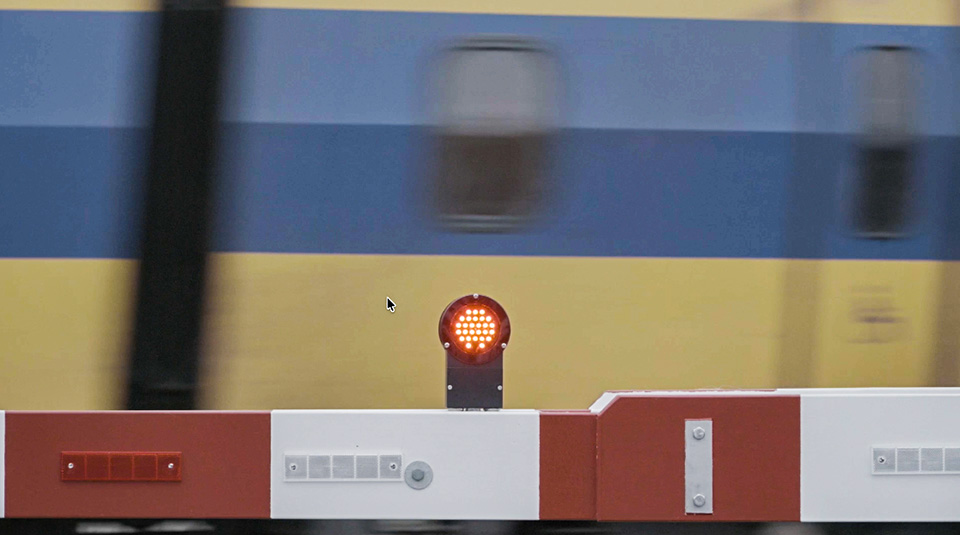
The camera does show a little rolling shutter. The example below, with the passing train, clearly shows this. I expect little of it will be noticeable in practice, but it is good to know.
The ZR for photography
I did not use or test the camera for photography. After all, it is a cinema camera. Still, I want to mention it briefly because there are no limitations to the photography options.
The Nikon ZR is basically no worse than the Z6 III. I have not used that camera myself, but every photography function I have seen on Nikon cameras is present. Even so, the camera is not a replacement for the more expensive Z6 III.
It comes down to ergonomics and operation. The lack of an EVF also counts. As a result, using it for photography will always be less pleasant. The ZR is and remains a camera designed for video.
I do think it is good that the functions are built in. This simply makes the Nikon ZR a very complete camera that does not need to be limited in any way.
My conclusion
The Nikon ZR is a good-looking, sleek camera with a substantial range of excellent features. The large screen takes some getting used to, as does the sparse number of buttons. As you use the camera more, you quickly get used to it.
The video options are impressive, including 12-bit R3D NE video with up to 15 stops of dynamic range. In addition, no external recorder is needed to make full use of these capabilities.
An extra compliment for the excellent passive cooling and image stabilisation. The latter is particularly perfect for handheld filming. The 32-bit float audio recording is also very useful for carefree automatic recording.
Alongside all those admirable functions and options, some things are missing. False colour is not available, nor is there an option for anamorphic settings or a built-in ND filter. I would also expect a camera of this calibre to have an Open Gate recording option.
Some of these functions are not necessarily essential, but they would make the Nikon ZR a more complete camera. I would not be surprised if Nikon saved these for a Mark II or Mark III.
That said, the lack of these kinds of functions does not make it any less capable as a camera. Certainly not at the competitive price the manufacturer is asking for the body. At 2349 euros, the asking price is lower than that of any other brand.
There are two choices Nikon made that I find rather strange. First of all, there is no separation between the photography and video menus, so everything is always available. Separating them would make operating the menu much more pleasant.
The other strange, or unusual, choice is the UHS-I micro-SD memory card. Recording video to this card will always involve limitations. Even for photography, it creates limitations if you want to photograph fast action with pre-capture.
In short, if you are looking for a video-focused hybrid camera, the Nikon ZR is a very attractive option. The capabilities are extensive, with some unique features such as image stabilisation, 32-bit float audio and, of course, the 12-bit R3D NE recording option.
If you are looking for a video-focused camera, I can certainly recommend the Nikon ZR. You also get a complete set of photography features. What more could you want?
Advantages for video
- Minimalist design
- Small and compact, lightweight
- Large 4" LCD screen
- Extensive range of codecs, including 12-bit R3D NE raw recording in 6K 60p
- Internal proxy recordings
- All video recording options can be stored internally
- 3D LUT and CUBE files can be loaded
- Waveform or histogram for video
- Shutter angle display option
- Passive cooling works well
- Up to 125 minutes of non-stop recording
- 32-bit float audio
- Very competitive price
Disadvantages for video
- Autofocus sometimes seems slow? More testing is needed on my part
- Ergonomics are not optimal
- Menu is not adjusted or limited when choosing video or photo
- UHS-I micro-SD is a strange choice as the second card
- No full-size HDMI connection
- No extra 1/4"-20 mounting points on the camera body
- Few buttons for direct operation
- Shows a little rolling shutter
- Connections obstruct the articulating screen
- No Open Gate video
- You cannot see that the camera is on when the LCD screen is closed.
- No built-in ND filter or anamorphic settings
Thanks to Nikon for making this camera available.
About the author
Nando Harmsen has been photographing for more than 40 years. He specialises in wedding photography and landscape photography. Nando also gives talks, workshops, masterclasses and photo trips, and regularly reviews new and interesting equipment.
You might also like
-
 Nikon's first cinema camera, the ZR
by Nando Harmsen
-
 Review: Nikon Z 50
by Michelle Peeters
-
 Red Dot Award: Product Design for Nikon
by Michelle Peeters
-
 Review: Nikon Z 6 full-frame mirrorless camera
by Michelle Peeters
-
 Review: Canon EOS R5 C for video
by Nando Harmsen
-
 Review: Nikon Z5 II
by Nando Harmsen
2 comments
-
 Hans wrote on Friday 16 January 2026 at 20:36 | reply
Strange to see an APS-C lens on a full-frame camera, especially in a review. Were any photos taken with this lens?
Translated from Dutch.
You then get black areas on the left and right of the photo, don't you, or am I wrong? -


Have your say
Please note: Articles older than a week can only be commented on by signed-in visitors.Would you still like to comment? sign in or create a free account.
Become a better photographer every week
A practical photography tip in your inbox every week.
38,937 photography enthusiasts already receive the tips! More about the weekly mail. Or keep up to date via  Facebook.

Elja Trum
Photofacts; everything to do with photography!
Would you like to take better photos and keep up with what is happening in photography? Photofacts publishes articles that teach you something about photography — from a product announcement to a practical shooting tip or a look at a website. Photofacts covers photography every day and is a hobby project of Elja Trum's that got out of hand. The articles are written by a team of volunteer authors. If you would enjoy writing one or more articles for Photofacts, do get in touch.More about PhotofactsPhotofacts is made possible in part by
