

Review: Photo mosaic made up of 1,000 of my own photos
Sunday 24 September 2017, 14:07 by Michelle Peeters | 10,690 views | 6 commentsThis article was translated from Dutch with the help of AI. Read the original.
I was offered the chance by Fotomozaiek-maken.nl to test a photo mosaic made up of 1,000 of my own photos free of charge. The result would be printed on canvas, measuring 60 x 40 centimetres, and sent to me. These are my findings.
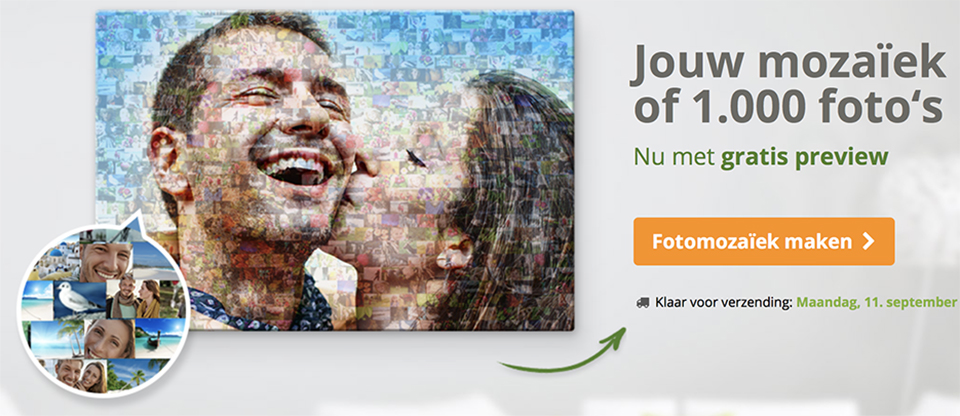
How to make your photo mosaic
First, you need to upload the main photo. Click on 'make mosaic' and then choose your main photo. The outline of the main photo will soon be formed by the maximum of 1,000 small photos that you upload next. The file must be in JPEG format.
The resolution of the main photo must be more than 1500 x 1500 pixels, around two megapixels, or the file size must be more than 1 megabyte. You can upload photos with a maximum size of 20 megabytes.
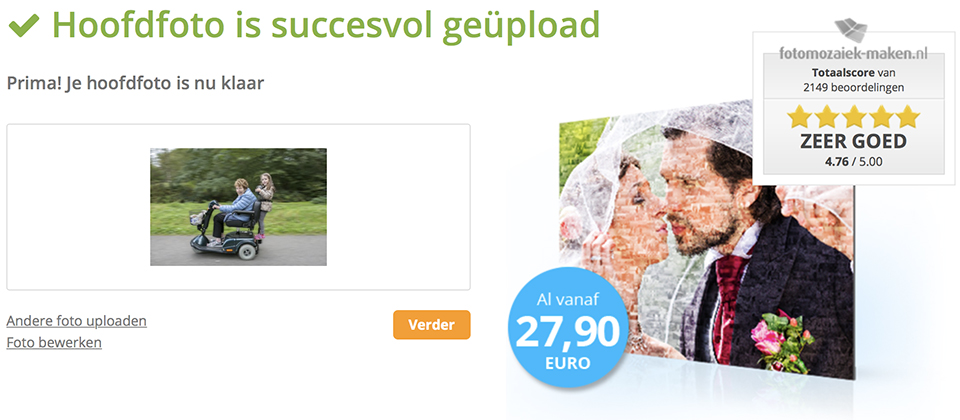
1. Main photo
The main photo must be supplied in a 4:3 format, digital photo format, 3:2, classic photo format, 1:1, square format, or 2:1, panorama format.
If your photo has a different format, you can crop it after uploading it. The photo file can also be a logo, symbol or something else. The only requirement is that the file is supplied in JPEG format.
A colourful main photo with strong colours looks good as a mosaic. The photo should not be too detailed. Small details will not be clearly visible in a mosaic anyway.
2. Upload individual photos
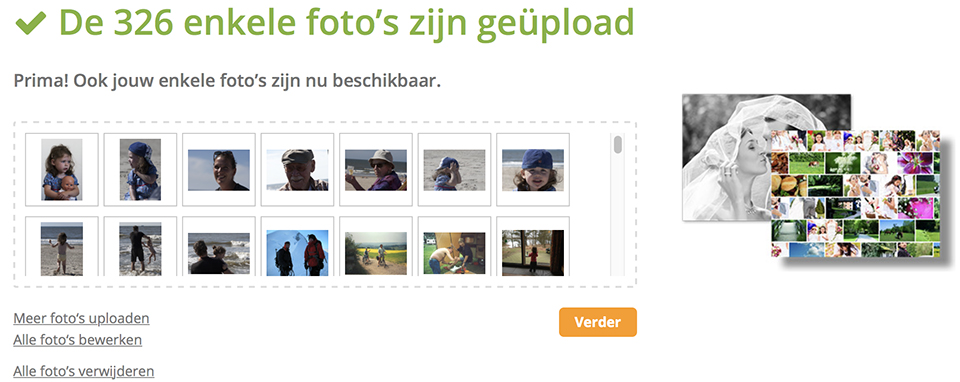
You can then upload individual photos. These are shown as small images in the background. You need to upload at least 30 individual photos, and a maximum of 1,000.
I uploaded 375. The more individual photos you upload, the more photos will be visible in the mosaic. The individual photos can be small, as they are shown small anyway. 50 kilobytes or 500 x 500 pixels is already enough.
The individual photos can also be small. 50 KB or 500 x 500 pixels is already enough. Larger files take longer to upload. The colour tones of the individual photos do not have to match those of the main photo. The colour tones are automatically adjusted in the mosaic.
3. Choose the mosaic format
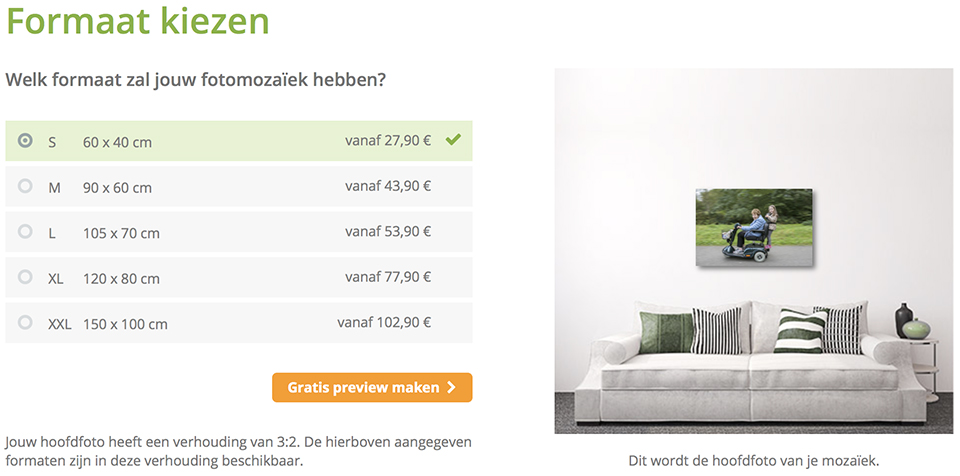
You can now decide which format your mosaic photo will be made in. The mosaic will then be printed in the format you choose. Click on 'create free preview'.
4. Enter your email address
You are offered a free preview of your photo mosaic, without any obligation. Now enter your email address. You will receive an email as soon as your mosaic is ready. This takes around 24 hours, although in my case it took only an hour.
5. Check the mosaic
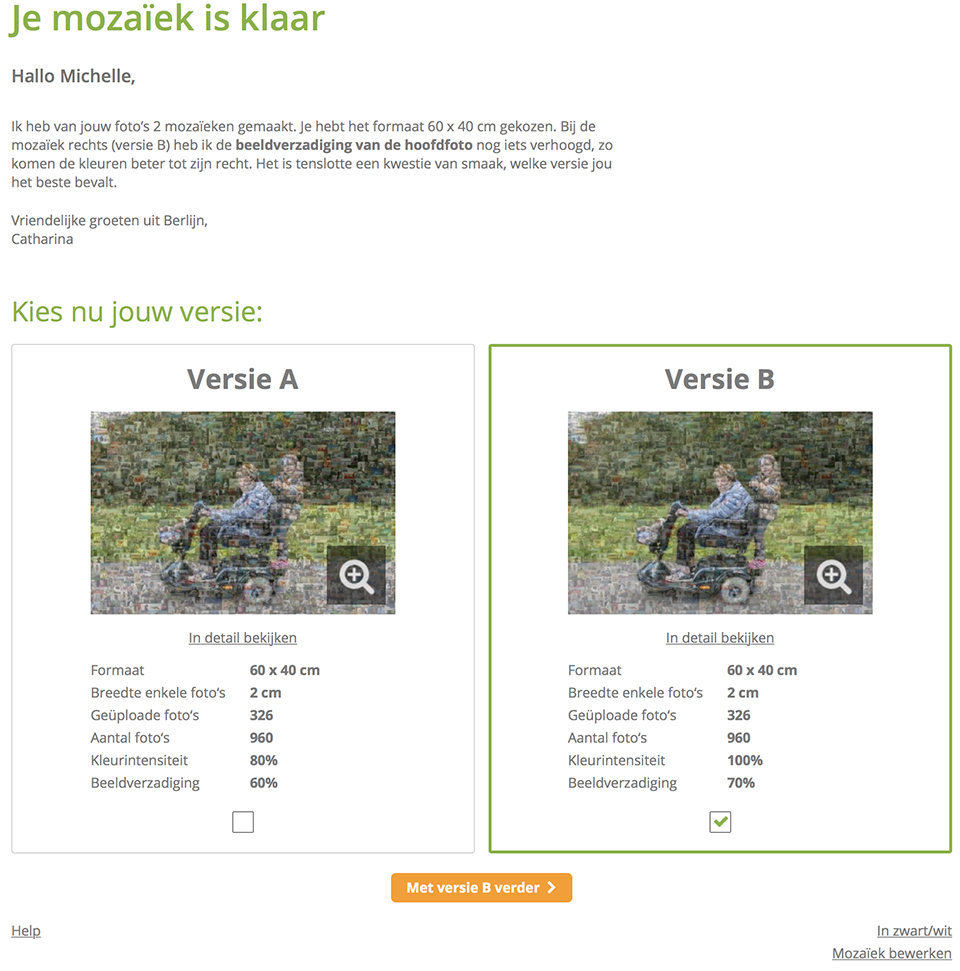
You will receive an email when your mosaic is ready. You can now view the mosaic online in advance and decide whether you really want to order the photo mosaic. You can also choose which version you want. The differences and the reasons for the choices are clearly explained.
6. Order
You can now choose which material you want to have your photo mosaic printed on. Four different image carriers are offered: poster, canvas, plexiglass and aluminium.
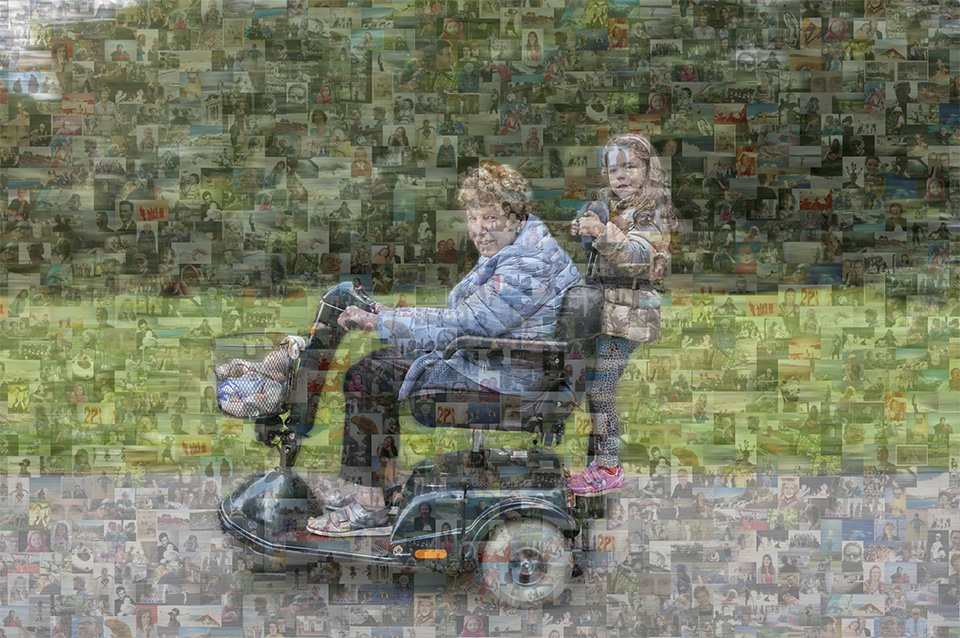
Here is the online end result:
What do I think?
My expectations may have been too high. I expected the maximum of 1,000 photos together to form the pattern of the main photo.
But this turns out not to be the case. Only the opacity of the small photos has been reduced, making the outline of the main photo more clearly visible.
If you add fewer than 1,000 small photos, I had only added 375, you often see the same photos appearing again. So the more photos you add, the more varied your canvas will be.
Whether it looks good or not depends on your personal taste. The idea is still fun, and you can include a great many photos in your canvas that remain somewhat recognisable, especially if you know which files you uploaded.
About the author
Michelle Peeters is fotografe en oprichter van DeuxBleus Fotografie. Michelle herkent het bijzondere in het gewone en het gewone in het bijzondere. Ze heeft zich nooit willen specialiseren en is daardoor van alle markten thuis.
You might also like
-
 Affinity acquired by Canva
by Elja Trum
-
 Review: Canon EOS R5
by Nando Harmsen
-
 Review: Sony A7 IV
by Nando Harmsen
-
 Create a photo mosaic (video) online
by Michelle Peeters
-
 Review: Fujifilm X-T50
by Nando Harmsen
-
 Review: Canon EOS R6
by Nando Harmsen
6 comments
-

 Elja Trum
wrote on Sunday 24 September 2017 at 14:15
| reply
This is indeed not really impressive. If you’re going to make a photomosaic, you’d still want each photo to have a particular dominant colour and for the photos to be selected and placed based on colour.
Translated from Dutch.
Fortunately, there are also little programs that do this properly for you. At least, that’s how I’ve made photomosaic photos in the past.
You do need to have a sizeable collection of photos in which different colours are dominant each time. -
 ErikvanRosmalen
wrote on Sunday 24 September 2017 at 14:36
| reply
I was also contacted several times with the request to review it. I didn't go for it because I indeed wasn't expecting too much of it already. But seeing it like this, the result is actually even sadder than I would have thought
Translated from Dutch.
-
 MF wrote on Monday 25 September 2017 at 08:53 | reply
This is really very bad. As far as I'm concerned, this review is not advertising (has nothing to do with the review, but with the product!)
Translated from Dutch. -
guest wrote on Tuesday 26 September 2017 at 15:27 | reply
Also see Andreamosaic: a free and very user-friendly program (with many configuration options) to create a mosaic photo yourself.
Translated from Dutch. -
guest wrote on Thursday 28 September 2017 at 08:52 | reply
If you look at the photo of the stroller with grandma and child, you can see that no color work was done. The colors of the mini photos are simply overwritten with the color of the large photo. I saw this done better 10 years ago already.
Translated from Dutch.
This is more of an advertising pitch than a serious review. Too bad. -
 Michelle Peeters wrote on Thursday 28 September 2017 at 10:46
| reply
@guest: read the article properly!
Translated from Dutch.
Have your say
Please note: Articles older than a week can only be commented on by signed-in visitors.Would you still like to comment? sign in or create a free account.
Become a better photographer every week
A practical photography tip in your inbox every week.
38,764 photography enthusiasts already receive the tips! More about the weekly mail. Or keep up to date via  Facebook.

Elja Trum
Photofacts; everything to do with photography!
Would you like to take better photos and keep up with what is happening in photography? Photofacts publishes articles that teach you something about photography — from a product announcement to a practical shooting tip or a look at a website. Photofacts covers photography every day and is a hobby project of Elja Trum's that got out of hand. The articles are written by a team of volunteer authors. If you would enjoy writing one or more articles for Photofacts, do get in touch.More about PhotofactsPhotofacts is made possible in part by
