

Review: Nikon Z5 II
Friday 1 August 2025, 22:11 by Nando Harmsen | 5,714 views | 2 commentsThis article was translated from Dutch with the help of AI. Read the original.
Are you looking for a relatively affordable full-frame mirrorless camera? Take a look at the Nikon Z5 II. This entry-level model is more than a simple camera and puts semi-professional possibilities within reach.
When you choose a full-frame mirrorless camera, you soon end up in the more expensive price segment. There are cheaper models, but you often sacrifice a lot of functionality. Nikon seems to solve this dilemma with the Z5 II.
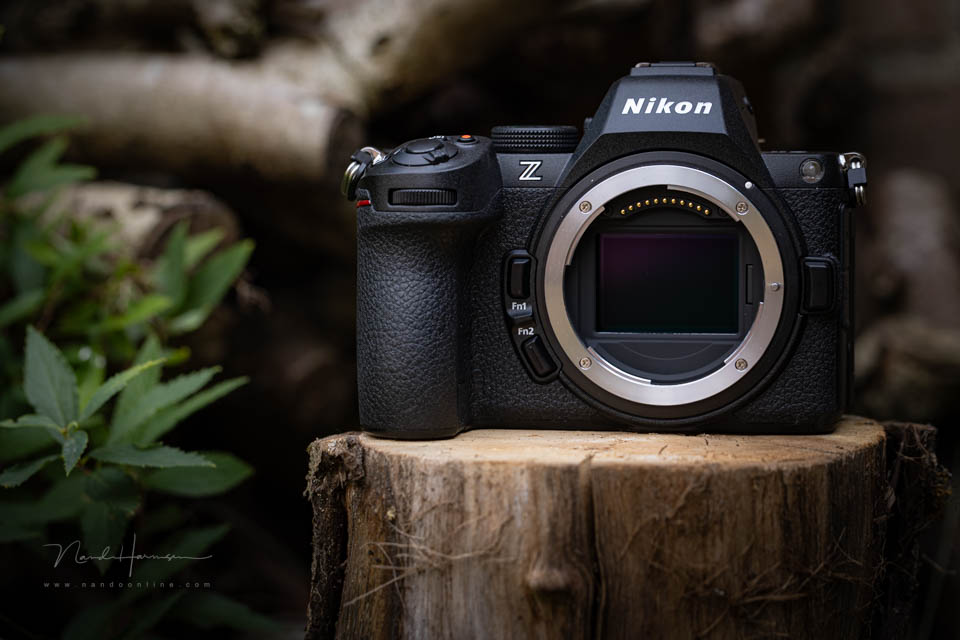
The Z5 II is the second version of this entry-level model, if you can call it that. For a price of 1700 euros, you get a camera that is so much more than a simple entry-level model. You get features and possibilities that are often found only on more expensive cameras.
The Z5 II at a glance
As mentioned, the Z5 II is a full-frame camera. It has a 24-megapixel back-illuminated sensor. The camera body is the same as the first version, but there are many improvements compared with the earlier model.
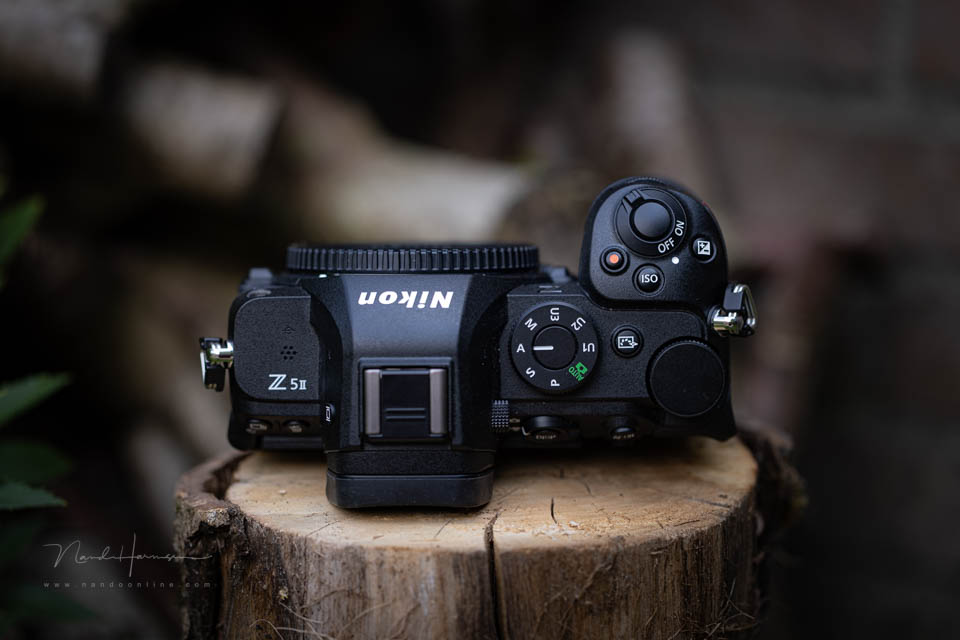
The most important specifications are listed below.
- 24-megapixel back-illuminated CMOS sensor
- In-Body Image Stabilisation up to 7.5 stops, linked to the focus point
- Up to 11 frames per second in raw, up to 30 frames per second in JPEG
- Pre-buffer in JPEG
- Subject recognition for people, birds, animals, aeroplanes and cars
- 299 focus points
- Autofocus sensitivity down to -10 EV
- Electronic viewfinder with 3.69 megapixels and 60Hz refresh rate
- 3.2-inch fully tilting touchscreen LCD with 2.1 megapixels
- Dual UHS-II SD card slot
- Up to 4K 30p video and 4K 60p with 1.5x crop (APS-C)
- N-raw, N-log and HLG with 10-bit video recording
Compared with its predecessor, the Z5 II can recognise more subjects and you can capture more frames per second. In JPEG, you can even get 30 frames per second, with the option of a pre-buffer.
Video has also been expanded, including a higher maximum frame rate in 4K. You get raw and log recording options.
The LCD screen is now fully tilting, so you can also use it when using the camera for vlogging. In addition, the LCD screen's maximum brightness can be set very high. This can be useful when viewing the screen in bright sunlight.
The Z5 II in your hand
The camera body is unchanged compared with its predecessor. The grip is well designed and the comfortable 'thumb grip' on the rear gives you a secure feeling when holding the camera. The camera has a dial below the shutter button and one on top. There is no third dial.
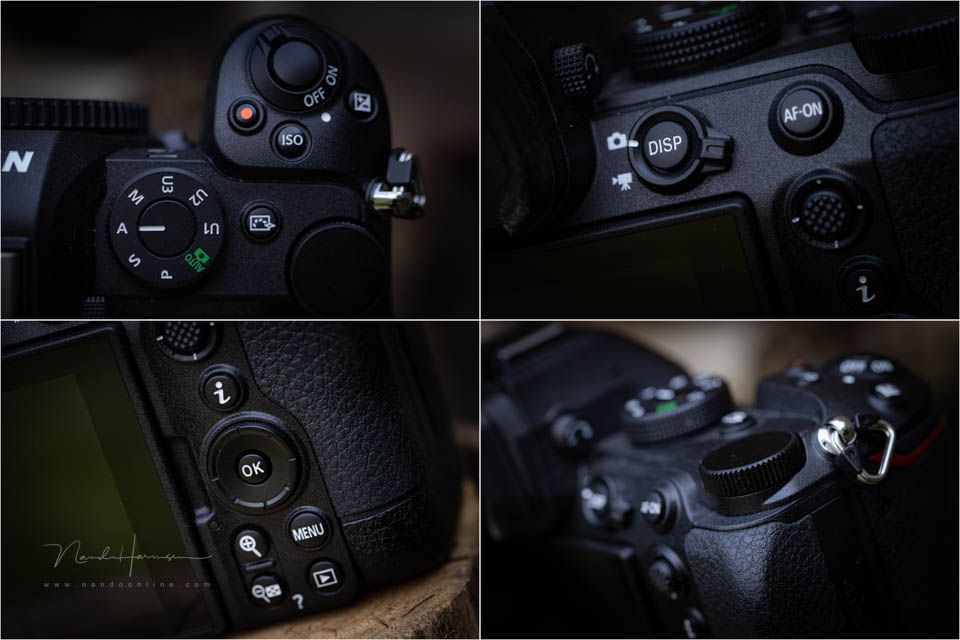
You have a joystick and an AF-ON button at your disposal. On the rear, you will also find the photo/video switch. There is a stiff four-way button with the OK button in the middle.
All the buttons are in comfortable locations, so the camera is easy to use. There are also two Fn buttons on the front, giving you direct access to frequently used functions.
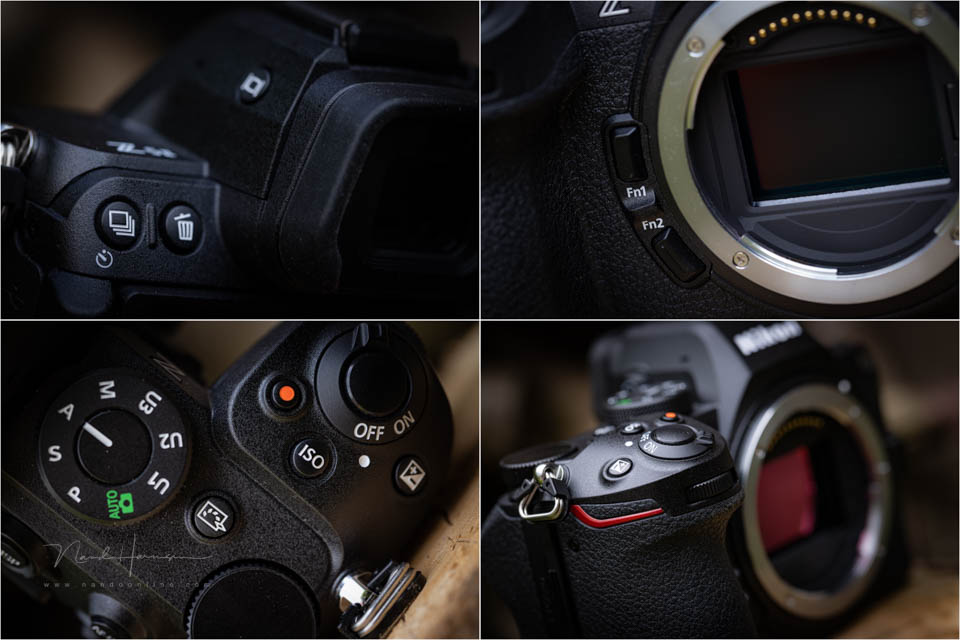
The dual UHS-II SD card slot is quite unique for a camera in this price range, and very welcome. The connections are found on the other side. There is a connection for a microphone and a headphone, which is also intended for the remote control.
The camera has a USB-C PD connection for charging the battery directly in the camera. However, no charger is included, which is inconvenient when you use spare batteries. The choice of a mini-HDMI connection instead of the more standard micro-HDMI is striking. It is something to bear in mind.
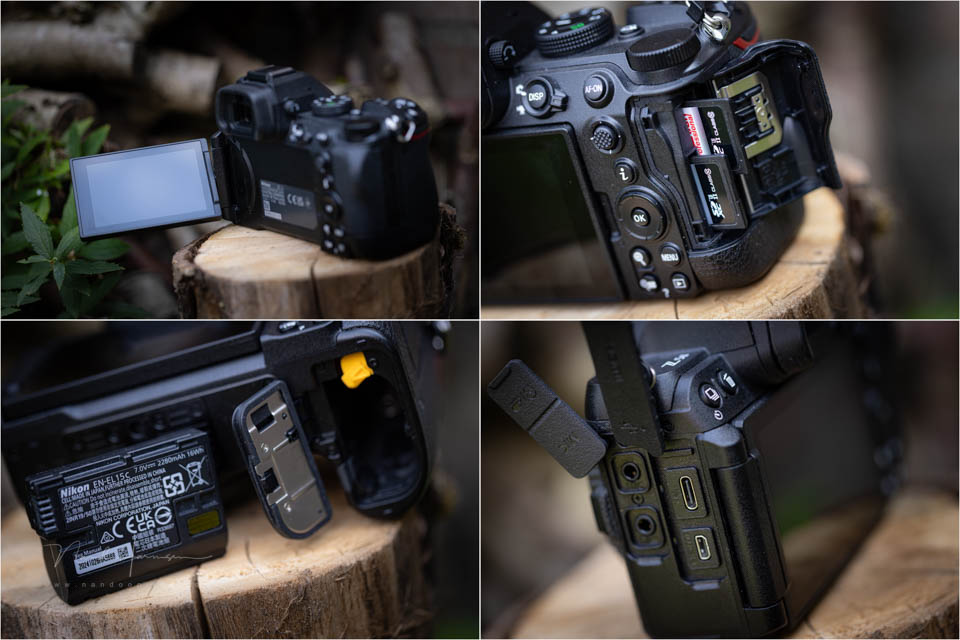
The battery is the familiar 16Wh EN-EL15c, which is used in virtually all full-frame cameras. The capacity is enough for around 330 shots according to the CIPA rating. In practice, you will be able to take more photos. If you need more capacity, you can consider the MB-N14 battery grip.
Image quality
The 24-megapixel back-illuminated CMOS sensor is the same sensor found in the Z6 II and Zf. It is not a new sensor, but it is new compared with the sensor in the first version of the Z5.
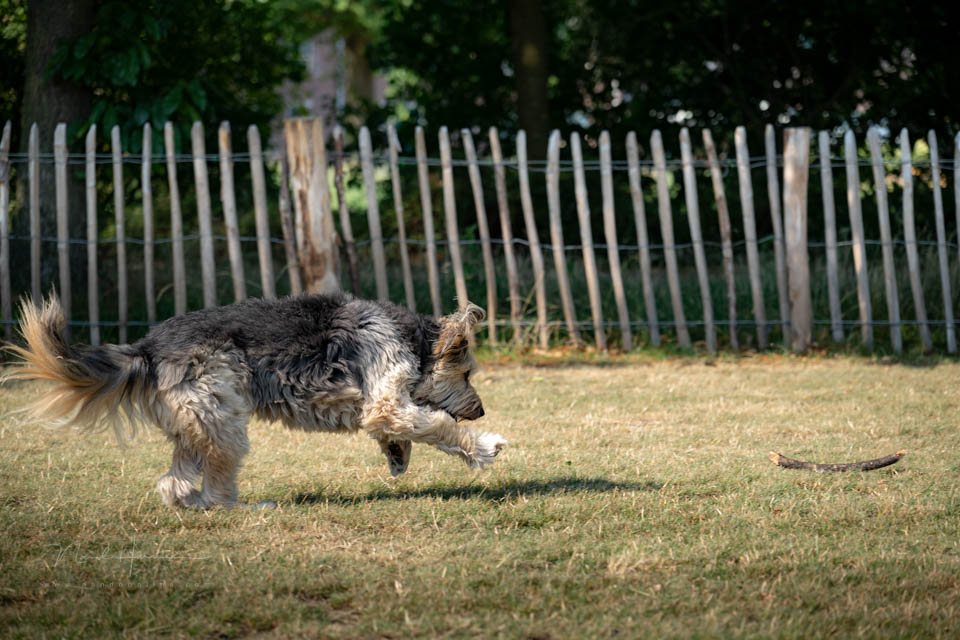
The sensor is not the fastest, so the rolling shutter effect quickly appears when using the electronic shutter. When you switch to 30 frames per second in JPEG, the sensor is read out somewhat faster.
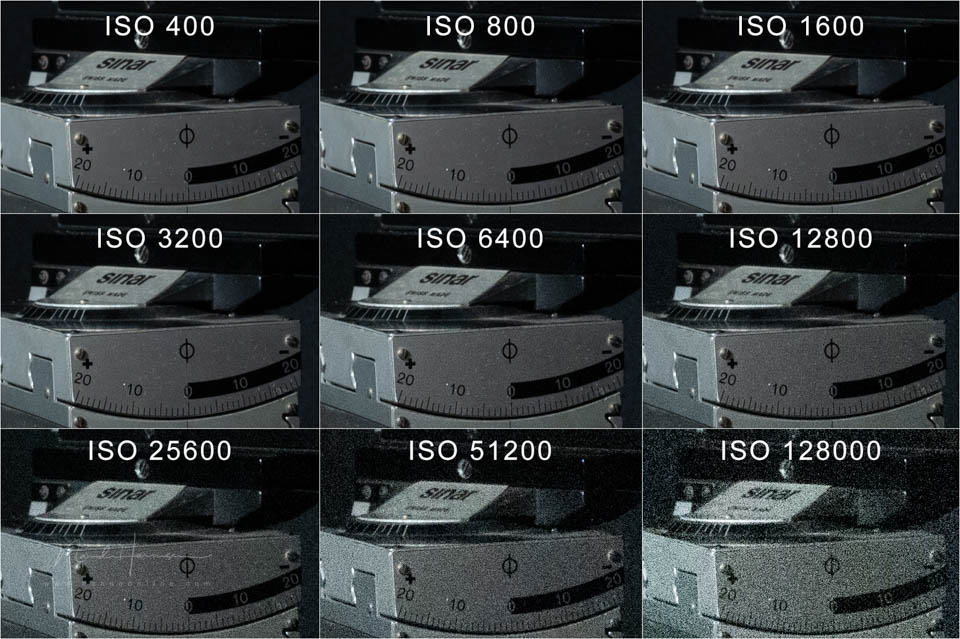
The camera's ISO performance looks good. The camera can be set up to ISO 51200, and extended by another 1.7 stops. Noise becomes clearly noticeable from ISO 12800. ISO 25600 no longer produces an acceptable result, except in emergencies.
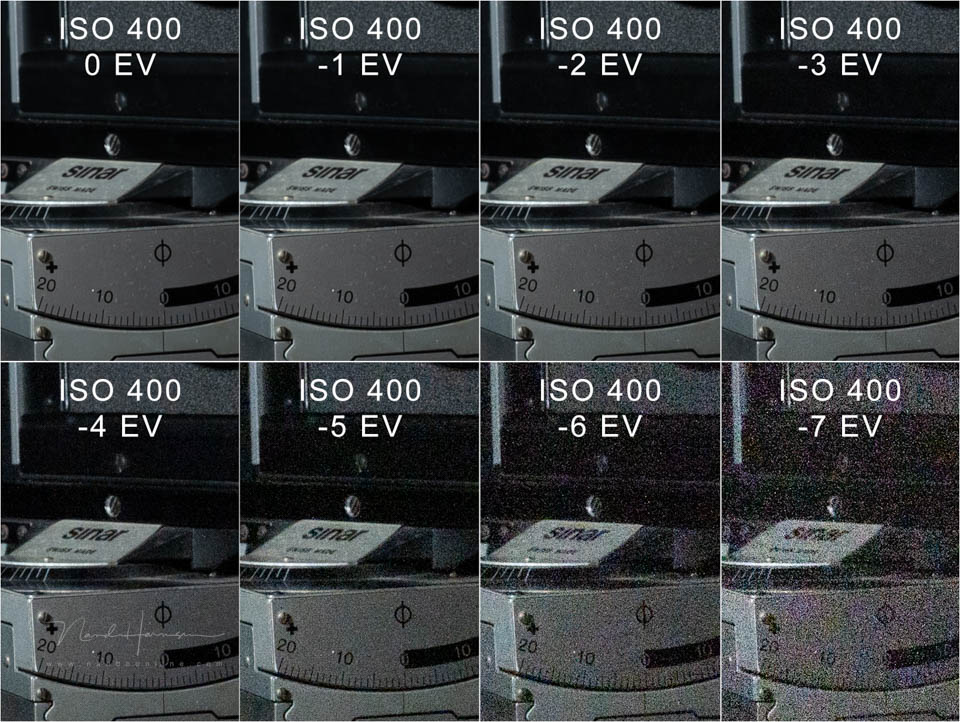
The performance when correcting underexposure shows that you can easily correct up to four stops, with room for five when smart noise reduction is applied. It seems that a four-stop correction at ISO 400 produces the same amount of noise as shooting at ISO 6400.
Autofocus performance
The autofocus has improved considerably. Its sensitivity is so high that focusing can work down to -10 EV. This is enough to focus on stars at night.
Thanks to the fast Expeed 7 processor, the camera can recognise a large number of subjects. You can choose between people, birds, animals, vehicles and aeroplanes. Or you can let the camera choose.
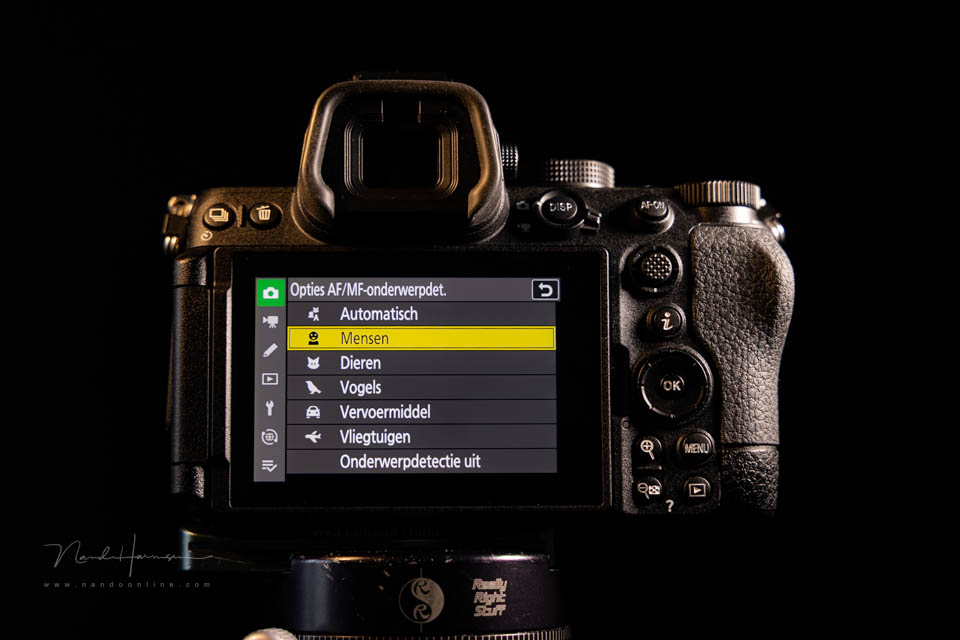
Subject recognition works well when the subject is large in the frame. If the subject is too small, the camera can become confused and find it with difficulty, or not at all. It is something to bear in mind.


For moving subjects, 3D tracking is available. Tracking works well with subjects that are large in the frame. If the subject is small in the frame, the camera has more difficulty.
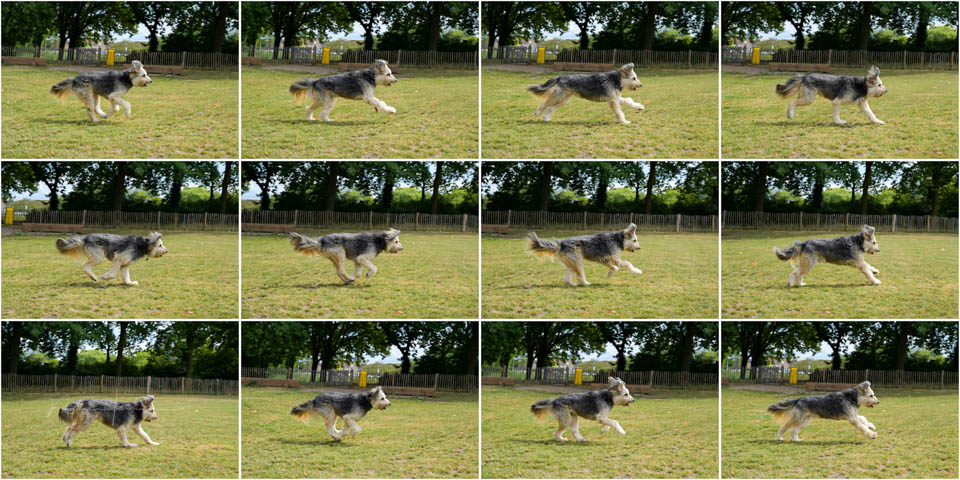
Other features of the Z5 II
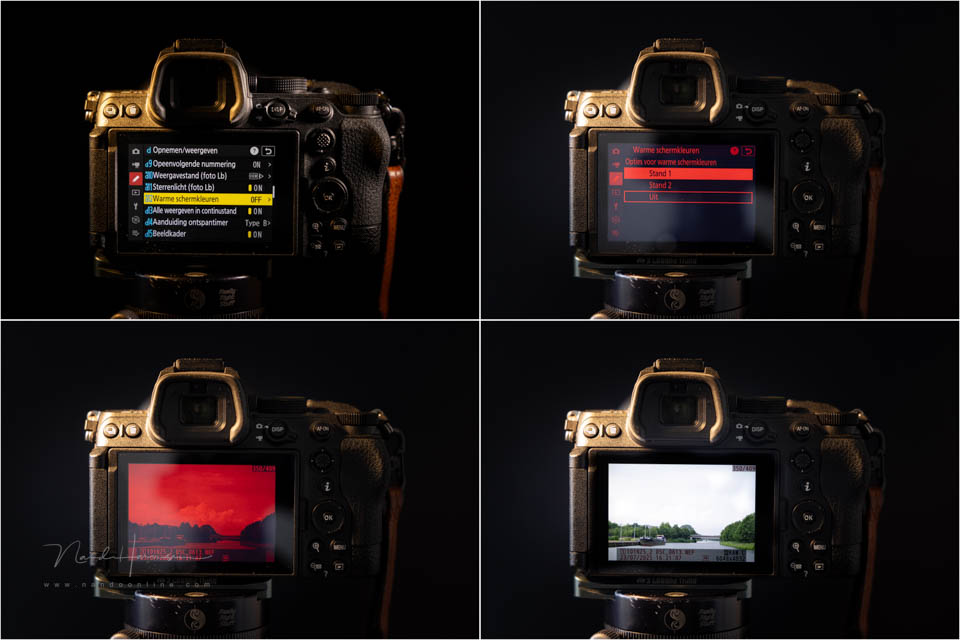
Just how much the Nikon Z5 II offers becomes clear when you look at the functions in the menu. IBIS can be linked to the autofocus point. There is an autofocus function for astrophotography, along with the option to switch to a red screen to protect night vision.
The Z5 II offers multiple exposures, timelapse settings and focus bracketing. There is also a high-resolution mode. Portrait photographers can choose in-camera skin smoothing and give priority to exposure on the face.
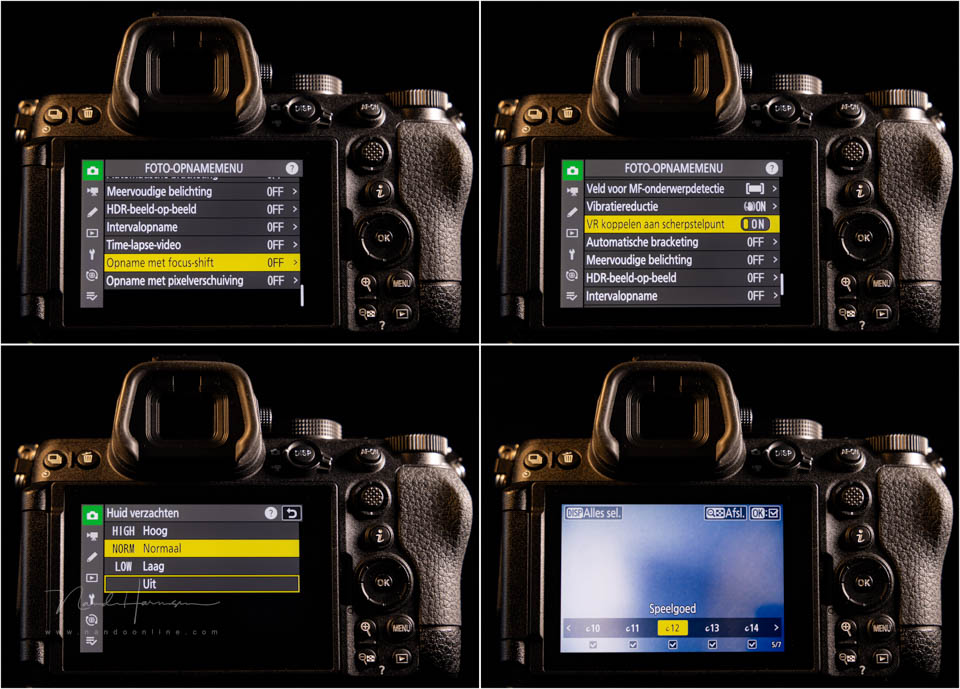
There are more than 30 Picture Control settings, ranging from simple adjustments for landscape and portrait photography to creative 'filters'. There is a separate button on top of the camera to call them up.
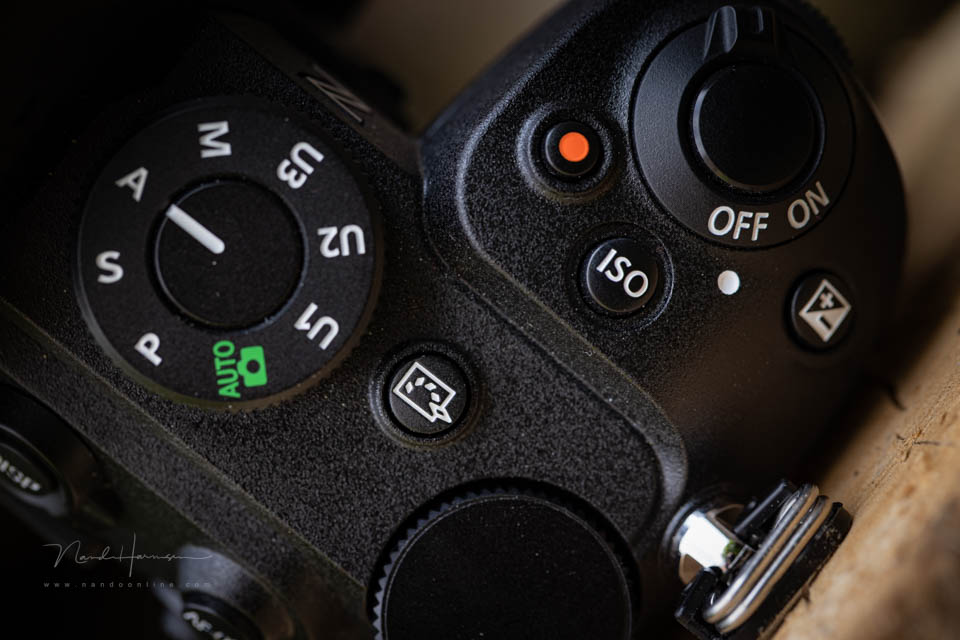
You can disable certain Picture Controls, so they no longer appear in the long list of options. This makes it easier to quickly find the look you want.
Many of the camera's functions are limited to shooting in JPEG. Picture Control is obvious, but burst shooting at up to 30 frames per second and multiple exposures are also only available in JPEG.
The high-resolution mode and focus stacking produce separate images. They are not combined in the camera. You can do this yourself later on the computer, which means you can use these functions with any image format.
Conclusion
It is striking how many possibilities the Nikon Z5 II offers. Despite being a camera that costs well below 2000 euros, you get features that are often reserved for more expensive models. The dual card slot is a good example, but there is much more.
The camera is so feature-rich that it is even a competitor to the more expensive Z6 III. Only if you want more frames per second in raw and less rolling shutter is the latter worth choosing over this model.

Not everything about this camera is perfect. The four-way button on the rear feels stiff and is not pleasant to use. I miss a third control dial, which means you always have to press the button first to adjust the ISO.
The autofocus works well, but is not perfect. The subject has to be large enough in the frame for perfect subject recognition. You also notice this with autofocus tracking. When panning, the slow sensor will cause a strong rolling shutter effect.
Despite the disadvantages, the Z5 II performs well in many areas. Especially when you consider that it costs well below 2000 euros. It is a perfect camera for anyone who wants to step into the world of full-frame mirrorless cameras.

Strengths of the Nikon Z5 II
- Good ISO performance and dynamic range
- Extensive photography features
- LCD screen is fully tilting and has high brightness
- Dual card slot
- Good subject recognition and tracking
- In-Body Image Stabilization (IBIS) up to 7.5 stops
- Autofocus sensitivity down to -10 EV
- Starlight function and red screen to preserve night vision
- Many options for JPEG photographers
- Comfortable ergonomics
- Good value for money
Weaknesses of the Nikon Z5 II
- Slow sensor readout (rolling shutter effect)
- Four-way button is stiff and unpleasant to use
- No separate control dial for ISO
- Subject recognition works less well when the subject is small in the frame
- Tracking can sometimes miss
- Headphones and remote control cannot be used at the same time
- Mini-HDMI instead of standard micro- or full-size HDMI
- No battery charger included
I would like to thank Nikon Nederland for making this camera available for this review.
About the author
Nando Harmsen has been photographing for more than 40 years. He specialises in wedding photography and landscape photography. Nando also gives talks, workshops, masterclasses and photo trips, and regularly reviews new and interesting equipment.
You might also like
-
 Nikon Z5 II announced
by Elja Trum
-
 Nikon Z5 mirrorless camera announced
by Elja Trum
-
 Review: Nikon Z 50
by Michelle Peeters
-
 The Nikon Z fc. Does the vintage look add value?
by Nando Harmsen
-
 Review: Canon EOS R10 mirrorless camera
by Nando Harmsen
-
 Review of the fantastic Canon EOS R6 Mark II
by Nando Harmsen
2 comments
-
 A.j.j.Maas wrote on Tuesday 5 August 2025 at 11:38 | reply
Dear Nando, good point about the "rolling shutter effect", better to know now than only after you've bought the camera.
Translated from Dutch. -


Have your say
Please note: Articles older than a week can only be commented on by signed-in visitors.Would you still like to comment? sign in or create a free account.
Become a better photographer every week
A practical photography tip in your inbox every week.
38,937 photography enthusiasts already receive the tips! More about the weekly mail. Or keep up to date via  Facebook.

Elja Trum
Photofacts; everything to do with photography!
Would you like to take better photos and keep up with what is happening in photography? Photofacts publishes articles that teach you something about photography — from a product announcement to a practical shooting tip or a look at a website. Photofacts covers photography every day and is a hobby project of Elja Trum's that got out of hand. The articles are written by a team of volunteer authors. If you would enjoy writing one or more articles for Photofacts, do get in touch.More about PhotofactsPhotofacts is made possible in part by
