

Background removal with Remove.bg
Wednesday 2 January 2019, 16:32 by Michelle Peeters | 176,705 views | 5 commentsThis article was translated from Dutch with the help of AI. Read the original.
If you often need to remove backgrounds from photos but don't have time to do it manually, the Remove.bg website could be just what you need. It's a simple, free website that automatically removes the background from your photos with a single mouse click, in just five seconds.
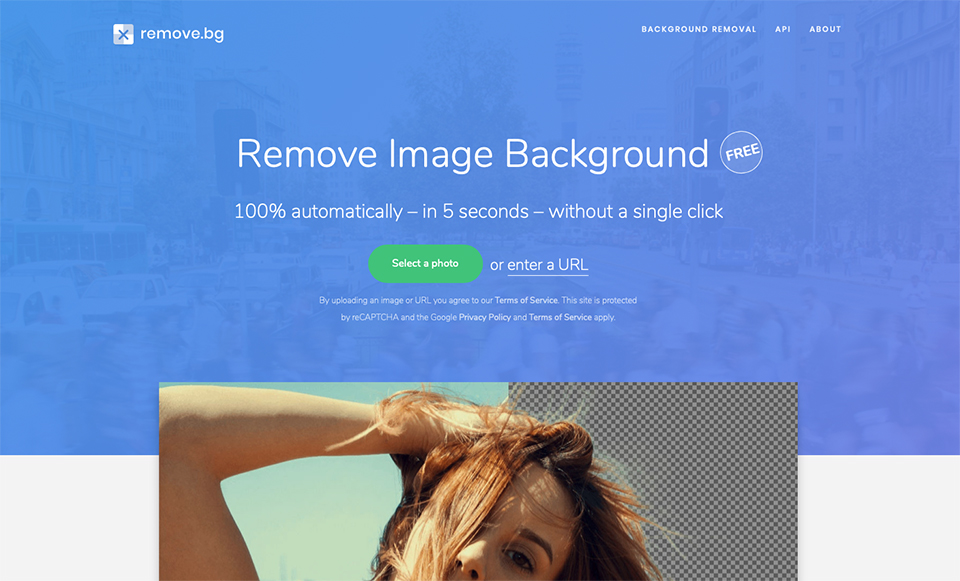
Simply use the button on the homepage to select a photo on your computer, or you can enter the URL of a photo on the internet. The website then processes the photo and shows the result after just a few seconds. Below the result is a button that lets you download the photo as a PNG image with a transparent background.
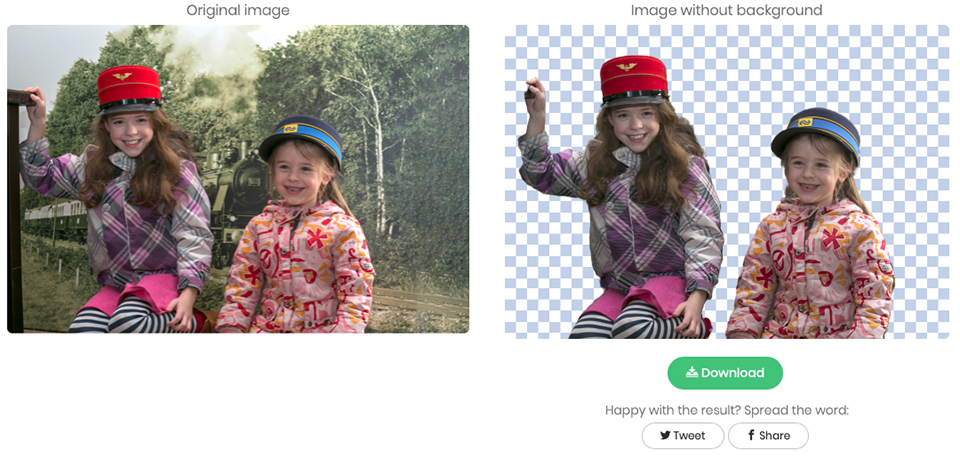
I tested the web app with a few sample portraits and was quite impressed by the quality and speed of the results. Remove.bg says it uses "advanced AI technology" for the image and background in photos, as well as special algorithms.
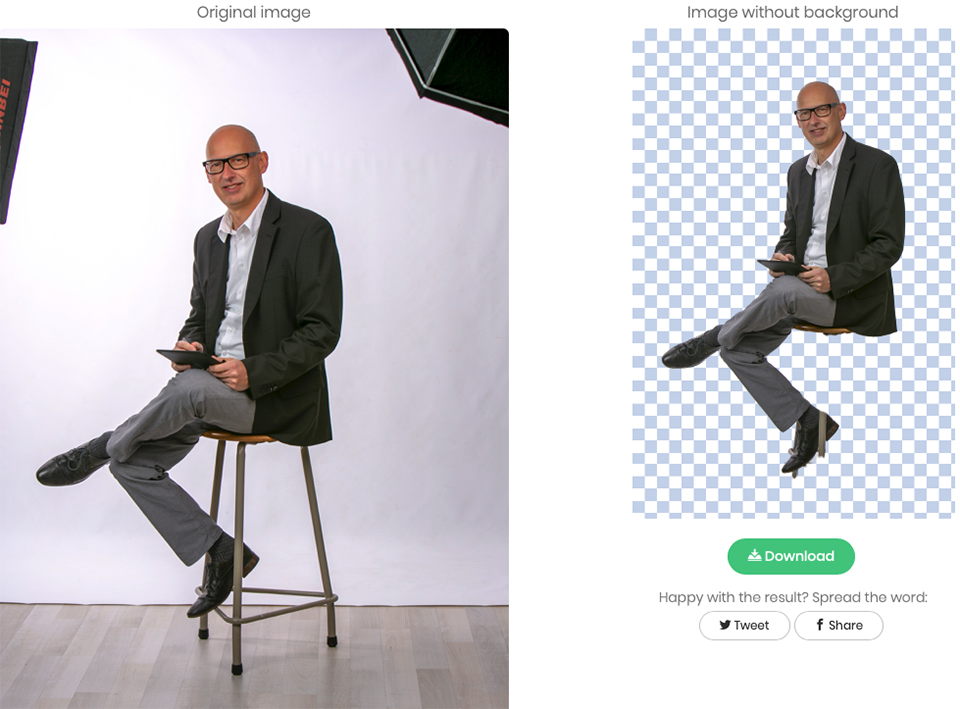
At the moment, it is only possible to remove backgrounds from portrait photos. The AI needs to detect at least one person in the frame in order to isolate them.
Photos uploaded to the website are also currently limited to 500x500px, which is a really small image, so the app is still quite limited in what it can do.
About the author
Michelle Peeters is fotografe en oprichter van DeuxBleus Fotografie. Michelle herkent het bijzondere in het gewone en het gewone in het bijzondere. Ze heeft zich nooit willen specialiseren en is daardoor van alle markten thuis.
You might also like
-
 Be careful when removing power lines and dust spots in Luminar NEO
by Nando Harmsen
-
 Easily remove a tattoo with AI in Lightroom Classic
by Elja Trum
-
 Should you list photography prices on your website?
by Wilmar Dik
-
 Avoiding or removing reflections in glasses
by Michelle Peeters
-
 Removing shadows from faces with AI
by Elja Trum
-
 7 photo situations for manual focus
by Michelle Peeters
5 comments
-

 Donald Willemsen
wrote on Friday 4 January 2019 at 14:28
| reply
Donald Willemsen
wrote on Friday 4 January 2019 at 14:28
| reply
I put it to the test and I have to honestly say that I'm not impressed. I still see too many errors.
Translated from Dutch. -
 ErikvanRosmalen
wrote on Monday 7 January 2019 at 08:15
| reply
ErikvanRosmalen
wrote on Monday 7 January 2019 at 08:15
| reply
Played around with it a bit, and as long as the input is okay, it produces a pretty decent result. You shouldn't see it as an alternative to Photoshop either, but as a handy little tool. I know enough people who want to cut out a portrait of the director for a newsletter, then this is a lot more convenient than having to call the nephew-with-Photoshop again
Translated from Dutch.
-
Donald Willemsen
wrote on Monday 7 January 2019 at 09:26
| reply
@Erik van Rosmalen, I thought you had Photoshop? Then you don't have to call your nephew, right? But seriously. I tried several photos and each time the site fails on difficult areas. Then you still have to open Photoshop to correct where the site falls short. Then I'd rather start working with Ps right away and get it right immediately. Doing double work also takes time. Moreover, with that site you never know beforehand what the result will be. It remains a surprise and sometimes it's an unpleasant one.
Translated from Dutch. -
ErikvanRosmalen
wrote on Monday 7 January 2019 at 11:07
| reply
@Donald:
Translated from Dutch.
Luckily I don't have to call any nephews myself indeed
I mainly wanted to say that this isn't really a tool aimed at photographers. But rather at that secretary who has to put together a newsletter for the boss and can then nicely paste the portrait photo of the colleague of the month in the company color
Because anyone who has PS available anyway will hopefully go straight there. In that respect, this is also just some kind of stand-alone version of the magic wand, so to speak
So rest assured, I basically stick with Photoshop -
 Trudy wrote on Tuesday 8 January 2019 at 13:58 | reply
Thanks for this tip, I'll definitely make use of it. For e.g. a company directory, this is very convenient/quick and the quality is good enough for that.
Translated from Dutch.
Have your say
Please note: Articles older than a week can only be commented on by signed-in visitors.Would you still like to comment? sign in or create a free account.
Become a better photographer every week
A practical photography tip in your inbox every week.
38,938 photography enthusiasts already receive the tips! More about the weekly mail. Or keep up to date via  Facebook.

Elja Trum
Photofacts; everything to do with photography!
Would you like to take better photos and keep up with what is happening in photography? Photofacts publishes articles that teach you something about photography — from a product announcement to a practical shooting tip or a look at a website. Photofacts covers photography every day and is a hobby project of Elja Trum's that got out of hand. The articles are written by a team of volunteer authors. If you would enjoy writing one or more articles for Photofacts, do get in touch.More about PhotofactsPhotofacts is made possible in part by
