

DXO Photolab photography tip: Use sensible file management
Thursday 6 August 2026, 17:17 by Nando Harmsen | 1,120 views | 2 commentsThis article was translated from Dutch with the help of AI. Read the original.
Do you use DXO Photolab, or are you planning to start using it? Make sure you manage your files sensibly. This ensures that all your photo edits and information about your photos stay together perfectly. It prevents problems.
DXO Photolab does not use a (visible) catalogue. The programme reads the folders on your computer. You can browse anywhere and view the photos and images on your hard drive in DXO Photolab.
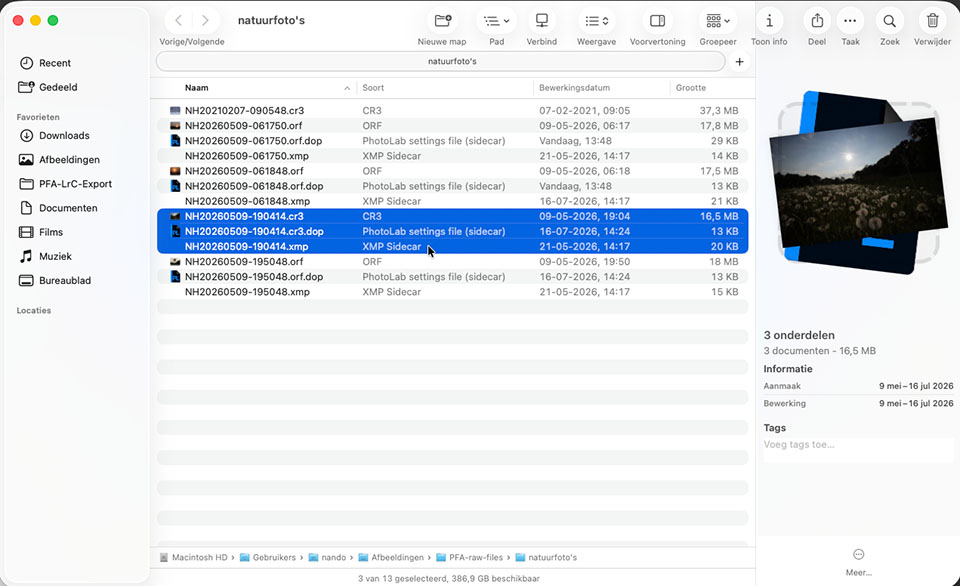
In reality, there is a catalogue in which DXO Photolab stores information. But the most important information is stored alongside the photo in a DOP or XMP file. Your edits are stored there too.
Do you see DOP or XMP files next to the photo files? Do not delete them, because you will lose the edits and other information you have saved about the photo. Keep those files together.
Are you renaming photos? Then rename the DOP and XMP files too. This is very important. You must also take those files with you when moving photos. If you do not, you will lose all your work.
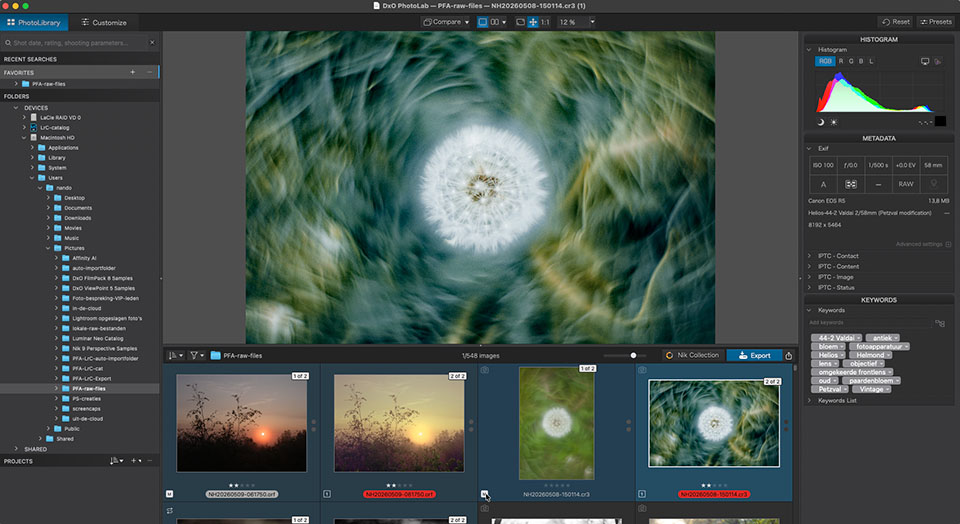
You can of course rename or move the DOP or XMP files at a later point. But DXO Photolab can then get very confused. Either the edits are lost after all, or virtual copies are created.
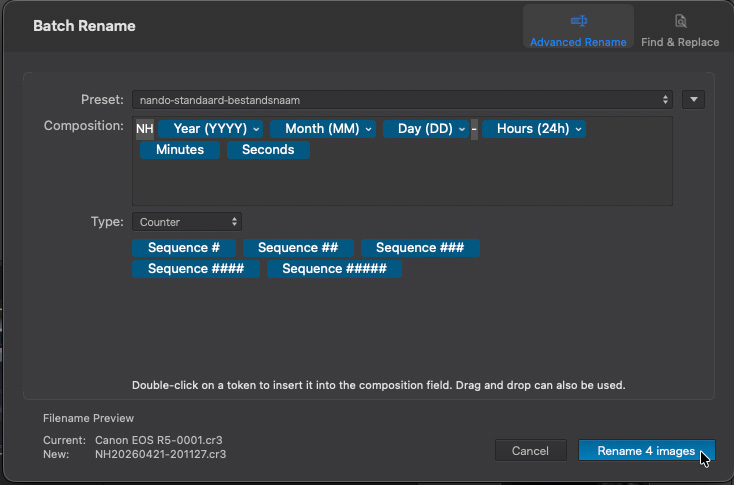
Are you going to rename or move photos? Preferably do this in DXO Photolab itself. The programme has this option built in. This ensures that all your work is preserved perfectly. Take no risks.
The best way is to copy the photos to a location on your hard drive and leave them there. Then rename the photos in DXO Photolab. Always do this in a structured way. It prevents problems.
About the author
Nando Harmsen has been photographing for more than 40 years. He specialises in wedding photography and landscape photography. Nando also gives talks, workshops, masterclasses and photo trips, and regularly reviews new and interesting equipment.
You might also like
-
 DxO PhotoLab as an alternative to Lightroom
by Nando Harmsen
-
 An honest comparison between DxO PhotoLab and Lightroom Classic
by Nando Harmsen
-
 Keep an overview: don't make JPEGs of your RAW files
by Nando Harmsen
-
 The new DXO PhotoLab version 10
by Nando Harmsen
-
 5 Tips for Managing Photos in Lightroom Classic (and Other Software)
by Nando Harmsen
-
 An impression of the DxO PureRAW4 plugin for Lightroom
by Nando Harmsen
2 comments


Have your say
Please note: Articles older than a week can only be commented on by signed-in visitors.Would you still like to comment? sign in or create a free account.
Become a better photographer every week
A practical photography tip in your inbox every week.
38,982 photography enthusiasts already receive the tips! More about the weekly mail. Or keep up to date via  Facebook.

Elja Trum
Photofacts; everything to do with photography!
Would you like to take better photos and keep up with what is happening in photography? Photofacts publishes articles that teach you something about photography — from a product announcement to a practical shooting tip or a look at a website. Photofacts covers photography every day and is a hobby project of Elja Trum's that got out of hand. The articles are written by a team of volunteer authors. If you would enjoy writing one or more articles for Photofacts, do get in touch.More about PhotofactsPhotofacts is made possible in part by
