

An honest comparison between DxO PhotoLab and Lightroom Classic
Friday 14 August 2026, 11:33 by Nando Harmsen | 1,693 views | 5 commentsThis article was translated from Dutch with the help of AI. Read the original.
For many, Lightroom Classic is the go-to photo editing programme. But there are others, including DxO PhotoLab. I compared the two. The best choice mainly depends on what you want to use it for.
There are many photo editing programmes to choose from. Often, the price of the software is the deciding factor. I wrote a whole article about that. When price is the deciding factor, you may have to make concessions.
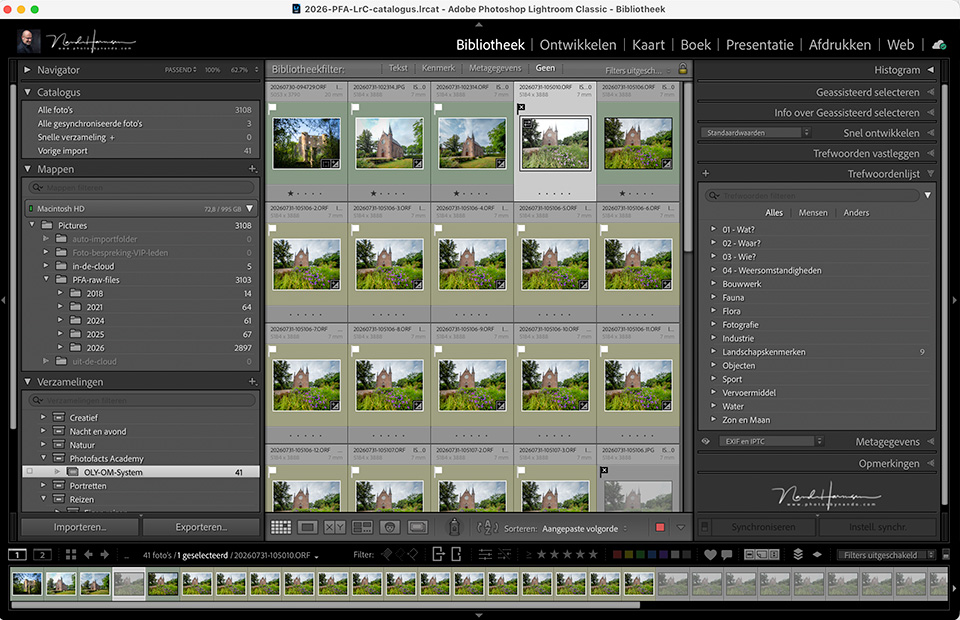
Lightroom Classic is considered the gold standard. That is why literally all other photo editing software is compared with it. They are Lightroom alternatives, or Lightroom killers.
But be careful with all those posts, YouTube videos and articles that praise other software to the skies. You often need to look closely at the downsides or disadvantages before making a choice or switching.
In this article, I compare DxO PhotoLab with Lightroom Classic (LrC). I use the latter in my everyday photography. I am creating a course about DxO PhotoLab (DxO PL). So I have gained a fairly good understanding of this software.
What are the similarities?
Both Lightroom Classic and DxO PhotoLab consist of (at least) two parts. Cataloguing the photos on your hard drive and editing the photos. Both are important if you want to keep a good overview.
With both programmes, the photos are stored on and remain on the hard drive. You can add keywords and descriptions, and there is of course a rating system with stars and colours.
You can collect photos together without moving them from their location on the hard drive. A photo can be in multiple albums (LrC) or projects (DxO PL). You can create virtual copies for different edits.
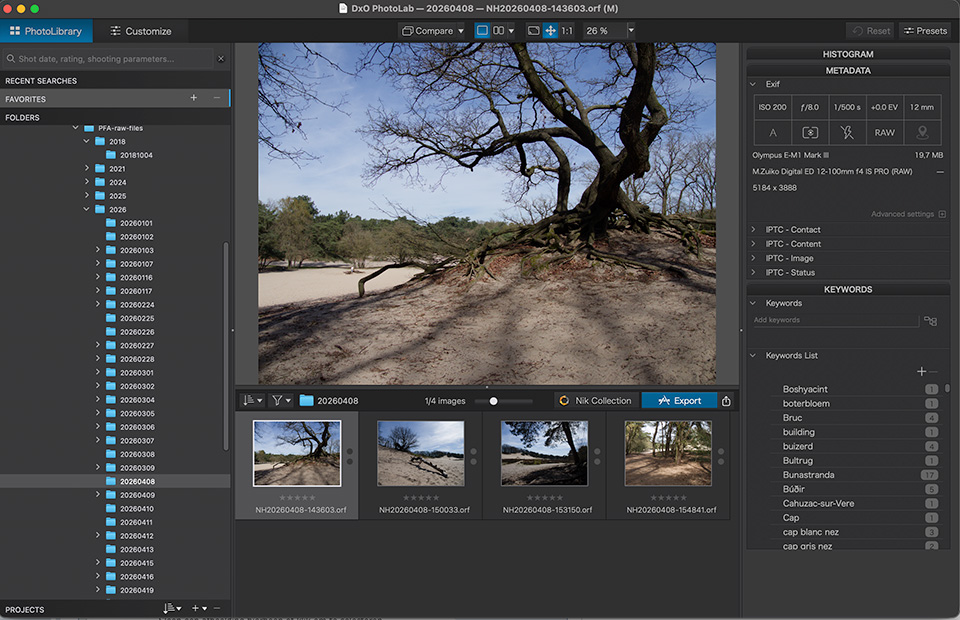
The edits can be global or local using masks. Both include AI masks for simplified selections. Automatic image corrections are available, along with all the necessary export functions.
Lightroom Classic uses a catalogue in which everything is stored. DxO PhotoLab appears not to have a catalogue, but in reality there is a database hidden somewhere on your hard drive.
DxO PhotoLab also stores adjustments and other information in separate DOP files, and optionally in XMP files. Lightroom Classic can also use the latter, but you have to enable that deliberately.
The library
Lightroom Classic offers many options in the Library module. Viewing the contents of folders and subfolders provides a great deal of flexibility. You can manage your files entirely from Lightroom Classic without having to switch to Explorer or Finder.
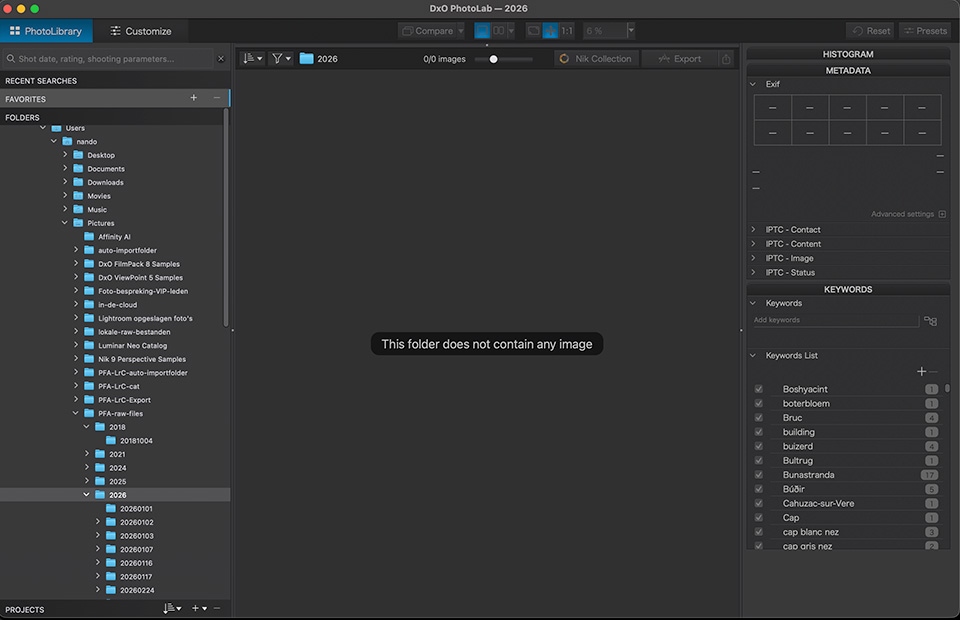
DxO PhotoLab offers limited functionality when it comes to file management. It can seem untidy because the contents of the entire hard drive are always visible. The contents of subfolders are never shown until you click on them individually.
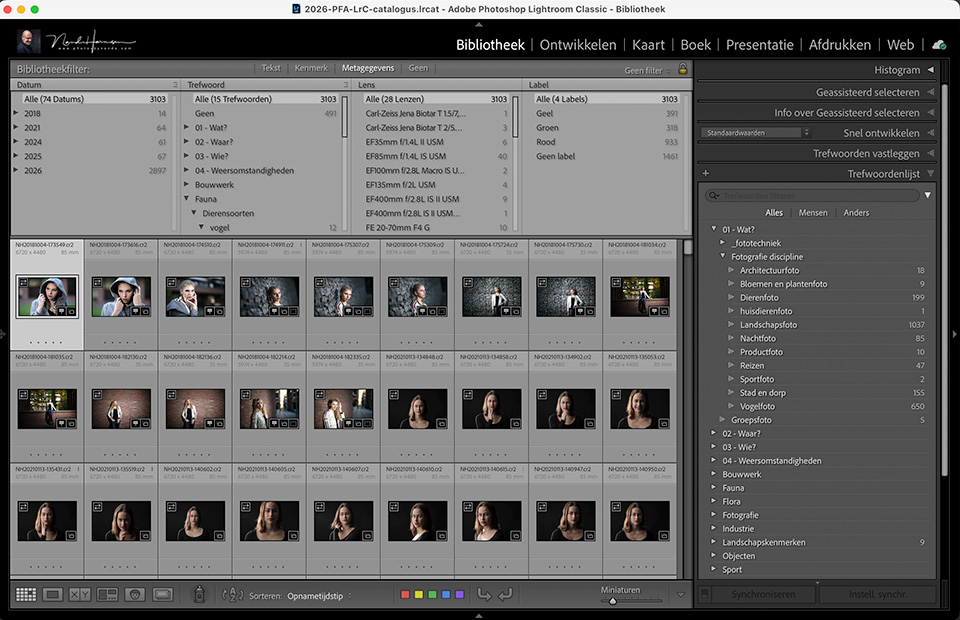
The search functions in Lightroom Classic are very extensive. They offer almost every option. DxO PhotoLab has one search bar, and searches cannot be carried out separately for each folder or subfolder. It is more difficult to use complex search functions.
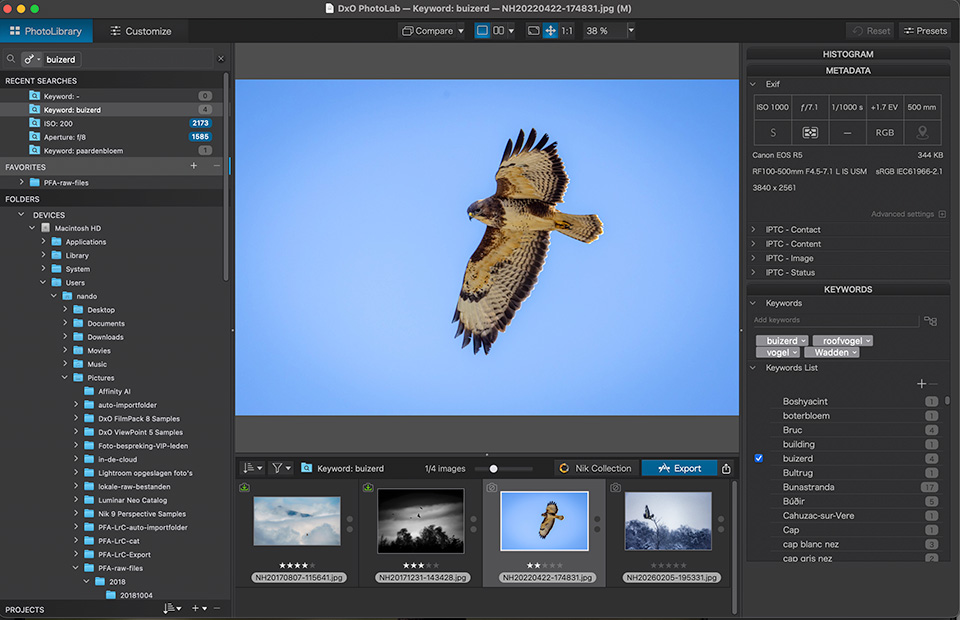
DxO PhotoLab has projects, which are called albums in Lightroom Classic. However, smart albums that fill themselves based on criteria are not possible.
The Develop module
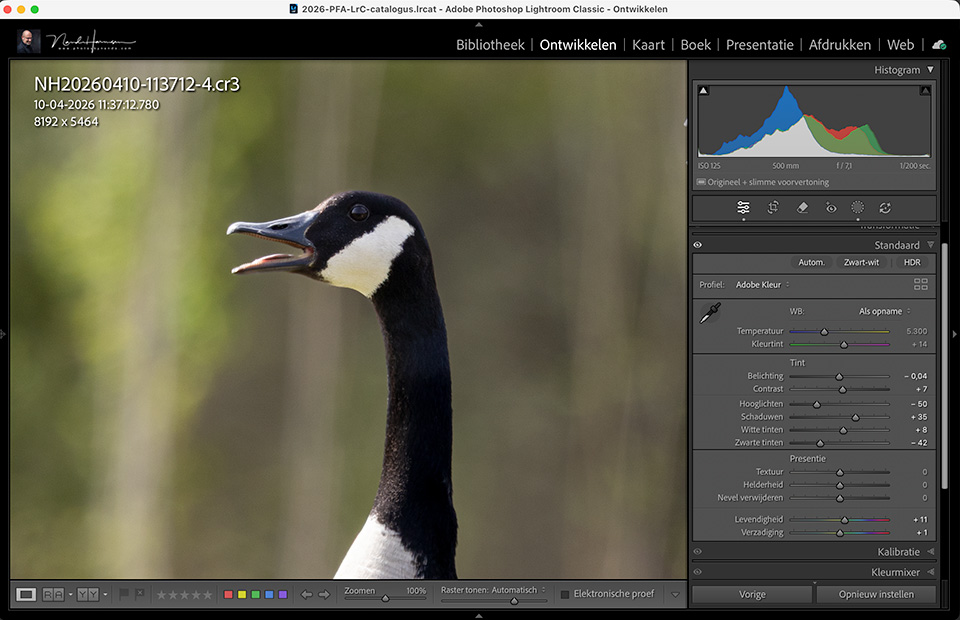
Editing photos is almost identical in both programmes. There are differences here and there, but they are not very significant. The layout of the tools seems clearer in Lightroom Classic, but that is personal.
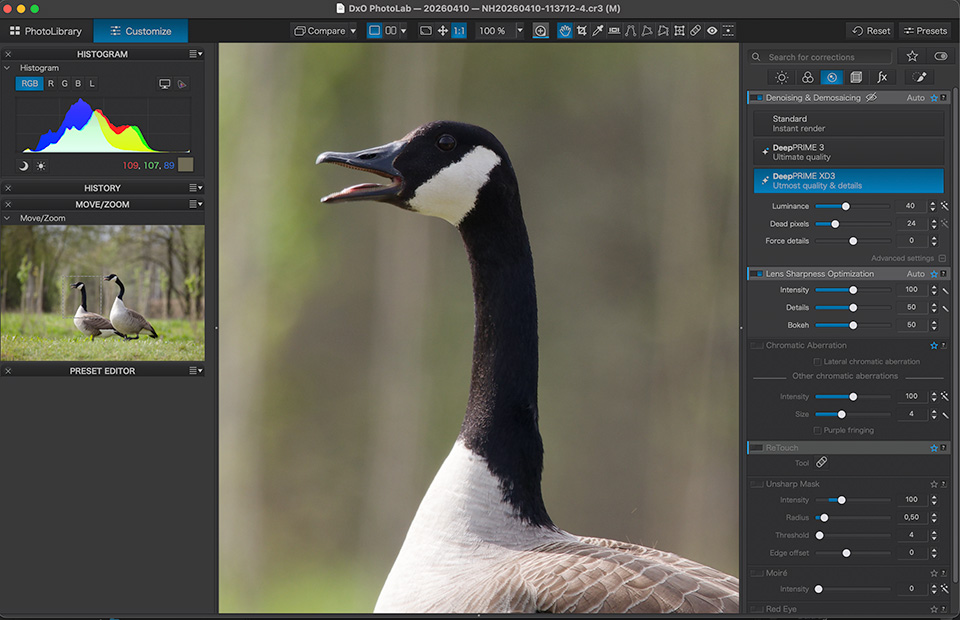
DxO PhotoLab has excellent lens correction and advanced noise reduction. Lightroom Classic also has both options, but in many cases DxO PhotoLab seems just that little bit better in this respect.
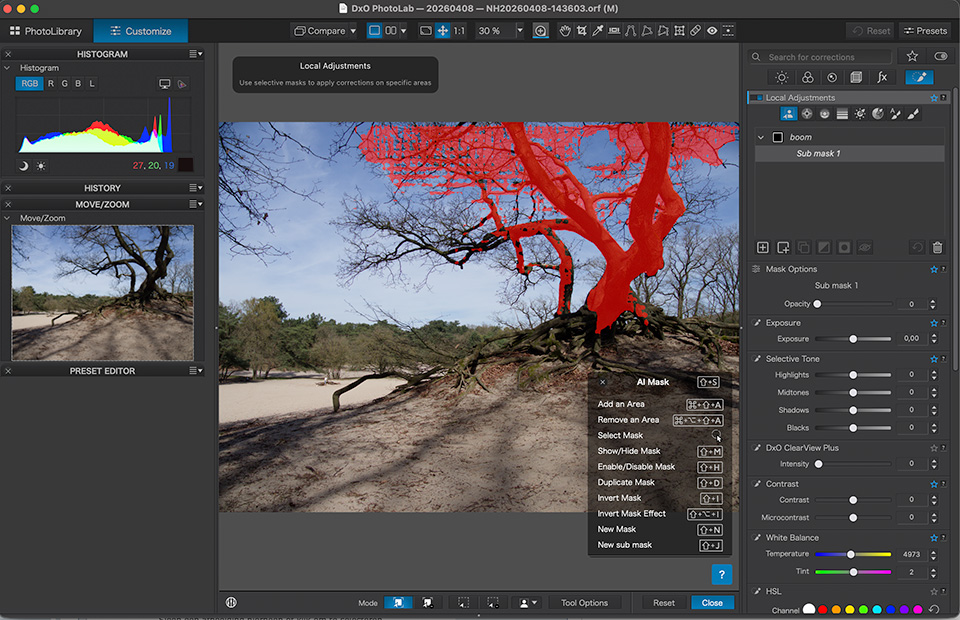
Local editing with masks is possible in both, including AI masks. The absence of a radial mask in DxO PL is notable. Using masks is easier and more accessible in Lightroom Classic.
Extra functions or modules
The options Lightroom Classic offers are very extensive. Think of HDR and panorama, various preset options and perspective corrections. If you want to get the most out of DxO PL, you have to buy extra modules.
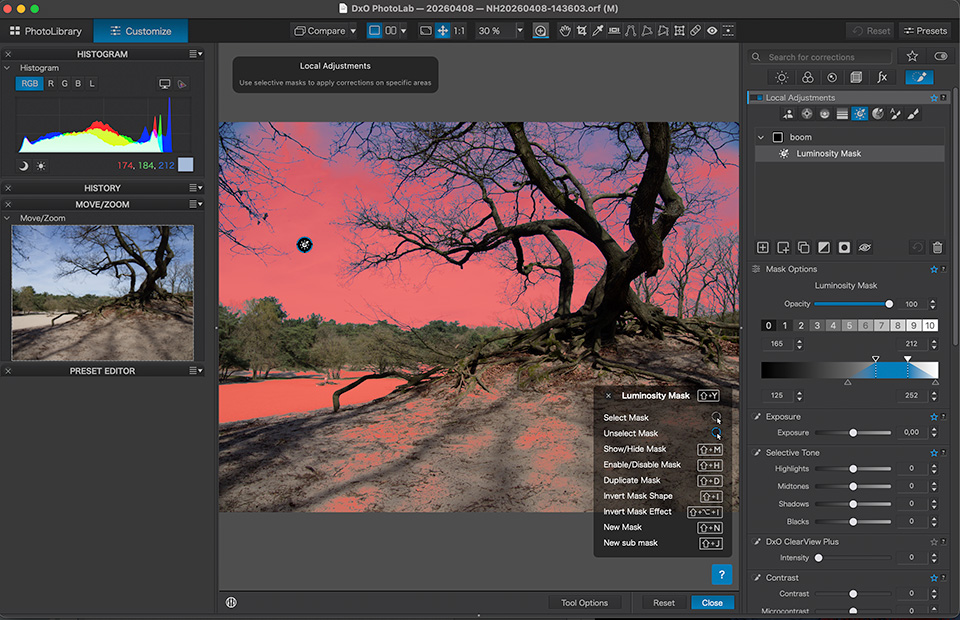
Sometimes strange choices have been made in DxO PhotoLab. To give one example, luminosity masks are not available as standard. You have to buy DxO FilmPack for that, which is actually aimed at presets.
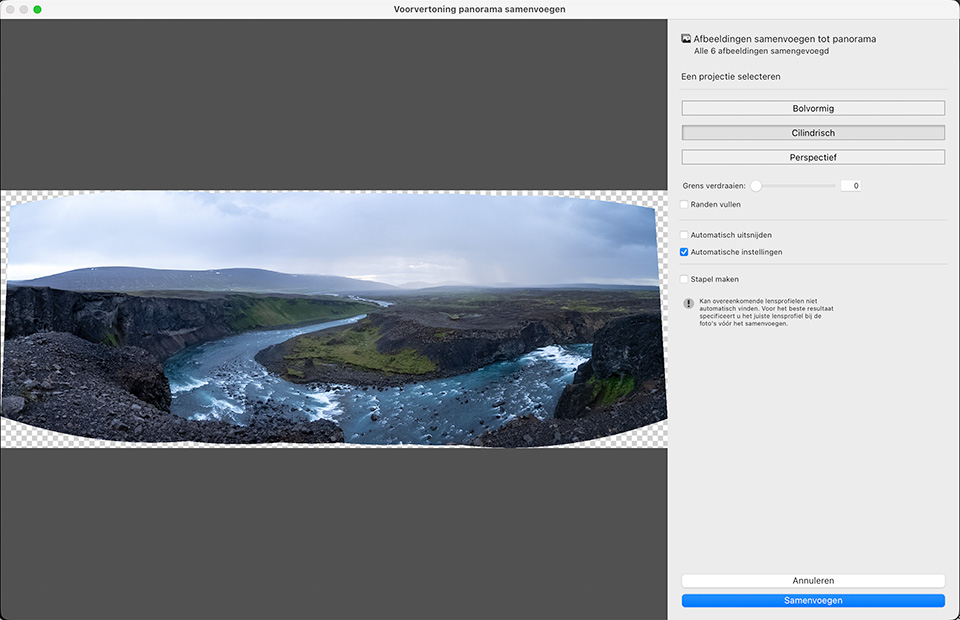
Lightroom Classic offers more options, such as the 'blur lens' or 'assisted selection' options. You also get cloud storage and a mobile version of the programme. DxO PhotoLab has none of this, and panoramas are not possible at all.
Integration with other software
Lightroom Classic allows you to switch to other software. This is very well integrated, and the result comes back into the Lightroom Classic environment. The DxO PureRaw editor can also be opened from Lightroom Classic.
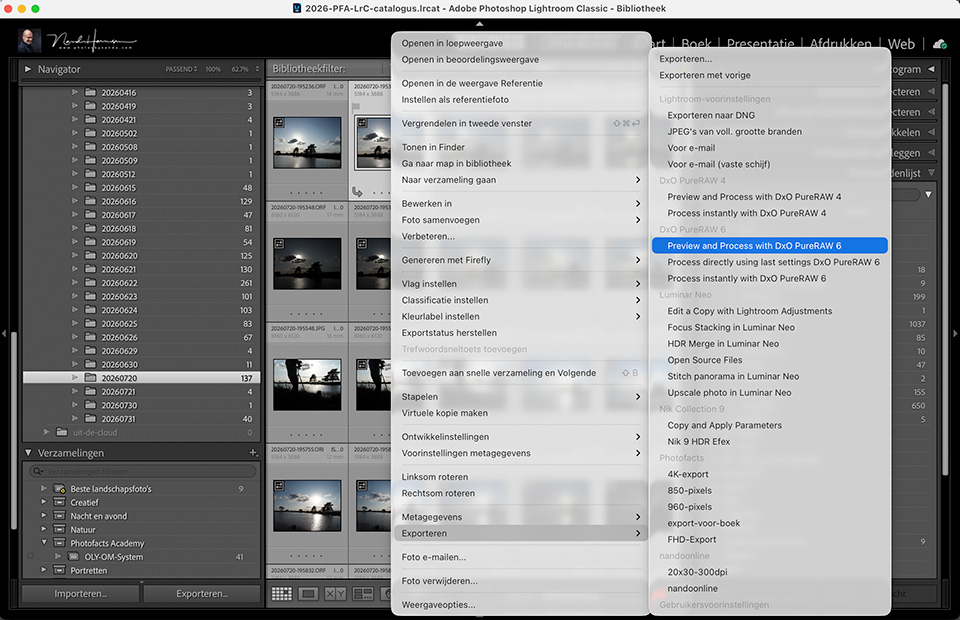
Apart from DxO PureRaw, Lightroom Classic also works seamlessly with other DxO modules, such as FilmPack, ViewPoint and of course NIK. These DxO modules also work perfectly with DxO PL, of course.
DxO PhotoLab also allows you to send photos directly to other software, such as Photoshop or Affinity. However, it is less smoothly integrated, giving you less flexibility and fewer options.
My experiences so far
For managing photos on the hard drive, I prefer the way Lightroom Classic works. There are many more options, and everything works in a much more user-friendly and clearer way than in DxO PL.
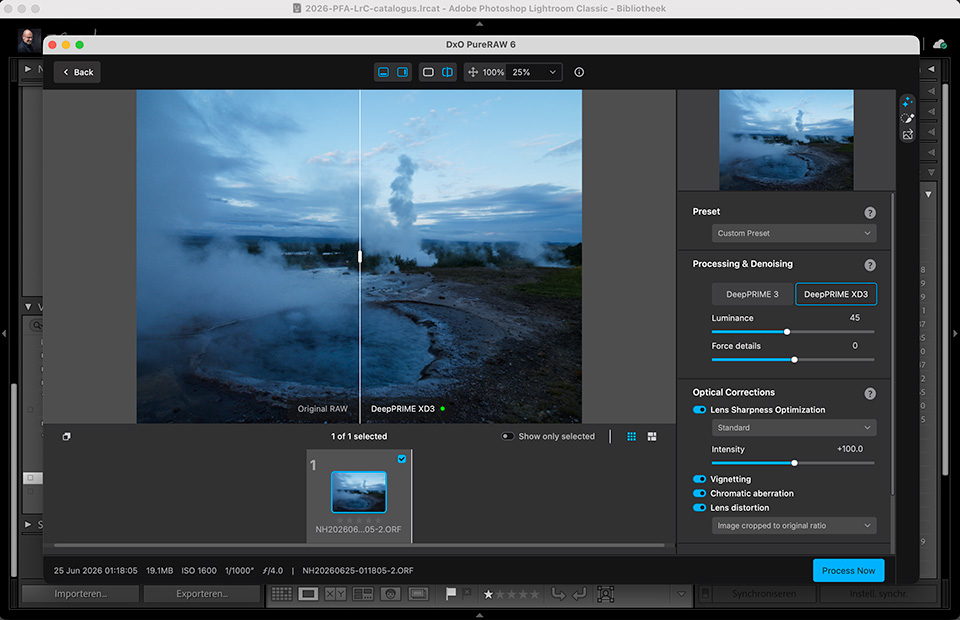
When it comes to editing, I also prefer Lightroom Classic. I find everything clearer and perhaps more logical too. DxO PhotoLab does have better noise reduction, as well as lens correction options.
Conclusion
If you are hoping for a 'best software' or 'best choice' stamp, I have to disappoint you. After all, it is not a competition. Both programmes perform excellently. They have strengths and less strong points.
DxO PhotoLab is a wonderful programme and has its strengths. However, it is more limited than Lightroom Classic in many respects. The strengths of DxO PhotoLab can be combined well with Lightroom Classic by using DxO PureRaw as a plugin.
It is important to weigh up the pros and cons carefully. Preferably, do not choose on principle. You should find working with the software enjoyable. Avoid becoming annoyed by missing or awkward functionality.
Try it out for yourself. Download a trial version and get started. Try things out and be honest with yourself. Only then will you make a good choice.
About the author
Nando Harmsen has been photographing for more than 40 years. He specialises in wedding photography and landscape photography. Nando also gives talks, workshops, masterclasses and photo trips, and regularly reviews new and interesting equipment.
You might also like
-
 DxO PhotoLab as an alternative to Lightroom
by Nando Harmsen
-
 An impression of the DxO PureRAW4 plugin for Lightroom
by Nando Harmsen
-
 Price comparison of software with and without a subscription
by Nando Harmsen
-
 Adobe updates Lightroom (Classic) with new AI masks
by Elja Trum
-
 The new DXO PhotoLab version 10
by Nando Harmsen
-
 Speed up Lightroom Classic by reinstalling it
by Elja Trum
5 comments
-
 Mac wrote on Monday 17 August 2026 at 08:07 | reply
You forget to mention that DXO has control points, they work roughly like radial masks.
Translated from Dutch. -

-

 Fritsflow wrote on Monday 24 August 2026 at 09:48
| reply
Fritsflow wrote on Monday 24 August 2026 at 09:48
| reply
Lrc's archive system is so often praised to the heavens. I don't quite understand that. For example, I often come across weird things; suddenly there are photos in folders that I really didn't put them in. Or there are suddenly folders that I didn't create. And no, I don't do anything outside Lrc. “Optimize catalog” doesn't help either. After many years, I've decided to leave Adobe and choose DXO or C1. I haven't quite decided yet. And not a subscription model. I know that isn't necessarily cheaper, but for the time being I don't plan on switching/upgrading cameras.
Translated from Dutch. -
Nando
wrote on Monday 24 August 2026 at 09:54
| reply
Lightroom does nothing other than index the contents of your hard drive. Moving images only happens when you take action yourself, consciously or otherwise.
Translated from Dutch.
You will notice that the difference compared with, for example, DXO is considerably less flexible. But having said that, if it works for you, that's fine. Right? -
Fritsflow wrote on Monday 24 August 2026 at 10:48
| reply
I know that's how it works Nando, I've been working with LRc for years. I'm sure I don't move any files, not even within LRc, and yet things go wrong here and there. I'm going to play around with the trial version of PL and am curious about version 10, which will probably be released in September. I know C1, I have version 21.
Translated from Dutch.
Have your say
Please note: Articles older than a week can only be commented on by signed-in visitors.Would you still like to comment? sign in or create a free account.
Become a better photographer every week
A practical photography tip in your inbox every week.
38,982 photography enthusiasts already receive the tips! More about the weekly mail. Or keep up to date via  Facebook.

Elja Trum
Photofacts; everything to do with photography!
Would you like to take better photos and keep up with what is happening in photography? Photofacts publishes articles that teach you something about photography — from a product announcement to a practical shooting tip or a look at a website. Photofacts covers photography every day and is a hobby project of Elja Trum's that got out of hand. The articles are written by a team of volunteer authors. If you would enjoy writing one or more articles for Photofacts, do get in touch.More about PhotofactsPhotofacts is made possible in part by
