

The new Luminar AI is now available
Tuesday 15 December 2020, 17:17 by Nando Harmsen | 5,708 views | 14 commentsThis article was translated from Dutch with the help of AI. Read the original.
It was announced some time ago, and many people have been eagerly waiting for this programme: Luminar AI. From today, it is available through the Skylum website. Curious about the programme? I’ll give you an idea of what to expect.
With the introduction of Luminar 4.2, it became possible to use artificial intelligence to edit your photos. The software looked at your photo, assessed it and then got to work based on what it found, carrying out the edit as effectively as possible.
With the new Luminar AI, Skylum is taking this a step further. Artificial intelligence is used even more to assess and edit your photo.
This smart software is at the heart of editing with Luminar AI. It is not without reason that the abbreviation Artificial Intelligence (AI) is included in the name.
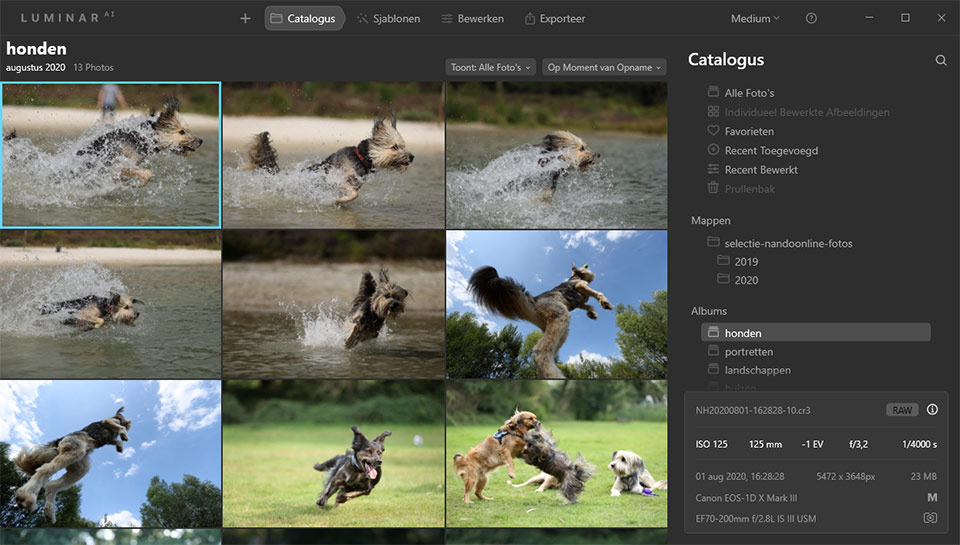
Luminar AI is not an update of Luminar 4.2. They are two completely different programmes. If you already own Luminar 4.2 and have your photos in an extensive catalogue, you cannot use that catalogue with Luminar AI. You will have to create a completely new catalogue.
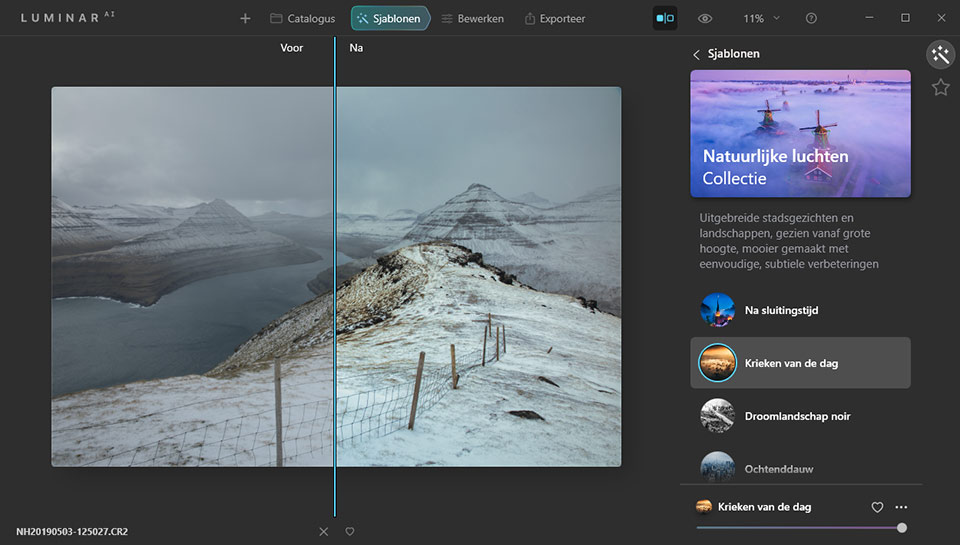
The edits you made in Luminar 4.2 will not be visible in Luminar AI. Whether that is a problem remains to be seen. Luminar AI makes extensive use of presets, known as templates, meaning that manual editing will probably be needed much less often.
I have now started a video course about Luminar AI on Photofacts Academy, in which I show you all the possibilities of Luminar AI. Where necessary, I will refer to the Luminar 4.2 course. Although this should be seen as a completely different programme, there are still many functions that are similar or the same.
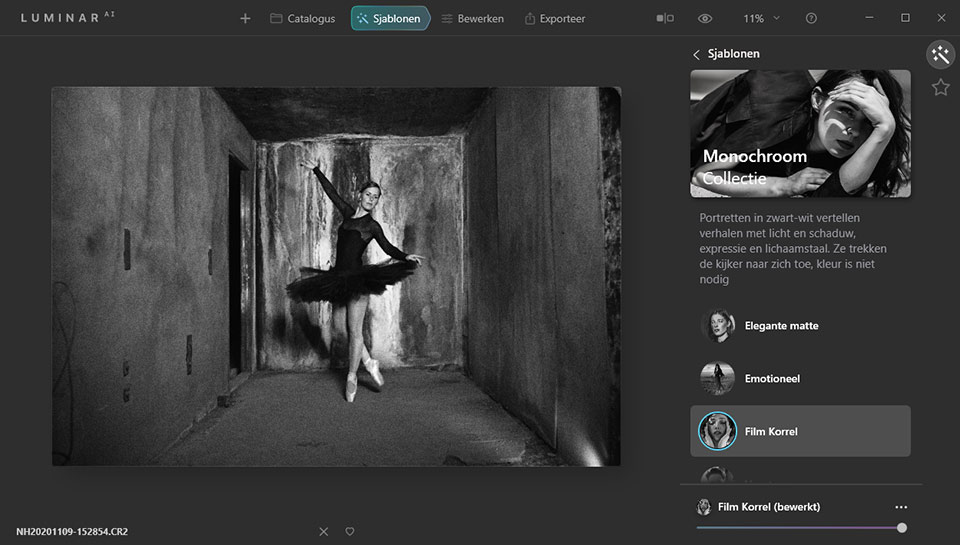
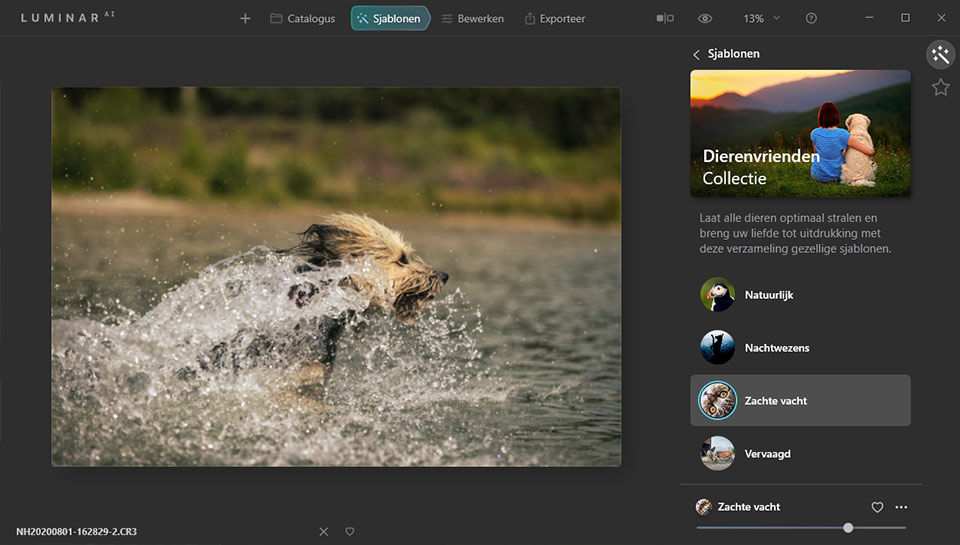
Keep an eye on Photofacts Academy for the Luminar AI course. Would you like to buy the programme? Use the link below.
» Buy Luminar AI
About the author
Nando Harmsen has been photographing for more than 40 years. He specialises in wedding photography and landscape photography. Nando also gives talks, workshops, masterclasses and photo trips, and regularly reviews new and interesting equipment.
You might also like
-
 Skylum launches Luminar NEO
by Nando Harmsen
-
 Skylum's next-generation Accent AI filter for Luminar
by Michelle Peeters
-
 Luminar Flex: advanced plug-in for photo editing
by Michelle Peeters
-
 Converting a Luminar AI catalogue to Luminar NEO
by Nando Harmsen
-
 Aperty for portrait photography by Skylum
by Nando Harmsen
-
 LuminarAI will edit your photos for you
by Elja Trum
14 comments
-
 peter heins wrote on Tuesday 15 December 2020 at 23:37 | reply
I had pre ordered it , I already had luminar 4.2. Curious , haven't downloaded it yet...... Work, huh....
Translated from Dutch. -

 Donald Willemsen
wrote on Wednesday 16 December 2020 at 00:28
| reply
Donald Willemsen
wrote on Wednesday 16 December 2020 at 00:28
| reply
I've had Luminar AI on my PC since last week. Those who had placed a pre-order were already able to download Luminar AI before December 15. At first glance, Luminar AI looks the same as Luminar 4.3, but thanks to the artificial intelligence, editing a photo is clearly quite a bit faster, that's my first impression.
Translated from Dutch. -
Peter Heins wrote on Wednesday 16 December 2020 at 10:29 | reply
Donald I checked my account again yesterday and it wasn't there. It also said that it's being rolled out in phases. Probably to prevent everyone from downloading at the same time. I haven't checked today yet.
Translated from Dutch. -
Donald Willemsen
wrote on Wednesday 16 December 2020 at 10:56
| reply
@Peter, that could be. I was probably one of the first to place a pre-order when that was possible. Hence I was already able to download AI last week. There was already a first update again today 😃.
Translated from Dutch. -
Peter Heins wrote on Wednesday 16 December 2020 at 15:04 | reply
It did show up in my Software now. Only it's a shame again that the integration of your old Looks hasn't been properly included. And why does it have to be called something different again . I can't use my old Looks in Luminar AI. A bit of a shame this. A deplorable state of affairs. In that respect, Skylum hasn't applied the Intelligence to itself.
Translated from Dutch. -
 Nando
wrote on Wednesday 16 December 2020 at 15:22
| reply
Nando
wrote on Wednesday 16 December 2020 at 15:22
| reply
@Peter Heins:
Translated from Dutch.
The old looks were indeed not carried over as such. But if you created custom looks in Luminar 4.2, those were carried over to Luminar AI. You can simply keep using them.
But you are right, what you did with your photos in Luminar 4.2 cannot be carried over to Luminar AI. They really are two completely different programs. -
Donald Willemsen
wrote on Wednesday 16 December 2020 at 16:29
| reply
@Peter and Nando, moreover you can keep using Luminar 4 alongside AI
Translated from Dutch. -
-
Donald Willemsen
wrote on Wednesday 16 December 2020 at 16:40
| reply
A few things I've noticed with Luminar AI that could be improved.
Translated from Dutch.
1. Installing updates is slow.
2. Starting up Luminar AI takes a long time.
3. Exporting an edited photo takes quite a long time.
The above points could be improved as far as I'm concerned. Before someone comments that my PC is too slow. I use a PC with an AMD RIZEN 7 processor and 16GB of RAM.😄 -
Donald Willemsen
wrote on Wednesday 16 December 2020 at 16:50
| reply
@Nando, I do agree with you on that
Translated from Dutch. -
 4BYE
wrote on Tuesday 22 December 2020 at 14:45
| reply
4BYE
wrote on Tuesday 22 December 2020 at 14:45
| reply
Getting started with it for the first time, alongside DxO PhotoLab 4 and the usual software. Mainly to experiment more and stray off the beaten path. I have already achieved some nice results. I do call it "digital art" because quite a lot can be manipulated. I have no problem making small adjustments to portraits, but I certainly won't be altering facial structures and bodies. That is a personal boundary for me. (in France you are apparently not even allowed to make models longer or slimmer, I read recently, probably professionally then, I assume) For the rest I am trying out all kinds of things to really get the hang of it.
Translated from Dutch.
There is also an additional revenue model behind it because you can purchase extra things to expand the skies, but also the templates. I recommend everyone start creating their own skies in a library. That way it remains your own work and people will not immediately point the finger at "the same sky again". Since I was already busy thinning out the database and also looking at photos in a different way (for e.g. GuruShots), it came at a perfect time for me. I am even amazed at how much more I get out of photos (also with other software) that I left aside at the time. In short, highly recommended for me and the paid € 69,00 is more than worth it. -
4BYE
wrote on Tuesday 22 December 2020 at 14:58
| reply
@Nando I can't agree with the comment that using two different editing programs alongside each other would be far from ideal. (unless there is a technical reason I'm not aware of) I use many programs interchangeably because one is stronger or more convenient for certain things than the other. I do save everything in tiff files when I go back and forth. If you have reasons that I'm overlooking, I'd of course be happy to hear them! (I use DxO PhotoLab 4, Helicon Pro, PTGui, PS, Luminar AI, Corel PhotoPaint)
Translated from Dutch. -
Nando
wrote on Tuesday 22 December 2020 at 16:36
| reply
@4BYE:
Translated from Dutch.
Whether you consider it ideal is of course very personal. I always want to be able to adjust my edits, and if you want that, working with multiple catalogs isn't ideal.
Creating a TIF isn't the solution to that; then I end up with far too many versions of a photo, which I also have to import again every time I want to use another program. -
4BYE
wrote on Tuesday 22 December 2020 at 18:18
| reply
@Nando Thanks for the response.
Translated from Dutch.
DxO PhotoLab 4 has the data per photo of the changes to the RAW file. I can always fall back on that. For photos that are worthwhile and that I want to "play" with further, I create a tiff. PS then also saves the edits in the TIFF. I use Helicon Pro and PTGui for focus stacks and stitching. Those sometimes also go back and forth to make some further adjustments.
Of course, a workflow is also very personal. I save the versions that I like up to that point. Retrospectively, the older ones are deleted.
Have your say
Please note: Articles older than a week can only be commented on by signed-in visitors.Would you still like to comment? sign in or create a free account.
Become a better photographer every week
A practical photography tip in your inbox every week.
38,938 photography enthusiasts already receive the tips! More about the weekly mail. Or keep up to date via  Facebook.

Elja Trum
Photofacts; everything to do with photography!
Would you like to take better photos and keep up with what is happening in photography? Photofacts publishes articles that teach you something about photography — from a product announcement to a practical shooting tip or a look at a website. Photofacts covers photography every day and is a hobby project of Elja Trum's that got out of hand. The articles are written by a team of volunteer authors. If you would enjoy writing one or more articles for Photofacts, do get in touch.More about PhotofactsPhotofacts is made possible in part by
