

The new updates for Adobe Lightroom and Photoshop
Tuesday 20 October 2020, 16:32 by Nando Harmsen | 5,461 views | 4 commentsThis article was translated from Dutch with the help of AI. Read the original.
Over the past few weeks, I have attended the announcements made in the run-up to Adobe MAX. From 20 October, these will be officially announced during the Adobe MAX event. Like so many events, Adobe MAX is an online event.
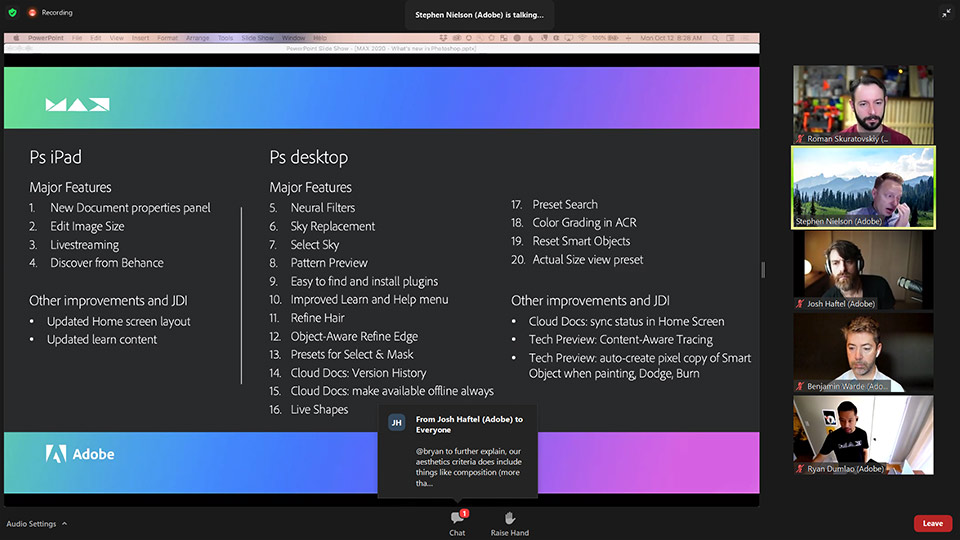
Many new things have been announced. In this article, I will only cover the things that are interesting for photographers. Photoshop in particular has received a large number of new options.
Lightroom: Advanced colour grading
Adobe has paid a lot of attention to Lightroom's speed. They promise that editing images will become much faster and smoother. But the biggest visible change is the so-called advanced colour grading.
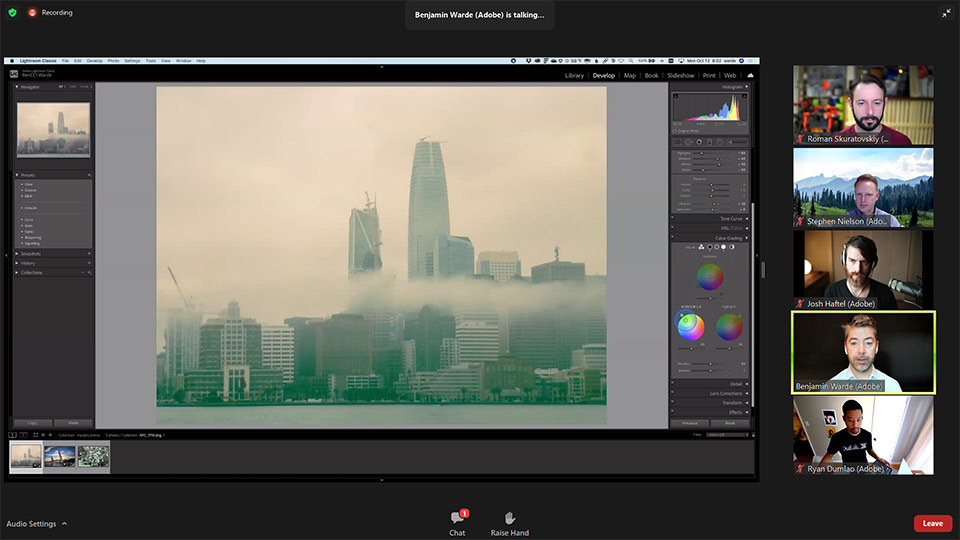
You may have seen the three round colour wheels in other programmes. The competition uses them, but they first appeared in Adobe Premiere, a long time ago. Now Lightroom has these colour wheels too.
With the colour wheels, you can adjust the colours of the shadows, midtones and highlights separately. This gives you much better control when creating a beautiful colour profile that is unique to your photo.
The colour wheels replace the old split toning. You will therefore no longer find that in the new Lightroom. But don't worry, presets that use split toning will remain available and can still be used as before. You simply have more control available.
The major Photoshop updates
Colour grading is also available for Photoshop, in the Adobe Camera Raw filter. But besides that, there are some really nice updates. They are largely based on Adobe's version of AI, or artificial intelligence.
One of the most noticeable features is the ability to replace the sky in a photo. Photoshop provides a nice panel where you can actually see the different skies before applying them.
Colour casts are taken into account, and a new sky is applied using layers and masks, making it easy to make your own adjustments afterwards.
Another nice option is the neural filters. These make it possible to adjust portraits very easily, for example. You can also automatically add colour to a black-and-white photo, something that used to take a lot of time.
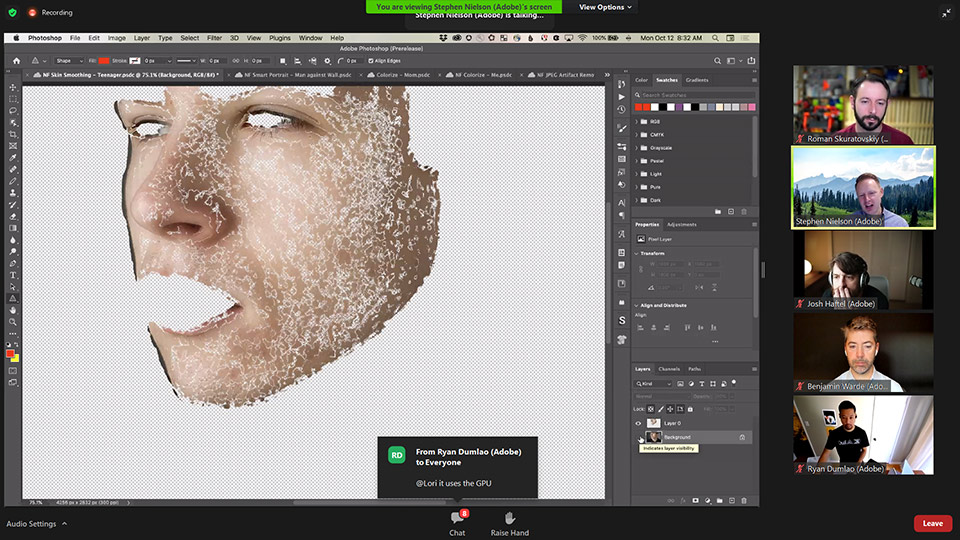
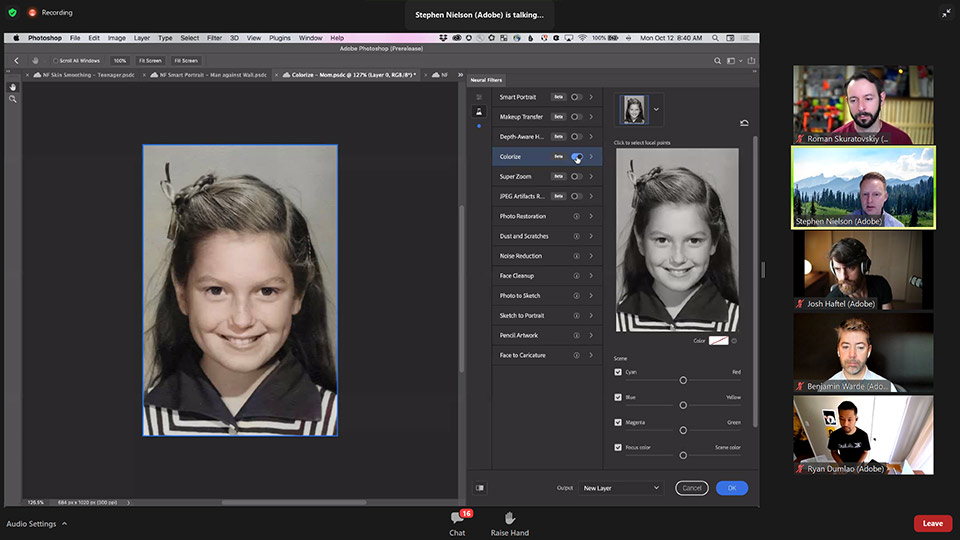
There are many more small changes in Photoshop that will make working in the programme more enjoyable. This at least gives you a preview of the new updates.
About the author
Nando Harmsen has been photographing for more than 40 years. He specialises in wedding photography and landscape photography. Nando also gives talks, workshops, masterclasses and photo trips, and regularly reviews new and interesting equipment.
You might also like
-
 The annual major update for Lightroom and Photoshop
by Nando Harmsen
-
 Lightroom updates 2025, with more useful AI features
by Nando Harmsen
-
 Lightroom gets powerful masking capabilities
by Elja Trum
-
 What's new in the Lightroom Classic 13 update?
by Nando Harmsen
-
 Adobe updates Lightroom (Classic) with new AI masks
by Elja Trum
-
 The new Lightroom update now offers super-resolution
by Nando Harmsen
4 comments
-

 Laura van der Burgt
wrote on Wednesday 21 October 2020 at 09:38
| reply
Laura van der Burgt
wrote on Wednesday 21 October 2020 at 09:38
| reply
Heldere informatie en zeer welkom! Dank je Nando.
This comment was written in another language and has not been translated yet. -
 Thijs van den Anker wrote on Friday 23 October 2020 at 08:32 | reply
Hoi Nando. Ik heb geprobeerd LR te updaten. Maar ik heb een bijna 9 jaar oude Imac, die het nog heel goed doet, die draait op High Sierra. Mojave kan ik niet meer updaten. De LR update kan ik hierop niet installeren. Niet compatible. Nu begrijp ik best dat systemen veranderen maar wat houd dit in voor mijn abonnement. Krijg ik nu geen updates meer? Waar betaal ik dan nog voor. Heb jij een antwoord voor mij.
This comment was written in another language and has not been translated yet. -
Laura van der Burgt
wrote on Sunday 25 October 2020 at 20:12
| reply
Ik heb dus ge-update naar Lightroom 10, maar dat had ik beter niet kunnen doen. Ondanks dat mijn Mac aan alle systeemeisen voldoet, is het programma super traag geworden en niet meer mee te werken. Ik ben inmiddels weer teruggegaan naar versie 9.
This comment was written in another language and has not been translated yet. -
 Nando
wrote on Tuesday 27 October 2020 at 09:35
| reply
Nando
wrote on Tuesday 27 October 2020 at 09:35
| reply
@Thijs:
This comment was written in another language and has not been translated yet.
Ik weet het niet. Misschien moet je dit voorleggen aan de helpdesk van Adobe.
@Laura:
Dat is vervelend om te horen. Ik heb deze ervaring niet met de nieuwe versie. Gelukkig kun je de oude versie ook nog gebruiken.
Have your say
Please note: Articles older than a week can only be commented on by signed-in visitors.Would you still like to comment? sign in or create a free account.
Become a better photographer every week
A practical photography tip in your inbox every week.
39,079 photography enthusiasts already receive the tips! More about the weekly mail. Or keep up to date via  Facebook.

Elja Trum
Photofacts; everything to do with photography!
Would you like to take better photos and keep up with what is happening in photography? Photofacts publishes articles that teach you something about photography — from a product announcement to a practical shooting tip or a look at a website. Photofacts covers photography every day and is a hobby project of Elja Trum's that got out of hand. The articles are written by a team of volunteer authors. If you would enjoy writing one or more articles for Photofacts, do get in touch.More about PhotofactsPhotofacts is made possible in part by
