

8 things to consider when switching to Affinity
Monday 24 November 2025, 15:15 by Nando Harmsen | 6,926 views | 20 commentsThis article was translated from Dutch with the help of AI. Read the original.
With the introduction of Affinity as free graphics software, it may be tempting to use it instead of Adobe's software. Are you considering the switch? Then it is worth keeping a few things in mind. I have listed them here.
The new Affinity by Canva costs absolutely nothing. That makes switching attractive. For example, from Adobe, where, as you know, you pay an annual fee. That makes a considerable difference.
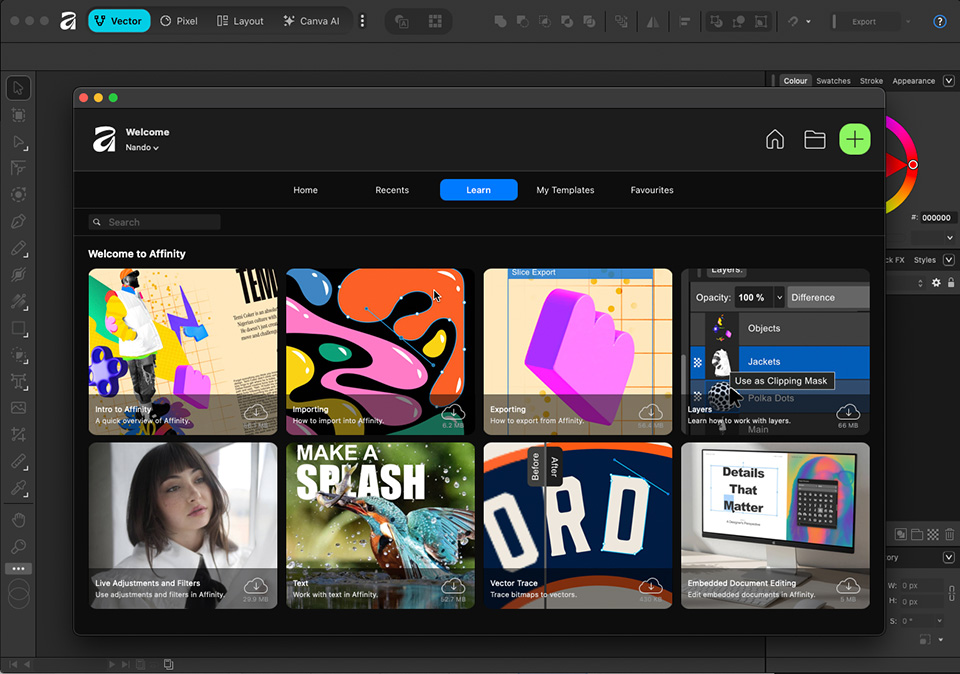
Affinity by Canva combines three programmes. A vector-based programme such as Adobe Illustrator. A layout programme such as Adobe InDesign, and a pixel-editing programme such as Adobe Photoshop.
The latter is the most interesting one for photographers, although InDesign can also be useful when designing, for example, a photobook. The advantage of Affinity is that you do not have to switch between different programmes.
For this article, I am focusing on switching from Photoshop to Affinity. However, these points also apply to switching from Illustrator or InDesign.
1. You need to take time to learn
Although Affinity looks a lot like Photoshop, it is not exactly the same. Tools are in different places, and the appearance is slightly different. You have to find your way around Affinity.
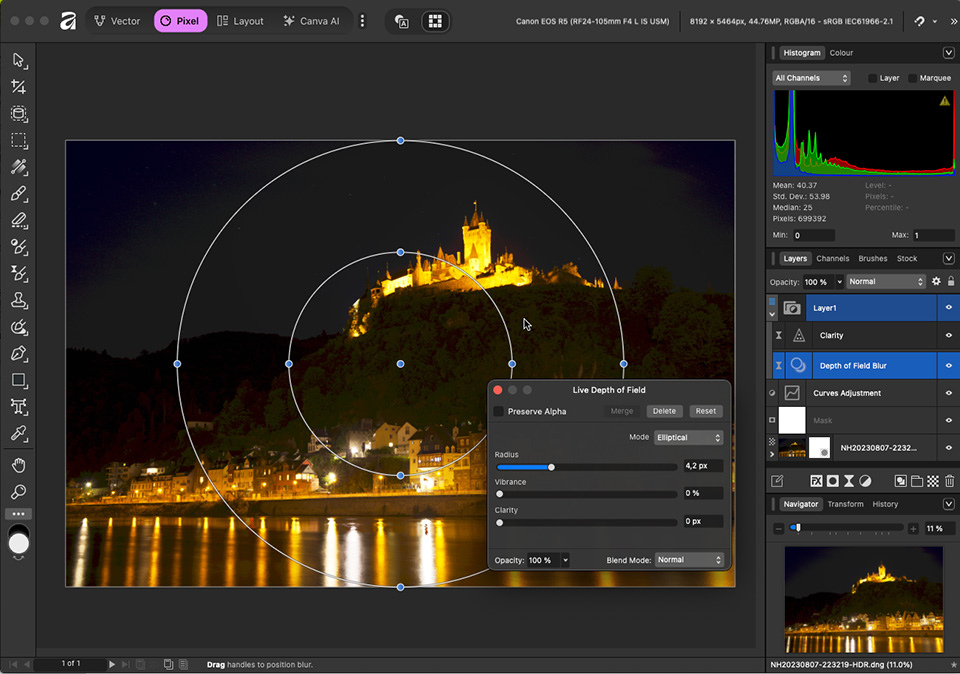
This takes time, which means that working smoothly with Affinity is not possible overnight.
Are you used to working in a certain way in Photoshop? Then you have to learn to do this in Affinity now. Give yourself time to do that.
2. File formats
Affinity works with a new file format that is unique to Affinity. These files cannot yet be opened in other software, should you use it. Keep this in mind, especially when working on a project with several people.
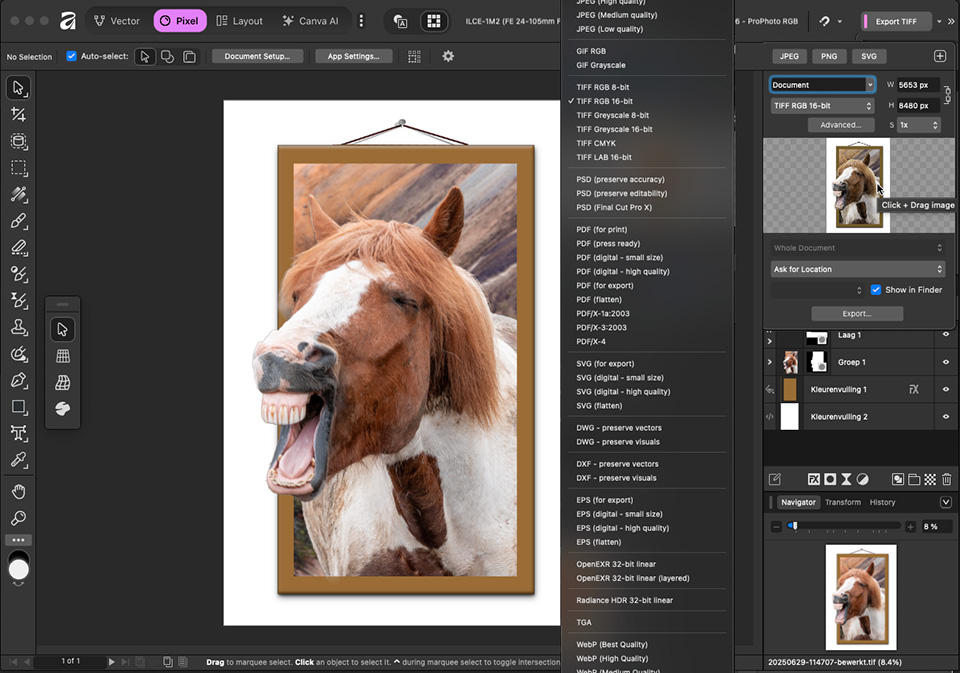
This does not have to be a problem, because Affinity can read a very large number of other file formats. Files created in Photoshop can simply be opened. And you can also save files in Affinity as a Photoshop file. Or a Tiff, or any other format.
3. Not everything from Photoshop is built in
Affinity is not Photoshop. There are functions you may use in Photoshop that are not supported by Affinity.
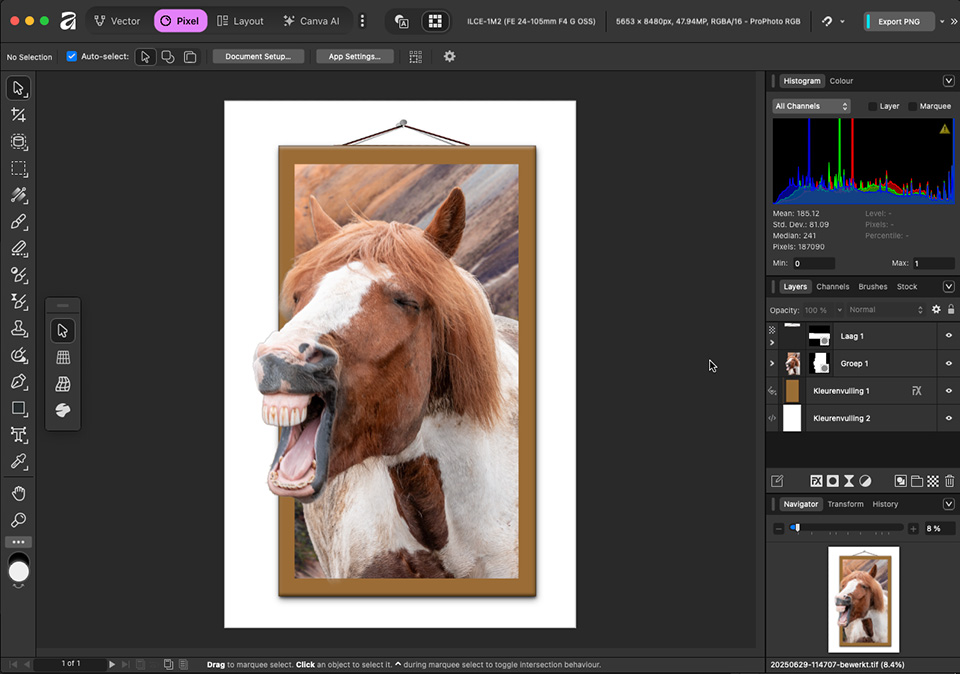
These include smart objects and AI-generated content. Affinity may rasterise them and show them as the final result, but they can no longer be edited. This does not have to be a problem, but it is something to keep in mind.
There are other functions in Photoshop that are not supported by Affinity, such as a timeline. Check what you use in Photoshop and whether it is available in Affinity, so that you are well prepared for the switch.
4. Raw workflow
With Adobe, you have Adobe Camera Raw, which saves edits made to a Raw file as a small separate XML document. This is read every time you open the Raw file again. Affinity does not work this way.
Affinity can handle Raw files, but you have to save this as a separate Affinity file. Every edited Raw photo therefore creates a separate file.
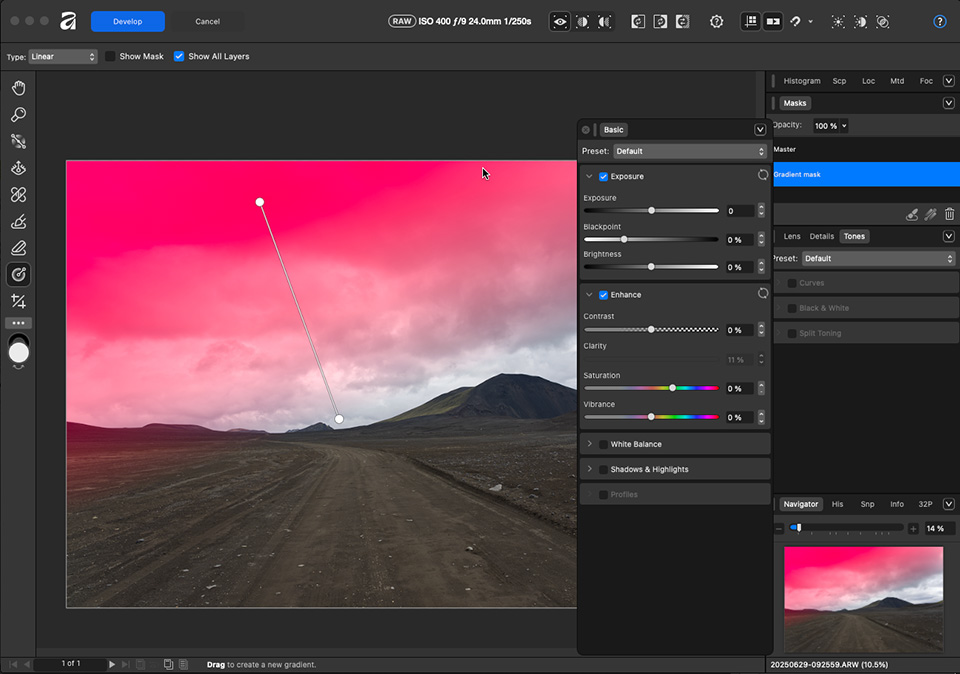
If you want to be able to adjust the edits later, bear in mind that such a photo file can easily take up ten times as much hard drive space. More than 300 MB per photo is not unusual.
It is also good to know that every photo has to be opened, edited and saved separately. This makes editing many Raw files very time-consuming and difficult. Affinity is not the best choice for this kind of work.
5. Not everything is free
Affinity is free. You do not have to pay anything for it. However, if you want to use Canva AI, there is an annual fee. This gives you functions such as upscaling, portrait lighting, canvas expansion, and much more.
It is possible that future additions will also cost money. Do you use these functions, or do you think you will need them? Then Affinity is no longer free.
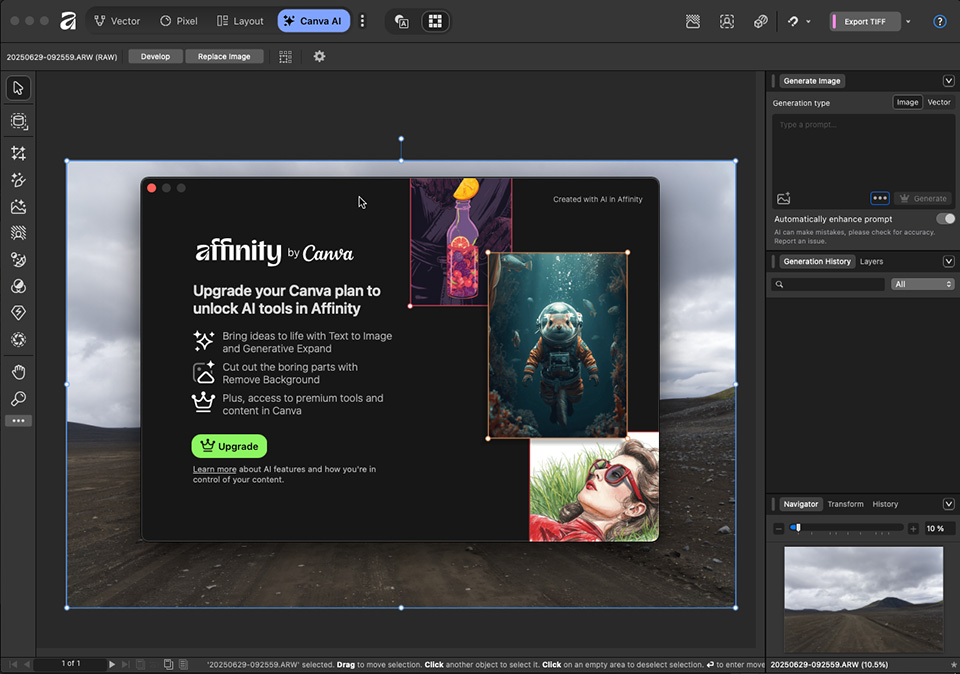
The basic functions of Affinity will remain free, it has been promised. If you do not use AI, for whatever reason, you can assume that Affinity will simply remain free.
6. Fonts
Adobe provides a large number of fonts. Do you use text, for example when making photobooks or on a photo itself? Then keep in mind that only a limited number of fonts are available.
Do you use several fonts, or would you like a wider choice of fonts? Then you may have to download fonts from an external supplier. These are usually not free.
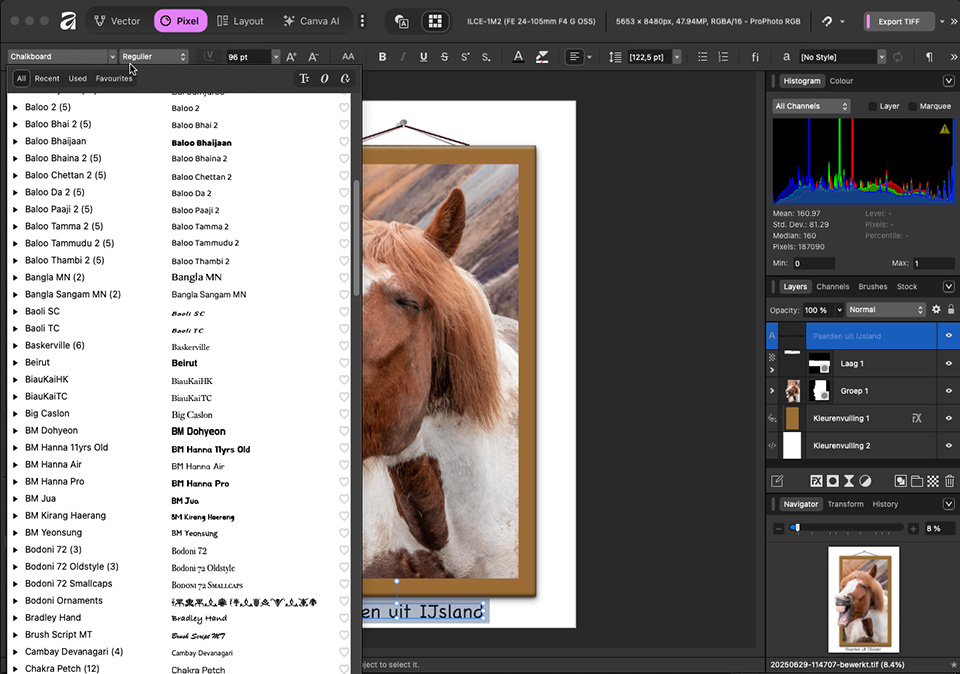
This can also cause problems if you have 'old' Photoshop or InDesign documents with a variety of fonts. Check carefully whether this applies to you.
If you still have Creative Cloud installed, the fonts will also be visible in Affinity. Once you cancel Creative Cloud, these fonts will no longer be on the computer.
7. Quality of Canva AI
Canva AI is only available if you buy a Canva Premium plan. This recurring annual fee gives you access to various AI tools.
I do not have personal experience with it, but people say that the Canva AI tools are not very good. Especially when you compare them with, for example, the tools in Photoshop or Topaz.
It is certainly possible that this will improve in the near future. How useful the current AI tools in the paid plan are is something you will have to find out for yourself.
8. Wait before cancelling your Creative Cloud subscription
It may be tempting to get rid of your Adobe subscription straight away. Wait a little before doing that. You may still need to go back to Photoshop 'quickly'.
As you become more familiar with Affinity and are happy with it, it is time to cancel the subscription. Check carefully when the subscription expires. Especially if you paid for a year and still have six months left.
Are you thinking of switching as a photographer?
Affinity is not a replacement for Lightroom, for example. It does not offer a catalogue function for managing your photos. It is intended for editing and manipulating individual graphic files, including photos.
If you want to use Affinity for Raw photos as a photographer, consider using a catalogue programme and a raw editor alongside Affinity.
Are you thinking of switching to Affinity as a photographer? Then I would like to hear why or why not. Share your opinion below this post.
Switching is a very personal choice. Naturally, you want that choice to be respected. That also means respecting the opinions of others. Keep that in mind when commenting.
About the author
Nando Harmsen has been photographing for more than 40 years. He specialises in wedding photography and landscape photography. Nando also gives talks, workshops, masterclasses and photo trips, and regularly reviews new and interesting equipment.
You might also like
-
 There is a major update for Affinity Photo
by Nando Harmsen
-
 Editing raw files in Affinity Photo
by Nando Harmsen
-
 Affinity acquired by Canva
by Elja Trum
-
 Create a collage in Affinity in nine steps
by Nando Harmsen
-
 The new free Affinity Photo
by Nando Harmsen

20 comments
-
 Donald Willemsen wrote on Monday 24 November 2025 at 16:41 | reply
Nando, just a small remark. Photoshop is not only pixel-based, but also vector-based. You know that Photoshop is a graphics program and, besides pixels, also works with vector-based files.
Translated from Dutch. -

 Nando
wrote on Tuesday 25 November 2025 at 09:29
| reply
Nando
wrote on Tuesday 25 November 2025 at 09:29
| reply
That's right, you can use vectors in Photoshop. But that doesn't make it a full-fledged program for vector-related work. Just as working with video in Photoshop doesn't make it a video program.
Translated from Dutch.
For full-fledged work with vectors, there's Illustrator from adobe. -
 guest wrote on Tuesday 25 November 2025 at 10:51 | reply
With the money I saved annually on the subscription, I bought specialized programs that were always better than what Adobe offers. Topaz for upscaling and noise reduction, DXO to remove spherical wide-angle distortions (in group portraits), Helicon Focus for focus stacking. Now that it's free, Portrait Pro is first in line.
Translated from Dutch. -
Donald Willemsen wrote on Tuesday 25 November 2025 at 11:30 | reply
Portrait Pro is not free!!!
Translated from Dutch. -
 fredkok wrote on Tuesday 25 November 2025 at 11:41
| reply
fredkok wrote on Tuesday 25 November 2025 at 11:41
| reply
I’m sticking with Adobe. Affinity/Canva’s marketing looks nice, but there’s a significant snake in the grass for me. I don’t use AI so much to generate ‘new’ things, but it makes various tools such as selections and removing much more advanced. My experiences with the adaptive profile have also been very pleasant. Canva isn’t as advanced yet, but if it were, you would still need a subscription and end up paying about the same annual amount.
Translated from Dutch. -
 guido wrote on Tuesday 25 November 2025 at 11:55 | reply
Also Dutch-speaking?
Translated from Dutch. -
-
 Wunigard wrote on Tuesday 25 November 2025 at 12:12 | reply
For me, no more Adobe on principle.
Translated from Dutch.
I was still using PSE 9 (!) in combination with NIK on a Windows 11 PC. When reinstalling, the key suddenly no longer worked. According to Adobe, the software was outdated and I should just buy a new PSE with a 3-year license. Theft, in other words.
Currently I use Gimp and On1. The free Gimp can do a lot, but is very complicated, and On1 (paid) promises a lot, has bugs, and I am also not satisfied with the AI tricks (far too crude) and color management. Here too, you have to pay extra if you want it to be better.
So thanks for your article. I am going to try Affinity. And if it suits me, I have no problem paying reasonable amounts extra, just like the Guest before me. -
 Fred Wolf wrote on Tuesday 25 November 2025 at 12:42 | reply
I'm satisfied with it, sometimes it still takes some figuring out, but if you don't set the bar too high, a great entry-level option.
Translated from Dutch. -
 Dirk Eduard wrote on Tuesday 25 November 2025 at 12:53 | reply
I have been using Silkypix as a raw converter for years, followed by affinity2 and Topaz . To this day I can do a lot with it. Perhaps it makes sense to keep affinity2 as it is now. On my old laptop I still have Nik, of which I mainly use the black and white because copying it to my new one doesn’t work
Translated from Dutch. -
 Pixeldude wrote on Tuesday 25 November 2025 at 12:57 | reply
I never had to know about PS (a rip-off) and got straight to work with Affinity when it first came out. Back then it cost me a one-time fee of less than €50. With the money I saved, I bought 'better special' software programs than those from PS, as already mentioned by another participant. What I do keep is LR (and automatically the cloud version too, which I don't use). In addition, I bought the better Topaz and Luminar programs, paid for once. I haven't regretted it for a moment and never will. And AI? There are more than enough AI possibilities in Affinity, no less than in the classic PS. I don't need the other 'creative and self-generating' AI as a hobbyist. It brings me more than just a little.
Translated from Dutch. -
 herman wrote on Tuesday 25 November 2025 at 14:43
| reply
herman wrote on Tuesday 25 November 2025 at 14:43
| reply
I would have liked to read a similar analysis of the various (truly) free programs, such as Rawtherapee, Darktable, Lightzone or GIMP
Translated from Dutch. -
Nando
wrote on Tuesday 25 November 2025 at 14:56
| reply
Of course, you can also use the points in this article to figure out for yourself what you need to take into account if you want to switch.
Translated from Dutch.
GIMP is like Photoshop, and therefore Affinity as well, and I think that the same or similar things apply as what you read in this article.
About RawTherapee and Darktable, I can say the following: they are raw editors, each with its own (unique) workflow. They are not comparable to Photoshop or Affinity... Or GIMP, for that matter. They are more comparable to Lightroom, Capture One, ON1, Luminar and programs like that.
I don't know Lightzone.
Since they are free, the barrier to downloading, installing, and trying them out is low. Get started, I would say. -
 Peter Langens wrote on Tuesday 25 November 2025 at 15:19 | reply
Satisfied user of Affinity Photo from the very beginning (one-time costs around €50). Lots of instructional videos and courses to follow on You Tube. But I am an amateur at editing and can get by just fine with what Affinity offers at no cost.
Translated from Dutch. -
 Paulus van Aken wrote on Tuesday 25 November 2025 at 16:09 | reply
At the time, I bought the first version of Affinity, but it was never able to convince me. Too much is missing, for example the quick retouching brush and the possibility to immediately crop out a selection, and the possibility to simply save photos directly as tiff or jpg, you always have to use the detour of exporting, all extra actions.
Translated from Dutch.
What is also very annoying is that the operations are offered in a very strange order, Develop only as the third, and those strange distortions still exist for it!
In other words: it is no replacement for PS. -
 Paul eos wrote on Wednesday 26 November 2025 at 08:17 | reply
You won't hear me say that Ps, Lr or premiere(for film) is bad, but the subscription hassle eventually made me switch to DXO photolab 9 after 10 years and to DaVinci resolve studeo for video editing. After a one-time purchase, I now decide for myself whether I want a paid upgrade of DXO pl9 after a year or not, and for DaVinci resolve studeo the updates even remain free after the purchase. I am very satisfied with both programs and DaVinci resolve studeo even towers head and shoulders above Adobe premiere.
Translated from Dutch. -
herman wrote on Wednesday 26 November 2025 at 18:01
| reply
will Affinity also become available in a Linux version?
Translated from Dutch. -
-
 Hans wrote on Saturday 29 November 2025 at 08:47 | reply
It is very important that you save your InDesign files as .idml. Then they can be opened in Affinty. There is a converter (Mac) that can do this automatically with all your files. I can't remember the name right now…
Translated from Dutch. -
 Joost wrote on Saturday 29 November 2025 at 17:46 | reply
I’m absolutely not a fan of the monthly subscription model myself (also because I don’t use the software every month). That’s why I find Affinity very interesting. I’ve already found a number of interesting videos. Most of them are for Affinity Photo, which is now integrated into the Suite.
Translated from Dutch.
Have your say
Please note: Articles older than a week can only be commented on by signed-in visitors.Would you still like to comment? sign in or create a free account.
Become a better photographer every week
A practical photography tip in your inbox every week.
38,937 photography enthusiasts already receive the tips! More about the weekly mail. Or keep up to date via  Facebook.

Elja Trum
Photofacts; everything to do with photography!
Would you like to take better photos and keep up with what is happening in photography? Photofacts publishes articles that teach you something about photography — from a product announcement to a practical shooting tip or a look at a website. Photofacts covers photography every day and is a hobby project of Elja Trum's that got out of hand. The articles are written by a team of volunteer authors. If you would enjoy writing one or more articles for Photofacts, do get in touch.More about PhotofactsPhotofacts is made possible in part by
