

Working out flash setups in advance
Monday 31 May 2021, 20:20 by Nando Harmsen | 5,179 views | 4 commentsThis article was translated from Dutch with the help of AI. Read the original.
Creating a good lighting setup can be difficult. It is not much fun working it out once your model is already in the studio. What if you could do it beforehand? You can, with software such as Set.a.light.3D.
Setting up the light in the right or desired way can take time. Especially if the result is not quite what you wanted and you have to adjust the position or height of your lamp or lamps. You would not be the first person to feel rushed because of this.
It is a shame if that unjustified feeling makes you settle for a lighting setup that is not quite right, or if you use the wrong softbox or light modifier because you think choosing another one will take too much time.
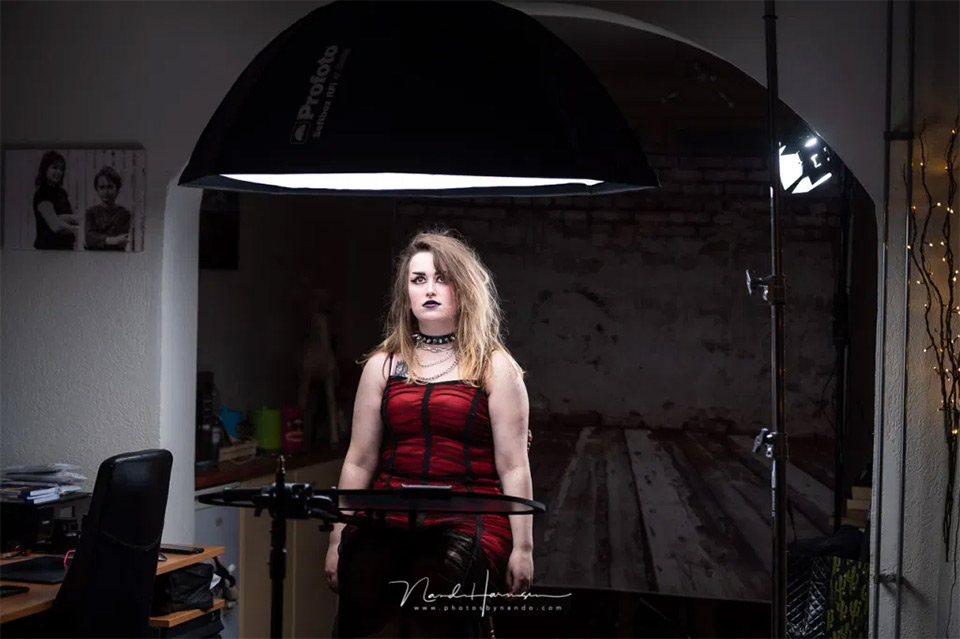
Wouldn't it be useful to come up with a good lighting setup beforehand? With the right lamps, the best position, height or light modifier? Of course, you can look for examples online in advance. Or you can choose a programme such as Set.a.light.3D.
Set.a.light.3D
I came across Set.a.light.3D by Elixxier Software by chance. It is a German product, but fortunately the programme is also available in English.
The programme is not free. There is a basic version and a studio version, both available for Windows and Apple. With a trial version, you can try it out without restrictions for 15 days.
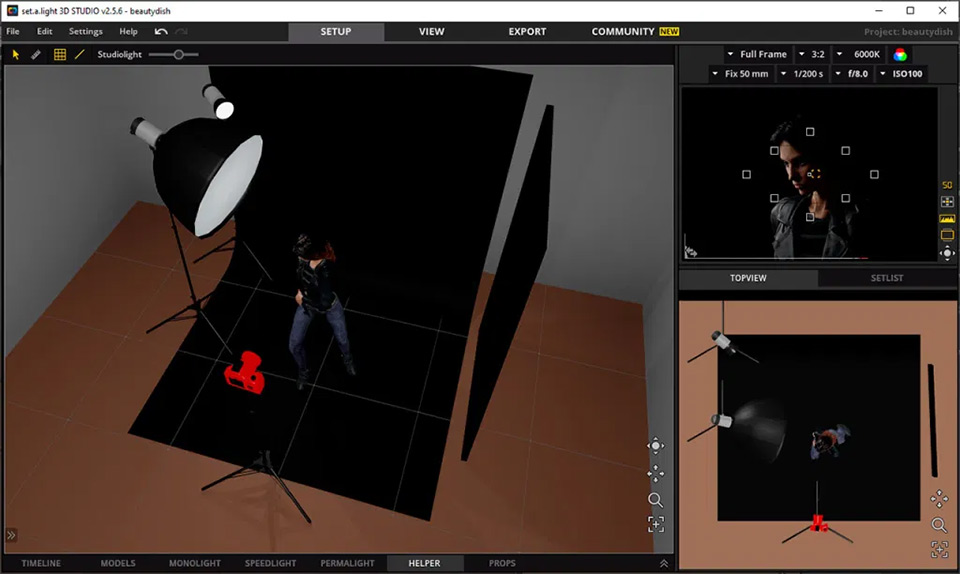
With this software, it proved relatively easy to see how the light changes when you place and move lamps, and how the shadows fall in your studio and even on your model. You can recreate your own studio and choose from a wide range of different models. In the programme, that is.
You can adjust poses, use one model or several, add props, backgrounds... the possibilities seem endless. With a bit of practice, you can create several lighting setups in a very efficient way.
Once you have created them, it is simply a matter of arranging the lamps and other equipment in the way you worked out in the programme. Fine-tuning is all that remains when your model is ready for the shoot.
In practice
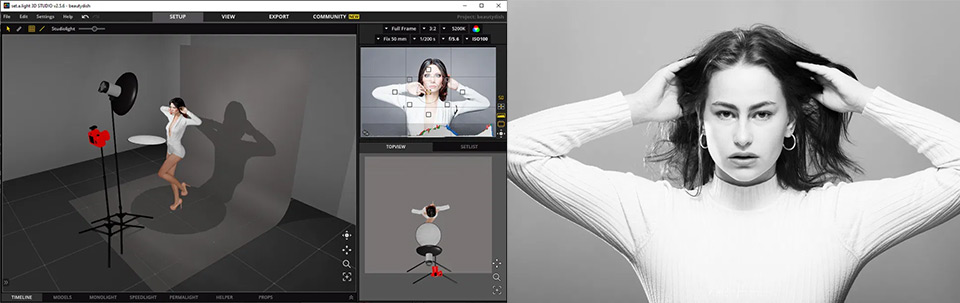
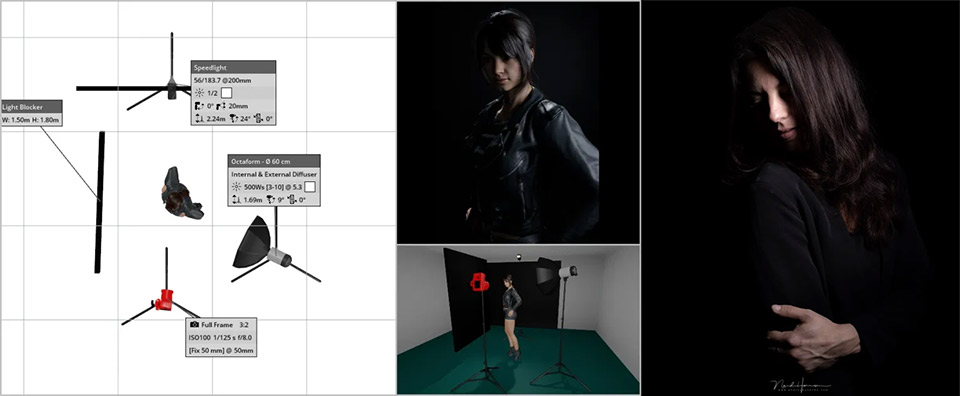
I prepared several photo sessions with this programme, including the session I had with Iris for the recording of the Advanced Focusing course on Photofacts Academy. A session in my own living room studio was also very easy to prepare.
A free alternative
Not everyone has 80 euros to spare or available for a programme such as Set.a.light.3D. Of course, there are alternatives to be found as well. The Online Lightning Diagram Creator is one of them.
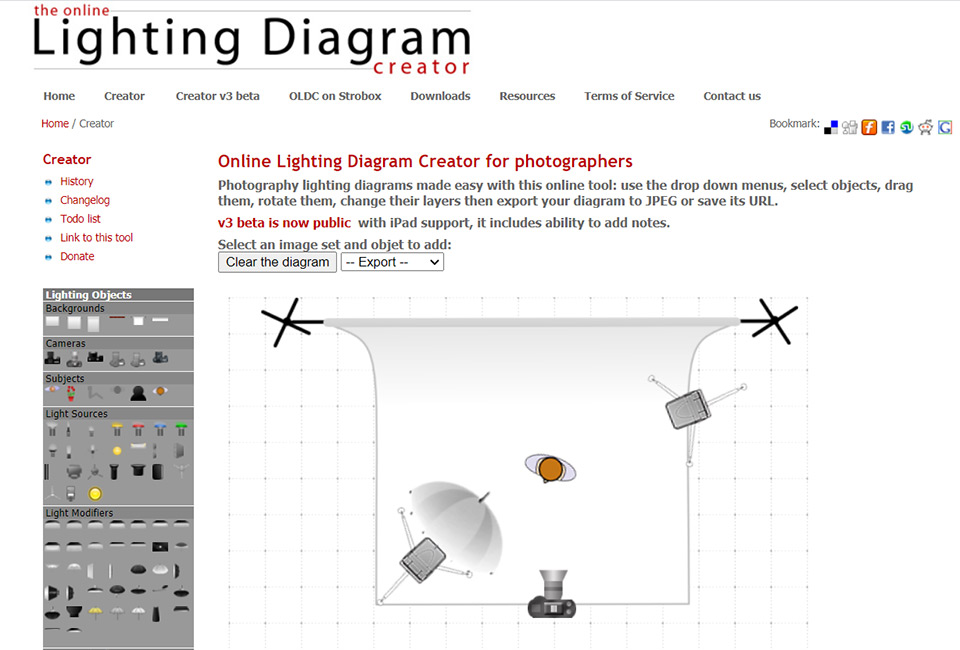
However, it does not show the results of placing your lamps. It gives you the option to create a sketch of a lighting setup. This can be useful when you want to build your own list of setups, if necessary including examples.
This allows you to easily choose from your own database during your next session. That way, you start your photo shoot well prepared and no longer have to get frustrated while working out your lighting setup.
About the author
Nando Harmsen has been photographing for more than 40 years. He specialises in wedding photography and landscape photography. Nando also gives talks, workshops, masterclasses and photo trips, and regularly reviews new and interesting equipment.
You might also like
-
 10 lighting setups with a huge softbox
by Elja Trum
-
 Apple launches Creator Studio software
by Elja Trum
-
 What to consider when switching photo editing software
by Nando Harmsen
-
 ACDsee Gemstone as a Photoshop alternative
by Nando Harmsen
-
Price comparison of software with and without a subscription
by Nando Harmsen

4 comments
-

 Donald Willemsen
wrote on Tuesday 1 June 2021 at 14:23
| reply
Donald Willemsen
wrote on Tuesday 1 June 2021 at 14:23
| reply
Photofacts also once made a psd file with lighting setups. I still use it. Okay, you do need Photoshop to be able to use the file. Because each light source is on a separate layer, you can move all the light sources in relation to the model and to each other. Also got it for free
Translated from Dutch.
-

-
 Elja Trum
wrote on Tuesday 1 June 2021 at 15:33
| reply
Elja Trum
wrote on Tuesday 1 June 2021 at 15:33
| reply
@Martijn; The explanation and the link to that download are in this article.
Translated from Dutch. -
Donald Willemsen
wrote on Tuesday 1 June 2021 at 16:30
| reply
@Martijn, see Elja's answer. If it doesn't work, you can send me an email.
Translated from Dutch.
@Elja, thanks for the assistance by placing a link.
Have your say
Please note: Articles older than a week can only be commented on by signed-in visitors.Would you still like to comment? sign in or create a free account.
Become a better photographer every week
A practical photography tip in your inbox every week.
38,983 photography enthusiasts already receive the tips! More about the weekly mail. Or keep up to date via  Facebook.

Elja Trum
Photofacts; everything to do with photography!
Would you like to take better photos and keep up with what is happening in photography? Photofacts publishes articles that teach you something about photography — from a product announcement to a practical shooting tip or a look at a website. Photofacts covers photography every day and is a hobby project of Elja Trum's that got out of hand. The articles are written by a team of volunteer authors. If you would enjoy writing one or more articles for Photofacts, do get in touch.More about PhotofactsPhotofacts is made possible in part by
