

Automatic subject recognition, or not?
Saturday 23 August 2025, 14:41 by Nando Harmsen | 2,519 views | 8 commentsThis article was translated from Dutch with the help of AI. Read the original.
Most mirrorless cameras offer the option to recognise various subjects. This makes it easy to focus on the right subject straight away. Automatic recognition is not always the right choice.
Recently, I was given the Sony A1 mark II for my photography trip to Iceland. This camera offers a large number of autofocus settings, including subject recognition. Most mirrorless cameras have this nowadays.
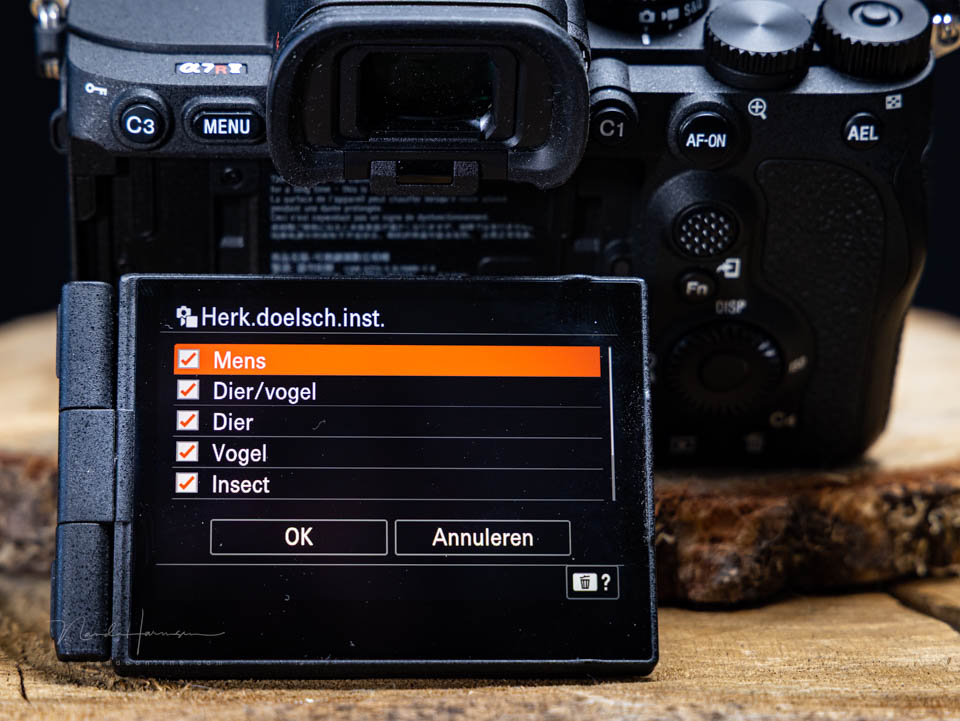
Depending on the camera you have, you can often choose between people, animals, birds, insects and various vehicles. There may also be a combination of several subjects, such as birds and animals together.
Sometimes you also have the option of letting the camera make the choice. That seems like a very useful function, because you never have to change the setting.
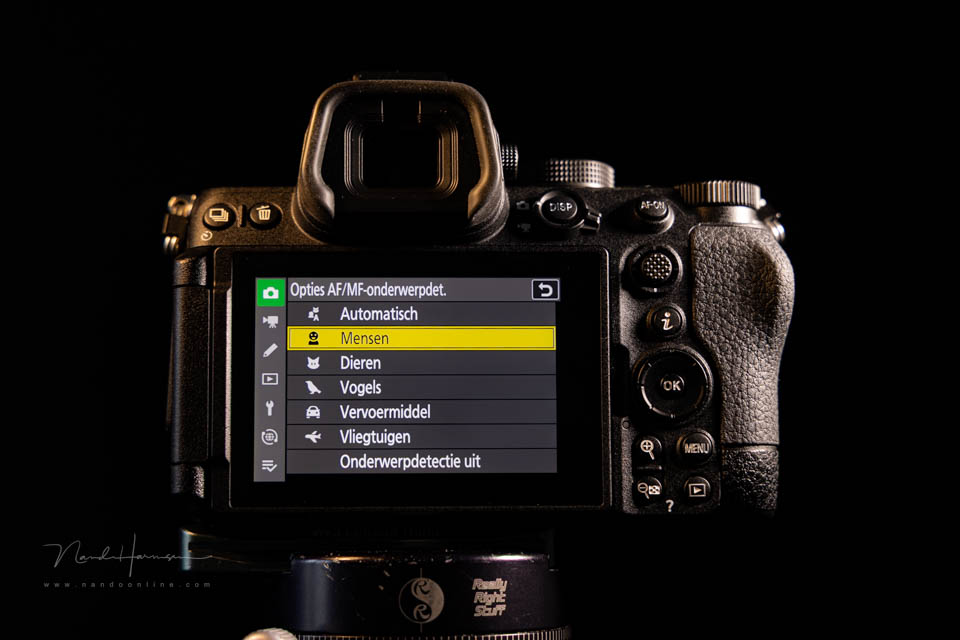
Although automatic selection can be very useful in many situations, it also has drawbacks. Automatic selection, or a combination of, for example, animals and birds, gives you flexibility, but also uncertainty. What if there are different subjects in one image?
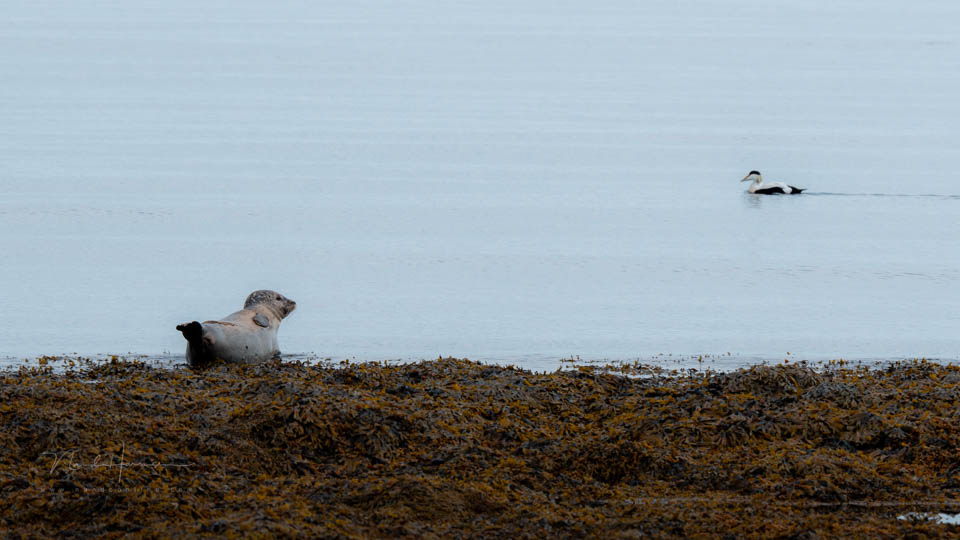
Suppose you choose the combination of animals and birds, and you photograph a seal with a bird also in the frame. What will the camera choose in that case? The bird or the seal?
Suppose you choose automatic subject selection, and you photograph a dog with its owner. What will the camera choose then? Will the camera focus on the dog or the owner? What if vehicle recognition is also one of the options and there is a car in the frame as well?
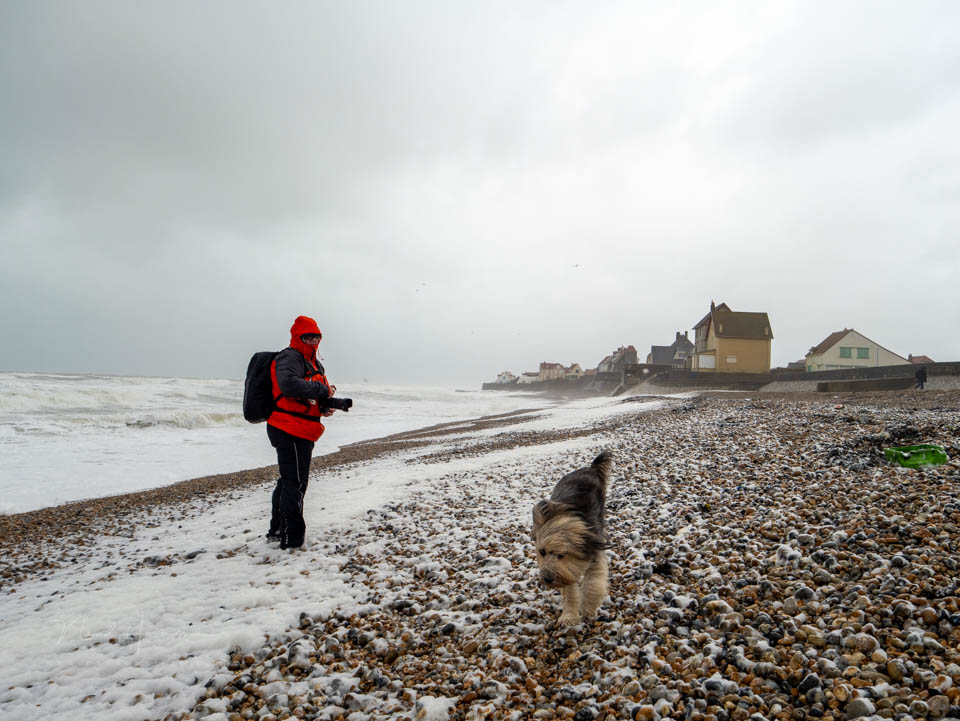
In situations with several types of subjects, the camera can make the wrong choice. It is then important to limit the subject recognition options. Choose birds or animals. Do not choose the combination. Choose people or animals, and not the automatic mode.
Usually, the subject that is largest in the frame and closest will be chosen. However, don't leave it to chance. But that is no guarantee. If you have the choice and you are photographing a particular subject, choose it.
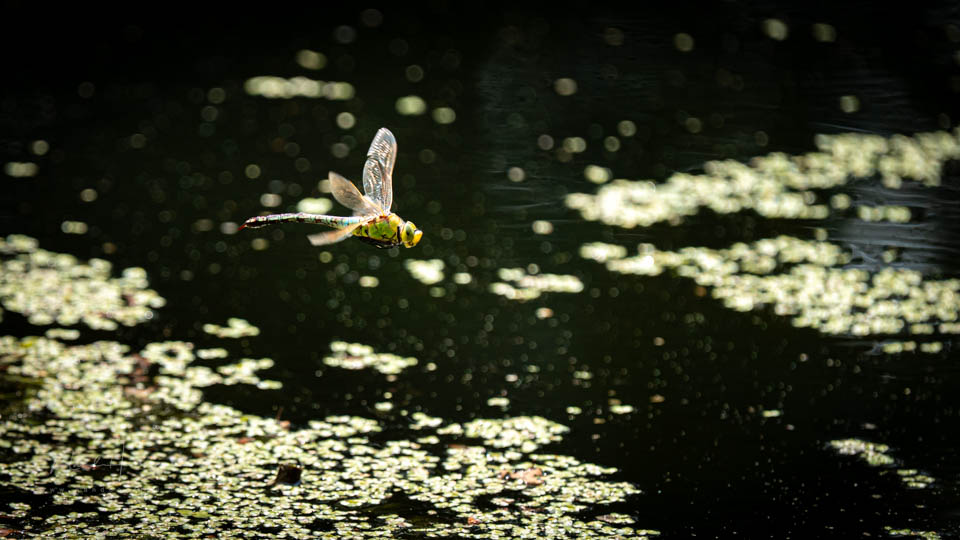
That does not mean you cannot use the automatic mode or the animals and birds combination. It does mean that you should think carefully about which setting you choose, so that you know how the camera will respond.
How do you use subject recognition on your camera? Are you selective, or do you often leave it to the camera itself? Let us know in a comment below this article.
About the author
Nando Harmsen has been photographing for more than 40 years. He specialises in wedding photography and landscape photography. Nando also gives talks, workshops, masterclasses and photo trips, and regularly reviews new and interesting equipment.
You might also like
-
 Changing autofocus behaviour in a Canon camera
by Nando Harmsen
-
 Better autofocus with a wide aperture
by Nando Harmsen
-
 7 photo situations for manual focus
by Michelle Peeters
-
 Review: Sony A7R V mirrorless camera
by Nando Harmsen
-
 Eye autofocus is a joy for portrait photographers
by Elja Trum
-
 Review: Laowa 10mm f/2.8 Zero-D autofocus
by Nando Harmsen
8 comments
-
 Donald Willemsen wrote on Saturday 23 August 2025 at 16:38 | reply
As far as I know, that problem is less of an issue with Canon's mirrorless cameras. That is also apparent from the example photos in the article. From my own experience with the Canon Eos R7, I know that this camera can detect people, animals and vehicles, but that the camera does not automatically make a choice itself. You have to set the camera to 'people' or 'animals' or vehicles or 'none'. If 'subject tracking' is set, the camera will follow the subject that you have set the focus point on. Whether that is a Coke can or something else, it doesn't matter. If you have focused on the Coke can and you move it, the camera will follow that can and keep it in focus.
Translated from Dutch. -

-
Donald Willemsen wrote on Monday 25 August 2025 at 11:42 | reply
Nando, I think you misunderstood me. Of course the R7 can recognize automatically, but that function does have to be turned on. The R7 will automatically recognize animals if the animal recognition function is set. At that moment the camera will not switch to people even though the camera can recognize that too. However, if you only have eye recognition turned on and nothing specifically for people or animals, the camera will choose the eye that it recognizes first and usually that is the eye that is closest.
Translated from Dutch.
So when you have not set vehicle recognition, the camera will not automatically choose that and focus on it, even though the camera can recognize vehicles. -
-
Donald Willemsen wrote on Monday 25 August 2025 at 13:55 | reply
No Nando, I don't do that. The camera will do what you set it to do and follow what you want it to follow. In the case of eye recognition, the camera will initially pick the first eye it comes across, but you as the photographer still determine which eye the camera should follow. The camera doesn't choose anything you haven't set yourself.
Translated from Dutch.
Again, if you have only set eye recognition, the camera will focus on the first eye it comes across and that is the eye that is closest. Very logical too. But you determine which eye the camera should focus on. The camera does what you tell it to do. It does nothing automatically. That camera is a computer and a computer only does what you ask it to do and nothing else. -
 Lauran wrote on Tuesday 26 August 2025 at 12:26 | reply
Forget all that automatic stuff and just go back to actually taking photos.
Translated from Dutch. -
 Nando
wrote on Tuesday 26 August 2025 at 16:54
| reply
Nando
wrote on Tuesday 26 August 2025 at 16:54
| reply
If that’s how you feel about it, then you should always set the exposure manually too, no automatic film advance, no auto white balance, no autofocus...
Translated from Dutch.
A pointless response, if you ask me. Modern technology is there to help, and I dare say you make frequent use of it too. -
Donald Willemsen wrote on Tuesday 26 August 2025 at 12:59 | reply
Lauran, you're right
Translated from Dutch.
Have your say
Please note: Articles older than a week can only be commented on by signed-in visitors.Would you still like to comment? sign in or create a free account.
Become a better photographer every week
A practical photography tip in your inbox every week.
39,023 photography enthusiasts already receive the tips! More about the weekly mail. Or keep up to date via  Facebook.

Elja Trum
Photofacts; everything to do with photography!
Would you like to take better photos and keep up with what is happening in photography? Photofacts publishes articles that teach you something about photography — from a product announcement to a practical shooting tip or a look at a website. Photofacts covers photography every day and is a hobby project of Elja Trum's that got out of hand. The articles are written by a team of volunteer authors. If you would enjoy writing one or more articles for Photofacts, do get in touch.More about PhotofactsPhotofacts is made possible in part by
