

Is the Canon EOS R5's high-resolution option any use?
Friday 21 April 2023, 20:40 by Nando Harmsen | 5,057 views | 7 commentsThis article was translated from Dutch with the help of AI. Read the original.
In March 2023, Canon introduced a high-resolution function for the EOS R5 mirrorless camera. Using the IBIS system, you can create a 400-megapixel photo. I tested how well this system works, with both stationary and moving subjects.
Canon announced a high-resolution function for the EOS R5 through a firmware update. This was the manufacturer's response to demand for this option. This function had already been available for some time on selected Sony, Olympus, Panasonic, and Fujifilm cameras.
Canon has gone one step further, though. The increase in resolution on the other models is by a factor of four. The EOS R5 has doubled that again. Its 45-megapixel sensor can produce a 400-megapixel photo. That is 24,576 x 16,384 pixels.
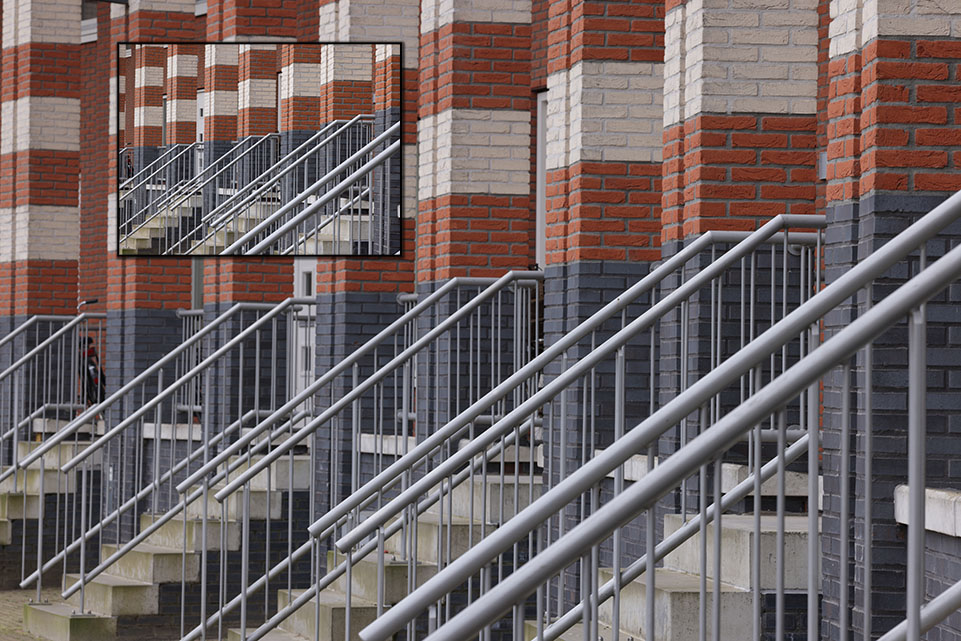
The increase in resolution is achieved using the IBIS system. The system shifts the sensor, allowing a higher resolution to be achieved after the photos are merged. In Canon's case, no fewer than nine photos are processed in the camera.
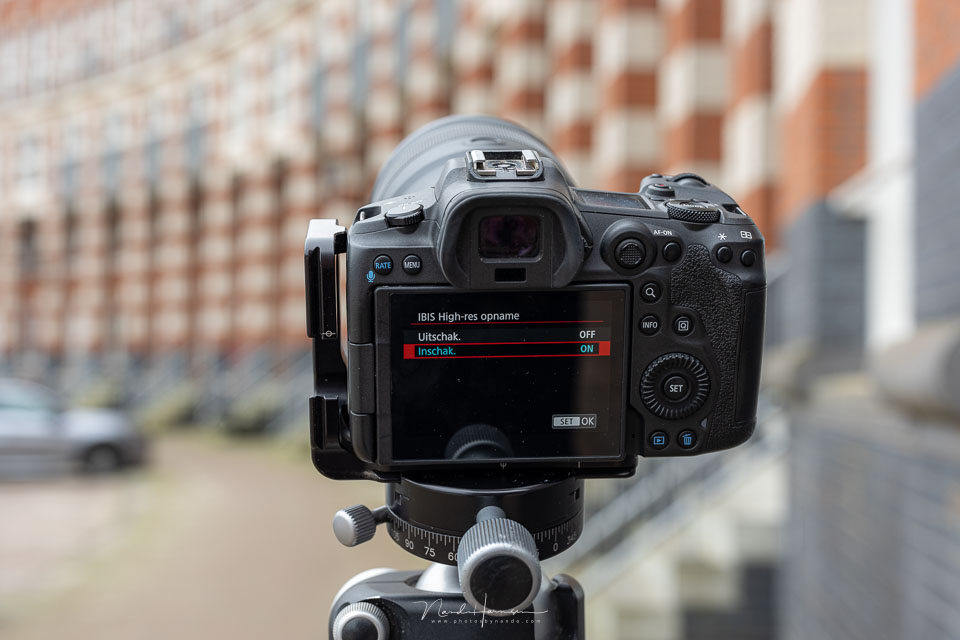
You don't need separate software for the high-resolution mode. But the result is a JPEG file, not a raw file. The 400-megapixel JPEG file can be as large as 150 megabytes, or more.
Because several photos are taken one after another, this affects any movement between the images. This applies both to a moving subject and to your own movement. Since the IBIS system is no longer being used for stabilisation, you don't have that available either.
A test
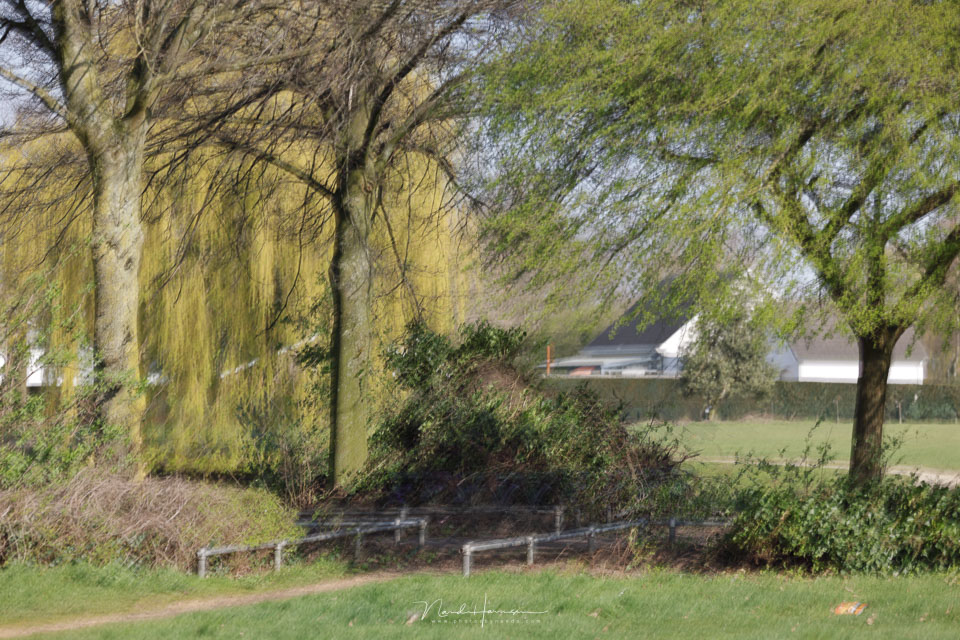
I put it to the test with the new Canon RF 135mm f/1,8L IS USM. I took several photos handheld and examined the result. And what do you know, the small movements I make while taking photos result in a blurry photo. The software in the Canon EOS R5 therefore does not align the photos at all.
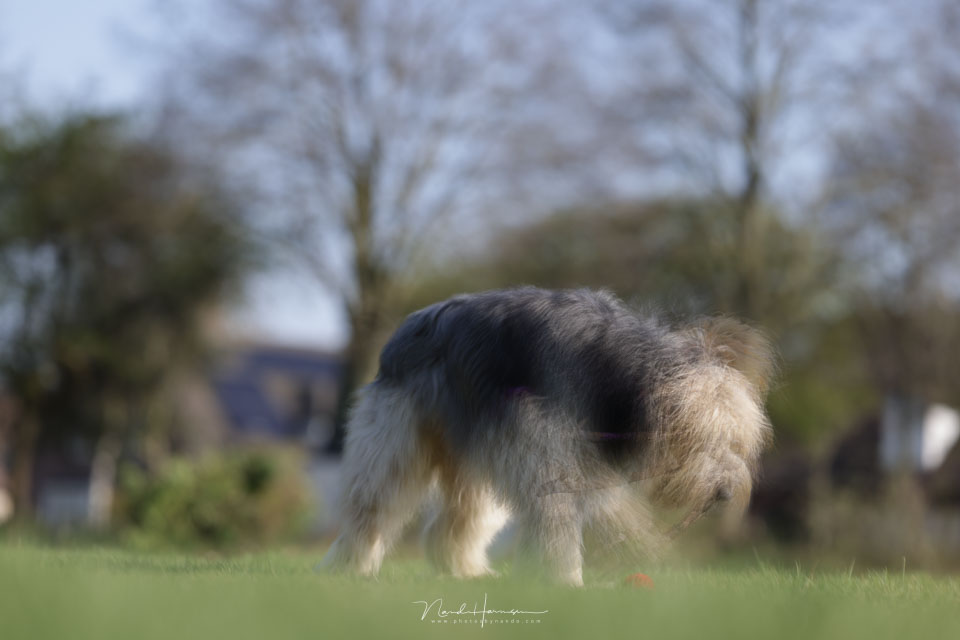
I then also took several photos of our dog Bruc to see how moving subjects are handled. That was not even necessary, in fact, because if hand tremors already cause motion blur, you know what a moving subject will do.
Comparison
What does a successful high-resolution photo look like compared with a normal photo? For this purpose, I put the camera on a tripod and photographed a stationary subject. By zooming in on a detail, the increase in detail is clearly visible.
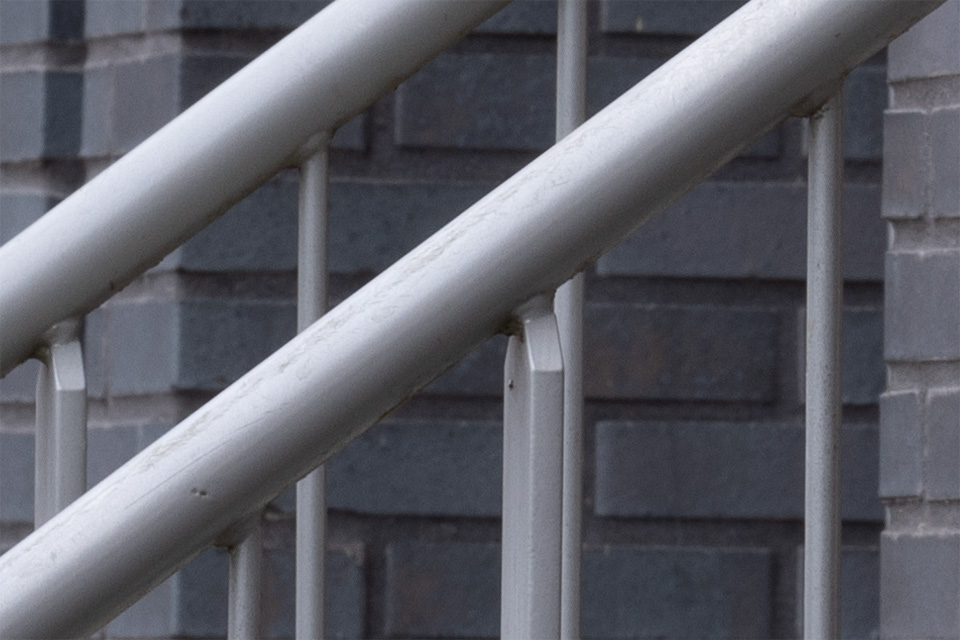
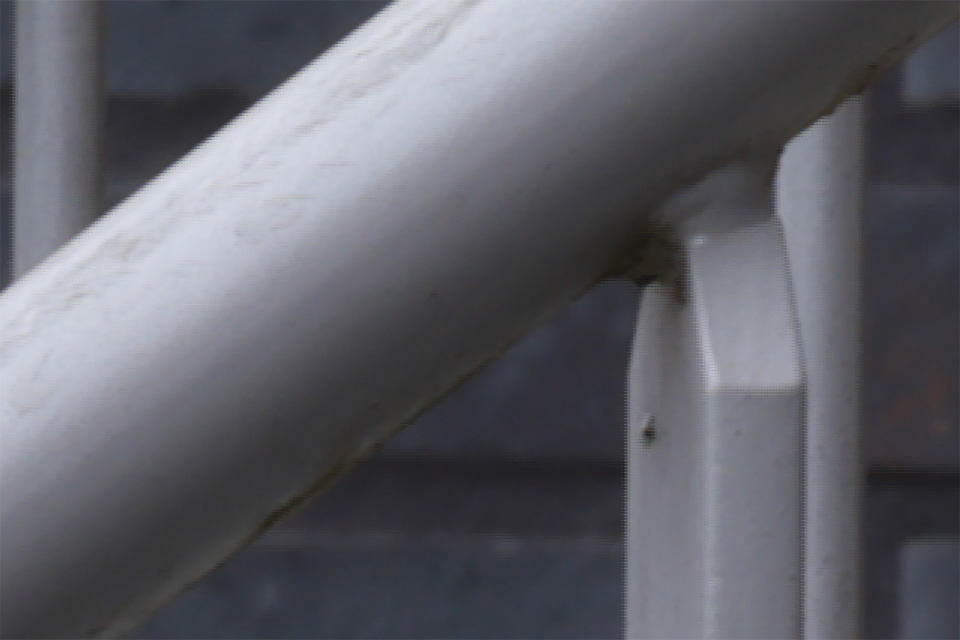
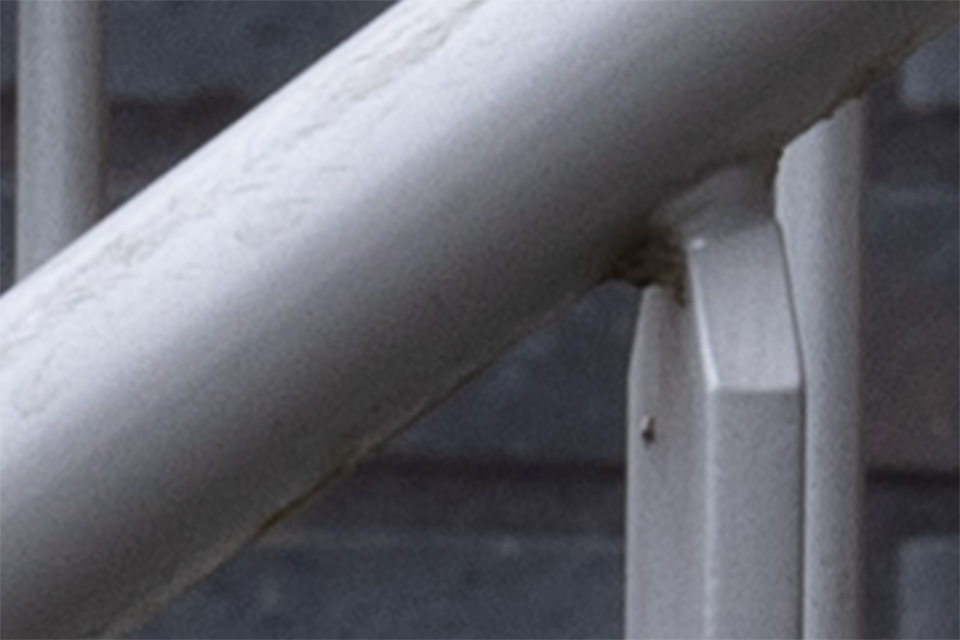
How much better is the quality of an IBIS high-resolution photo? To see this, I enlarged a normal 45-megapixel photo in Photoshop. When I then look at the same part of the image, the difference is clear.
Conclusion
The IBIS high-resolution function of the Canon EOS R5 delivers an unprecedentedly high resolution. If there is any movement in your image, even just a little, it is immediately visible.
This means that the IBIS high-resolution function of the Canon EOS R5 has limited uses. There must be no movement, either from the subject or the photographer. What's more, you end up with a JPEG photo, which severely limits any post-processing.
Unfortunately, I cannot consider this IBIS high-resolution option a serious one. To make it genuinely useful, Canon would have to add alignment and motion-blur compensation, just as with the Panasonic Lumix DC-S1. The image would also need to be saved in raw instead of JPEG.
About the author
Nando Harmsen has been photographing for more than 40 years. He specialises in wedding photography and landscape photography. Nando also gives talks, workshops, masterclasses and photo trips, and regularly reviews new and interesting equipment.
You might also like
-
 Review: Canon EOS R5
by Nando Harmsen
-
 Update your Canon EOS R5 and get 400-megapixel photos
by Nando Harmsen
-
 Review: Canon EOS R5 C for video
by Nando Harmsen
-
 New firmware for the Canon EOS R5, R6 and 1D Mark III
by Nando Harmsen
-
 Firmware update for the Canon EOS R3
by Nando Harmsen
-
 New firmware update for Canon mirrorless cameras
by Nando Harmsen
7 comments
-
 RAWShooter wrote on Tuesday 25 April 2023 at 10:14 | reply
And one more thing: the extreme detail of the 400mpix photo does contain somewhat more detail, but is also blurrier. As is also the case with the other brands. And that is then a JPG with fewer possibilities. In that one extremely rare case that you do have a use for it, you have still forgotten to enable that option.
Translated from Dutch. -

 fotosvanrob
wrote on Tuesday 25 April 2023 at 12:04
| reply
fotosvanrob
wrote on Tuesday 25 April 2023 at 12:04
| reply
This is a bit like comparing apples and oranges. Comparing the two photos at 100% doesn't tell you much, because you get a different crop. And then comparing it with a photo that has been enlarged in Photoshop (possibly with AI) isn't a fair comparison either. Why not put the 45 MP and the 400 MP next to each other with the same crop? For example at 100% magnification of the 45 MP.
Translated from Dutch. -

-
fotosvanrob
wrote on Tuesday 25 April 2023 at 12:52
| reply
But with the same crop, you write that the 45 MP image was enlarged in Photoshop. That means PS did something to it, possibly sharpened it with AI. So the comparison isn't fair. Best I think: 100% of the 45 MP, and the 400 MP enlarged to the same crop. plain and simple.
Translated from Dutch. -
Nando
wrote on Wednesday 26 April 2023 at 09:31
| reply
You say it yourself, show a 45MP and 400MP side by side with the same crop. That’s only possible if you enlarge the 45MP photo, otherwise you simply can’t get the same crop.
Translated from Dutch.
Do you want to see both at 100%, then that’s possible. Those are in the article. But both at 100% and then the same crop isn’t possible. They have a different resolution. -
 Marcel de Bruin wrote on Tuesday 25 April 2023 at 17:34 | reply
So not really useful for me. By the way, I'm more than happy with the 45 MP!
Translated from Dutch. -
 stefanflos
wrote on Wednesday 26 April 2023 at 19:06
| reply
stefanflos
wrote on Wednesday 26 April 2023 at 19:06
| reply
Sony in the A7R series starting with mark iii (2017) has already been doing pixel shift. Now up to 240mp. The focus there is not only on resolution but also on color.
Translated from Dutch.
The applications are limited, however, as correctly indicated in the article: interior photography (lots of detail - large spaces) but also MACRO shots - and then stacking a series of 240mp... seems like a fun challenge to me (but I still have the A7Rii...)
https://www.sony-asia.com/microsite/alphauniverse/ilce-7rm4/alpha-7r-iv-pixel-shift-multi-shoot-review-by-mobile01.html?cpint=SG_OUT_OF_FLOW_SEC-TOUT-OOFM-TOP_PAGE-EN_GL-2020-11-M01-REVIEWALPHA-TOUT01-REVIEWALPHA
Have your say
Please note: Articles older than a week can only be commented on by signed-in visitors.Would you still like to comment? sign in or create a free account.
Become a better photographer every week
A practical photography tip in your inbox every week.
38,982 photography enthusiasts already receive the tips! More about the weekly mail. Or keep up to date via  Facebook.

Elja Trum
Photofacts; everything to do with photography!
Would you like to take better photos and keep up with what is happening in photography? Photofacts publishes articles that teach you something about photography — from a product announcement to a practical shooting tip or a look at a website. Photofacts covers photography every day and is a hobby project of Elja Trum's that got out of hand. The articles are written by a team of volunteer authors. If you would enjoy writing one or more articles for Photofacts, do get in touch.More about PhotofactsPhotofacts is made possible in part by
