

6 useless camera settings when you shoot in Raw
Monday 29 September 2025, 16:32 by Nando Harmsen | 7,408 views | 7 commentsThis article was translated from Dutch with the help of AI. Read the original.
A camera has a huge number of settings. Are you a Raw photographer? Then there are quite a few that are of no use to you. These are six useless camera settings for a Raw photographer.
A camera is, of course, not intended exclusively for photographers who shoot in Raw format. Many photographers prefer to leave the processing to the camera. They are happy with the Jpeg photo from the camera.
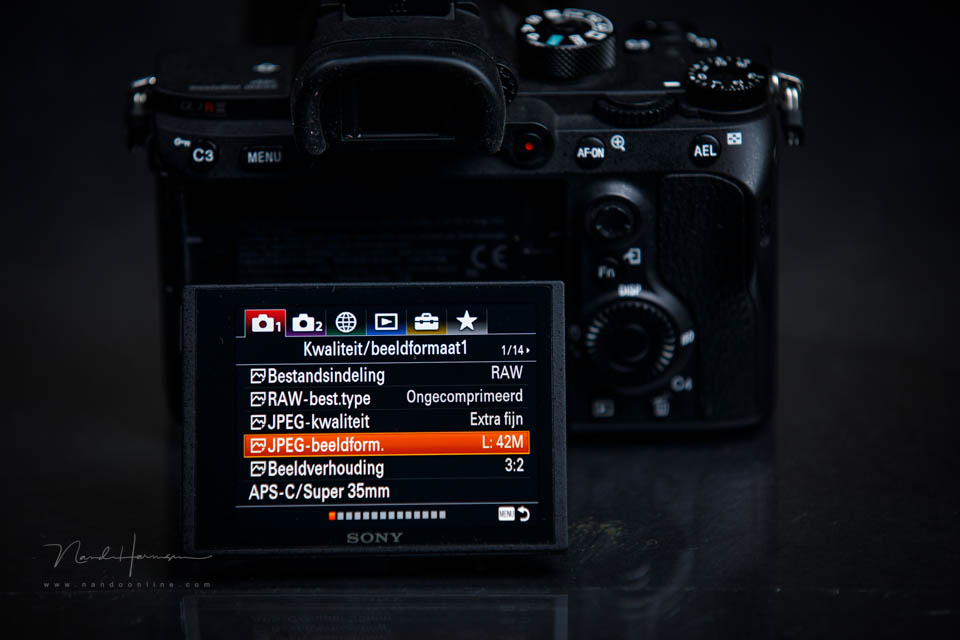
To make the Jpeg photo from the camera look as good as possible, there are specific settings available. If you shoot in Raw, they are of no use to you. You can ignore them or switch them off. The latter may be more important than you think.
I have listed six camera settings that are virtually useless for the Raw photographer. They are not in any particular order.
1. White balance
White balance provides the desired colour balance in the photo. You can set this automatically or manually. For the Raw photographer, it is easy to adjust later, meaning the selected value has no effect on the photo.
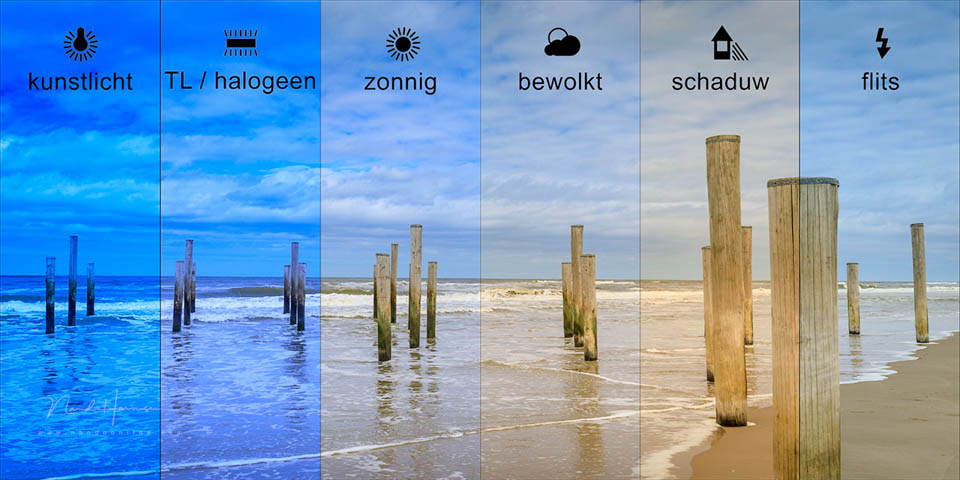
Even so, having the correct white balance can be useful. Incorrect colours make it difficult to check a photo on the camera's LCD screen. So the correct or almost correct setting is handy.
2. Colour space
The colour space can usually be set to sRGB or AdobeRGB. This colour space is linked to the photo file. For Jpeg, sRGB is the only good choice. But for a Raw file, it makes no difference what you set.
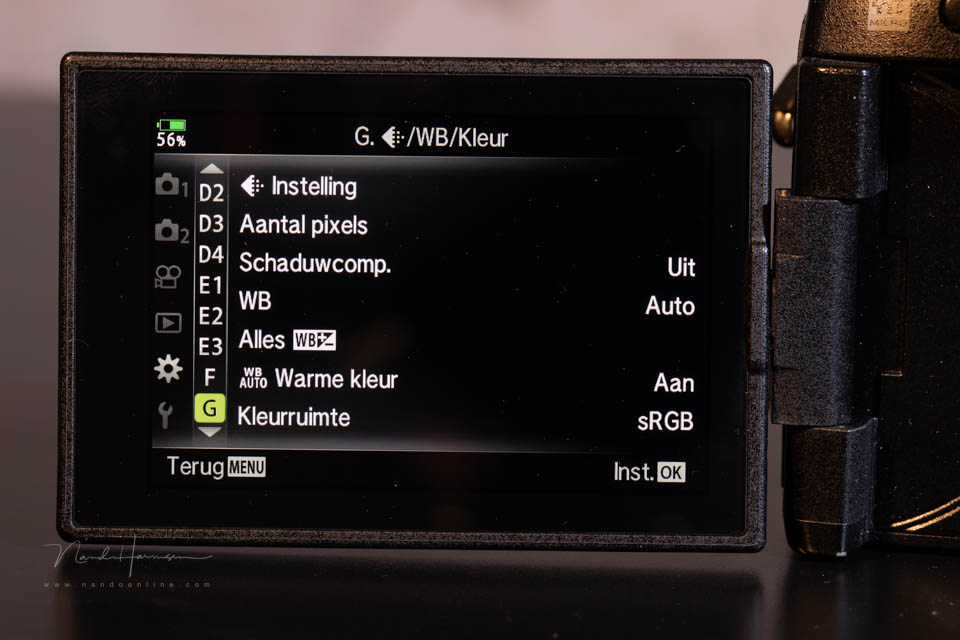
The colour space is assigned by the photo-editing programme you use. This is completely separate from the settings made on the camera.
3. Highlight priority / Active D-Lighting
With highlight priority, the camera deliberately underexposes the photo. The shadows are then lightened to achieve a greater dynamic range.
This uses the available brightness levels in the Raw file. If you shoot in Raw, you do this in your photo-editing programme. The setting then has no effect. This is exclusively for the Jpeg photographer.
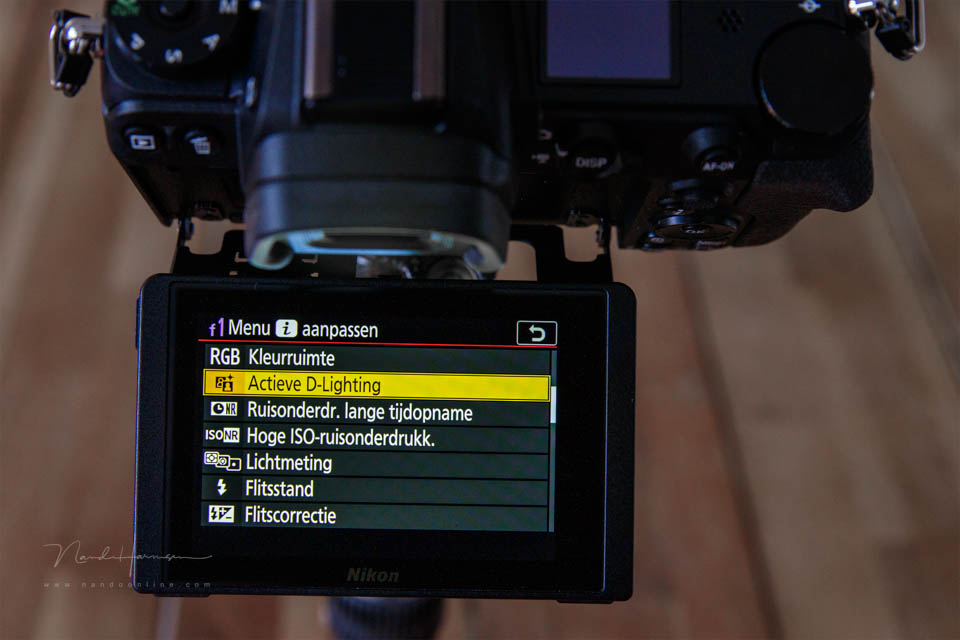
If you shoot with Nikon, be careful. Active D-Lighting, as it is called, can result in an underexposed Raw file. That is not what you want. So always switch this function off.
4. HDR
High Dynamic Range (HDR) creates a greater dynamic range by combining several photos with different exposures. If you have this function in the menu, do not use it when shooting in Raw.
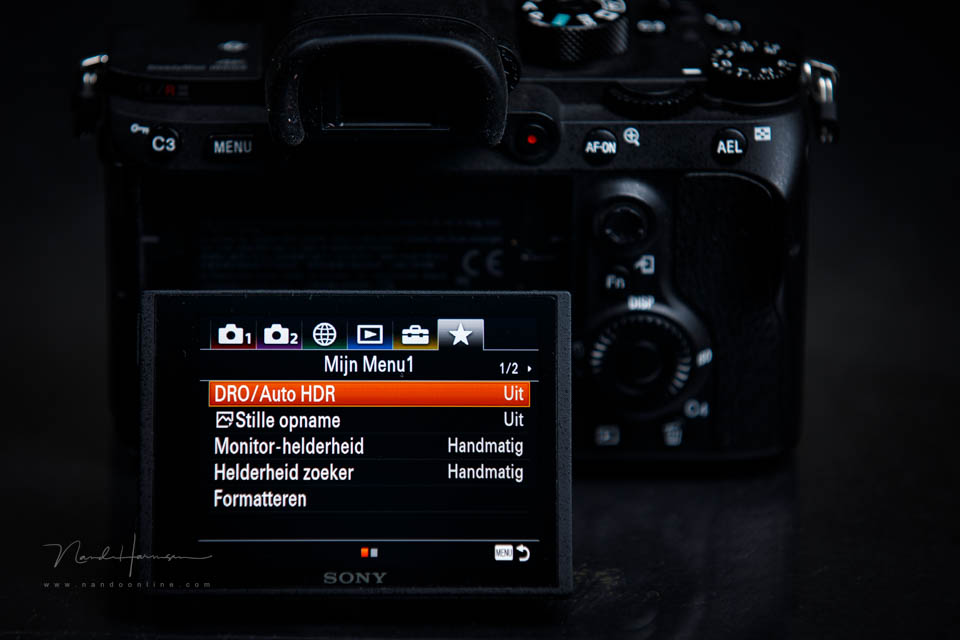
The result of the HDR function is always a Jpeg file. As a Raw photographer, you would rather have the option of doing this yourself. So choose exposure bracketing instead of HDR.
5. Picture style / Picture control
The picture style, also known as picture control or film simulation, gives the photo a particular appearance. It is essentially a preset in the camera. This is exclusively for photographers who shoot in Jpeg.
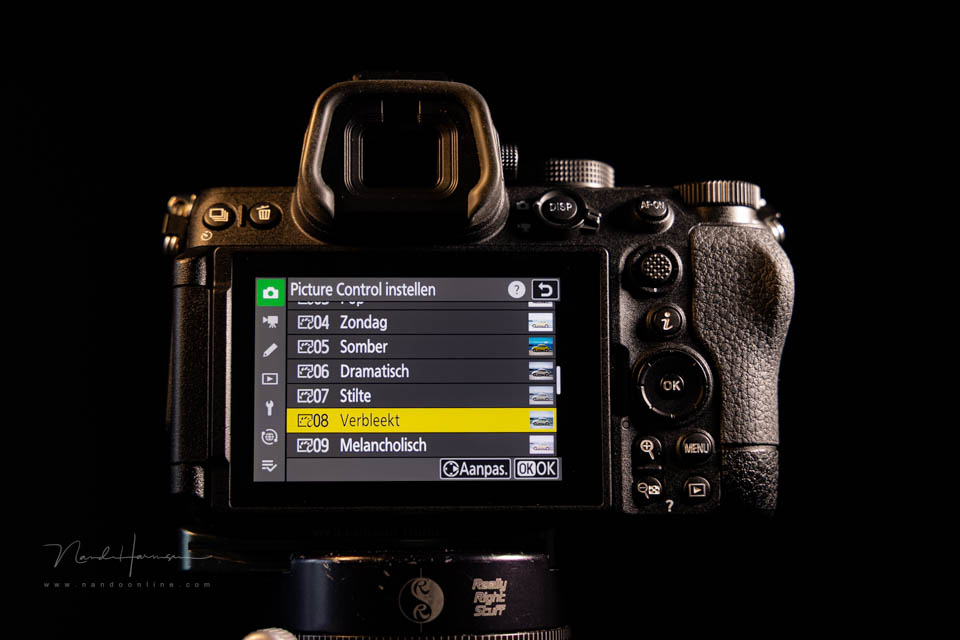
Although the picture style does not apply to a Raw file, information about the picture style is included. You can often call this up in the photo-editing programme you use.
Sometimes a picture style can be useful, for example black and white. You can then better judge what the photo will look like in black and white. However, the Raw file will never have that setting.
6. High ISO noise reduction
When you often shoot at high ISO values, noise can occur. The camera can partly remove that noise. But the result is only useful for a Jpeg photo. In Raw, the setting is saved but not applied.
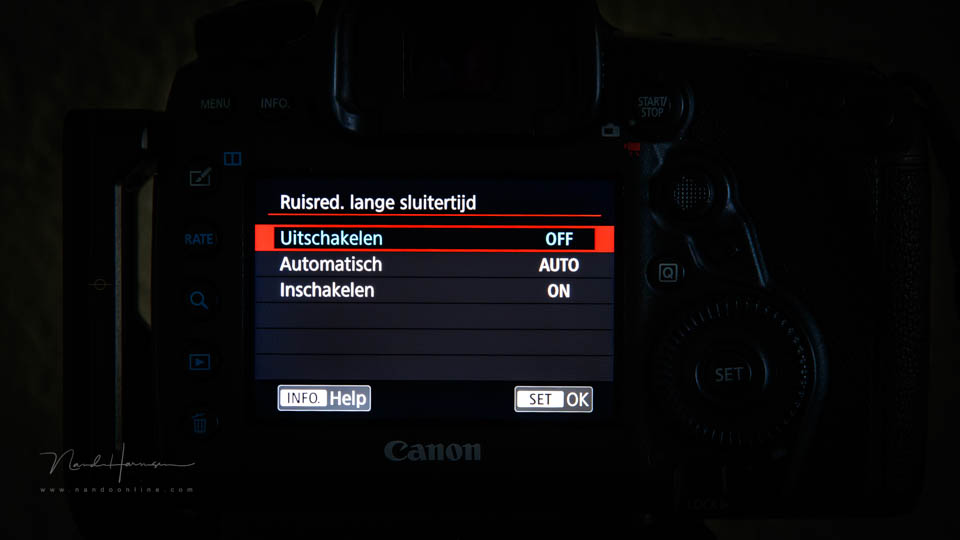
Many cameras offer two noise reduction functions. Long exposure noise reduction can be useful for the Raw photographer. It is high ISO noise reduction that is pointless for the Raw photographer.
Do you know of any more functions that are pointless when you shoot in Raw? Let us know in a comment below this post.
About the author
Nando Harmsen has been photographing for more than 40 years. He specialises in wedding photography and landscape photography. Nando also gives talks, workshops, masterclasses and photo trips, and regularly reviews new and interesting equipment.
You might also like
-
 RAW output for the Nikon Z 7 and Z 6
by Michelle Peeters
-
 Everyone photographs in raw, there are no exceptions
by Nando Harmsen
-
 20 useless facts about photography
by Elja Trum
-
 6 tips to fight dull-looking photos!
by Michelle Peeters
-
 Is there a quality difference between raw and compressed raw?
by Nando Harmsen
-
 Is there a reason to save both raw and jpeg?
by Nando Harmsen
7 comments
-
 Jan Kleinjan wrote on Tuesday 30 September 2025 at 10:42 | reply
Thanks Nando for your RAW tips.
Translated from Dutch.
I only shoot in RAW with a Nikon Z8 and find my shots on the dark side. What did you expect? Active D-lighting was turned on!
Turned it off right away. Tomorrow I'm going mushroom hunting, let's see if your tip works. Thanks again. -

-
 Donald Willemsen wrote on Tuesday 30 September 2025 at 15:28 | reply
Nando, I thank you for writing this article. Still, I have another question about it that ties in with Rob's question.
Translated from Dutch.
When photographing in jpg, it is important to use the right Picture Style. I then wonder whether in that case you are not constantly busy adjusting a Picture Style. One time you photograph a landscape with the 'landscape' Picture Style and the next moment you photograph a portrait. If you don't change the Picture Style, you may not get the correct skin tones. I could go on giving examples, but you understand what I mean. To be honest, that seems a bit impractical to me and I also think that most jpg photographers are not constantly busy adjusting Picture Styles. How would you deal with it?
You will say: photograph in RAW. Indeed, I've been doing that for years already?? -
 Eddy wrote on Tuesday 30 September 2025 at 16:02 | reply
What about the Vignetting correction ? Presumably only useful for jpeg ?
Translated from Dutch. -
Donald Willemsen wrote on Tuesday 30 September 2025 at 18:26 | reply
Eddy, vignetting correction is a lens correction and lens correction applies to both jpg and raw
Translated from Dutch. -
 Peter Heins wrote on Wednesday 1 October 2025 at 15:39 | reply
Why do you make a backup in jpeg if you photograph in RAW by default? The point of that escapes me. Suppose something were to go wrong with your RAW card, then you have jpeg as a backup, but those have already been edited. So there isn't that much latitude in the jpegs that you can still edit them. A jpeg doesn't have 5 stops of latitude in the exposure, that you could still save. Then I would put RAW on both cards. I myself never make backups, I have 2 sd cards in the camera and another 10 in a little box with me, I switch a lot. In Iceland I had a different sd card for each day and immediately made a backup at the hotel on my La Cie external drive with sd slot. Then the card went into the box and that way I used a different card every day.
Translated from Dutch. -
 Mac wrote on Thursday 2 October 2025 at 08:13 | reply
@Donald,
Translated from Dutch.
lens correction only applies to jpg as well, and not to raw.
Because vignetting and distortion are indeed properties of a lens, but the correction is applied to the image, so a jpg is created. A raw will never have lens correction, the only thing it does contain is the lens information, so that the correction can be applied automatically in a raw converter.
Have your say
Please note: Articles older than a week can only be commented on by signed-in visitors.Would you still like to comment? sign in or create a free account.
Become a better photographer every week
A practical photography tip in your inbox every week.
38,982 photography enthusiasts already receive the tips! More about the weekly mail. Or keep up to date via  Facebook.

Elja Trum
Photofacts; everything to do with photography!
Would you like to take better photos and keep up with what is happening in photography? Photofacts publishes articles that teach you something about photography — from a product announcement to a practical shooting tip or a look at a website. Photofacts covers photography every day and is a hobby project of Elja Trum's that got out of hand. The articles are written by a team of volunteer authors. If you would enjoy writing one or more articles for Photofacts, do get in touch.More about PhotofactsPhotofacts is made possible in part by
