

Is there a reason to save both raw and jpeg?
Monday 4 October 2021, 20:40 by Nando Harmsen | 12,945 views | 72 commentsThis article was translated from Dutch with the help of AI. Read the original.
You always have the choice of saving your photo in two ways: as a raw file or as a jpeg file. You can also save them in both file formats. Does that make sense?
I often read that photographers save their photos as both raw and jpeg. I always ask myself: why? Why would you do that? If there is a reason, I have not discovered it yet. But perhaps I am overlooking something. Let me look at this objectively.
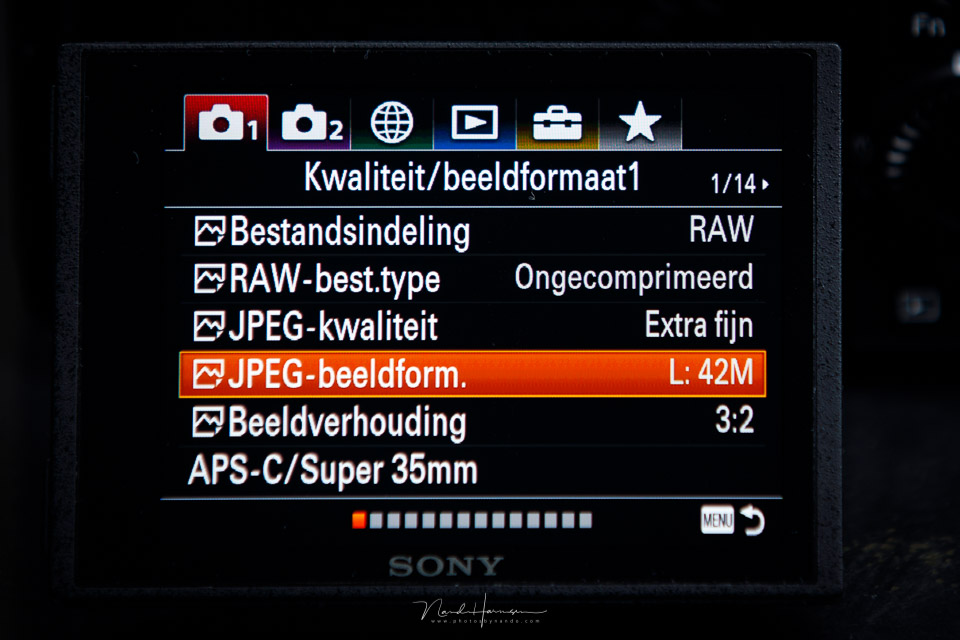
I always photograph in raw file format. I do this because I want to have as much room as possible for post-processing. This allows me to make light areas darker or dark areas much lighter. I can add contrast and change the white balance. I know that a jpeg offers these options only to a limited extent, or not at all.
But the most important advantage of raw is the ability to make local adjustments. This offers unparalleled possibilities for creating a photo that looks exactly the way I want it to. Although you have many setting options in the camera when photographing in jpeg ( read my article about that ), the option to make local adjustments is reserved for raw photography.
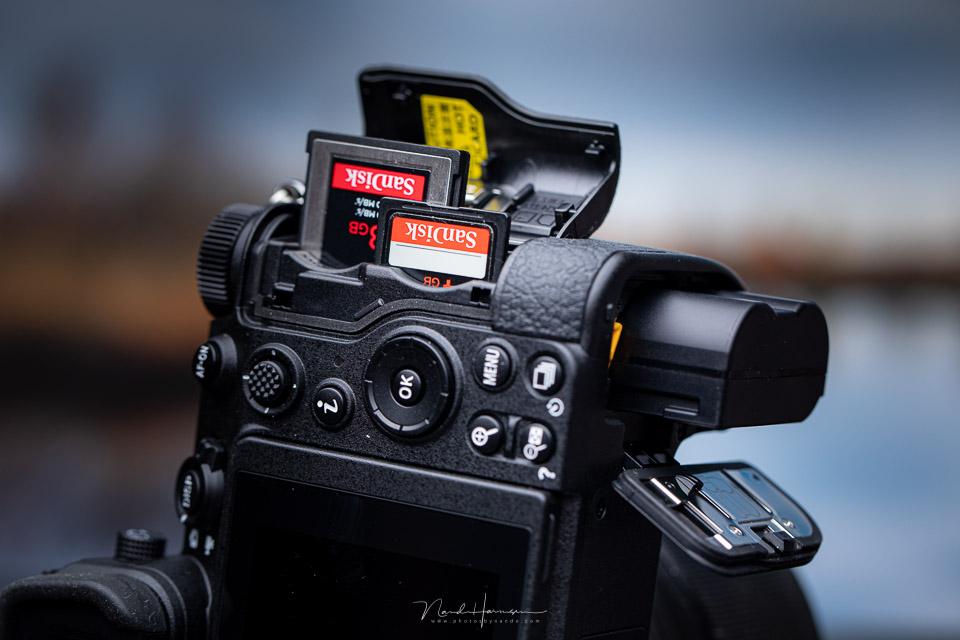
I photograph with a camera that has two memory card slots. I write every photo to both memory cards. This gives me an immediate backup on location, should one of the cards fail. I also write a raw file to each card. And that brings me to the first reason for saving both jpeg and raw.
Raw with jpeg as a backup
The first time I heard about using a jpeg as a backup of a raw file was from wedding photographers. A raw file on one card and a jpeg as a backup on the other card. If something happens to the raw files, you still have the jpeg images. But why not save both as raw, on one card and the other?
This probably happens not only with wedding photographers, but also with other photographers who use two memory cards in their camera. It is good to have a backup, I do it too, but why use a jpeg as a backup? After all, this means that you no longer have the options provided by your raw file. That would be a shame, wouldn't it?
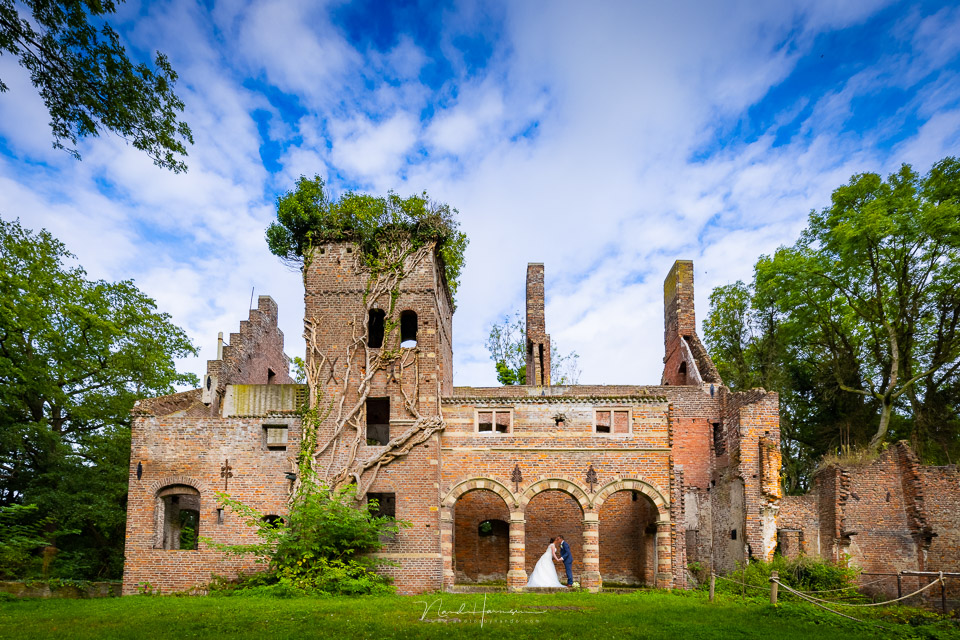
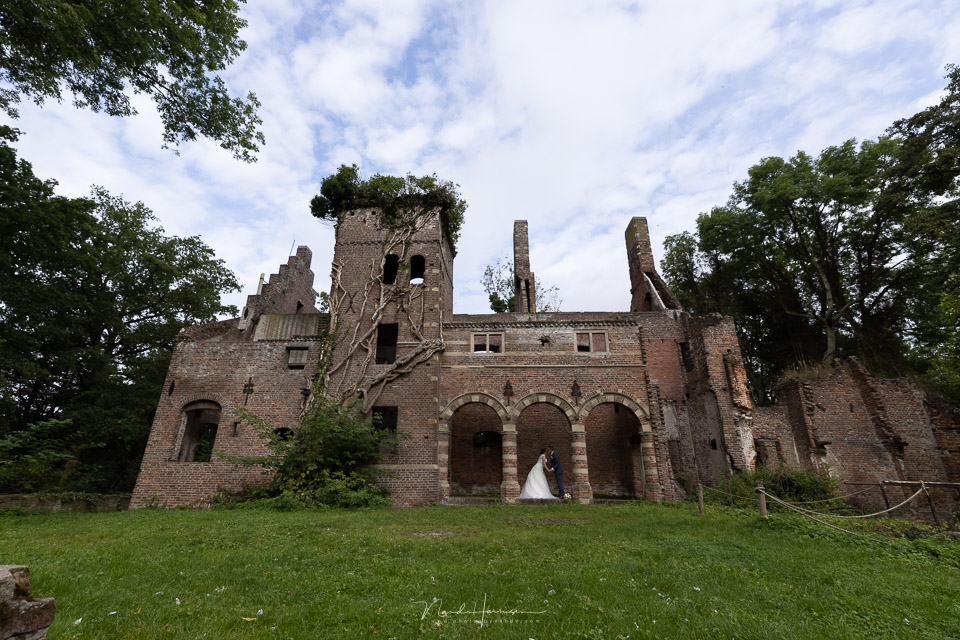
The choice to use a jpeg as a backup of a raw file is illogical. Use two cards with the same amount of storage and simply make a raw backup of a raw file. A jpeg backup is not a backup. It is a different file that you can no longer apply the same edits to as you would to your raw file.
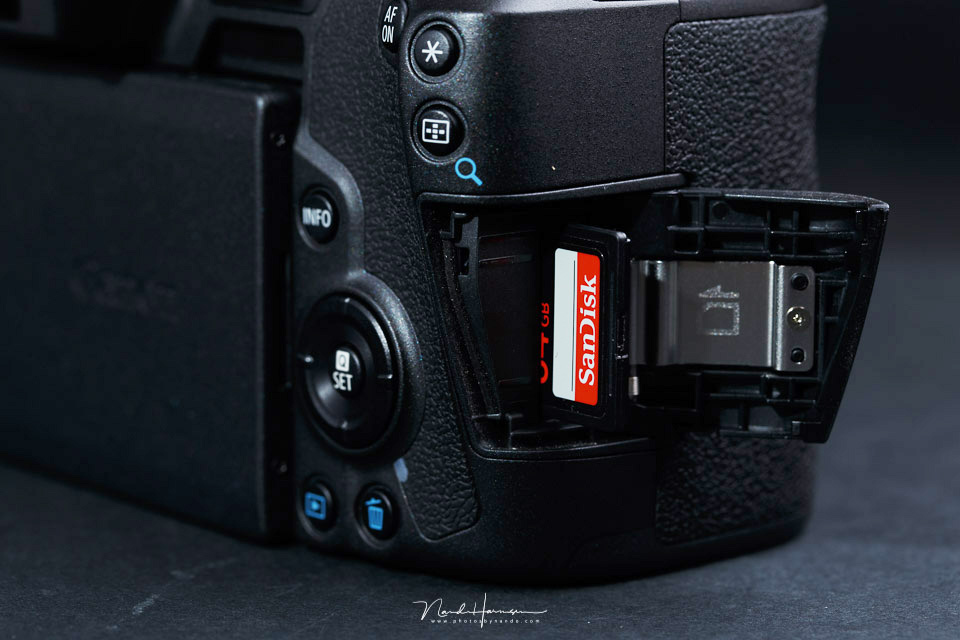
However, if your camera has only one memory card slot, it is not possible to make a backup. Saving two raw files is not possible. You can save a jpeg alongside a raw file, though. But this is not a backup, because if the card fails, you lose everything, both the raw and the jpeg.
Both raw and jpeg on one card
This brings me to the choice of saving both raw and jpeg on one card. What is the reason for that? It is not a backup, as I have explained. I have not heard this given as a reason very often either. What I do hear is uncertainty about editing a raw file. "At least I will still have the jpeg," people say.
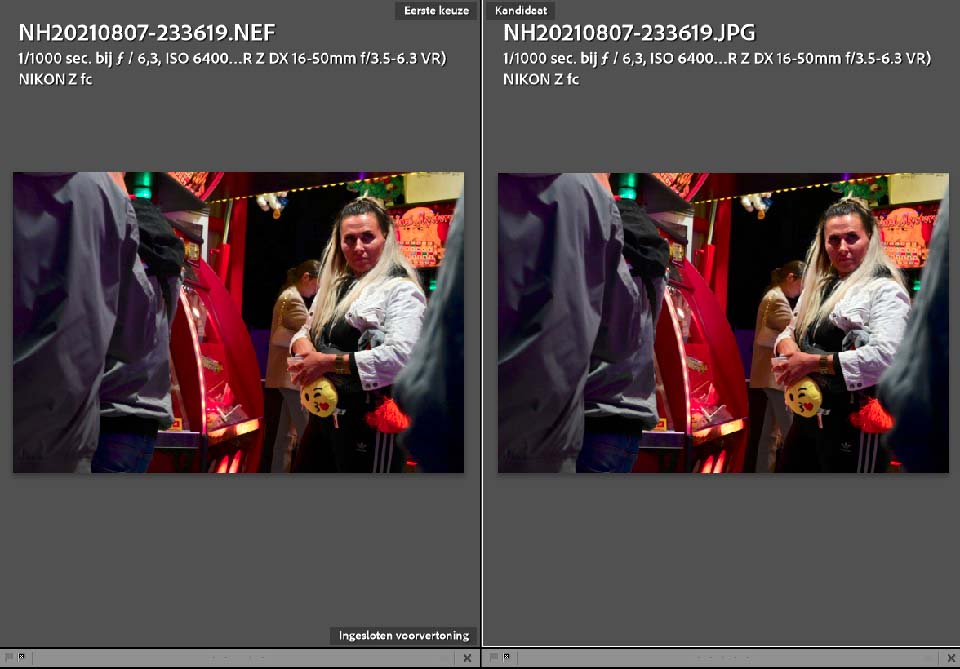
To edit a raw file, you need photo-editing software. That software reads your camera settings and applies them to your raw file by default. In other words, the photo-editing software sets everything so that the result looks like the jpeg from the camera.
Without making any edits, you can therefore create a jpeg from your raw file with the press of a button. It will look the same as the jpeg from the camera. You can see that there is no need to save a jpeg alongside the raw file. It is effectively already included.
You should also realise that when you import your photos into software such as Lightroom, Capture One or Luminar, two identical images will appear in your catalogue. So that catalogue grows twice as quickly if you photograph in both jpeg and raw.
I only use the raw if the jpeg is not good enough
Some photographers say that they prefer to use jpeg, but still want to keep the raw file on hand in case the jpeg is not good enough. I can partly understand this argument, but at the same time I cannot.
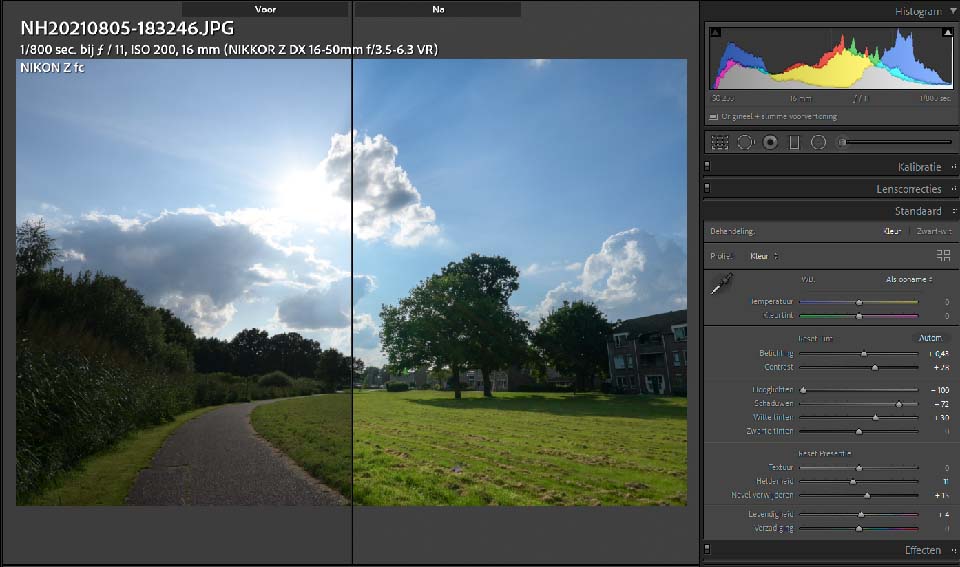
As I have already explained, all the settings for the jpeg are embedded in the raw file. With the press of a button, you have the same photo as the jpeg from the camera. If you still want to adjust something, you only need to make the edit.
This prevents you from having to search for the raw file first when a jpeg is not to your liking. That can be laborious and time-consuming, even though it may not seem so at first. Above all, where do you draw the line? When is the jpeg not good enough and should you switch to raw? That is rather subjective.
Is there any benefit to saving both jpeg and raw?
Having considered everything in this way, I personally see no advantage at all to saving both jpeg and raw. I would therefore simply choose jpeg or raw, but not both. Perhaps I am overlooking something. Maybe you have a very good reason why saving both file formats does make sense. I would be interested to hear it.
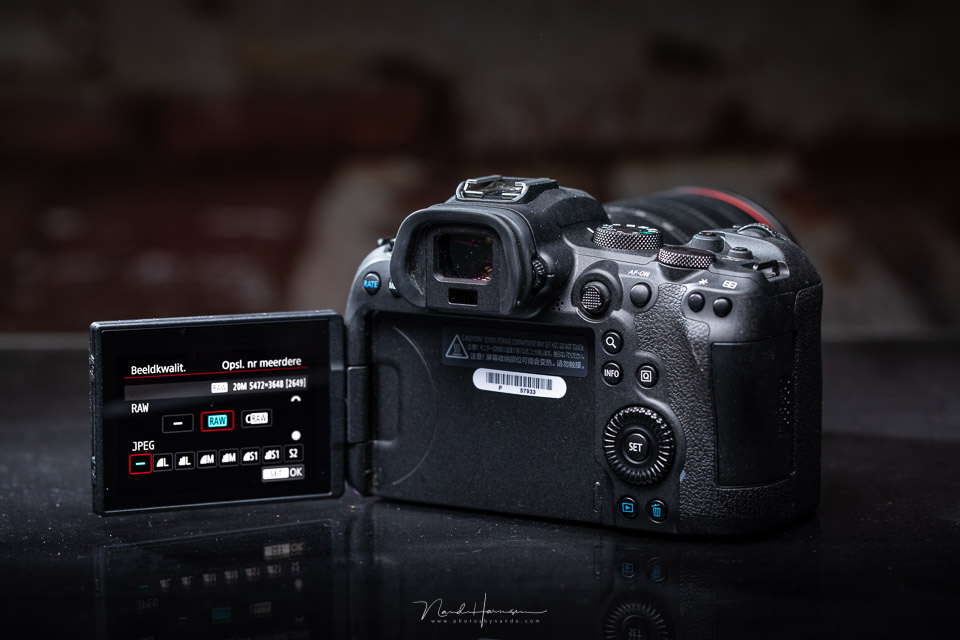
Finally, I want to point out that this is my opinion, my conclusion. Whether you want to save both jpeg and raw is entirely your choice, and nobody needs to convince you that you should do things differently.
Let me know in a comment what you think about this. Do you think saving jpeg and raw makes sense, or not? If so, explain why. I am not saying that I have to agree with you, but I would like to hear the reasons for doing this. I look forward to your response.
About the author
Nando Harmsen has been photographing for more than 40 years. He specialises in wedding photography and landscape photography. Nando also gives talks, workshops, masterclasses and photo trips, and regularly reviews new and interesting equipment.
You might also like
-
 Keep an overview: don't make JPEGs of your RAW files
by Nando Harmsen
-
 Street photography tip: JPG or RAW: An old debate
by Michiel Heijmans
-
 JPG or RAW: an age-old choice
by Michiel Heijmans
-
 How to handle JPEGs and prevent quality loss
by Nando Harmsen
-
 Saving a JPEG in Photoshop has changed
by Nando Harmsen
-
 Everyone photographs in raw, there are no exceptions
by Nando Harmsen
72 comments
-
 Marc wrote on Monday 4 October 2021 at 21:41 | reply
I only use RAW+JPG for vacation photos. The jpgs go immediately to the impatient family members, and that gives me the time to calmly edit the RAWs in LrC
Translated from Dutch.
-
 Edwin Mathlener wrote on Tuesday 5 October 2021 at 10:12 | reply
That is indeed the usual reason: jpeg to share quickly with others, RAW to edit yourself later. That's how I did it myself with reportage photography at association activities, where you dump your photos on the laptop of the editor of the club magazine immediately afterwards.
Translated from Dutch. -
 RAWshooter wrote on Tuesday 5 October 2021 at 10:16 | reply
1. Agree with your conclusions. There is no logical reason why one would also want to keep a JPG.
Translated from Dutch.
2. I don't understand this: “reserve the possibility of making local adjustments for raw photography.” I can just as well make local adjustments to a JPG. You don't have the same leeway, but that applies to a JPG anyway and has nothing to do with local adjustments.
3. About those 2 cards: How often has it happened to you that a memory card failed? Never for me. -

 Nando
wrote on Tuesday 5 October 2021 at 10:25
| reply
Nando
wrote on Tuesday 5 October 2021 at 10:25
| reply
@RAWshooter:
Translated from Dutch.
It has never happened to me either, but I do replace my cards periodically. Still, I don't take the risk. Just because it has never happened doesn't mean it can't happen. When I photograph a wedding, I don't want to have to tell the bride and groom later that (part of) the photos didn't turn out because the files are corrupt, or the card can't be read. -

-
 Koen Van de moortel wrote on Tuesday 5 October 2021 at 10:37 | reply
There used to be an advantage: if you put both on your PC, Windows Explorer could only show a small thumbnail of a jpg, but nowadays you get that with a raw as well, so there indeed is no advantage anymore.
Translated from Dutch. -

-
RAWshooter wrote on Tuesday 5 October 2021 at 10:51 | reply
The reason why you use 2 cards is therefore just as valid as the reason to shoot in both RAW and JPG: zero. The chance of your card suddenly no longer working is also zero, after all.
Translated from Dutch.
A matter of knowledge: the chips on a card simply don't break. It only goes wrong if you physically mistreat such a wafer.
Funny that you do apply the concept of knowledge to the subject of your article, but not to the question of why you would actually use 2 cards at the same time. -
 Jeannet wrote on Tuesday 5 October 2021 at 10:56 | reply
I also take photos in raw and jpg during vacations. I use the jpg to send to my phone and then to social media. I do delete them afterwards.
Translated from Dutch. -
 Peter wrote on Tuesday 5 October 2021 at 10:58 | reply
As a nature photographer, I have little or no time to change lenses or put together a nice composition. It is mostly a matter of shooting and focusing on an eye/head etc. As a result, almost all photos are cropped and edited in raw before being saved as a jpeg file for publication. By saving both files, there is never any discussion about ownership rights and the authenticity of the photo. The raw files still contain all the info. Many photos are also used for identifying and documenting species. (e.g. butterfly species with differences in colour/pattern)
Translated from Dutch. -
 Peer Somers wrote on Tuesday 5 October 2021 at 11:04 | reply
Nando, I agree with you about writing to both cards in RAW. If I may mention one disadvantage, it is the "slower" writing speed to your CF card, compared to your C-Fast card. With sports photography, you sometimes have to shoot away furiously, and then you don't want to be held back by the time needed to write your RAW to CF.
Translated from Dutch.
I know, it's all marginal, and I have never really experienced it that way. -
 Aart Van wijk wrote on Tuesday 5 October 2021 at 11:07 | reply
To quickly show the 'approximate result' on location, I also save JPEGs. At the office I just throw them away.
Translated from Dutch. -
 Mariet Wielders wrote on Tuesday 5 October 2021 at 11:12 | reply
The statement that you can't apply local adjustments to JPG is a misconception. You can. The margin for correcting light, color and white balance is indeed somewhat more limited with JPG than with RAW, but if you regularly check your images while shooting, you usually don't need to correct very much. Especially with a "decent" camera, JPG offers good quality and plenty of room for editing. RAW is often unnecessary baggage that requires more space and more post-processing.
Translated from Dutch. -
 Lex wrote on Tuesday 5 October 2021 at 11:13 | reply
Narrow-minded and prejudiced. Not an article but an opinion piece that you should post on Facebook. From now on, only publish articles that people can get something positive out of / learn something from and not to "put them right" or prove that you are right.
Translated from Dutch.
There can be, in my opinion, several valid reasons to photograph in RAW and JPG. And these reasons are valid and you cannot disagree with them. Maybe they are not convenient for many or other reasons carry more weight but that does not make them any less true. I hope you do respond to this post because in a previous article in which I disagreed with you and you asked me to explain it, I subsequently received no further comment...but you challenge me to respond... here it goes:
1. As others have already indicated, our camera is also used for holiday snapshots or photos in between. Not all that exciting or important but still nice to keep or share. I don't have the time/desire to edit all those photos. That is wasted time for me. A jpg is almost always sufficient. If I happen to have a nice photo among them where the jpg does not produce the end result, I can fall back on the raw.
2. If I can use 2 cards (D750), then I have raw on 2 and jpg on the other. If I shoot with only 1 card (D500: SD only), then I save both (raw&jpg) on 1 card.
I don't see that as a backup (although the D750's setup is somewhat of one because I have never had a card become corrupt. And if I ever have a failure, then "so be it". The photos I take now are not a matter of life and death.
The advantage of a jpg is that the in-camera functions such as noise reduction and all the other settings are fairly well optimized for your camera. Although you can do much more with RAW, I like having the jpg as a reference. Sometimes I go a bit too far in my editing or instead remain too cautious and can then look at the jpg with my left eye. Sometimes the jpg turns out to be even nicer than my edit. So that gives me a benchmark/guideline.
At a wedding or other ceremony, it is important to have a good backup but this can/must also be in the form of an extra camera. But in this case I would always choose 2x raw.
3. For me, perhaps the most important reason is that when you take a lot of photos, (I often photograph birds and then come home with many hundreds of photos) where there are many similarities between photos, selecting the best photos is a real challenge. And then it doesn't help if your PC experiences a delay because of loading a RAW file.
I have a decent PC but there is simply a delay and when switching between photos it has to go "instantly".
And this is where the jpg comes in handy!
With a freeware tool like XnView I browse through the jpgs super fast. This allows me to select the best photos much faster and load only those into my Lightroom catalog. To make things even easier, I connected a keypad from Action to my PC and programmed the buttons. This allows me to scroll through the photos with one hand, zoom in and out, also go straight to 100% and back, plus simply give a rating. The other hand is on the mouse to move things around a bit so you can immediately view the details. After the selection I copy the corresponding RAW files (based on the jp-file name) to the right folder so they can be loaded into LR.
This works for me so much faster and more clearly than uploading hundreds of photos into LR and selecting them there or viewing and selecting the raw files. And the jpg Large Fine is a much better representation than the embedded jpg in the raw file, so my selection can be much more critical.
And perhaps there are even more reasons that I can't think of that quickly or that others have already thought of. The fact that you don't use it or can't think of a reason is no reason to try to undermine it here.
That does not do this site any credit.
My 2 cents (or in this case more like 5
-
 Wil van Elk wrote on Tuesday 5 October 2021 at 11:30 | reply
I also saved everything twice, RAW and JPG, worked quickly and well. Only later did I start working with LR and, as I progressed, increasingly often from RAW. A photographer told me that he saved RAW on both cards, always a backup. So now I do too. But if you have to quickly send photos to an editorial office, JPG format is still more convenient. Retired now, so twice in RAW!
Translated from Dutch. -
 Guy Ackermans wrote on Tuesday 5 October 2021 at 11:31 | reply
Last week one of my cards gave up the ghost. My first defective card in 20 years. The second card was my lifesaver. I write RAW and JPEG to both cards, the latter at a lower resolution. This is so I can serve my clients quickly. A large JPEG is then just inconvenient.
Translated from Dutch. -
 E.D. (Eltjo) Rentema wrote on Tuesday 5 October 2021 at 11:35 | reply
I use one card with RAW and one with jpeg in my Sony A7III
Translated from Dutch.
I use the jpeg to quickly see the result on my iPhone during the day and possibly post it on FB or Instagram I only use the RAW when processing at home after the day or even only after a vacation of weeks. Handy, then -
 Cees Kamminga wrote on Tuesday 5 October 2021 at 11:36 | reply
I also use RAW and JPEG for the same reason as Marc and Edwin above. I use the JPEG images to send directly to the interested parties/photo desks. RAW for careful post-processing when photos are going to be ordered/published.
Translated from Dutch. -
 Chris wrote on Tuesday 5 October 2021 at 12:04 | reply
I have the same reason as already mentioned. I can share the JPEGs directly via wifi/bleutooth with people who ask for them and can also easily download them onto a USB stick to quickly show them on a TV screen. The edits to make the photos "perfect", I then do with RAWs.
Translated from Dutch. -
guest wrote on Tuesday 5 October 2021 at 12:05 | reply
The reason I save both versions to two cards is that I quickly send a particular jpg to my phone with Snapbridge and share it with my enthusiasts.
Translated from Dutch. -
 Pieter Kok wrote on Tuesday 5 October 2021 at 12:05 | reply
It's all so professional !
Translated from Dutch.
Why not the jpg photo, as it really was when you pressed the button
When you saw it ! And had set your camera !! Endless post-processing is basically a trick and does not correspond with reality ! And that is exactly what we want to capture . -
 carlo.linders@gmail.com wrote on Tuesday 6 October 2026 at 13:37
| reply
carlo.linders@gmail.com wrote on Tuesday 6 October 2026 at 13:37
| reply
Dear Peter, post-processing a raw image is not a trick. The The jpeg that you see on your screen has been processed in the camera via a number of parameters set by the manufacturer of your camera. That produces quite a nice reflection of the reality you observed. If you don't feel like all that hassle afterwards, no problem! Some contrast is added, some sharpness, possibly noise is removed, possibly lightened, etc. When you take a raw image all the information is still in your files. With Jpeg images, 80 % of that is discarded after the processing in your camera. Nothing wrong with that if you are satisfied with it. However, when you do start editing from the raw file, you have many more possibilities to give that image exactly the punch that the photo often lacks with a jpeg image. There is much more latitude, among other things in the dynamic range. By that I mean the light and dark parts in your photo. the blown-out parts in your photo are also better to correct or avoid in raw. I will include a link in which this is explained much more completely. Dear Peter, I am making this effort because I sincerely believe that I can broaden your horizons. It is also a lot of fun to appreciate the added value and your enjoyment in photography.
Translated from Dutch.
https://tamron-americas.com/blog/raw-image-format-vs-jpeg-benefits/?srsltid=AU7gw4Wa2OhNkR8fNbw0ERAbAHJ4EYQH0J1jpXY8ixe7GWuPFRtkFGj5
Success. -
 Wouter J wrote on Tuesday 5 October 2021 at 12:28 | reply
On my FujiFilm-X cameras I can save a jpeg image alongside the Raw image, just like everyone can. The only thing is that the FujiFilm cameras have an extremely large number of setting options to fine-tune that jpeg image in camera. This makes it possible to save, alongside an excellent raw image, an already very well adjusted, high-contrast, beautifully grain-rich black-and-white image enhanced with beautiful dark sky areas. Very unusual choices with one of the FujiFilm color film profiles are also an option (or even three different ones already at the time of shooting) and are therefore among the possibilities, without anything happening to or with the Raw image. Best of both worlds. Incidentally, more and more possibilities are also emerging to write images as copies to an external drive or SSD via tethering (wired or wireless).
Translated from Dutch. -
 Matt wrote on Tuesday 5 October 2021 at 12:36 | reply
Nando is right to make the backup in RAW because he shoots in RAW.
Translated from Dutch.
If you shoot in JPEG (those people still exist) the backup can also be set to jpeg. Shooting in RAW and/or JPEG remains everyone's own choice.
Obviously I choose RAW because I want to edit photos.
I first had a camera for several years that only supported JPEG, even then I also edited the photos with quite nice results.
Cards usually don't fail during use in the camera but usually when being used in the PC. Removing cards while data is still being written to or read from them is the most common cause. The camera will be switched off much more often than a PC when removing a card. -
 Ton Spaninks wrote on Tuesday 5 October 2021 at 12:49 | reply
I have been working only in RAW for several years now. The advantages have already been mentioned above. What I initially really dreaded was editing and converting to JPG. Nowadays I start with the automatic adjustments and then make further personal (often small) adjustments and then convert to JPG.
Translated from Dutch. -
 Rein wrote on Tuesday 5 October 2021 at 13:16 | reply
I doubt whether all the settings in the camera for a JPEG are shown in the RAW photo in the same way after conversion. By the way, I always photograph in RAW, which I convert to JPEG after editing in PhSh for a print. I do save the latter alongside the PSD.
Translated from Dutch. -
 Kees Willemse wrote on Tuesday 5 October 2021 at 13:16 | reply
My D810 also gives me the option to insert 2 different cards, I personally prefer using the Compact Flash card and never use the SD option, but because of this piece I have started thinking about saving the NEF file to the SD as a backup as well, that will probably take more time to save the photo, which I don't think will be a problem, unless you are going to do a lot of continuous shooting, then I think your buffer could fill up quite a bit faster.
Translated from Dutch. -
Marc wrote on Tuesday 5 October 2021 at 13:28 | reply
Wasn't mentioned yet: an older version of PS that can't read the latest NEFs, so they first have to be converted to DNG. In that case, a series of JPEGs is quite interesting for quickly making a selection and only processing the selected files from NEF > DNG > editing. Sorry, I'm just a hobby photographer.
Translated from Dutch. -
 Willem van Ameijde wrote on Tuesday 5 October 2021 at 13:31 | reply
I have also photographed in RAW and tried out a few editing programs, but I find them sooo complicated that I gave up on that....
Translated from Dutch. -
 Pie wrote on Tuesday 5 October 2021 at 13:39 | reply
I set my canon EOS700D to "RAW+1/4 circle L" for the first time and took a few test shots. When I then load those into Photo galery I get 2 photos, one with the addition CR@ and the other with jpg. Can I now use the one with CR2 if I am going to try out Ligthroom?
Translated from Dutch. -
 Dwarsje wrote on Tuesday 5 October 2021 at 13:56 | reply
Lex, I honestly find your reply to the author a bit exaggerated. The author is literally wondering about something and is trying to gauge how we/they think about it. So to speak, "throwing something out there". Nothing to do with Facebook, by the way, a very annoying site, just here. I can appreciate that. I do find the article enlightening for me, since I once again had to think about whether I was stuck in tunnel vision. I too always shoot in RAW +JPG and get angry when my card is full. So I bought extra cards, problem solved, and after 15 years fortunately still haven't had any corrupted photos or cards. Adding JPG is pure laziness for me and mainly wanting to be finished faster. If I don't like the JPG, I fall back on the RAW and Photoshop away. When everything is to my liking, I throw unimportant memory-hungry folders with RAW into the trash.
Translated from Dutch. -
Kees Willemse wrote on Tuesday 5 October 2021 at 14:04 | reply
Lex, I don't believe people here are waiting for your epistles, an initiator throws out an idea, then you can respond to it or not, as a commenter you don't decide where subjects belong but the initiator does, a great many of the readers here can all say exactly what kind of gear they have and how they work with it, what you're doing looks more like showing off.
Translated from Dutch. -
Nando
wrote on Tuesday 5 October 2021 at 14:08
| reply
Thank you for the many responses. Very interesting to read how you deal with raw+jpeg or not, and why.
Translated from Dutch.
The possibility of sharing jpeg directly is one I actually hadn't thought of. Thank you for this frequently cited reason.
I can't respond to everyone, but I'll pick out a few
@Sluymer:
This is very short-sighted. Choosing jpeg can have a very personal reason that has nothing to do with 'not understanding'. Just read the other responses.
@RAWshooter:
Try telling the people whose cards have failed that it can't happen. It happens regularly, just read Guy Ackermans' response.
@Mariet Wielders:
JPEG can indeed be edited afterwards, locally too. But if you're going to edit your jpeg afterwards anyway, why not shoot in raw? Then you don't have to struggle with limitations and loss of quality.
@Lex:
I am a little shocked by your response. Of course it is written from the perspective of my knowledge and opinion, but I am open to responses. That is what I am asking for too. And perhaps it will get you thinking. What I am certainly not trying to do is tear it down. It is a shame that you draw this unjustified conclusion.
@Pieter Kok:
What your camera produces as jpeg is also an edit, one devised by the manufacturer. I link to an article in the fourth paragraph
(https://www.photofacts.nl/fotografie/rubriek/tips_en_truuks/maak-als-jpeg-fotograaf-maximaal-gebruik-van-de-mogelijkheden-van-je-camera.asp)
@Pie:
The CR2 is a raw file. You can indeed edit it in Lightroom. -
Lex wrote on Tuesday 5 October 2021 at 14:24 | reply
@ Nando,
Translated from Dutch.
Maybe I had been in a less good mood this morning. It may also be due to an earlier negative experience.
I don't mean it as badly as it may seem, although I would expect more informative articles on this platform than a discussion which I feel is also somewhat short-sighted. Many people, many wishes.
Nevertheless, my apologies for the harsh tone. Next time I will take a breath before I start writing
@Dwarsje
I agree with you that I was somewhat exaggerated. That may also have been partly the intention, although I may have oversimplified things a bit. That is probably because I made a well-considered decision for myself to photograph with both jpg and raw, and in the article I only read reasons why you should not do that. I think that is the wrong starting point. And to start a discussion here like the one we are having now, I don't think this is the right platform either.
@Kees,
Thank you for your honest feedback. That is also what I give, and I am therefore happy to hear it back as well. In hindsight, I think I was somewhat too quick to draw conclusions.
Whether people take anything away from my missive, I don't know, but I hope to convince people that there are multiple reasons for being able to do something and how. It is absolutely not showing off because there is little special about it. Its main purpose was to prevent questions and clearly indicate where the benefit for me lay. -
 Willem de Rhoter wrote on Tuesday 5 October 2021 at 14:28 | reply
I save the photo as a RAW file on both cards in the camera. The RAW photo is transferred to the hard drive on the computer, which synchronizes with the cloud, and to the external drive.. After editing the RAW images, I save the final result as a J-peg. Some of those J-Pegs go to the digital photo book and to family and friends
Translated from Dutch. -
 André Kremer wrote on Tuesday 5 October 2021 at 14:38 | reply
The screen on your camera shows a jpeg, I think. If you only save your shots in RAW, is that image on your screen then more representative of the RAW file, or does it stay the same?
Translated from Dutch. -
 John Oosterhuis wrote on Tuesday 5 October 2021 at 14:47 | reply
Another reason to use jpeg alongside RAW is that you can scroll through these more easily. The RAw files with 64 Mb open too slowly.
Translated from Dutch. -
 Miranda wrote on Tuesday 5 October 2021 at 14:49 | reply
RAWshooter wrote today at 10:161.
Translated from Dutch.
3. About those 2 cards: How often has it happened to you that a memory card stopped working? Never to me.
It has happened to me twice that a memory card became corrupted and was therefore no longer readable. So it really can happen. And then you've lost everything. I still have an old camera with 1 memory card myself. But my next camera will definitely be one with dual cards. Comforting thought to have a direct backup. It's no fun losing your material because of a corrupted card! -
 Donald Willemsen
wrote on Tuesday 5 October 2021 at 15:28
| reply
Donald Willemsen
wrote on Tuesday 5 October 2021 at 15:28
| reply
Nando, I agree with your conclusion. However, I can imagine that a photojournalist saves in raw and JPG. He can send the JPG directly to the editorial office of a newspaper and later edit the RAW as he sees fit for exhibitions and competitions such as World Pressphoto.
Translated from Dutch. -
 john wrote on Tuesday 5 October 2021 at 15:44 | reply
Hello Nando, actually I had never thought about it before. I save the photos both in RAW and Jpeg, but your story rightly makes it clear that that isn't necessary.
Translated from Dutch.
I just don't know yet how to make a backup on the second card on my Nikon D7200
greetings John -
Kees Willemse wrote on Tuesday 5 October 2021 at 16:10 | reply
Another important point is the fact, which mode do you photograph in, I almost always photograph in the 'M' mode, then you always have to edit the RAW file, you can't do that as well with jpg/jpeg as with RAW, saving to the other card in jpg then serves no purpose at all.
Translated from Dutch. -
 Martin wrote on Tuesday 5 October 2021 at 16:19 | reply
Phew, lots of reactions and sometimes a bit too simplistic. But let me be honest. I read the entire article and the reactions too. That doesn't happen often. So apparently, all in all, it was still interesting and therefore informative. Well done, Nando.
Translated from Dutch.
I use Raw and Jpeg on one card. I've sometimes wondered why. And now I still don't completely know. Sometimes the JPG isn't the same as the unedited RAW. So I always have to do something to the RAW. Sometimes the JPG is good enough for several purposes and there's simply no point in going to the RAW. Sometimes it takes a very long time to load all the raws into Lightroom. And doing a first selection outside Lightroom isn't such a crazy idea then. But, honestly, I never use the JPGs. (I don't load them into Lightroom either) Hmmm what should I do? -
 Raphael De Vos wrote on Tuesday 5 October 2021 at 16:40 | reply
As an older, modest photographer, I can honestly do nothing other than give Nando 100% agreement. I work with a Canon D5 MKIII, which has two memory slots, and yet I stick to the bad habit of using one slot (CompactFlash) on which I make both JPG and RAW. I actually use the other card (a larger Scandisk) simply as a reserve in case my first card should become full and I have no spare with me. What Nando suggests seems much more useful to me.
Translated from Dutch.
One more thing: Indeed, as has been repeated several times above, a card in the camera very rarely breaks. Yet it happened to me, in Malaysia, that I bought a cheap card reader with which I wanted to transfer my photos from my card to my PC. What turned out was that, during that attempt, my card proved difficult to read or even completely unreadable, and the file sizes of my shots (normally around 20-30MB) had suddenly been reduced to 100 to 200kb!!!!. So the next day I had to retrace my steps and photograph everything again. With a second card -provided I had not also put it in the card reader-I would have been saved.
Another final thing: I hear people say: "all that fuss with editing seems silly. I quote: "Endless post-processing is basically a trick and does not correspond to reality! And that is precisely what we want to capture" If that is your opinion, then just carry on like that, but photography does possess possibilities that, unfortunately, you have not yet discovered at all. In response to this: "I have not yet made a single photo that was worse after post-processing than the original".
Finally, the photo your device makes, without any editing, is not at all a representation of reality, as is claimed. Remember this important rule: Photography is primarily about seeing things, not only as they are, but also as they could have been"
Nb. I will certainly follow Nando's advice, the learning curve to good editing is steep and requires effort, commitment and experience, but it is of immense and tremendous importance. Lack of knowledge in this area is often the main reason for criticism of those who do engage in post-processing. -
Edwin Mathlener wrote on Tuesday 5 October 2021 at 17:04 | reply
I have been photographing mainly in RAW for years and indeed, post-processing was initially a hassle. But I do this in Lightroom and have set up my own import profile there that automatically optimizes exposure, applies lens corrections, etc. in other words, emulates the camera processing. That way all RAW photos look reasonably good straight away, but I have all the freedom to go further where necessary. The best of both worlds for me.
Translated from Dutch. -
 Ruud Scherpenisse wrote on Tuesday 5 October 2021 at 17:05 | reply
I'm not a star at editing photos yet. That's why I keep the original RAW files of all my good photos. When I'm more skilled at editing later on, I can still make improvements.
Translated from Dutch. -
 Wauters Frans wrote on Tuesday 5 October 2021 at 17:25 | reply
A photographer shared the following reason with me to also photograph in Jpeg : Lions club has an annual dinner. During the reception everyone is photographed. After the dinner, photos have to be put up so that the mesen can take them with them. While his assistant loads the jpeg photos and notes down the "good" ones, the photographer can already begin editing the first good RAW (if necessary) and printing the photo. Conclusion : time saved for the photographer when there is little time between taking the photo and printing and putting it up.
Translated from Dutch. -
 Willem wrote on Tuesday 5 October 2021 at 18:57 | reply
I have been photographing in RAW and JPG for years. Not as a backup, but sometimes out of convenience so I don't have to do RAW edits. As long as the JPG is good enough. I always edit photos for exhibitions and specials in RAW. Importing into LR, which I don't do too often, I'm more of a PS person, I only do that in RAW. In many cases I find the JPG from the camera good enough to send on to the person in question. After almost every session I take the photos off the camera, onto HD, and from there backups are made to other media. If you have to make a selection from many photos for a photoshoot and edit everything from RAW, I find it too time-consuming, partly possibly due to my lack of experience with LR to automate various things. In addition, I have never managed to edit a RAW in such a way that it is the same as the corresponding JPG from the camera. (But perhaps you shouldn't look at that) So I am not an experienced editor either, and only do what is strictly necessary.
Translated from Dutch. -
guest wrote on Tuesday 5 October 2021 at 18:59 | reply
That is exactly my reason too, I and others can view the shots directly 🤗
Translated from Dutch. -
 Edzo wrote on Tuesday 5 October 2021 at 20:19 | reply
A fun discussion has nevertheless arisen about perhaps a "simple" subject. Personally, on my Pentax K3-III (yes, I'm still that old faithful Pentax photographer 😎) I use slot 1 for RAW and slot 2 for JPG. Nando's story made me start doubting, but after reading on I decided to leave the setting as it is, so that when on holiday or away for a weekend I can quickly upload a JPG to my mobile.
Translated from Dutch.
I can imagine that this may be different for professional photographers. I once had an SD card that "refused" to work, but I managed to "recover" it with Sandisk software.
All in all, a fun interesting discussion Nando! -
 info@trigona.nl
wrote on Wednesday 6 October 2021 at 09:27
| reply
info@trigona.nl
wrote on Wednesday 6 October 2021 at 09:27
| reply
Interesting discussion, something to think about. What I don't really see mentioned is that you don't have to choose the same option for every session. The importance of the backup makes quite a difference depending on whether you're doing wedding photography or just going out onto the heath to take some nice shots. So I regularly change the settings myself. Sometimes just jpg, sometimes jpg and raw, sometimes just raw.
Translated from Dutch. -
 Gert Schipper wrote on Wednesday 6 October 2021 at 13:50 | reply
Cameras often store a ‘preview’ inside the RAW file and I can use a HEX editor to extract JPG files from a RAW file. A JPEG photo is still better than no photo at all. I use the HxD editor.
Translated from Dutch.
Incidentally, there are programs on the market that claim to repair a corrupt RAW photo. In reality, these tools rarely manage to repair even a corrupt JPEG file.
Extracting JPEG data from a RAW file
To ‘extract’ a JPEG using the HEX editor:
I search within the file for a JPEG header (FF D8)
I continue searching for a JPEG end-of-file (EOF) marker (FF D9)
I select the data in between
I copy this data to a new file with a .JPG extension.
Sometimes there are multiple JPGs present, a low and a higher resolution version, depending on the RAW format. Because this is a repetitive and cumbersome task, I went looking for a program that could do this automatically for me.
I discovered many tools that can do this with intact but not corrupt RAW files. Apparently, they use the structure (markers) within the RAW file to locate the JPEG data. In a corrupt file, these structures may be damaged.
Meet JpegDigger
For a client, I had to sift through such a large number of Nikon RAW files (.NEF) for JPEG data that I decided it would be faster to create a small tool. I later adapted it to also search through RAW formats from other camera manufacturers.
The initial ‘necessity’ accurately reflects the status of this little tool. It is actually intended for personal use and is therefore ‘as is’. JpegDigger is free and I provide no form of warranty whatsoever. It is reasonably slow but faster than manually extracting using a HEX editor.
Using JpegDigger to extract JPGs from corrupt RAW files -
 alje wrote on Wednesday 6 October 2021 at 16:07 | reply
You write, I replace my cards periodically, would you write something more about that, time? year? Strange, I've never heard anyone talk about that before, so very curious.
Translated from Dutch. -
Nando
wrote on Wednesday 6 October 2021 at 16:32
| reply
@Alje:
Translated from Dutch.
The time it takes before replacement depends on the number of photos I have taken, and how often I have formatted the card. I do the latter every time I have imported the photos and need an empty card again. Replacing it... once every two years.
But that is mainly because of the wedding assignments I do. After all, nothing may go wrong with the cards there. -
 Paul wrote on Wednesday 6 October 2021 at 23:51 | reply
I myself actually always shoot in RAW (nef), but I can imagine that someone who still has to send examples to a client the same day saves jpgs on the second card, or possibly on the same one. It does work a bit faster.
Translated from Dutch.
And the argument that cards can't break... don't get me started. One reason for me to simply store a card as backup at home when it's full, and put a new one in. It's just that those xqd cards are bloody expensive, so that's another reason to write nefs to two cards.
The sd card becomes the backup in the safe, the xqd gets formatted. -
 Jurgen wrote on Thursday 7 October 2021 at 07:08 | reply
Dear Nando,
Translated from Dutch.
An interesting article that has been read a lot but has also received many responses!
In my opinion, there are many reasons why someone either photographs in both formats or only in RAW or perhaps only in Jpg. Professional or hobbyist, being able to post-process or not. I once understood that professional sports photography (football) is often done in Jpg so that you can scroll quickly on the camera and send it straight to the newspaper. I seem to remember Pim Ras saying this during a lecture at KE, but don't hold me to it.
With wedding photography, you certainly don't want to take any risks with memory cards. I can imagine that you replace them regularly.
Since I attended Wout de Jong's two-day LR workshop at Calumet, my way of working has changed. Since that course, I photograph only in RAW, no longer in RAW+Jpg and also on two cards. Since that course, I obviously import the photos into LR.
Depending on the type of photoshoot and the number of photos, I either select everything at once or do it in stages. Those stages are always selecting, doing something else for a while and then looking again, selecting and so arriving at the photos I really want to use. I do that, for example, after a day of nature photography with the photography club or after a major reportage with hundreds of photos.
After a number of basic edits in LR and PS, I save the photo as a TIFF in LR. From that TIFF file, I can easily generate Jpgs via an export, which are renamed at the same time, and I deliver them. I no longer keep those Jpgs, Wout's initially shocking tip... Keeping them is not necessary because I usually only need to deliver Jpgs once and I can make new ones very quickly if necessary.
Keeping RAW files and TIFFs does take up more space, but then you come back to what comes up in many responses: what kind of computer and (external) HDD do you have? A good computer and external HDDs cost money and you can only spend that once. So it makes sense that not everyone can do that and that they therefore make their own choices.
All that remains is one question: how do you save the edited RAW files? -
Nando
wrote on Thursday 7 October 2021 at 09:40
| reply
@Paul:
Translated from Dutch.
Am I understanding that correctly? Do you photograph until your memory card is full, does it then go into the archive, and do you then use a new one? An unusual, but expensive solution as a backup. Have you never considered storing everything on two hard drives and then using the card again? -
Nando
wrote on Thursday 7 October 2021 at 09:44
| reply
@Jurgen:
Translated from Dutch.
on your question about how I save edited raw files, I can say the following. I use Lightroom Classic and import the raw files into that program. I edit the photos in it and only generate a jpeg when I want to use an image. Lightroom Classic has saved all the edits in the catalog (I don't use external XML). So there is only a raw file on my hard drive.
If I make an edit in both Lightroom and Photoshop, it becomes a TIFF that also ends up in the LrC catalog. -
wil van Elk wrote on Thursday 7 October 2021 at 09:56 | reply
In response to the question how do you save photos: Redundancy gives a feeling of security, and that is what the two memory cards in my camera do. I take one card out of the camera and connect it to my Mac. I save the RAW photos in a folder on the Mac's HD and as a copy (negative) on an external HD that is connected to another Mac. I then format both cards in the camera. After editing in LR I delete the RAW versions from the HD in the Mac. I save the JPGs on a NAS, four fairly large HDs, in order of date and in order of subject. Although I have the RAW versions at my disposal, browsing the archive with JPGs is very convenient and works reasonably quickly.
Translated from Dutch. -
 Jos wrote on Thursday 7 October 2021 at 10:09 | reply
I myself use RAW exclusively.
Translated from Dutch.
Someone I know who has WiFi on their camera and can thus link it with their smartphone, I recommend using both RAW (because it gives the best results in post-processing) and JPEG for photos that will be sent via WiFi right away. I never advise using JPEG only.
I compare JPEG to the analog print and RAW to the analog negative. The negative is the most important thing to me; and so is the RAW file. -
 Sylvia wrote on Thursday 7 October 2021 at 11:08 | reply
I’m really a beginner and don’t know anything about photo editing yet. I’m currently taking my photos in RAW and JPEG. I save the RAW files with the idea that once I’ve got the hang of it, I can edit those photos. For now, the photos in jpeg look better than those in raw when I have them on the computer. I still have photos printed, so I have the jpeg photos printed. Whereas the article says they should be the same. Does anyone know how that can be?
Translated from Dutch. -
 Marleen wrote on Thursday 7 October 2021 at 12:04 | reply
My RAW photos sometimes contain a lot of noise ( especially at high ISOs ) and apparently I haven't really mastered noise reduction ( reducing noise ... sharpness decreases ) . In some cases I don't get anywhere near the same result as the jpeg photo
Translated from Dutch. -
Paul wrote on Thursday 7 October 2021 at 12:11 | reply
@nandos' reaction.
Translated from Dutch.
Cards expensive? Xqd yes, but SD cards aren't, compare that to film. All those strips of negatives I have in my archive cost quite a bit more. (1 roll of film + developing back then was about 8 euros, you got 36 shots.....)
So my full SD card gat in the safe. A copy is also stored on an external HD, which works a bit faster afterwards when editing. -
-
Raphael De Vos wrote on Thursday 7 October 2021 at 14:59 | reply
Dear Sylvia, Having your photos printed in jpg is perfectly correct, so continue doing that. Printers of photos or photo albums rarely accept other formats, after all. It is also good to already take photos in Raw now so that, after gaining more experience, you can edit them better later. The fact that your jpg photos look better than your RAW ones is proof that you indeed do not yet have much experience with photo editing. Without any editing, a RAW photo is always much duller than its jpg counterpart, which has after all undergone quite a few (adjustable) edits by the camera itself (Raw is merely a collection of data, completely unedited). JPG photos can in any case be edited, albeit to a limited extent. You can even open a jpg photo (via "open as" and then choosing "raw"
Translated from Dutch. in a raw environment, which makes the possibilities somewhat greater. JPG is an 8-bit file that allows 256 variants per color (green, blue, red), whereas RAW is a 16-bit file that allows 65000 variants per color. So the variation and possibilities with RAW are immensely greater. Photo editing unfortunately also requires commitment and effort, and that is why many people give up on it. A few sessions Photoshop or Lightroom will give you the essential basics, and you can further perfect your skills by practising and experimenting a lot yourself. You will see, it will not be long before your edited version towers high above your original JPG.
Raphaël De Vos -
 Bert van Maanen wrote on Thursday 7 October 2021 at 21:30 | reply
Pff, basically a disguised old-fashioned RAW-JPG discussion, with the familiar arguments for why RAW is so much better. The JPG photos in the article are indeed not great, but it’s also not that difficult to make a bad JPG 😉
Translated from Dutch.
Every photographer has their own workflow. There are certainly arguments for shooting only in RAW, there are also arguments to be found for shooting in JPG, and there are also arguments for sometimes or always doing both. They have been mentioned and are also fairly generally known. The reasons will differ from person to person.
If you’re a professional photographer, it makes perfect sense that you never shoot in JPG, and then you probably won’t be into it either. That’s why I also find the article rather tendentious. -
Wouter J wrote on Thursday 7 October 2021 at 23:19 | reply
Once again, of course there are plenty of legitimate reasons to photograph in Raw. That brings out the best possibilities from the qualities of your camera and your lenses. Because it offers the best editing latitude in color, brightness, sharpness and so on. Yes, if you photograph in Raw you don't have to pay attention to the color temperature, because you can, only if you photograph in Raw, correct that afterwards. But isn't this really just a non-discussion. No, a Jpeg image is not the "truth" as you saw it. Photography, by the way, should not be about capturing the truth at all. Photography is, especially for non-journalistic photographers, primarily a creative matter. Yes, really, at least FujiFilm cameras, but surely by now many other brands as well, are really capable of capturing beautiful images in JPeg. But the big difference is precisely that when working in Raw, every image can be processed by every photographer entirely according to their own preference, desire, ability, experience, interest, effort and much, much more. For those who want to put the energy into it. That's allowed. It's not required. I am happy to choose to do so. The discussion is worthwhile. Especially if two opinions can simply exist side by side and continue to exist. Because photographing in Raw really is not always the best for everyone. And photographing in Jpeg is certainly not inferior.
Translated from Dutch. -
 Hilde wrote on Saturday 9 October 2021 at 14:24 | reply
I photograph holiday photos in RAW and JPG. JPG to be able to use them immediately on the holiday blog and to share them quickly with family and friends. Once home, you can 'dump' the JPGs, and keep only the RAWs.
Translated from Dutch. -
 demeyere philippe wrote on Saturday 9 October 2021 at 18:28 | reply
At the moment, photo editing programs are able to improve jpeg photos considerably better.
Translated from Dutch.
For this reason, I also choose the jpeg & raw format for my photos.
Sharing photos via email is faster with the jpeg format -

-
 Ciska wrote on Sunday 10 October 2021 at 10:12 | reply
Well, I'm simply not a top photographer. Sometimes I think, oh this is going to be nice and then it turns out disappointing. Did it turn into a nice snapshot. Pretty nice. Sometimes I still want to keep them because of the moment or something.. so that jpeg is handy. Can be saved or shared right away. The photos I'm more satisfied with or that show what I wanted to show, I'll edit from RAW afterwards.
Translated from Dutch. -
Ciska wrote on Sunday 10 October 2021 at 10:15 | reply
p.s. one more question, you write:
Translated from Dutch.
Without any editing, you can therefore create a jpeg of your raw file with the press of a button. It will then look the same as the jpeg from the camera.
how? When I load my RAW, it often looks very different from the jpeg.
That is why it gets edited, but if I know how to get it like this in one go, then I indeed no longer need to save a jpeg (see my previous comment)
Thank you. -
Nando
wrote on Tuesday 12 October 2021 at 09:58
| reply
@Ciska:
Translated from Dutch.
with every raw, the camera settings are embedded. That means that software for editing raw photos reads - or can read - those settings. Of course, you do have to 'tell' your software that those settings should be adopted. You can already do that when importing. In Lightroom, you can do this by choosing camera settings under develop settings.
Have your say
Please note: Articles older than a week can only be commented on by signed-in visitors.Would you still like to comment? sign in or create a free account.
Become a better photographer every week
A practical photography tip in your inbox every week.
39,024 photography enthusiasts already receive the tips! More about the weekly mail. Or keep up to date via  Facebook.

Elja Trum
Photofacts; everything to do with photography!
Would you like to take better photos and keep up with what is happening in photography? Photofacts publishes articles that teach you something about photography — from a product announcement to a practical shooting tip or a look at a website. Photofacts covers photography every day and is a hobby project of Elja Trum's that got out of hand. The articles are written by a team of volunteer authors. If you would enjoy writing one or more articles for Photofacts, do get in touch.More about PhotofactsPhotofacts is made possible in part by
