

Create a logo for free with DesignEvo Logo Maker
Wednesday 3 January 2018, 10:40 by Michelle Peeters | 37,888 views | 5 commentsThis article was translated from Dutch with the help of AI. Read the original.
As a photographer, it is naturally nice to have your own logo. Even if you only take photos as a hobby. Creating a good-looking logo is not that easy, though. Perhaps a free online tool can help?
DesignEvo Logo Maker is an easy-to-use online logo maker that lets you quickly and freely create logos and graphics without needing to be a Photoshop expert. In this article, my review of the programme.
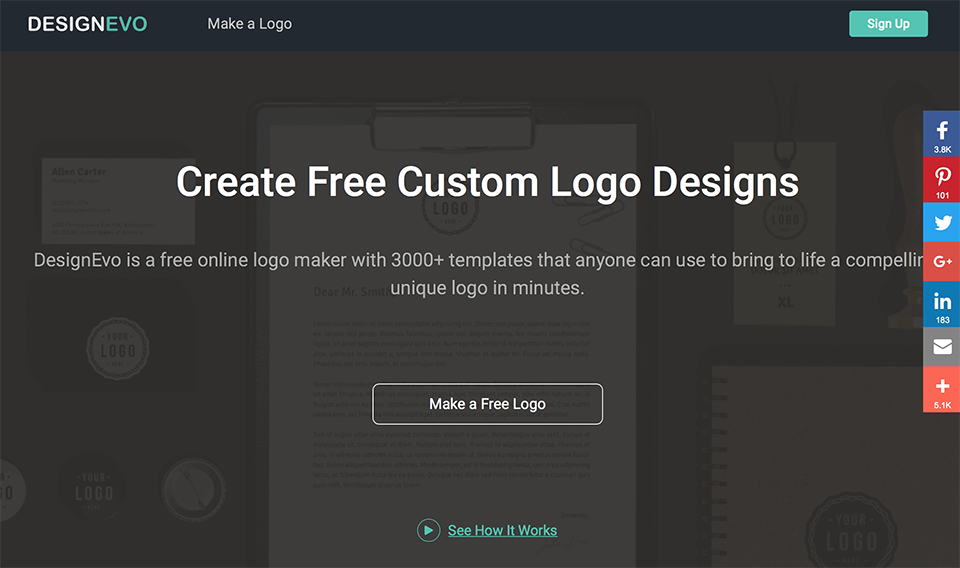
Here are the most important features:
- 3,000+ fully customisable logo templates;
- More than a million icons available;
- Hundreds of text fonts and shapes to choose from;
- A logo is fully customisable with powerful editing tools.
DesignEvo, how does it work?
It is not all that complicated. Go to designevo.com, click on 'Make a logo for free' and you can start creating your logo straight away.
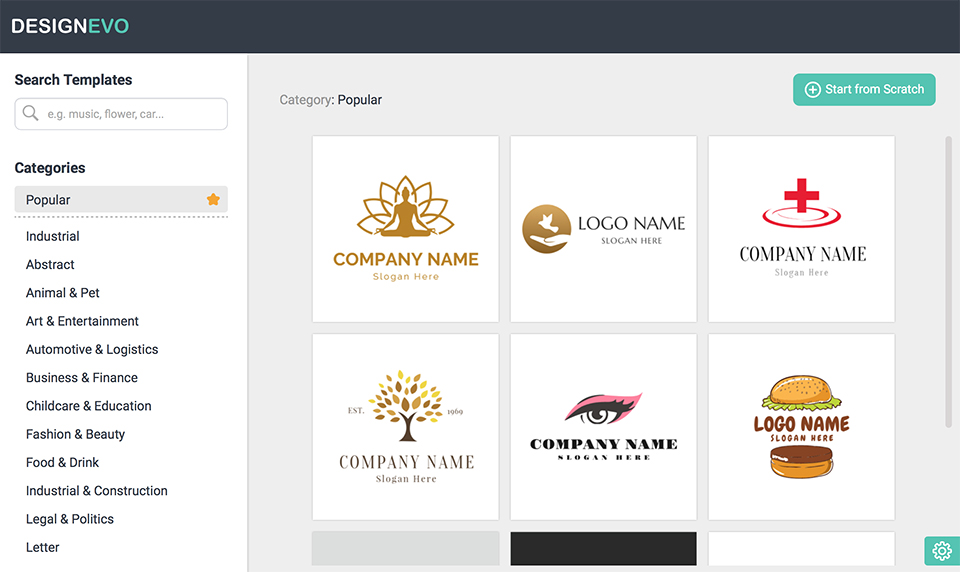
You will now see a white canvas, with the option to add icons, text and shapes on the left of the screen. When you select an item, it is immediately transferred to the canvas. You can then play around with its position, colour and shape.
With DesignEvo, you can design more than just logos. You can just as easily create simple banners or buttons. Once your design is ready, you can download it to your computer.
You will get a zip file containing, among other things, a JPG and a PNG file. The PNG is useful because it allows you to create a transparent background.
It is free to use. You are asked to give credit if you use it on social media or on your blog.
Is it useful?
There are already plenty of graphic web tools available, of course. DesignEvo focuses solely on creating logos and small banners, though. Overall, the options are somewhat limited.
It works simply and intuitively, but you have to do everything yourself. So you cannot make your own changes to an existing template.
It is also not possible to upload your own files to DesignEvo. So if you were hoping to incorporate a logo into a banner or something similar, you will be disappointed.
One final disadvantage: you can create as many free logos as you like, but you cannot save them, for example to edit them again later. Not even if you create an account first.
You can create an account if you want, but you can use DesignEvo without any problems without an account. I still do not understand what the point of such an account is.
You should take DesignEvo for what it is: a simple online tool for quickly designing logos and other basic graphics without any knowledge.
About the author
Michelle Peeters is fotografe en oprichter van DeuxBleus Fotografie. Michelle herkent het bijzondere in het gewone en het gewone in het bijzondere. Ze heeft zich nooit willen specialiseren en is daardoor van alle markten thuis.
You might also like
-
 What hobby photographers often fail to realise
by Huub Keulers
-
 Review: FlexClip video maker
by Michelle Peeters
-
 Sensible or silly? A camera for your hobby and holidays
by Nando Harmsen
-
 Sony FE 8-14mm f/3.5 Fisheye G lens
by Elja Trum
-
 LuminarAI will edit your photos for you
by Elja Trum
5 comments
-
 Huub wrote on Thursday 4 January 2018 at 11:01 | reply
A good logo isn't quite as easy as many people think. What I always find interesting in this regard are the stories behind world-famous logos. There's a lot to be found about this on the internet; this one, for example.
Translated from Dutch. -

 lisadoorn wrote on Tuesday 22 May 2018 at 19:58
| reply
Hi Michelle,
Translated from Dutch.
Interesting article. I myself am not familiar with Designevo yet. It looks a bit like freelogoservice. By the way, there are more and more of those tools nowadays for creating a free logo. I myself use a Dutch-language version of eigenwebsite; You do often see that you have to pay a small amount when you want to download the logo in high resolution after creating it.
So it isn't completely free, but it is fun to try out designing a logo yourself for free in such a tool, or just to get a bit of inspiration
Best,
Lisa -
 Jeroen
wrote on Tuesday 11 September 2018 at 11:03
| reply
Hi Michelle,
Translated from Dutch.
Designevo is indeed an interesting and good program. I also spent some time messing around with it. And of course, this one isn't completely free either, because as soon as it gets a bit interesting, you have to pay again.
In the end, I chose to have the logo designed by someone who has experience in the industry I work in. Just look through the portfolio of the designer in question and that way you get a feeling yourself of whether they can help you. For example, I really wanted a logo with a hidden message and then came across this nice blog with logos with hidden messages. In the end it wasn't feasible for me, but it was interesting nonetheless.
Do make sure to brief them properly beforehand on exactly what you want. Preferably entirely in plain language, because that way you don't have to keep communicating back and forth. -
 Michelle Peeters wrote on Tuesday 11 September 2018 at 12:05
| reply
Nice tip, thanks for sharing Jeroen!
Translated from Dutch. -
Have your say
Please note: Articles older than a week can only be commented on by signed-in visitors.Would you still like to comment? sign in or create a free account.
Become a better photographer every week
A practical photography tip in your inbox every week.
38,764 photography enthusiasts already receive the tips! More about the weekly mail. Or keep up to date via  Facebook.

Elja Trum
Photofacts; everything to do with photography!
Would you like to take better photos and keep up with what is happening in photography? Photofacts publishes articles that teach you something about photography — from a product announcement to a practical shooting tip or a look at a website. Photofacts covers photography every day and is a hobby project of Elja Trum's that got out of hand. The articles are written by a team of volunteer authors. If you would enjoy writing one or more articles for Photofacts, do get in touch.More about PhotofactsPhotofacts is made possible in part by
