

Black and white photography tip: set your camera to monochrome
Thursday 4 June 2020, 13:26 by Nando Harmsen | 9,180 views | 4 commentsThis article was translated from Dutch with the help of AI. Read the original.
Black and white photography is what it all started with. Later, colour came along and black and white photography was pushed into the artistic corner. It became a type of photography practised by a small, select group.
In the digital world, black and white is used in two ways. Firstly, by photographers who convert a "failed" colour photo to black and white with the idea of making it artistic, in order to save the photo after all. These are also the photographers who often show a photo both in colour and black and white, asking which one is best.
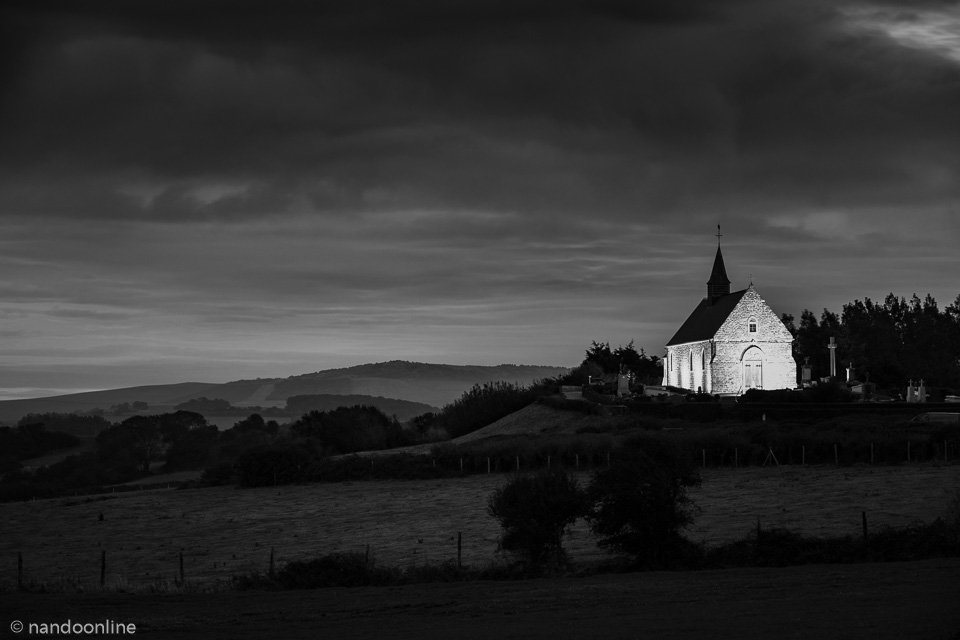
Secondly, black and white is used by photographers who actually photograph in black and white because it is their preference. The black and white is a conscious choice, not a remedy for a mediocre colour photo.
For black and white, digital photography has effectively become a solution. When you photograph in RAW, you always have the colour information available, and you can always choose to present the photo in colour or black and white. But this is not the biggest advantage for the black and white photographer. That is the ability to actually view the scene in black and white.
Set your camera to black and white
By setting your camera to black and white via a profile, picture style or film simulation, you can actually view the scene in black and white. This lets you see contrasts, dark and light, more clearly, and you are no longer distracted by colours. It helps you build the composition better.
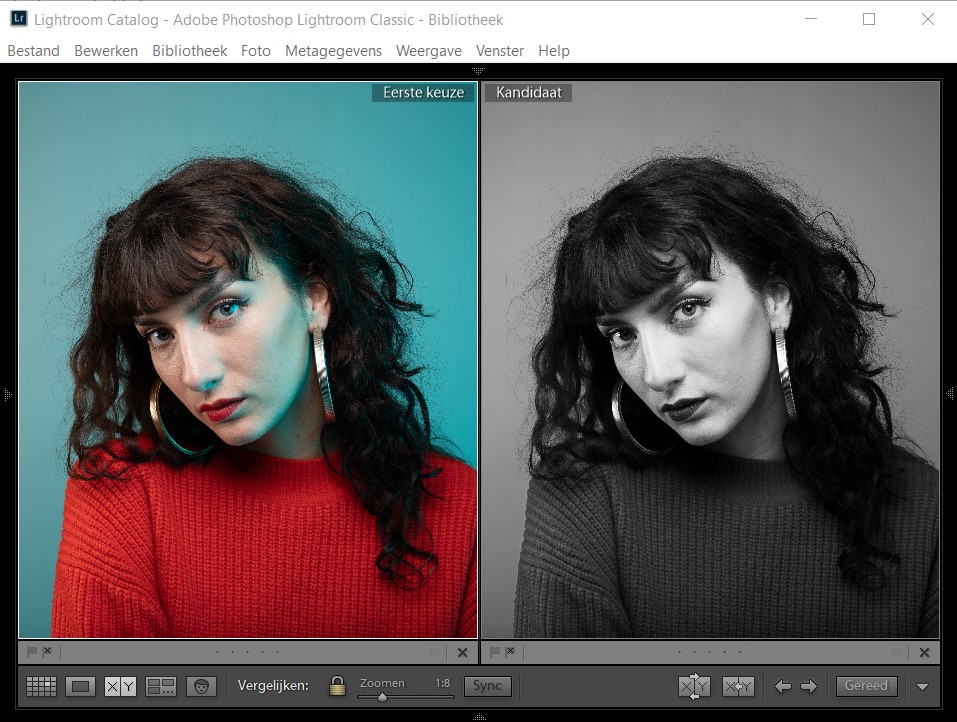
With an SLR camera, this works well because you see the photo in black and white on your LCD screen afterwards, or immediately when photographing with live view. For the mirrorless camera user, this is even easier because the image in the electronic viewfinder will already be in black and white before you take the photo.
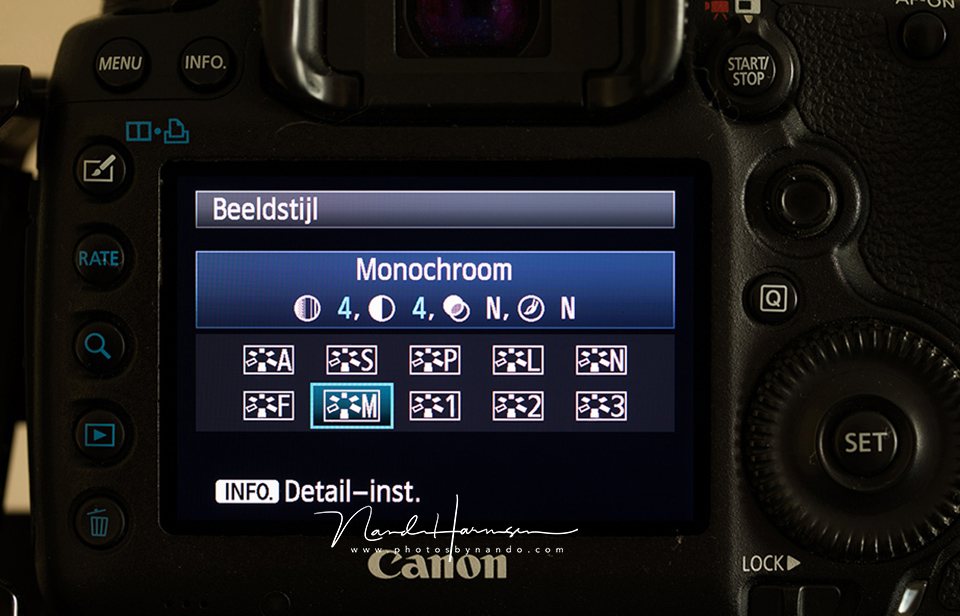
The condition is that you photograph in RAW, so that you can retain the colour information. This means you can still choose colour later during post-processing. But RAW is of course not compulsory. You can also photograph in JPEG and consciously choose black and white. The choice is yours.
About the author
Nando Harmsen has been photographing for more than 40 years. He specialises in wedding photography and landscape photography. Nando also gives talks, workshops, masterclasses and photo trips, and regularly reviews new and interesting equipment.
You might also like
-
 How do you find a photography style?
by Frank Doorhof
-
 How to find your photographic style
by Elja Trum
-
 Ricoh announces the GR IV Monochrome camera
by Nando Harmsen
-
 Leica Q3 Monochrom announced
by Elja Trum
-
 Have Polaroid-style photo cards printed on paper
by Elja Trum
4 comments
-

 ErikvanRosmalen
wrote on Thursday 4 June 2020 at 15:28
| reply
ErikvanRosmalen
wrote on Thursday 4 June 2020 at 15:28
| reply
Good story Nando. Although I would still always shoot in RAW. Not to be able to share both color and black-and-white, but so that you have more options afterwards in the black-and-white conversion.
Translated from Dutch.
Even better tip: shoot on black-and-white film
-
 Nando
wrote on Thursday 4 June 2020 at 17:31
| reply
Nando
wrote on Thursday 4 June 2020 at 17:31
| reply
Thank you Erik,
Translated from Dutch.
I would also always recommend RAW, for the same reason you mention. But not everyone wants that, and I mainly see Fujifilm users who like to use one of the well-known film simulations in the camera.
The most important thing is that you do it your own way. That can also be black-and-white film.
Seems like a cool idea to do that again. But then with a darkroom, and I don't have one of those either.
-
ErikvanRosmalen
wrote on Thursday 4 June 2020 at 19:30
| reply
I don't have a fully private darkroom either - I can develop at home, though. I do my printing (and in practice most of my developing) in the darkroom at the Arts Centre in Waalwijk. But I can wholeheartedly recommend the film to you!
Translated from Dutch. -
Have your say
Please note: Articles older than a week can only be commented on by signed-in visitors.Would you still like to comment? sign in or create a free account.
Become a better photographer every week
A practical photography tip in your inbox every week.
38,886 photography enthusiasts already receive the tips! More about the weekly mail. Or keep up to date via  Facebook.

Elja Trum
Photofacts; everything to do with photography!
Would you like to take better photos and keep up with what is happening in photography? Photofacts publishes articles that teach you something about photography — from a product announcement to a practical shooting tip or a look at a website. Photofacts covers photography every day and is a hobby project of Elja Trum's that got out of hand. The articles are written by a team of volunteer authors. If you would enjoy writing one or more articles for Photofacts, do get in touch.More about PhotofactsPhotofacts is made possible in part by
