

True colours or your own colour palette?
Sunday 4 October 2026, 16:32 by Nando Harmsen | 850 views | 2 commentsThis article was translated from Dutch with the help of AI. Read the original.
When you take a photo, the colours are determined by what is there. But the camera also renders colours in its own way. The final result comes with the editing. How realistically do you render your colours?
Colours are rarely rendered perfectly. A camera does not just record them, all the hardware and software determine how those colours are rendered in a photo. You have the final say in this.
If you photograph in jpeg, the colours are determined by the chosen camera profile. This amounts to processing programmed into the camera by the manufacturer.
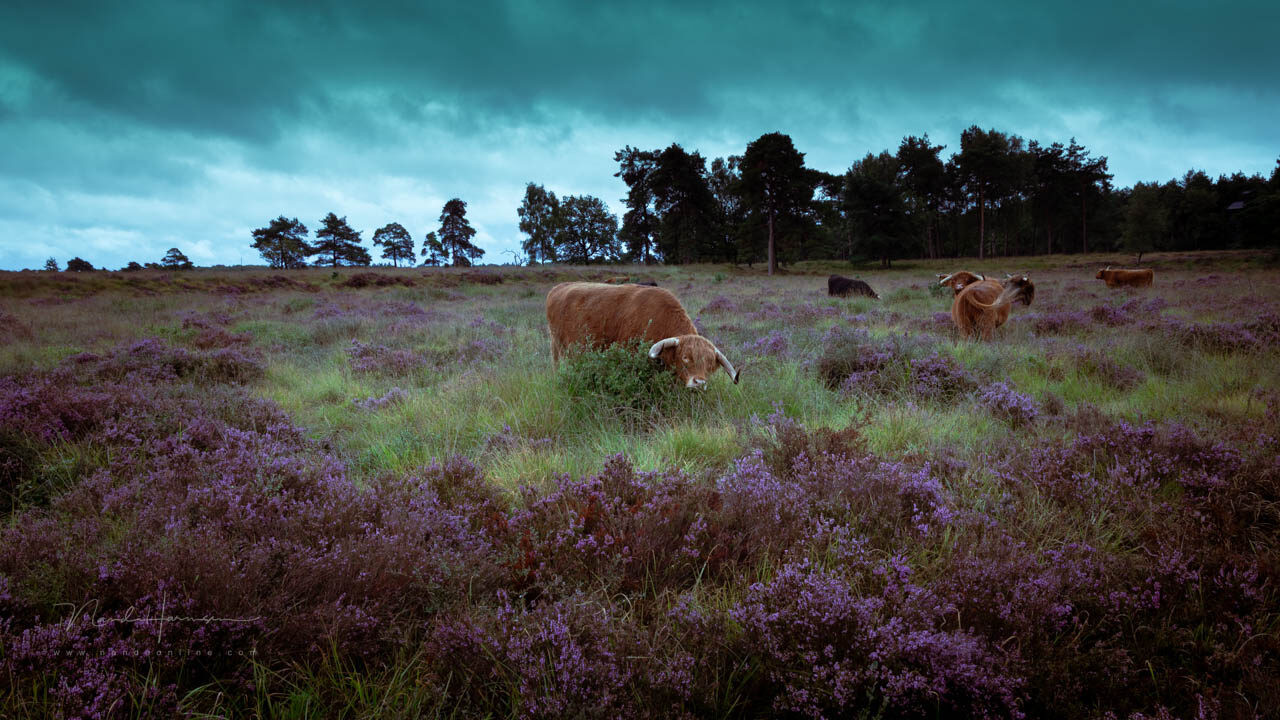
Colour grading. A touch of my own, completely to taste. You either love it, or you don't.
The raw photographer has control over the colours that appear in the photo. With editing, you have control over colour temperature and saturation. Camera profiles can also be selected.
Every setting can and will affect the colour in the photo. The extent to which this happens depends on your preferences. Among other things, it gives you the option of matching reality as closely as possible.
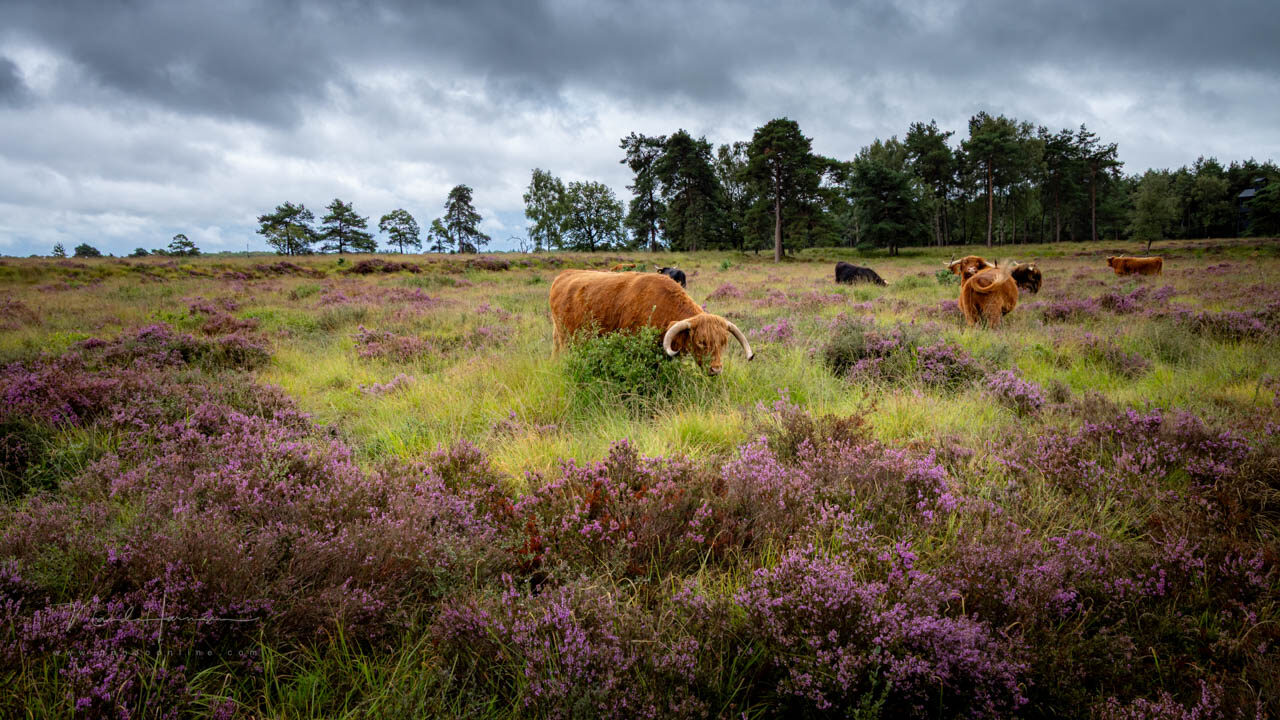
As close to reality as possible, coloured only by my memories. - f/11, 1/125s, 400 ISO @ 24mm
It soon becomes clear that this is subject to your memory of the moment. That memory is coloured, in the literal sense. But it is also a matter of taste.
Do you keep the colours as close as possible to what you remember? Or do you manipulate the colours to give the photo its own atmosphere or appearance? Will you start using colour grading?

Colour grading wheels in Lightroom Classic. You can also use presets.
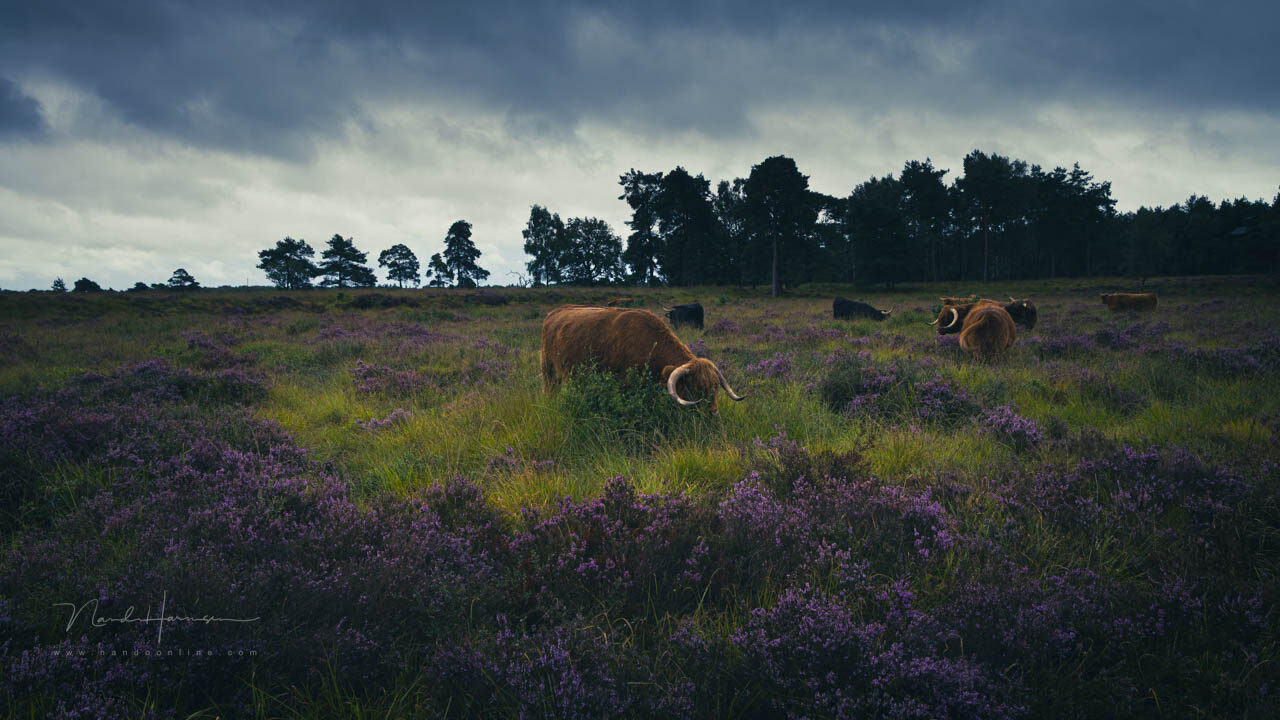
Maybe this is your taste?
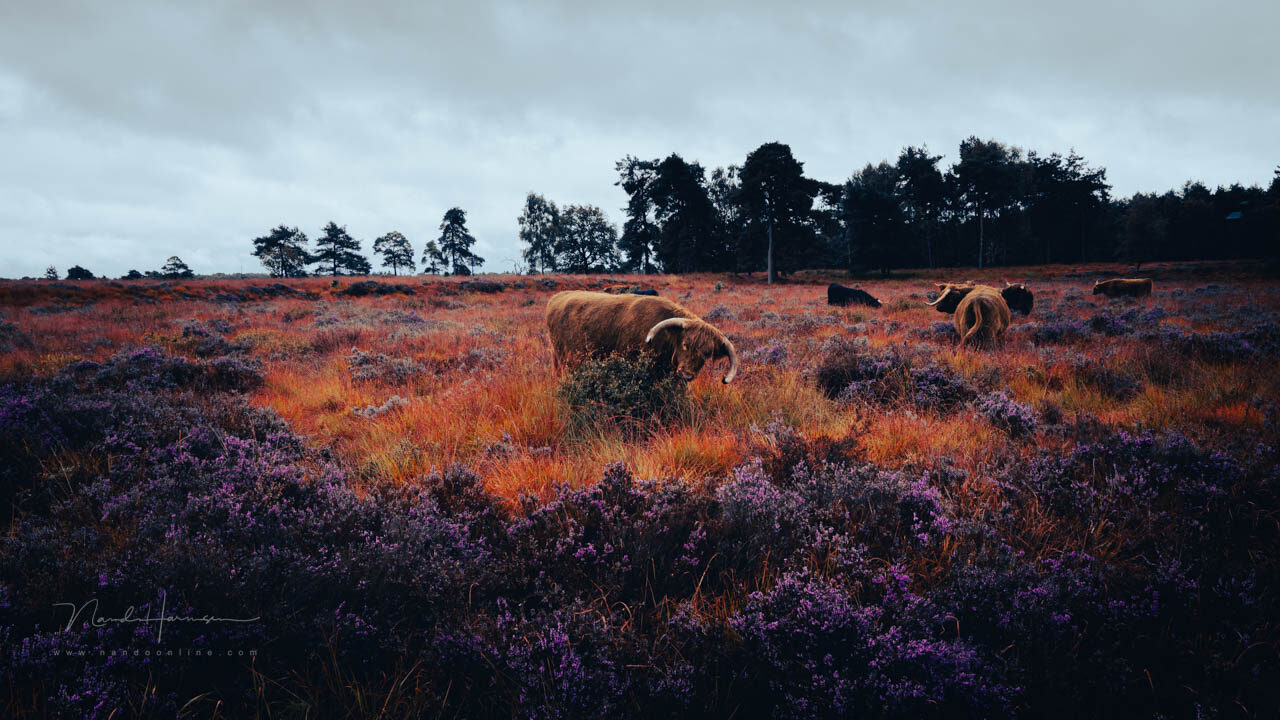
A distinctive, atmospheric look. Or perhaps it is not your taste at all.
Colour grading means giving the highlights, shadows and midtones their own 'colour cast'. It is popular in video and films. You also see it a lot in photography.
You can create your own colour grading, or use presets. Hundreds are available to download. Many programmes already include plenty of them, such as Luminar, Photoshop and DXO FilmPack.
Do you prefer to see colours that match reality, as you remember the moment? Or do you appreciate an atmospheric colour palette? Let us know in a comment below this post.
About the author
Nando Harmsen has been photographing for more than 40 years. He specialises in wedding photography and landscape photography. Nando also gives talks, workshops, masterclasses and photo trips, and regularly reviews new and interesting equipment.
You might also like
-
 Everyone photographs in raw, there are no exceptions
by Nando Harmsen
-
 Keep an overview: don't make JPEGs of your RAW files
by Nando Harmsen
-
 Which Colour Profile Should You Use for Your Photos?
by Nando Harmsen
-
 10 tips for photographers who prefer shooting JPEG
by Nando Harmsen
-
 Is there a reason to save both raw and jpeg?
by Nando Harmsen
-
 How to handle JPEGs and prevent quality loss
by Nando Harmsen
2 comments
-
 IYJM Gommers-Bergmann wrote on Tuesday 6 October 2026 at 12:50 | reply
In principle, I try to stick to reality as much as possible in my landscape photos. If you turn up the saturation (for example) just a little too much, the photo looks unnatural to me. The same applies if you replace the sky. On the other hand, I can imagine that with a portrait photo you might want to change the background (color), because the person comes into their own better that way. In general, it is up to each person what he/she does or does not find beautiful.
Translated from Dutch. -
 Donald Willemsen wrote on Wednesday 7 October 2026 at 22:55 | reply
Color is often a subjective matter. One person wants a color to look as you see it in reality and the other likes seeing saturated colors.
Translated from Dutch.
What strikes me is that many people find the colors of postcards very beautiful and when they look at photos, they also like those saturated colors. If it deviates, they no longer look.
As a photographer or photographic artist, you want to fill in the colors in a photo according to your own taste and experience. You mainly take photos for yourself, but of course not to put them in the cupboard or leave them sitting pointlessly on the PC.
You also want to show them to the general public (usually via social media). Possibly even to be able to earn something from them.
I personally believe that you should reproduce the colors as naturally as possible.
There is one exception and that is if you want to deal with colors in a more creative way and, for example, apply solarization. There are of course more creative possibilities.
Have your say
Please note: Articles older than a week can only be commented on by signed-in visitors.Would you still like to comment? sign in or create a free account.
Become a better photographer every week
A practical photography tip in your inbox every week.
38,983 photography enthusiasts already receive the tips! More about the weekly mail. Or keep up to date via  Facebook.

Elja Trum
Photofacts; everything to do with photography!
Would you like to take better photos and keep up with what is happening in photography? Photofacts publishes articles that teach you something about photography — from a product announcement to a practical shooting tip or a look at a website. Photofacts covers photography every day and is a hobby project of Elja Trum's that got out of hand. The articles are written by a team of volunteer authors. If you would enjoy writing one or more articles for Photofacts, do get in touch.More about PhotofactsPhotofacts is made possible in part by
