

What is the Comments tab in Lightroom Classic for?
Thursday 20 October 2022, 20:20 by Nando Harmsen | 3,430 views | 2 commentsThis article was translated from Dutch with the help of AI. Read the original.
Have you ever looked at the Comments tab in the Library module of Lightroom Classic? You will often see the message Comments not supported.
That is odd, because wouldn't it be useful to add comments to a photo? In this article, I show you what it is for.
What use is a Comments field in your Lightroom Classic catalogue if you cannot do anything with it?
I once thought it would be a good way to write information about your photo. But unfortunately, that does not work. The only thing you will ever see in that field is "Comments not supported."
If there is no support for it, what are you supposed to do with it? Why is it there? I decided to look into it, and what do you know? It is for viewing comments and likes from a published photo in Lightroom Classic.
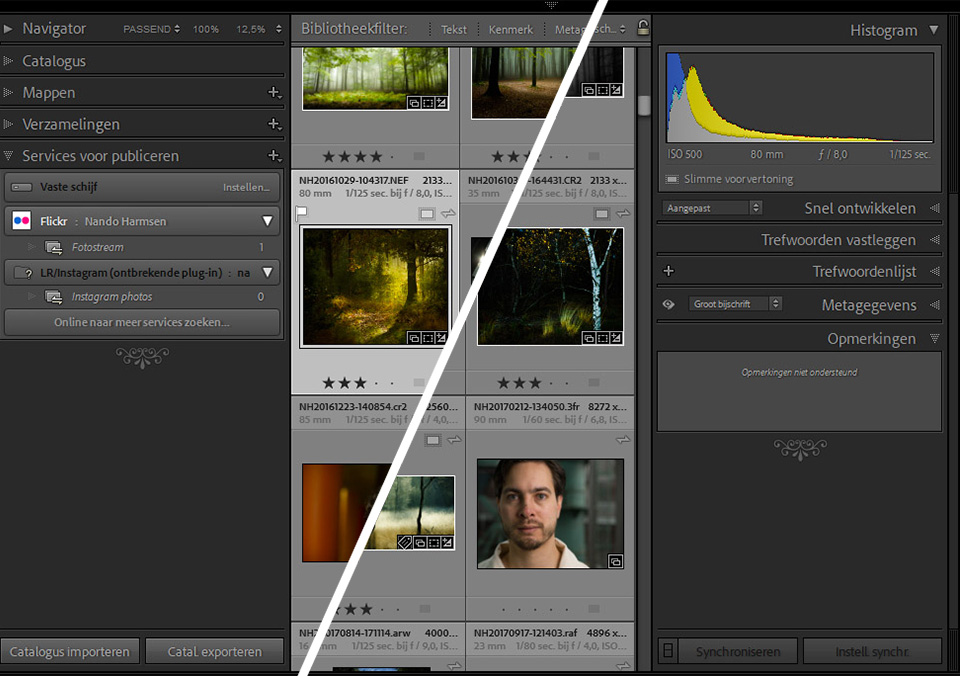
To find out how this works, take a look at the Publishing Services on the other side of your screen. You have undoubtedly looked there before, and probably did not do much with it.
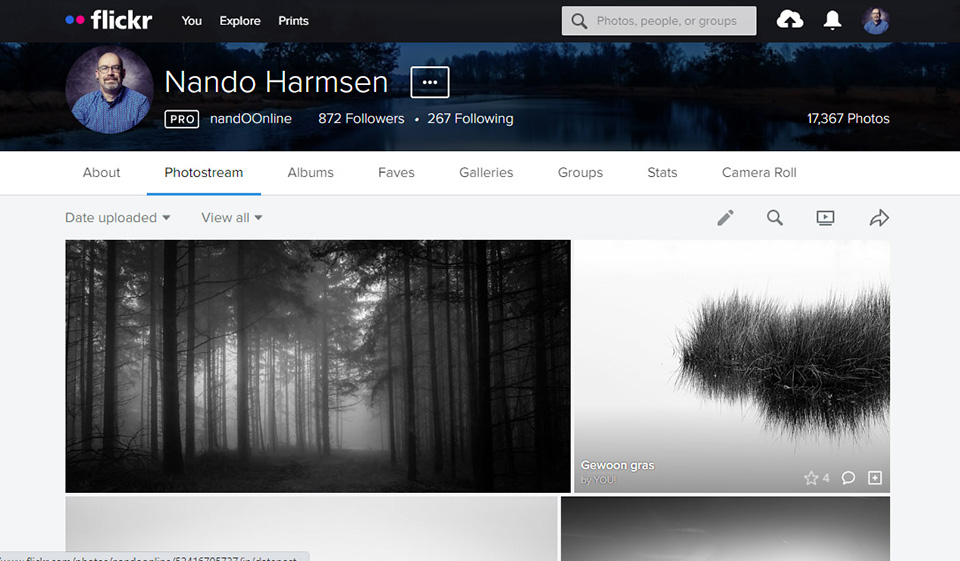
One of the services listed is Flick-r, the photo community site that has been around for many years. You may even have an account. I certainly do, and have done for many years.
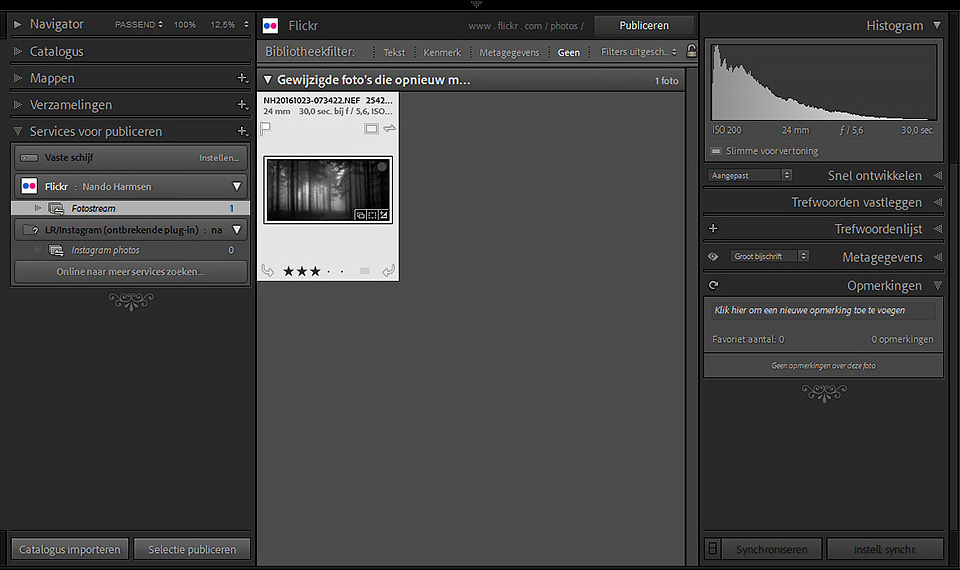
You can sign in to Flick-r in Lightroom Classic, and then automatically publish photos to this community. Only the photos you want, of course. Set the size and a watermark, and create an album. At your command, Lightroom Classic will then publish this photo to Flick-r.
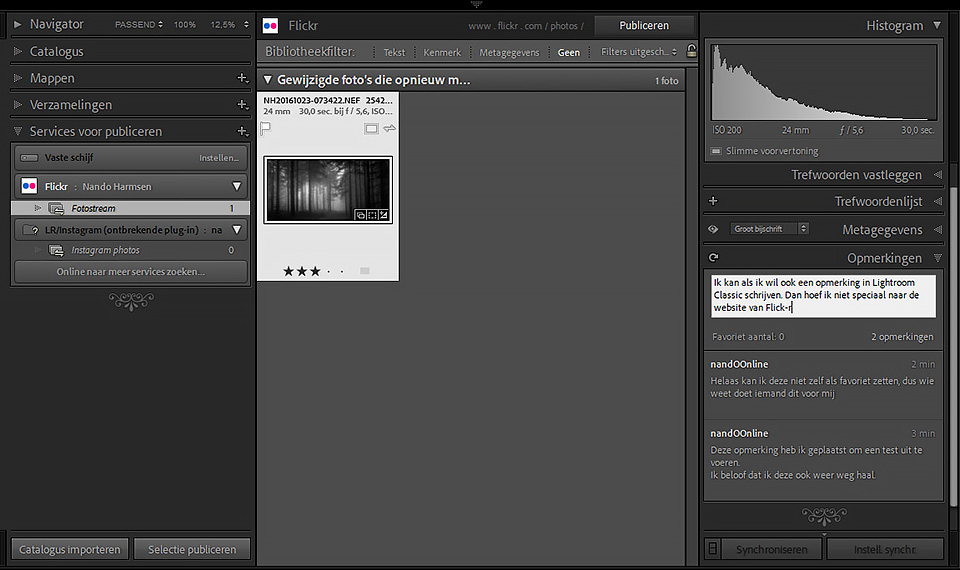
Once you have done that, you will see that the Comments tab suddenly contains more information. In fact, you can now add comments if you want. If you receive comments on your photo on Flick-r, and get likes, you will now see them in the Comments tab.
This lets you see very easily, per photo, what activity there is on Flick-r from within Lightroom. You do not need to go to Flick-r to see it. That makes it easier, and also lowers the barrier to being active on this photo community site.
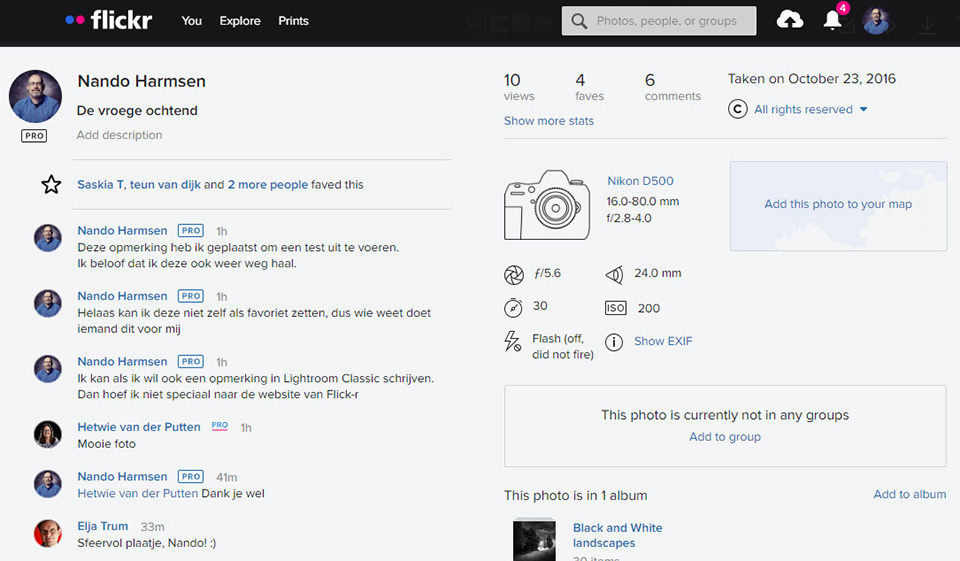
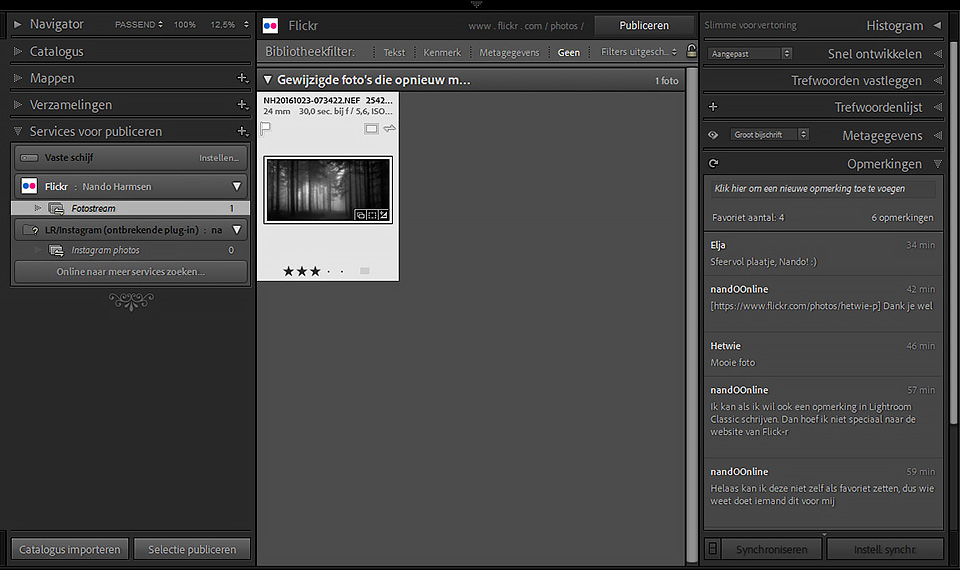
There are some limitations, unfortunately. You cannot reply to a comment. And you cannot import albums and photos that are already on Flick-r here, or make them visible in another way. Only the photos from the moment you start using it will appear here.
There are not many services like this available. You can add SmugMug, but that is also owned by Flick-r.
There is a Facebook publishing tool and an Adobe Stock publishing tool, which can be useful if you use them. In any case, they make it easy to place photos on these sites.
Do you use the publishing tools in Lightroom Classic? Did you know that the Comments field also becomes available from that moment? Let me know in a comment below this post.
About the author
Nando Harmsen has been photographing for more than 40 years. He specialises in wedding photography and landscape photography. Nando also gives talks, workshops, masterclasses and photo trips, and regularly reviews new and interesting equipment.
You might also like
-
 Presets in Lightroom Classic
by Nando Harmsen
-
 5 tips to customise Lightroom Classic
by Nando Harmsen
-
 What's new in the Lightroom Classic 13 update?
by Nando Harmsen
-
 A new update for Lightroom Classic
by Nando Harmsen
-
 Automate your Lightroom Classic imports
by Nando Harmsen
-
 How do you get started with Lightroom Classic?
by Nando Harmsen
2 comments
-

 foxhusky
wrote on Tuesday 25 October 2022 at 15:11
| reply
foxhusky
wrote on Tuesday 25 October 2022 at 15:11
| reply
Small correction: Flickr is not owned by SmugMug, but the other way around. Flickr originally belonged to Yahoo! and was acquired by SmugMug in 2018. And why do you actually write Flickr with a hyphen?
Translated from Dutch.
I myself have had a website via SmugMug for many years. I also had an account with Flickr for many years, but not anymore. Uploading via Lightroom may be convenient, but I have never done it. For the comments, it is better to view them on the Flickr website, where you can immediately also view other people's accounts and photos and get lots of inspiration that way. -
 Nando
wrote on Tuesday 25 October 2022 at 15:36
| reply
Nando
wrote on Tuesday 25 October 2022 at 15:36
| reply
@Foxhusky:
Translated from Dutch.
I say that SmugMug is OWNED by Flickr. But maybe I should have phrased this more clearly by saying that SmugMug belongs to Flickr. That prevents this kind of confusion.
You are absolutely right about comments. It's nice that this can be done via Lightroom, but it's totally impractical. It's better to just go and look on the site.
Posting directly from LrC is useful, though.
Have your say
Please note: Articles older than a week can only be commented on by signed-in visitors.Would you still like to comment? sign in or create a free account.
Become a better photographer every week
A practical photography tip in your inbox every week.
39,077 photography enthusiasts already receive the tips! More about the weekly mail. Or keep up to date via  Facebook.

Elja Trum
Photofacts; everything to do with photography!
Would you like to take better photos and keep up with what is happening in photography? Photofacts publishes articles that teach you something about photography — from a product announcement to a practical shooting tip or a look at a website. Photofacts covers photography every day and is a hobby project of Elja Trum's that got out of hand. The articles are written by a team of volunteer authors. If you would enjoy writing one or more articles for Photofacts, do get in touch.More about PhotofactsPhotofacts is made possible in part by
