

Sony cameras can be used as webcams with new software
Friday 21 August 2020, 10:01 by Antonette de Groot | 4,780 views | 1 commentThis article was translated from Dutch with the help of AI. Read the original.
Do you have a Sony camera that appears on this list on the download page? Then there is good news! You can now use it as a webcam with the free Imaging Edge Webcam software and a USB cable.
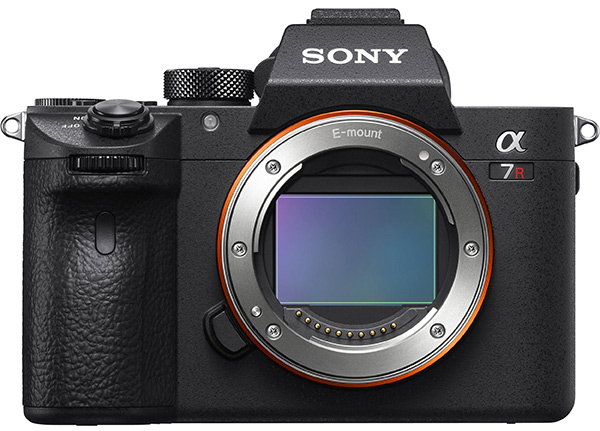
Until now, did you need a Camlink or switch, or did you use solutions such as the free OBS studio? From now on, you can also use your camera as a webcam without those methods, in decent quality, 1024 by 576 pixels, via services such as Zoom.
The main advantage is, of course, that you do not need to buy a separate webcam and that you get a webcam with much higher image quality. This lets you attend your Zoom meetings with beautiful background blur and good lighting.
For now, it is only available for Windows 10. Officially, nothing is known yet about a Mac OS version. You can find more information here.
You can find all the instructions in English on this page.
It is important, just as when tethered shooting, to turn off 'control with smartphone' and turn on the PC remote function. After installing the software, you can choose the Sony Webcam option in the webcam settings of the service you use.
About the author
Antonette vindt veel facetten van fotografie leuk. In haar eigen studio Amfion fotografie maakt ze vooral portretten en geeft ze ook workshops. Getrouwd met Johan en moeder van Ghislaine. Hier op photofacts schrijft ze graag doe-het-zelf artikelen en productreviews.
You might also like
-
 Review: Sony A7R V mirrorless camera
by Nando Harmsen
-
 Sony introduces the new ZV-E10 vlogging camera
by Nando Harmsen
-
 Review: Sony ZV-E10 vlog camera
by Nando Harmsen
-
 Review: Sony ZV-E1
by Antonette de Groot
-
 Review: Sony A7 IV
by Nando Harmsen

1 comment
-
 Ruud wrote on Tuesday 25 August 2020 at 15:56 | reply
Disappointing implementation.... unfortunately.
Translated from Dutch.
I tested the software, and unfortunately the maximum resolution is limited to 1,024 × 576 Pixels. That is a quarter of what you need for FHD. For disappointing and also hardly any better in terms of noise than the built-in cameras of tablet and laptop. Not to mention that sound is not passed through by the app. So you are dependent on the internal microphone of your tablet or laptop.
Have your say
Please note: Articles older than a week can only be commented on by signed-in visitors.Would you still like to comment? sign in or create a free account.
Become a better photographer every week
A practical photography tip in your inbox every week.
38,982 photography enthusiasts already receive the tips! More about the weekly mail. Or keep up to date via  Facebook.

Elja Trum
Photofacts; everything to do with photography!
Would you like to take better photos and keep up with what is happening in photography? Photofacts publishes articles that teach you something about photography — from a product announcement to a practical shooting tip or a look at a website. Photofacts covers photography every day and is a hobby project of Elja Trum's that got out of hand. The articles are written by a team of volunteer authors. If you would enjoy writing one or more articles for Photofacts, do get in touch.More about PhotofactsPhotofacts is made possible in part by
