

Switching to the Mac Studio or not? Part 3 - the decision
Saturday 15 October 2022, 20:02 by Nando Harmsen | 4,688 views | 10 commentsThis article was translated from Dutch with the help of AI. Read the original.
I have been happily using a Windows computer for many years. Why not Apple? Simply because it is too expensive.
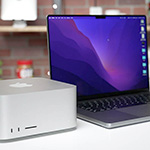
But the Mac Studio may have brought a turning point. In this third article, I explain my decision on whether or not to switch from Windows to Apple, and why.
I wrote about my idea of switching to an Apple Mac Studio in part 1. This was followed up in part 2, where I considered the possibilities in more detail. This is the third and final part, of course including my decision.
In fact, I had two decisions to make. The first decision was, of course, whether or not to switch to an Apple machine with that new M1 Max chip. The second decision would come if I chose to switch: a MacBook or a Mac Studio.
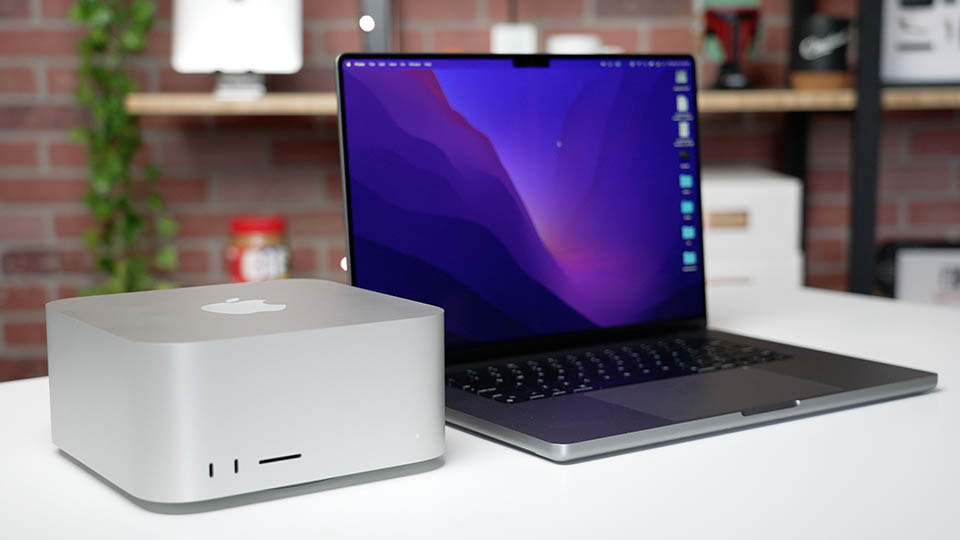
Although that second decision would only come up if I chose Apple, I still felt it was important for the first decision. After all, if a laptop turned out to be the best choice, it would mean a 30% increase in price. Not something to ignore.
Speaking of costs, as you could read in part 2, the new investment would be between three and four thousand euros for a Mac Studio or a MacBook respectively.
A fair amount that, even as a business investment, cannot simply be produced out of thin air.
The current situation
What do I have now? As you read in part 2, I have a Dell XPS computer with an i9-9980HK CPU running at 2.40 GHz, 32 gigabytes of RAM and a 1 terabyte SSD.
I have a Thunderbolt connection with a Direct Attached Storage (DAS) system connected to it, with 24 terabytes of storage. My monitor is an Eizo CG2700S running at 1440p, perfect for a 27-inch screen.
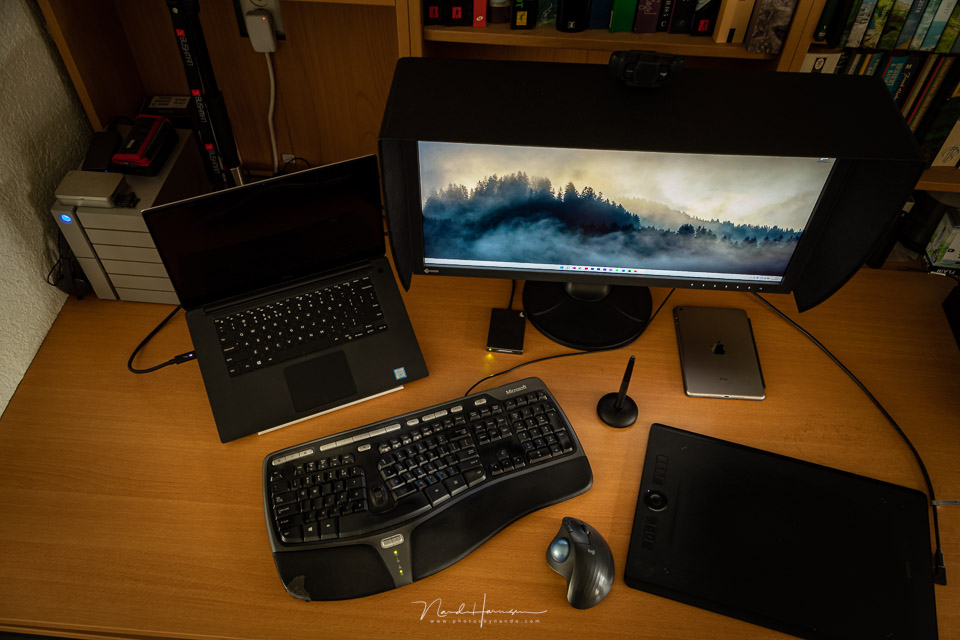
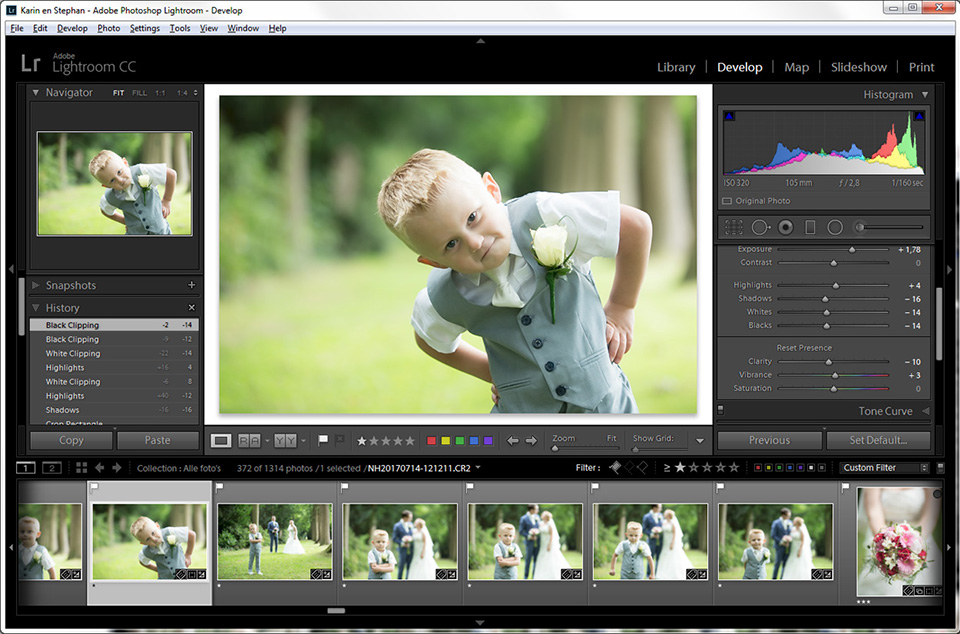
Photo editing in Lightroom Classic and Photoshop works smoothly and flawlessly. There is some waiting time, but that is normal with a Lightroom Classic catalogue containing 150,000 images.
For video editing, the computer struggles to edit 4K footage in Adobe Premiere Pro. I solve this simply by working with proxies, which makes everything run smoothly after all. Rendering videos is not extremely fast, but fast and smooth enough.
I can take the laptop with me to my talks and lectures, where it can run on battery for a whole evening without me having to plug it back in. I plug in an HDMI cable and it works flawlessly.
Advantages and disadvantages of a Mac Studio
If I am to believe the many reactions, there is nothing wiser than switching to Apple. Everything seems to be better, if you believe the Apple fans.
It takes some searching before you can find the more critical views of this system. It is not all roses and sunshine, just as it is not with a Windows system.
Many of Apple's disadvantages seem to be due to the company's stubborn position. Apple optimises the system as much as possible for its own peripherals, but not for peripherals from other manufacturers.
Sometimes it even seems to work against you, forcing you to choose Apple for everything.
A good example is the screen resolution, where a 1440p 27-inch screen is driven properly, while a 2160p 27-inch screen puts a significant load on the system.
However, it forces you to choose Apple's monitors with a different screen resolution.
Other peripheral systems can also cause problems, so you have to look very critically before buying something that is not made by Apple. If you switch without thinking it through, it could lead to considerable additional investments.
Once everything is in order, the system works fantastically, of course, of that I am convinced. And what is the major advantage of a Mac Studio over the system I currently use? The speed when editing video, and to a lesser extent Lightroom Classic.
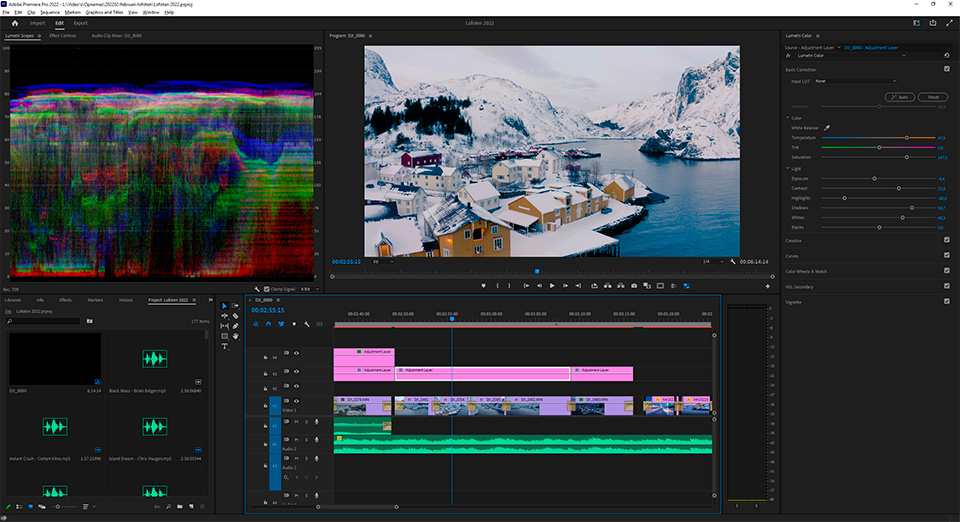
Only when I switch from Adobe Premiere Pro to Apple's own video software can I make optimum use of the increase in speed, although I have learned that even that software does not make maximum use of the system's actual speed.
My decision
I think you can already guess what my decision was. I will simply continue using my current system and will not switch to Apple.

Although the Mac Studio is a fantastic system, I feel it focuses too much on a complete Apple environment with Apple peripherals. Other brands do work with it, but far from always as well.
Call it Apple's fault or the fault of the other brands, I do not mind. It is what it is, regardless of where the cause lies.
And that means I run the risk of having to make even larger investments to make (almost) full use of the Apple system's increase in speed.
For now, I have a flawlessly working system that is fast, works smoothly with all my peripherals, is flexible, and will continue to do so for a number of years.
When I notice that the system no longer meets my needs, it will be time to choose a new system. By then, I can consider the options again.
I would like to thank everyone for their thoughts and opinions, advice and help in making this decision.
About the author
Nando Harmsen has been photographing for more than 40 years. He specialises in wedding photography and landscape photography. Nando also gives talks, workshops, masterclasses and photo trips, and regularly reviews new and interesting equipment.
You might also like
-
 Switching to the Mac Studio or not? Part 1
by Nando Harmsen
-
Switching to the Mac Studio or not? Part 2
by Nando Harmsen
-
 Review: Eizo CS2740 ColorEdge 4K monitor
by Elja Trum
-
 Review: Eizo ColorEdge CS2400S 24-inch monitor
by Nando Harmsen

10 comments
-
 Jacqueline Boekelman wrote on Tuesday 18 October 2022 at 10:57 | reply
Dear ,
Translated from Dutch.
It is indeed true that peripherals do not work well with Apple and Apple has made many of them almost resemble all other computers in their use because that was quite a thing but let's be honest , you do not buy an Apple product to make it work with other peripherals , you are not going to expect that if you buy a Porche , it would drive the same if you put a Fiat engine in it , so those are literally comparing apples with pears but also strange , whoever buys Apple must take everything from that brand to make it work flawlessly .
We namely forget the most important thing Apple was ever designed for and that is indeed , the professional career, so I as an Apple user for years would not even think of buying, let alone consider buying, equipment that does not bear the Apple name , I understand the investment but once set up there is no better system that also lasts for jaaaaaren.
Just switch over with the whole shebang and you will see for yourself that what I am telling you here is true.
Kind regards
Jacqueline Boekelman -
 guest wrote on Tuesday 18 October 2022 at 11:22 | reply
Nando, I can't fault you for not switching to Apple. I won't claim that Apple is bad, but it is certainly expensive and the hassle with peripherals is also an argument. You have an excellent EIZO monitor and I would keep that. As for the PC, I build my own PC myself. First I determine what I'm going to use the PC for and what software I need for that. Then I look at what hardware I need to be able to work smoothly without having to wait an absurdly long time for an edit. Find the hardware components that work well together (motherboard, processor, RAM, ports, SSD, hard drives, etc.) and then you have a well-functioning PC for a reasonable price
Translated from Dutch. -
 Peter wrote on Tuesday 18 October 2022 at 13:17 | reply
After several crashes with Windows and the loss of a lot of data, I switched to Apple a few years ago. I should have done that much earlier. What a relief! We spend a lot of money on photography equipment but preferably less on computers. Incidentally, I doubt that you end up paying much more with Apple. In addition, you're rid of the hassle with third-party brands.
Translated from Dutch.
Greetings and have a nice day everyone.
Peter van Dinther -
 Albert Brunsting wrote on Tuesday 18 October 2022 at 13:20 | reply
I worked with a MacPro problem-free for 12 years, every day. Never had a real problem. So Mac expensive, not at all! Now continuing with the Mac Studio because some apps are no longer supported for updates, e.g. Photoshop. If this one lasts 12 years again, it will once again be a bargain.
Translated from Dutch. -
 Bart wrote on Tuesday 18 October 2022 at 13:54 | reply
The argument that Apple products would be expensive has, in my opinion, already been refuted in an earlier part. You pay a bit more when purchasing, but in return you get high quality and a long lifespan. My iMac is now 12 years old and still runs all apps smoothly, including those from companies other than Apple. Just not the latest versions anymore. But honestly, do you really need Microsoft 365 at home if the Office version from 2019 still works well?
Translated from Dutch.
I have an HP printer, 2 Synology NAS devices that work excellently with the iMac (and MacBook Air from 2018). An LG monitor since recently. No problem choosing the right settings.
A good argument against an Apple could be that it is virtually impossible to make adjustments to the system afterwards.
Finally, I think a kind of fear also plays a role when you are faced with the choice of staying with Windows or switching to macOS. After all, you are used to Windows and then you have to learn a new operating system. That will be a different experience for everyone who makes the switch. My experience: macOS is logically structured. Settings are very easy to find. And everything always works, apart from a very rare exception. I never had those experiences with Windows.
To each their own, then -
 Ron wrote on Tuesday 18 October 2022 at 15:17 | reply
Once you have a Mac you never wanna go back.
Translated from Dutch. -
 Paul wrote on Tuesday 18 October 2022 at 17:50 | reply
I missed the first two episodes, but pretty much everything is in here.
Translated from Dutch.
Apple makes beautiful stuff, but if you already have an (expensive and extensive) set of stuff standing there, (your NAS, your screen) it's not really a difficult choice, whatever the Apple fans may think of it. It simply becomes too expensive, too disruptive and also too difficult.
I took my first PC steps on an Apple myself (1998), when USB was still in its infancy, and most printers still required such a parallel port, that Apple had to have 'scusi', really convenient. The Epson I bought back then had that, plus (hooray!) USB. So when I could switch to a Windows machine a short time later, that printer remained usable. But an example from my own experience, admittedly a lifetime ago, but I know there are still those incompatible things.
If you're starting from scratch, such an M1 Mac is wonderful. -

 Nando
wrote on Thursday 20 October 2022 at 14:38
| reply
Nando
wrote on Thursday 20 October 2022 at 14:38
| reply
@Jacqueline Boekelman:
Translated from Dutch.
I arrive at a very different decision in my considerations. I don't want to be limited by the whims of a supplier when it comes to choosing peripherals. That there is no better system, I dispute that.
@Peter:
There is only trouble with third-party brands when you choose Apple. With my Windows systems, which I've been working with for decades, I've never had any real problems.
@Bart:
Fear plays no role. I already work with an Apple system now and then: so it's not entirely unfamiliar to me. But to say that this is a solution for everything now... Only a hardcore fan would do that. -
Peter wrote on Thursday 20 October 2022 at 14:52 | reply
@ Nando. I don't recognize myself in that at all. I work with Epson, Canon printers and other hardware such as hard drives, fine never any problems. If you don't work with Apple how can you know if there is hassle with third-party brands? But yeah, I don't need to convince you. Just keep happily working with Windows...
Translated from Dutch. -
Ronnie wrote on Thursday 20 October 2022 at 15:59 | reply
So what are the third-party brands then? I use external SSD drives and a NAS server. Also an HP printer and a whole load of USB sticks and memory cards for my photography. For video I work with action cams (2 of them) and 2 external monitors from Eizo and everything just works great. I don't really understand the third-party brands thing. I won't deny that it's pricey, but what I use from Apple here at home wasn't bought “just like that” on a Saturday afternoon either. You slowly build it up over time.
Translated from Dutch.
Have your say
Please note: Articles older than a week can only be commented on by signed-in visitors.Would you still like to comment? sign in or create a free account.
Become a better photographer every week
A practical photography tip in your inbox every week.
38,938 photography enthusiasts already receive the tips! More about the weekly mail. Or keep up to date via  Facebook.

Elja Trum
Photofacts; everything to do with photography!
Would you like to take better photos and keep up with what is happening in photography? Photofacts publishes articles that teach you something about photography — from a product announcement to a practical shooting tip or a look at a website. Photofacts covers photography every day and is a hobby project of Elja Trum's that got out of hand. The articles are written by a team of volunteer authors. If you would enjoy writing one or more articles for Photofacts, do get in touch.More about PhotofactsPhotofacts is made possible in part by
