

Review: Eizo CS2740 ColorEdge 4K monitor
Friday 23 October 2020, 14:41 by Elja Trum | 12,805 views | 6 commentsThis article was translated from Dutch with the help of AI. Read the original.
As a photographer, it's important to be able to properly assess your photos. You want to be sure that the colours you see are correct. For that, you need a good monitor. I tested the professional Eizo CS2740 ColorEdge monitor.
I've been a fan of Eizo monitors for years. They are simply very good in terms of image quality. The price is at a corresponding level, though. So the obvious question is whether this monitor is worth the money. That's why I tried out this 27-inch 4K monitor for a few weeks.
Also watch the promo video below from Eizo about this monitor to get an impression.
Eizo CS2740 specifications
- 26.9-inch screen size (68.4 centimetres)
- 4K UHD (2840 by 2160 pixels, 164 pixels per inch)
- Display panel: IPS (Wide Gamut)
- 99% Adobe RGB colour space
- 16-bit Look-Up Table and 10-bit colour display
- Built-in USB hub (2x USB 3.1 and 2x USB 2.0)
- Brightness: 350 cd/m2
- Contrast ratio: 1000:1
- Weight: 10.3 kilograms
- 5-year manufacturer's warranty
A nice advantage of this monitor is that it has already been measured and ideally adjusted at the factory. So it displays a good image straight away when you take it out of the box.
For perfect colour reproduction, it is still important to calibrate it regularly, for example once a month. You can purchase a calibrator separately for this.
If you're not very familiar with calibrating a monitor and its benefits, be sure to check out the Colour Management course on Photofacts Academy.
Connections
You connect the Eizo CS2740 to your computer via HDMI, DisplayPort or USB-C. A USB-C cable is included as standard.
There is also a DisplayPort cable in the box. Normally, at least. With my review unit, it probably stayed connected to the computer of an earlier reviewer.
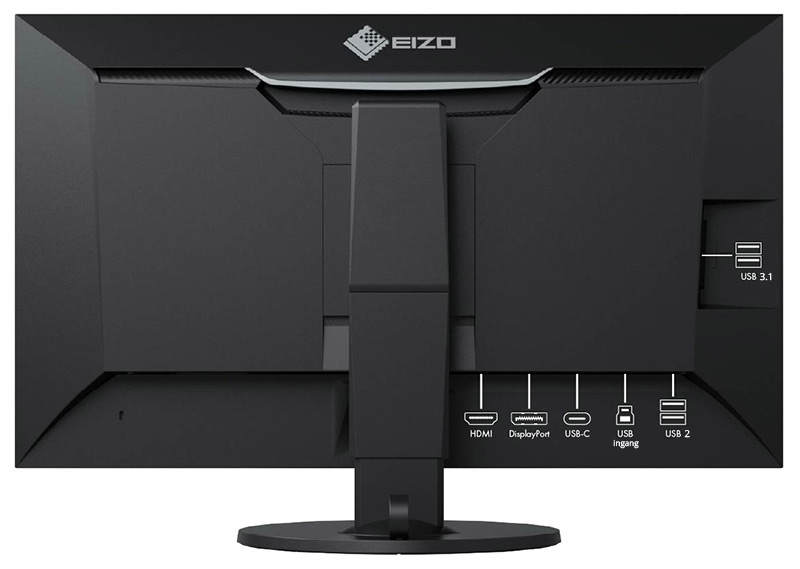
You can use the USB-C connection for video, for example from a MacBook. The Eizo also provides 60 watts of power, which means it powers your MacBook at the same time. Handy, because you only need to connect one cable.
The monitor also has a built-in USB hub. Connect the supplied USB cable to the USB input and you can connect another four USB devices through your monitor.
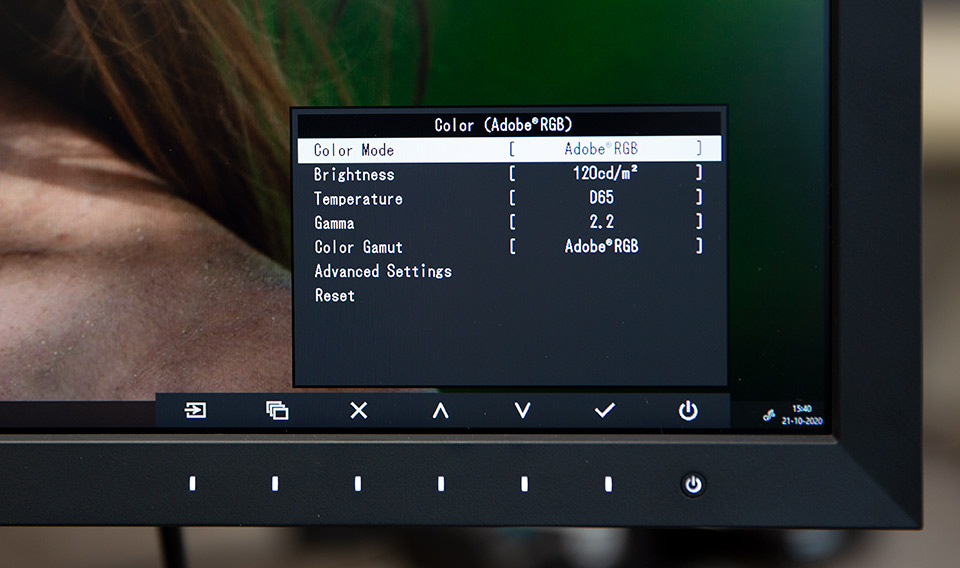
It's a good idea to connect the USB upstream cable anyway, because Eizo's ColorNavigator software can then control the monitor from your computer. This also means you don't have to make any adjustments through the monitor's on-screen menu.
Rotates and tilts
The monitor has a practical stand. You can rotate the monitor almost completely around on its stand. The height is also adjustable, and you can tilt the monitor slightly forwards and backwards.
The monitor itself can also be rotated, so that you don't look at the screen horizontally but vertically. I don't think this is a feature photographers will use very often.
At the back of the stand, you can also click on a supplied ring to feed the cables through it.
Appearance
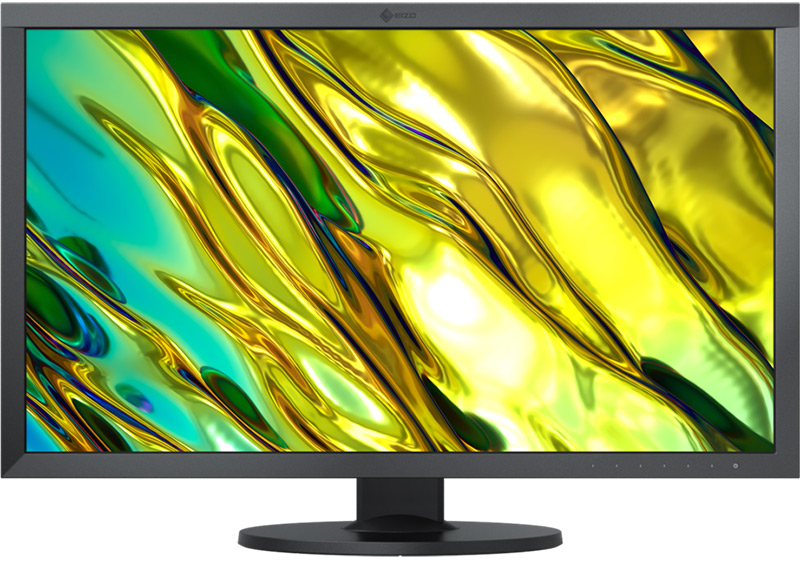
The monitor itself has a clean, minimalist design. I like that in monitors. I prefer not to have shiny logos or design elements in view. With the CS2740, you simply get a black bezel that is the same width on all sides.
The Eizo logo is placed very subtly in black at the top of the monitor. You even have to make an effort to see it at all. You can also switch off the illumination of the touch buttons for the on-screen menu, if you want.
So there are no distractions from the image, exactly as I like it.
At the back there is a handy grip for holding the monitor when you move it. You will also find the various connections here.
You can detach the monitor from its stand, for example to mount it on the wall, but it is supplied complete with its stand as standard. Handy, because you don't have to assemble your brand-new monitor.
When someone else views your photo, you are of course also dependent on the screen they use to view it. By making sure that your own image is as accurate as possible, the starting point is at least a good one.
Otherwise, you risk correcting your photo for your own screen. The difference will often be even more obvious on another monitor.
Image display
The most important thing about a monitor is of course the image display. The 4K resolution ensures that everything is displayed razor-sharp. It really looks beautiful on the Eizo.
The CS2740 also manages to produce a very pleasant, 'matt'-looking image. You don't suffer from reflections on the screen very quickly.
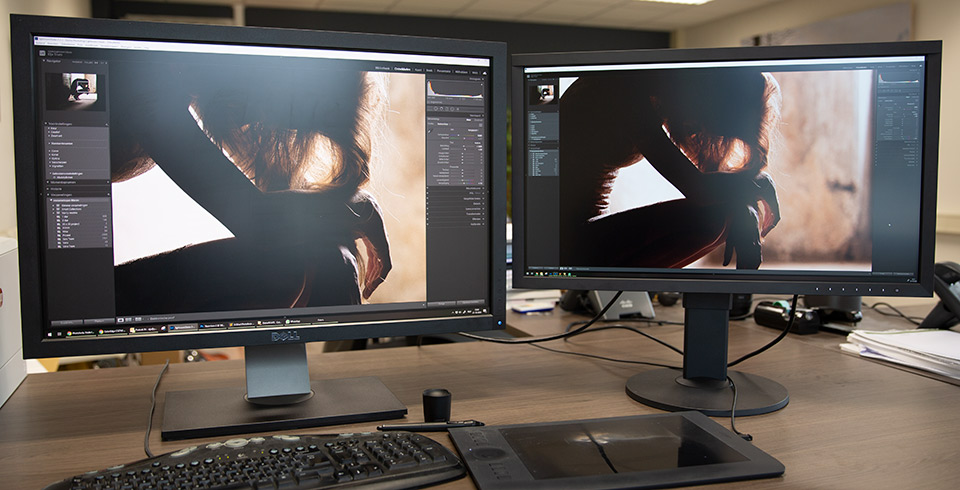
The colours are also very neutral. For example, in the photo in the section below, you can see that my current Dell is set too warm. This can in principle be corrected with calibration, but on the Eizo it is already much better than on my Dell.
4K resolution
Personally, I'm not much of a fan of 4K yet. Yes, it looks beautifully sharp when viewing photos and videos. In my view, that is the main advantage.
The 3840 by 2160 pixels are too many to use 'natively' on a 27-inch monitor, though. If you do, you get extremely small programmes and text. I don't find that comfortable to work with. The icons and sliders in Lightroom, for example, are tiny.
The logical alternative is to have Windows or Mac OS scale the interface. You are essentially setting everything to 200 per cent. This effectively gives you a 1920 by 1080 pixel monitor, but with extremely sharp pixels.
Fortunately, most programmes now scale along with it. Though sometimes you still have to dig through the menus first.
Only your photos will be displayed pixel by pixel in Lightroom and Photoshop. Nice and sharp, then, but to get the same zoom level you have to zoom in to 200 per cent. At 100 per cent, you are suddenly much less close to your pixels than you are used to.
Whether you find this annoying or pleasant depends very much on what you are used to. Personally, I only find 4K interesting on genuinely larger screens, such as a 32-inch screen.
Conclusion
The Eizo CS series is not Eizo's top range, the CG series is also interesting for photographers, but considerably more expensive. Even so, it offers very good image quality at a much more favourable price.
What this monitor unfortunately lacks is a built-in calibrator. This would make it much easier to calibrate your monitor automatically. Now you need to use a separate calibrator for maximum colour accuracy.
Thanks to its 4K resolution, the Eizo CS2740 ColorEdge gives you wonderfully sharp images. This means you can always view text and photos in razor-sharp detail. The brightness is also very uniform on this Eizo. The monitor is also very solidly built.
The combination of all these qualities means that you can view your photos at their best on this screen. This monitor is therefore very suitable for demanding photographers who have the budget for an excellent monitor.
Price
The Eizo CS2740 ColorEdge has a recommended retail price of 1,573 euros. At CameraNu.nl, you can order the Eizo CG2740 for 1,499 euros.
More reviews of the Eizo CS2740 ColorEdge
- Eizo CS2470 review by Far Swarey
- Eizo CS2740 review by Photo Review
- Eizo CS2470 review by Michael Clark.
About the author
Elja Trum is the founder of Photofacts and online photography course website Photofacts Academy. He has been writing about photography since 2006. Elja is also the author of (Dutch) books on composition, black-and-white photography, flash photography and portrait photography.
You might also like
-
 Review: Eizo ColorEdge CS2731 monitor
by Nando Harmsen
-
 Review: Eizo ColorEdge CG 2700S monitor
by Nando Harmsen
-
 Review of the Eizo ColorEdge CG3100X monitor
by Nando Harmsen
-
 Review: Eizo ColorEdge CS2400S 24-inch monitor
by Nando Harmsen
-
 Eizo’s ColorEdge CG3100X monitor announced
by Elja Trum
-
 EIZO introduces two new 27-inch ColorEdge monitors
by Nando Harmsen
6 comments
-

 Paul wrote on Tuesday 27 October 2020 at 13:48
| reply
Paul wrote on Tuesday 27 October 2020 at 13:48
| reply
Interesting information, even though I myself am a satisfied "Benq" user. What often strikes me is that people discuss camera pixels and colours and never calibrate their monitor. Good that this article also pays attention to calibrating the monitor, so it is avoided that your photos are edited completely incorrectly.
Translated from Dutch. -
 John Oosterhuis wrote on Tuesday 27 October 2020 at 21:48 | reply
bought an Eizo with built-in calibration last year. My problem is that if you edit a photo in PS and later save it to a file, there is a color difference between the photo in the PS program and in the saved state. What could be causing this? Settings error?
Translated from Dutch. -
 Peter Lindeboom wrote on Wednesday 28 October 2020 at 15:40 | reply
I also bought an Eizo with built-in calibration. You then hope that the colors are stable and under control. Unfortunately... When I save the photo, significant color differences turn out to occur. So the story turns out not to be entirely true after all. Peter Lindeboom
Translated from Dutch. -
 Nando
wrote on Tuesday 3 November 2020 at 10:11
| reply
Nando
wrote on Tuesday 3 November 2020 at 10:11
| reply
@Peter:
Translated from Dutch.
What I read in your comment isn't caused by a monitor, but by the color profile attached to your photo. I would advise taking a good look at that.
Not all software can handle ProfotoRGB or AdobeRGB equally well, the two color profiles that are often used by default. -
-
 jeepee wrote on Saturday 21 November 2020 at 18:52
| reply
jeepee wrote on Saturday 21 November 2020 at 18:52
| reply
What sets this monitor apart compared to somewhat cheaper alternatives like the Benq?
Translated from Dutch.
Have your say
Please note: Articles older than a week can only be commented on by signed-in visitors.Would you still like to comment? sign in or create a free account.
Become a better photographer every week
A practical photography tip in your inbox every week.
39,077 photography enthusiasts already receive the tips! More about the weekly mail. Or keep up to date via  Facebook.

Elja Trum
Photofacts; everything to do with photography!
Would you like to take better photos and keep up with what is happening in photography? Photofacts publishes articles that teach you something about photography — from a product announcement to a practical shooting tip or a look at a website. Photofacts covers photography every day and is a hobby project of Elja Trum's that got out of hand. The articles are written by a team of volunteer authors. If you would enjoy writing one or more articles for Photofacts, do get in touch.More about PhotofactsPhotofacts is made possible in part by
