

Review: Eizo ColorEdge CS2731 monitor
Friday 12 November 2021, 20:40 by Nando Harmsen | 7,682 views | 0 commentsThis article was translated from Dutch with the help of AI. Read the original.
A good monitor is very important for a photographer. Accurate colour reproduction ensures that you can edit your photos as well as possible. Eizo sent us the ColorEdge CS2731 monitor to review.
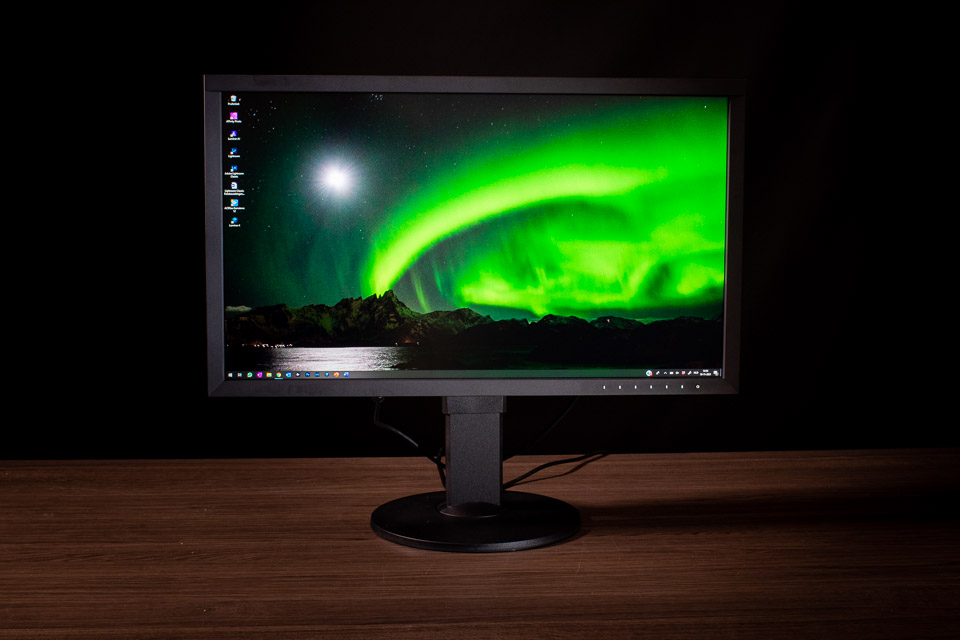
The Eizo ColorEdge CS2731 is the successor to the CS2730. The screen is a so-called WQHD screen with a resolution of 2560 x 1440 pixels. So it is not a 4K screen, but it provides enough resolution for a detailed image.
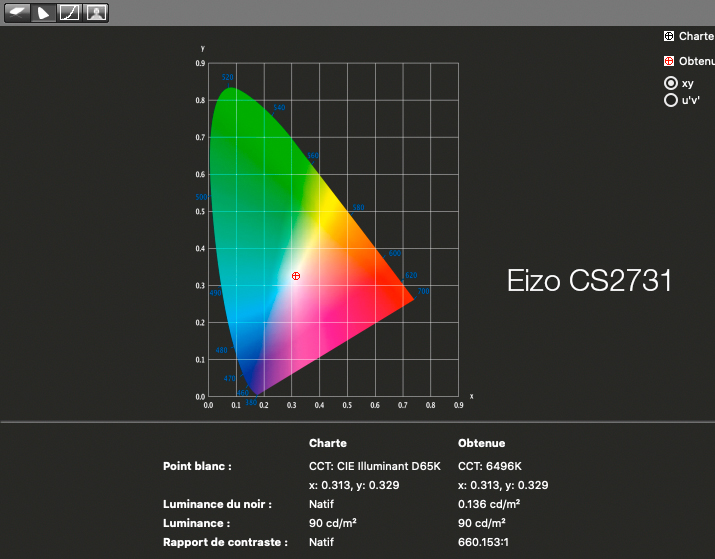
The monitor can display 99% of the Adobe RGB spectrum. Eizo promises accurate and uniform colour reproduction that remains very consistent. It uses a 16-bit Look-Up Table (LUT) and 10-bit colour reproduction. You can easily calibrate the monitor using the free ColorNavigator calibration software.
The main specifications at a glance
- 27 inches with 2560 x 1440 pixels
- IPS white LED panel, non-reflective
- 99% coverage of the Adobe RGB colour space
- 16-bit Look-Up Table and up to 10-bit colour reproduction
- Contrast according to the manufacturer's specification: 1000:1
- Viewing angle of 178° horizontally and vertically without colour changes
- 60 Hertz refresh rate with a response time of 10 ms
- ColorNavigator calibration software available to download free of charge
- Tilts up to 5° forwards and 35° backwards
- Height adjustable by 155mm
- Can be used in both landscape and portrait orientation
- Touch controls on the front
- USB-C with power delivery of up to 60 Watts
- DisplayPort, DVI-D and HDMI inputs
- Two USB 3.1 ports and two USB 2.0 downstream ports
- VESA compatible
Appearance
The Eizo ColorEdge CS2731 is a robust monitor. It weighs just over 10 kilograms, including the stand. The monitor's bezels are 18mm thick. The controls are located in the bottom bezel. They are a series of illuminated touch buttons that are very pleasant to use.
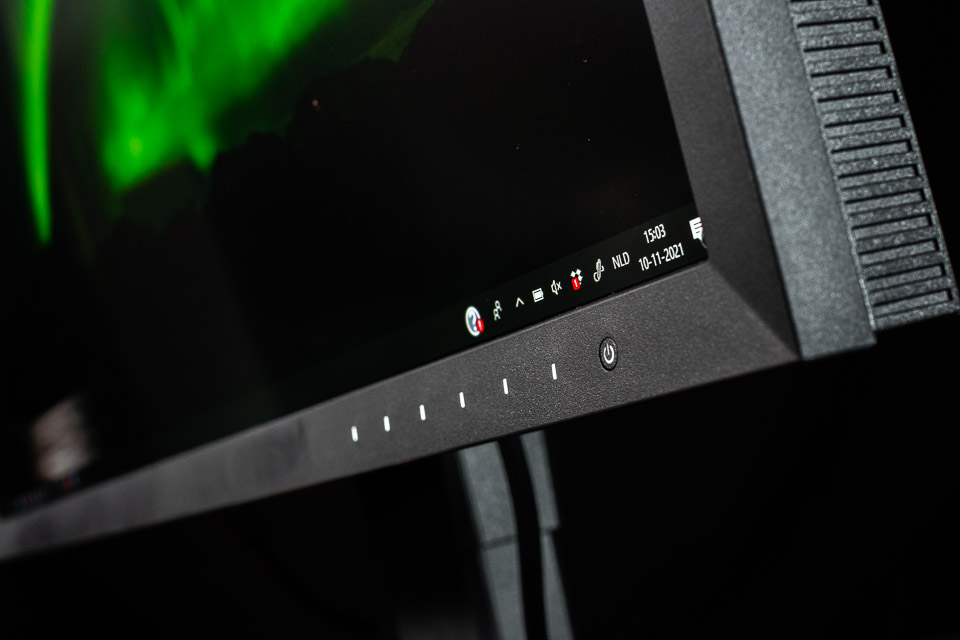
Although the bezels are not particularly thin, their thickness is very close to the 2020 standard for professional monitors, the so-called art graphic monitors that are also suitable for multi-screen applications.
On the back you will find the connections and the main power switch. One of the major differences compared with the predecessor of this monitor is the USB-C connection. You can use it to charge a laptop or another device. USB-C provides 60 Watts, which is somewhat on the low side. Alongside this connection, DVI-D, DisplayPort 3.1 and HDMI 1.4 are available.
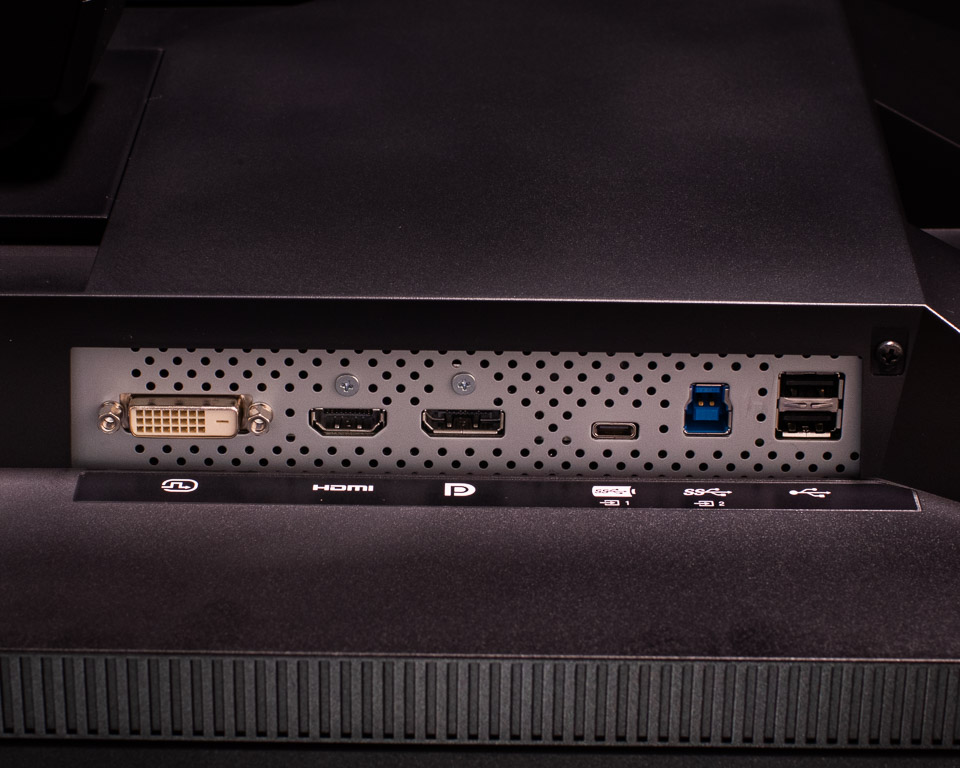
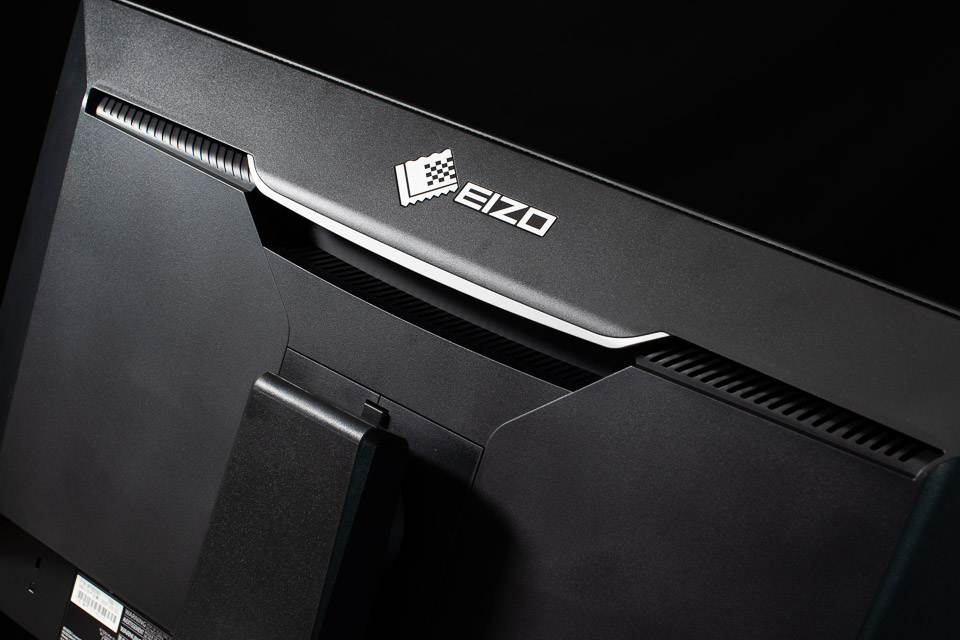
There is also a USB hub, consisting of two USB 3.1 connections on the side and two USB 2.0 connections on the back. You will also find a good handgrip on the back, neatly recessed. You can use it perfectly to rotate or tilt the monitor.
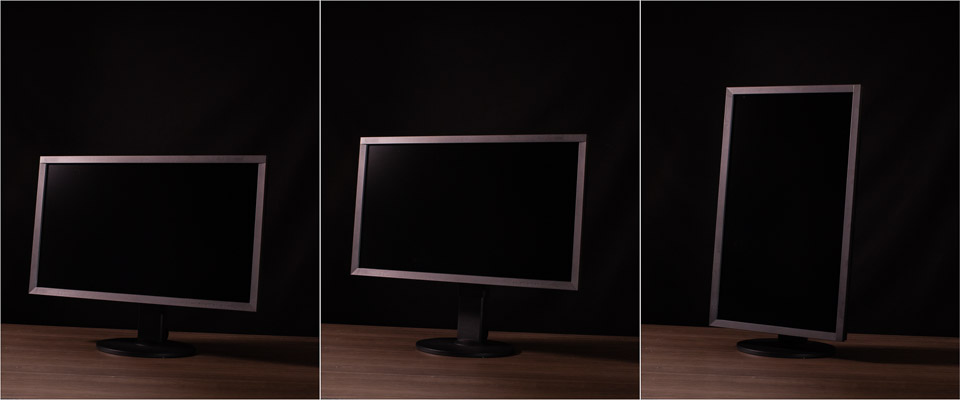
On its stand, the ColorEdge CS2731 can rotate by no less than 344°. The monitor can also be tilted, 5° forwards and 35° backwards. Although the monitor can be adjusted in height by 155mm, this is not enough to rotate it into portrait orientation. To do that, you first need to tilt the screen backwards.
The monitor's standard power consumption is 34 Watts, with peak consumption of 159 Watts. In standby, consumption is 1 Watt. If desired, you can switch off the main power switch on the back, making consumption completely zero. In terms of energy class, this ColorEdge falls into class G.
The image
The Eizo ColorEdge CS2731 is not a 4K screen. It is a WQHD screen offering a resolution of 2560 x 1440 pixels on a 27-inch diagonal. The pixel pitch is 0.233mm, or 109 ppi, which provides enough detail for good and accurate image editing.
Thanks to the 16-bit Look-Up Table with 10-bit colour reproduction, you have access to 1.07 billion colours via the USB-C, DisplayPort or HDMI connection. If you use the 8-bit DVI-D connection, you have 16.7 million colours available.
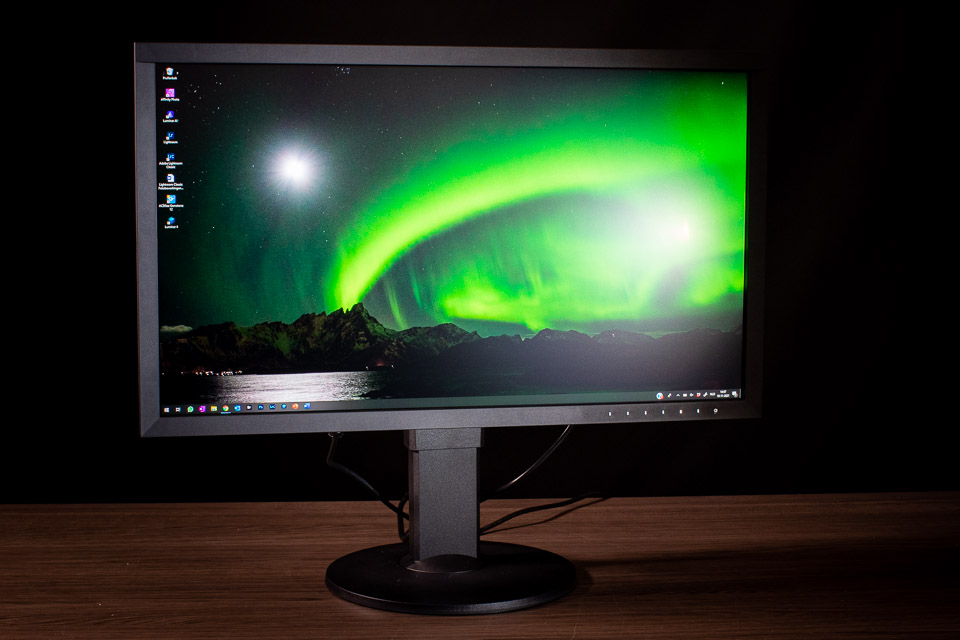
The viewing angle is an impressive 178°, with no change in colour reproduction or brightness. This means that you do not have to sit exactly straight in front of the screen while editing. The Wide Gamut IPS display is also non-reflective, which is a major advantage and produces a fantastic image.
The menu
The menu is opened using the touch controls in the bottom bezel of the monitor. These controls feel very pleasant to use, and a soft sound indicates that a button has been pressed. This sound can be switched off.
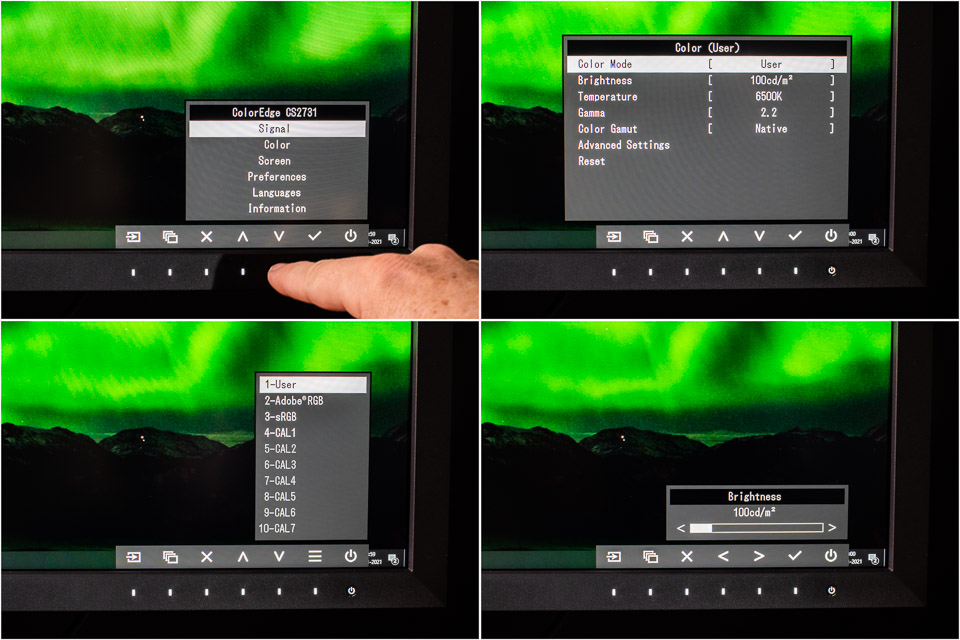
The menu is clear and easy to use. If you use the free ColorNavigator hardware calibration software, you can calibrate the monitor independently of the computer and graphics card.
No physical calibration unit is included. If you want to use one, you need to purchase it separately.
Conclusion
We did not have the opportunity to take measurements to test the monitor's colour or brightness. Fortunately, there are experts elsewhere on the internet who have done this extensively.
Their results show that Eizo's stated values for this monitor are accurate. The conclusion is therefore always that it is a perfect monitor for photo editing, something I can endorse.
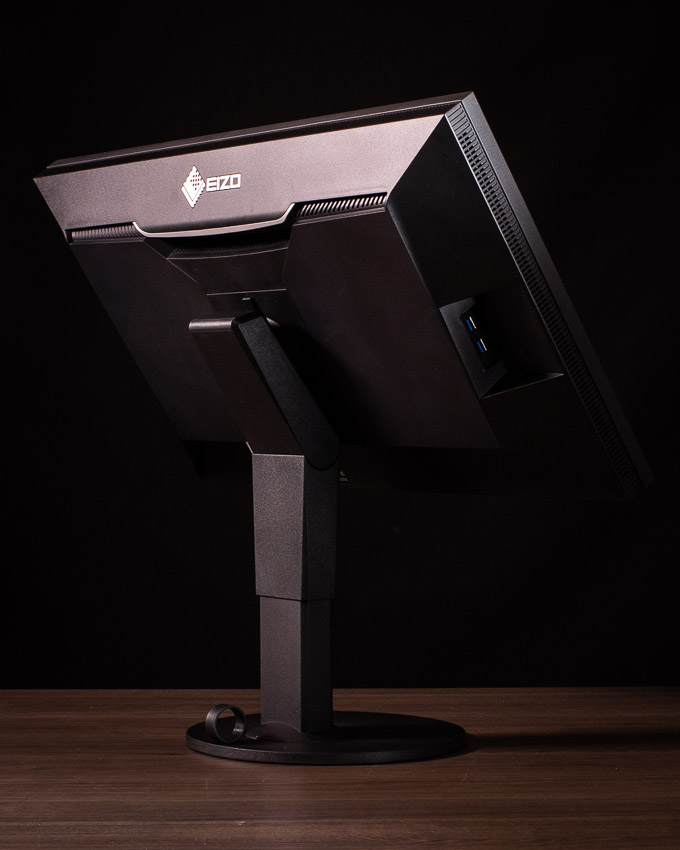
What I particularly like is the quality of the screen. The satin-like finish of the non-reflective IPS screen is very pleasant to look at. You do not run the risk of looking at yourself when the light comes from the wrong angle, or of seeing the window behind you reflected in the image.
The Eizo ColorEdge CS2731 costs 1069 euros, which initially seems like a lot. There are, after all, monitors that cost less. However, you get a fantastic monitor with perfect brightness across the entire screen and accurate colour reproduction. With that in mind, this Eizo ColorEdge CS2731 is well priced.
For those who work with video, the resolution of this Eizo monitor could be a problem. If you work with 4K footage, you do not have sufficient resolution. In that case, it is worth looking at the 4K version of this monitor, the ColorEdge CS2740.
Advantages
- Matt screen
- Good resolution
- 16-bit Look-Up Table and 10-bit colour depth
- 99% Adobe RGB
- Robust and sturdy no-nonsense design
- Good handgrip on the back
- USB-C connection with 60 Watts of power delivery
- Good touch controls
- Pleasant and simple menu
- Main power switch to turn the power off completely
- Sufficiently long power cable
- Competitive price
Disadvantages
- The pivot point of the monitor stand is low, making it somewhat difficult to rotate and tilt
- No calibration unit included
- No light hood included
- No cable guides, apart from the ring on the stand
- 60 Watts of USB-C power is somewhat on the low side
Thanks to Eizo for providing the monitor.
About the author
Nando Harmsen has been photographing for more than 40 years. He specialises in wedding photography and landscape photography. Nando also gives talks, workshops, masterclasses and photo trips, and regularly reviews new and interesting equipment.
You might also like
-
 Review: Eizo CS2740 ColorEdge 4K monitor
by Elja Trum
-
 Review of the Eizo ColorEdge CG3100X monitor
by Nando Harmsen
-
 Review: Eizo ColorEdge CS2400S 24-inch monitor
by Nando Harmsen
-
 Review: Eizo ColorEdge CG 2700S monitor
by Nando Harmsen
-
 Eizo introduces new monitors for photographers
by Elja Trum
-
Eizo’s ColorEdge CG3100X monitor announced
by Elja Trum
0 comments
Be the first to share what you think!
Have your say
Please note: Articles older than a week can only be commented on by signed-in visitors.Would you still like to comment? sign in or create a free account.
Become a better photographer every week
A practical photography tip in your inbox every week.
38,982 photography enthusiasts already receive the tips! More about the weekly mail. Or keep up to date via  Facebook.

Elja Trum
Photofacts; everything to do with photography!
Would you like to take better photos and keep up with what is happening in photography? Photofacts publishes articles that teach you something about photography — from a product announcement to a practical shooting tip or a look at a website. Photofacts covers photography every day and is a hobby project of Elja Trum's that got out of hand. The articles are written by a team of volunteer authors. If you would enjoy writing one or more articles for Photofacts, do get in touch.More about PhotofactsPhotofacts is made possible in part by
