

Review: Eizo ColorEdge CG 2700S monitor
Friday 1 November 2024, 22:11 by Nando Harmsen | 9,316 views | 3 commentsThis article was translated from Dutch with the help of AI. Read the original.
A 27-inch screen is a popular size for comfortably editing your photos or videos. Eizo has released two professional monitors that are perfectly suited to this purpose: the CG2700S and the CG2700X.
In this review, I look at the CG 2700S and explain why this is probably the better choice for photographers.
At the end of 2021, in November to be precise, I received the Eizo ColorEdge CS 2731 for review. This 27-inch WQHD monitor performed very well, and is recommended for photographers who consider a good monitor for image editing important.
In January 2022, the announcement came of the professional version of this ColorEdge CS 2731 monitor: the ColorEdge CG 2700S.
How does this professional monitor perform? Does the monitor offer added value compared with the cheaper CS models? In this review, I try to answer those questions.
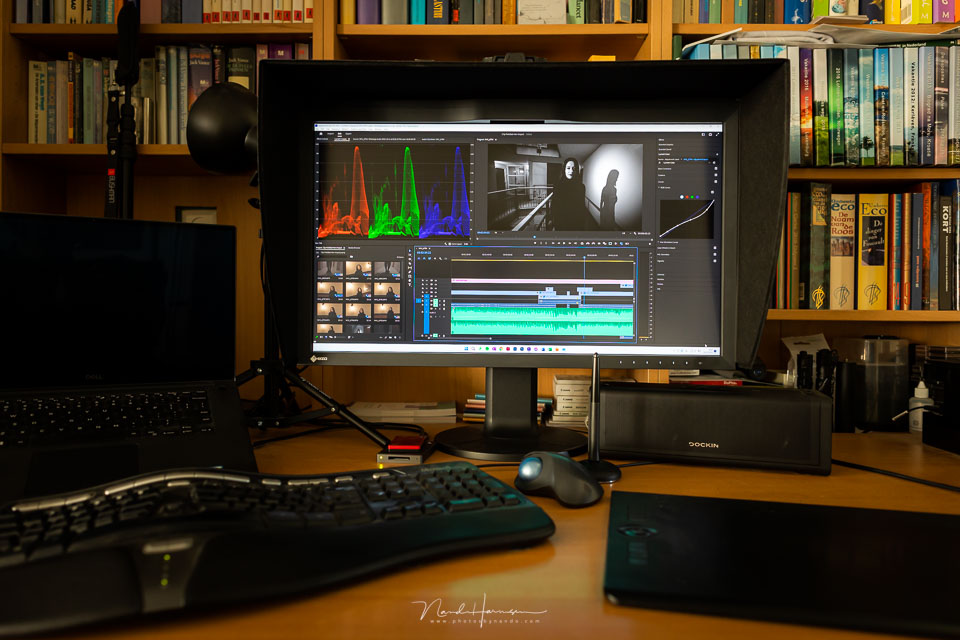
Resolution and specifications
The Eizo CG 2700 comes in two variants. There is the CG 2700X, which has a 4K resolution (4196 x 2160p), and the CG 2700S with a WQHD resolution of 2560 x 1440p. Although the 4K resolution can be very attractive, WQHD may be a better choice for photographers.
On a 27-inch screen, a 4K resolution results in such a high pixel density that reading text and menus becomes difficult. The display is simply too small to be comfortable.
WQHD provides a slightly lower pixel density (109 pixels per inch instead of 194 pixels per inch), so texts and menus are displayed somewhat larger.
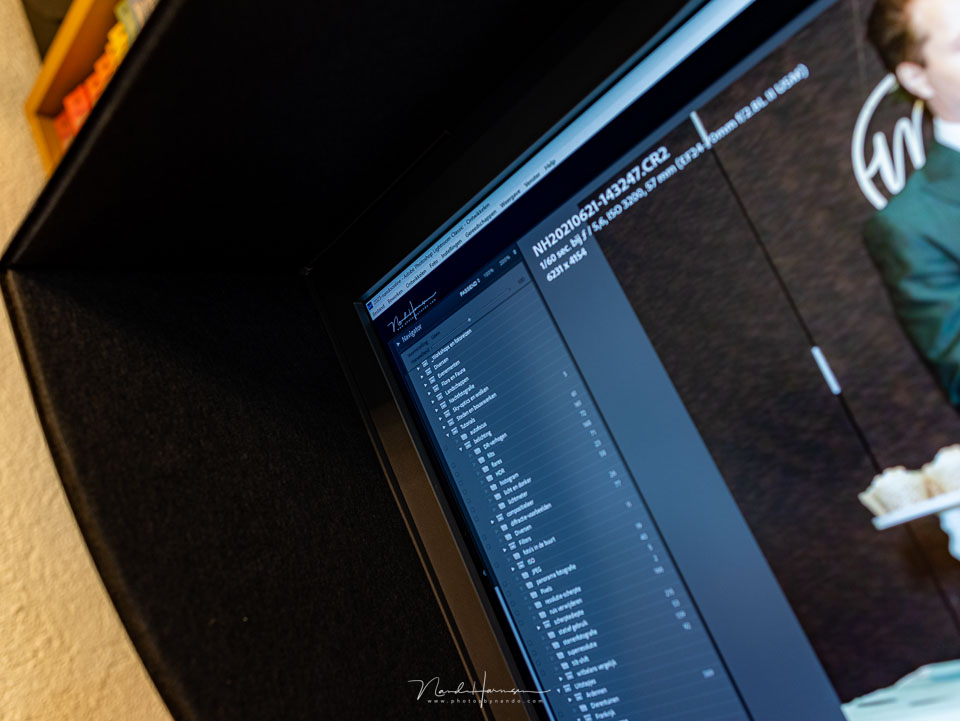
The lower resolution does mean that videographers cannot view their 4K footage at a 1:1 display. It has to be scaled.
If you are more video-oriented, the CG 2700X with its 4K panel is the better choice. But in that case, you would preferably want to go for 30 inches or larger.
Since I spend 95 per cent of my time on photography, I chose the CG 2700S. This is therefore the monitor covered in this review, although the CG 2700X will be largely the same, or at least comparable.
Some specifications
- 27-inch WQHD IPS display with 2560 x 1440 pixels
- Viewing angle of up to 178 degrees
- Wide colour gamut covers 99% of AdobeRGB and 98% of the DCI-P3 colour space
- Integrated sensor for fully automatic self-calibration
- Maximum brightness of 400 cd/m2 and a contrast ratio of 1600:1 (True Black technology)
- 10-bit display with 16-bit 3D Look-Up-Table
- Perfect brightness distribution and colour purity through Digital Uniformity Equalizer
- HDR-HLG and HDR-PQ-EOTF display
- USB-C (DisplayPort signal and up to 92 Watt Power Delivery), DisplayPort and HDMI
- RJ-45 LAN port
- USB hub with two USB 3.1 and two USB 2.0 downstream ports on the side
- Magnetic Light shield hood included
- VESA mount
- Meets the soft proofing requirements according to the ISO 12646 standard
The appearance
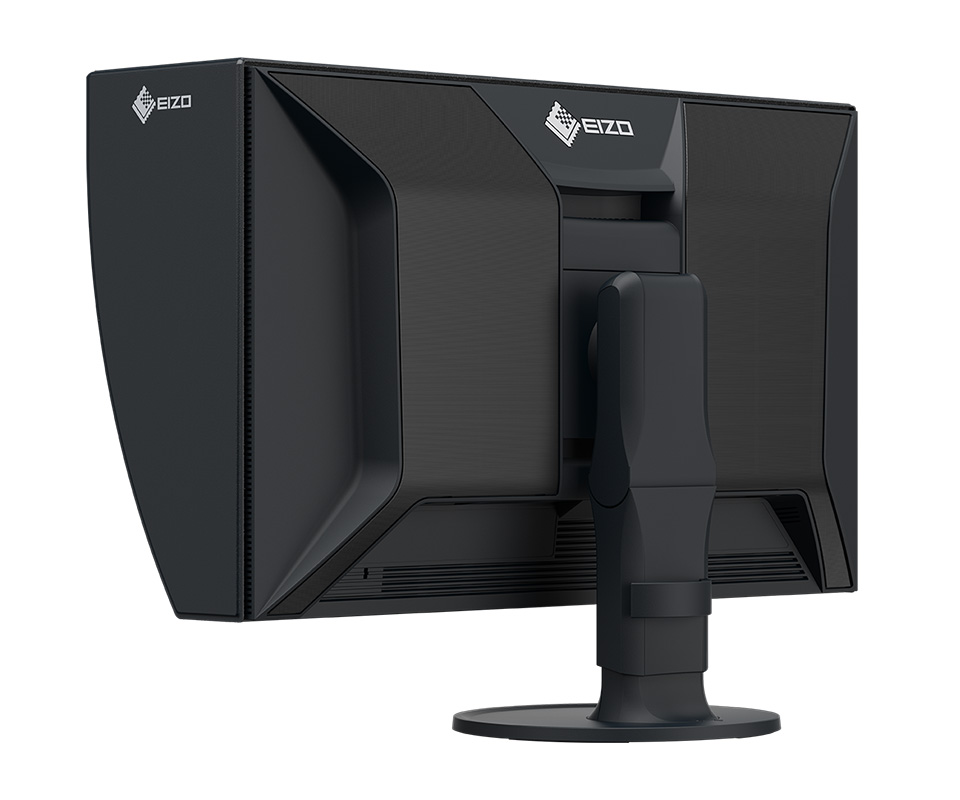
The appearance is broadly similar to the CS 2731 monitor reviewed previously. The CG 2700S has the same bezel with touch-sensitive controls, a similar stand and tilt mechanism, and a casing that also has a useful handgrip.
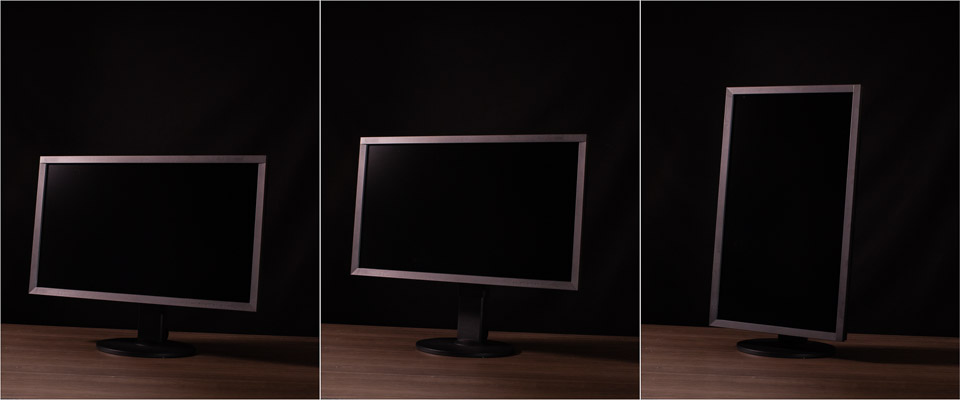
The monitor can be used in both horizontal and vertical positions. You do have to move the monitor to its highest position and tilt it slightly to have enough room to tilt the huge panel.
Bear in mind that the light shield is no longer useful in the vertical position.
The light shield is a matt folding hood that clips magnetically onto the monitor's bezel. The inside is non-reflective to prevent light from the monitor itself being reflected. With a brightness of 400 cd/m2, this is no unnecessary luxury.
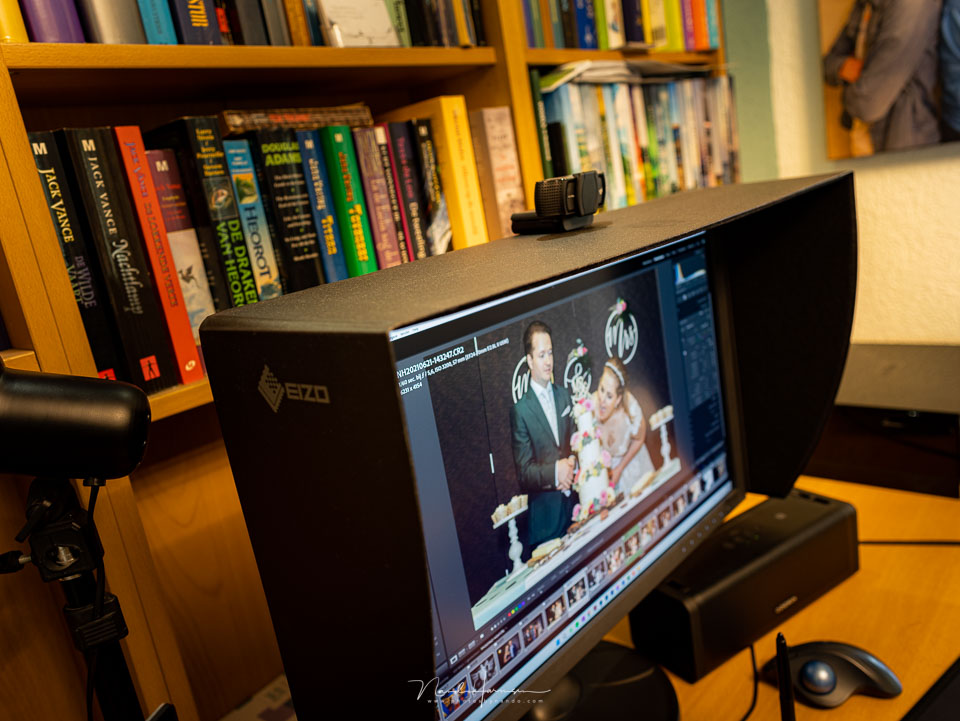
If you want to make use of the monitor's viewing angle, so also look at the screen from the side, you may need to remove the light shield. Otherwise, it blocks part of the image.
The connections on the ColorEdge CG2700S
The connections on the monitor are located both at the rear and on the side. This is where the CG 2700S differs considerably from the CS 2731.
There is a DisplayPort, an HDMI port and a connection for the USB hub. This hub consists of two USB 3.1 ports and two USB 2 ports on the side of the monitor.
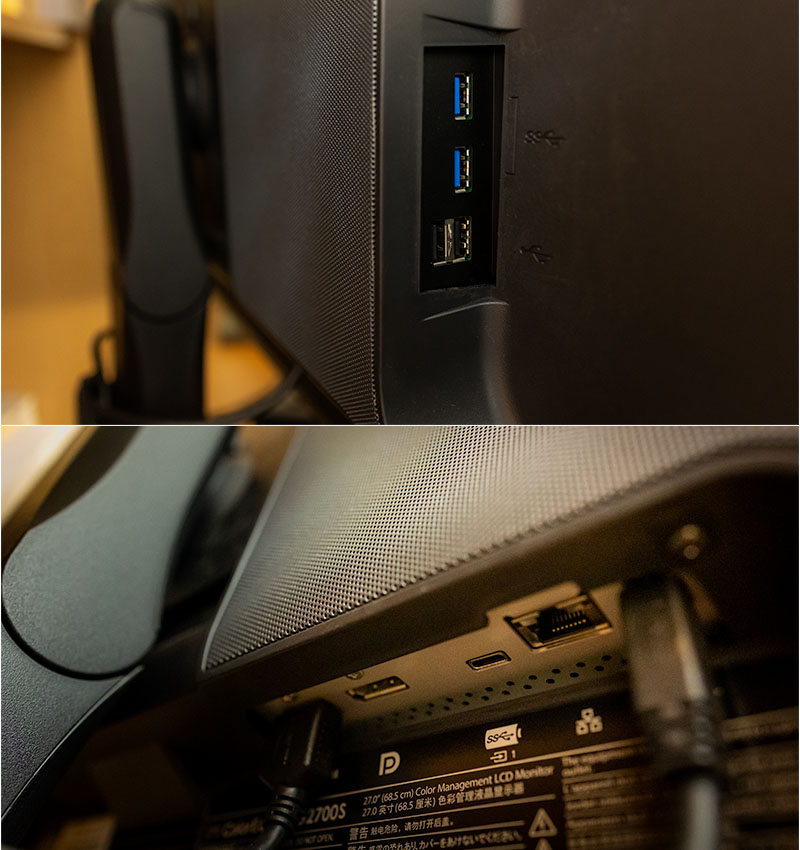
The USB-C connection at the rear supplies 92 watts of power, unlike the 60 watts of the CS 2731, so it can also be used to charge, for example, a MacBook Pro. You can also use it for the DisplayPort signal and other data transfer.
The CG 2700S has an RJ-45 LAN port, allowing you to connect the monitor to the internet. Your laptop then receives the internet signal via USB-C. This makes it easy to create a very tidy desktop, without lots of separate cables running to your laptop.
Whether the monitor could function as a fully-fledged docking station is another question. With two USB 3.2 and two USB 2 connections, the options are limited. There are no additional USB-C or Thunderbolt ports.
So if, like me, you use a lot of external equipment that uses these connections, a docking station for your laptop is still recommended.
The menu and calibration
The touch-sensitive buttons on the right-hand side of the monitor give you access to the menu. They are illuminated, although you can switch this off so that they do not distract you when using the monitor. The sound made when touching them can also be switched off.
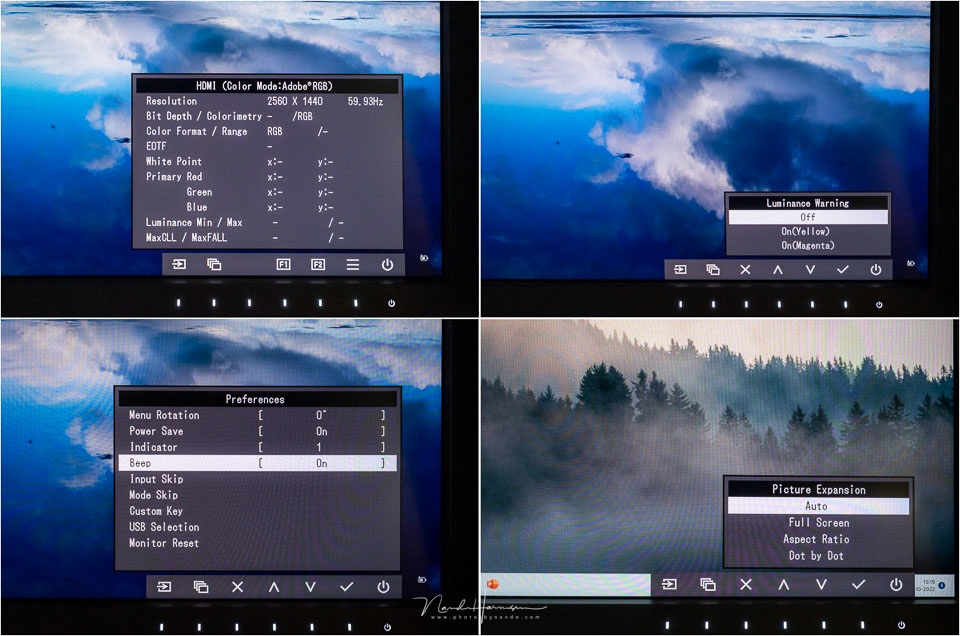
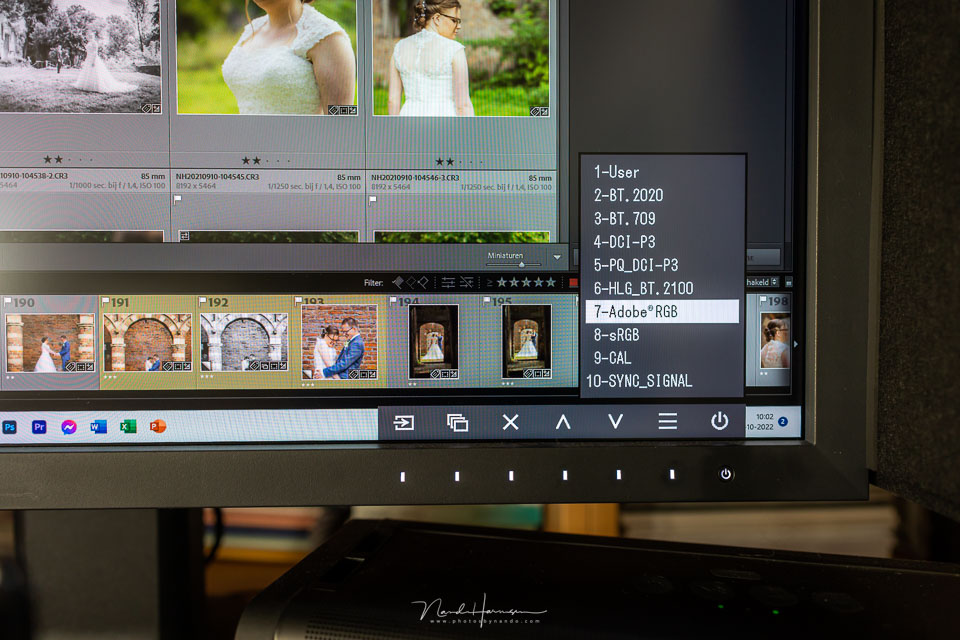
You get access to the normal settings you would expect from a monitor, as well as a quick menu for switching between the various colour spaces. These include sRGB, AdobeRGB, BT.708 and more.
Two programmable shortcut buttons let you access a function or menu option directly.
The CG 2700S has a built-in calibration unit. It extends from the top of the screen when you activate it. The screen is then calibrated fully automatically.
Since it only occupies a small part of the image, you can simply carry on working.

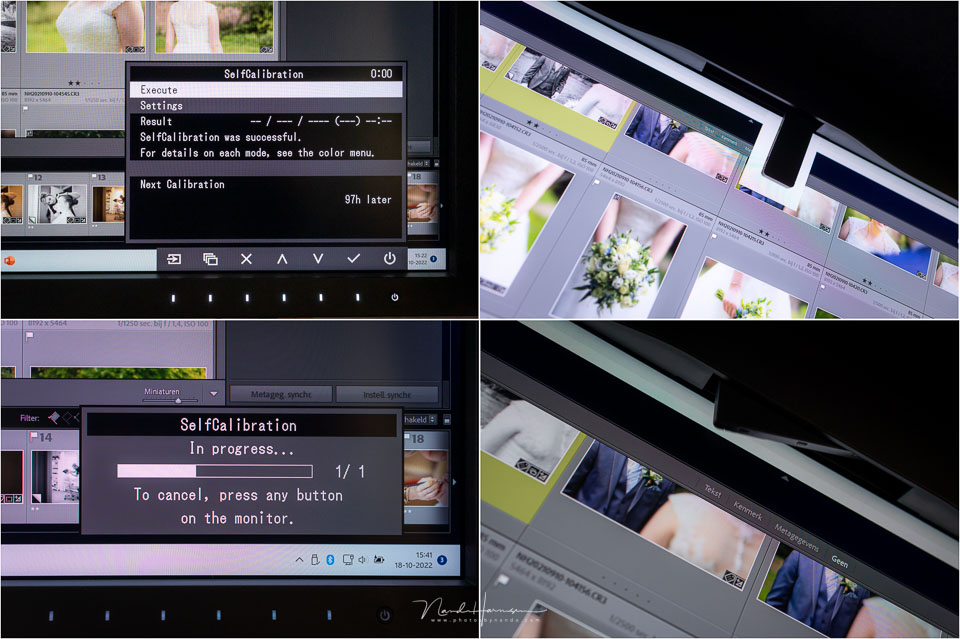
The calibration sensor takes the ambient light into account and interpolates this towards the centre of the monitor's display area. You can start calibration at any time, regardless of the schedule, and there is no need to connect a computer.
The image
When a monitor is switched on, it needs time for the image to stabilise and reach the correct display. The CG 2700S only needs 3 minutes for this. By comparison, normal monitors can sometimes take up to 30 minutes.
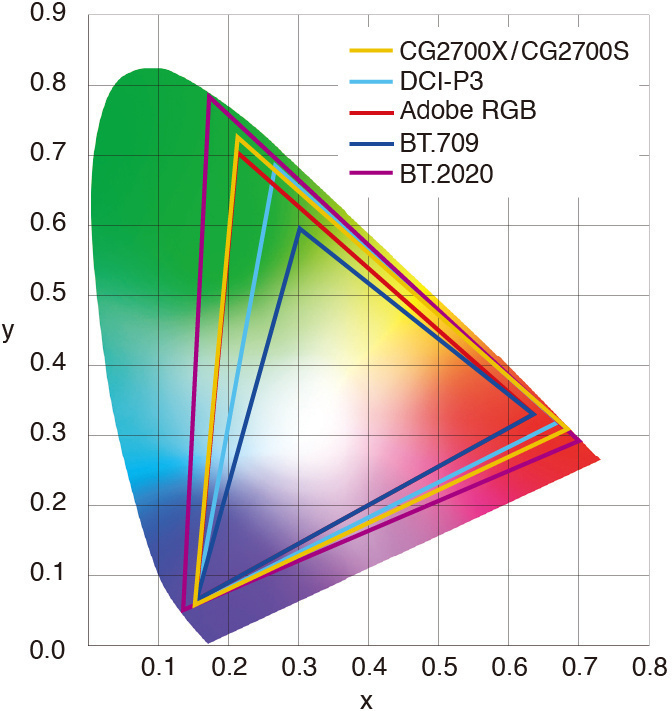
The ColorEdge CG 2700S offers both 8-bit and 10-bit colour display. The latter makes it possible to display 99% of the AdobeRGB colour spectrum and 98% of the DCI-P3 colour space.
The graph below shows what the monitor can display from the different colour spaces. BT.2020 in particular falls partly outside the display range. The rest is almost entirely within the range.
The various colour spaces can be set through the menu. For photographers, AdobeRGB will be the most logical choice. As well as choosing this colour space, the monitor also lets you adjust it further. In general, this will not often be necessary.
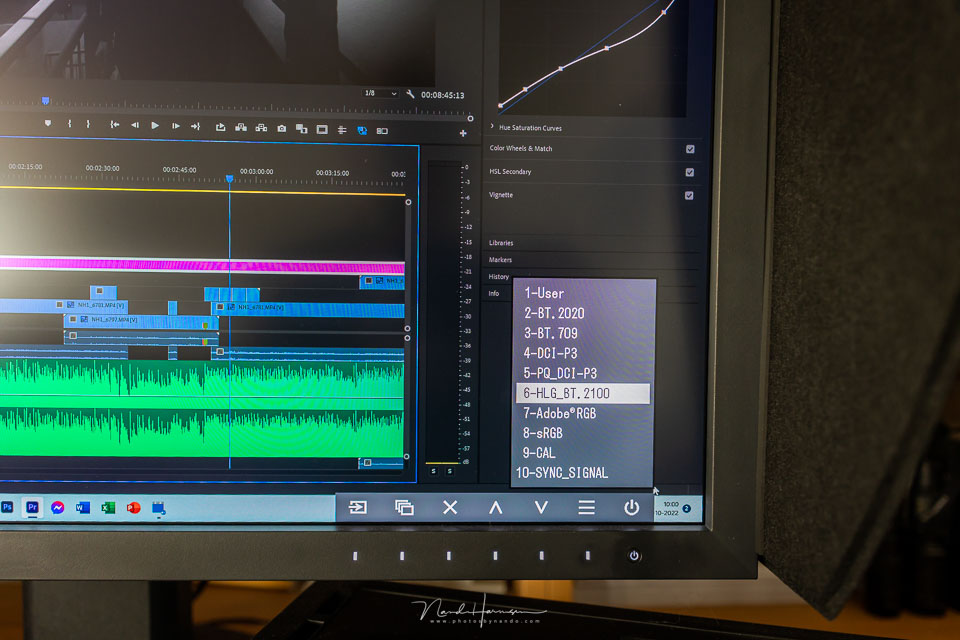
If you also work with film footage, you can choose a different colour space so that it matches the recorded footage better. Think of BT.2020 or BT.709, DCI-P3 or HLG_BT.2100
Of course, you want to know whether the monitor meets all the requirements when you receive it. Eizo has included a measurement report, so you can check for yourself whether it falls within the standards. In particular, the uniform display across the entire monitor's display area may be of interest.
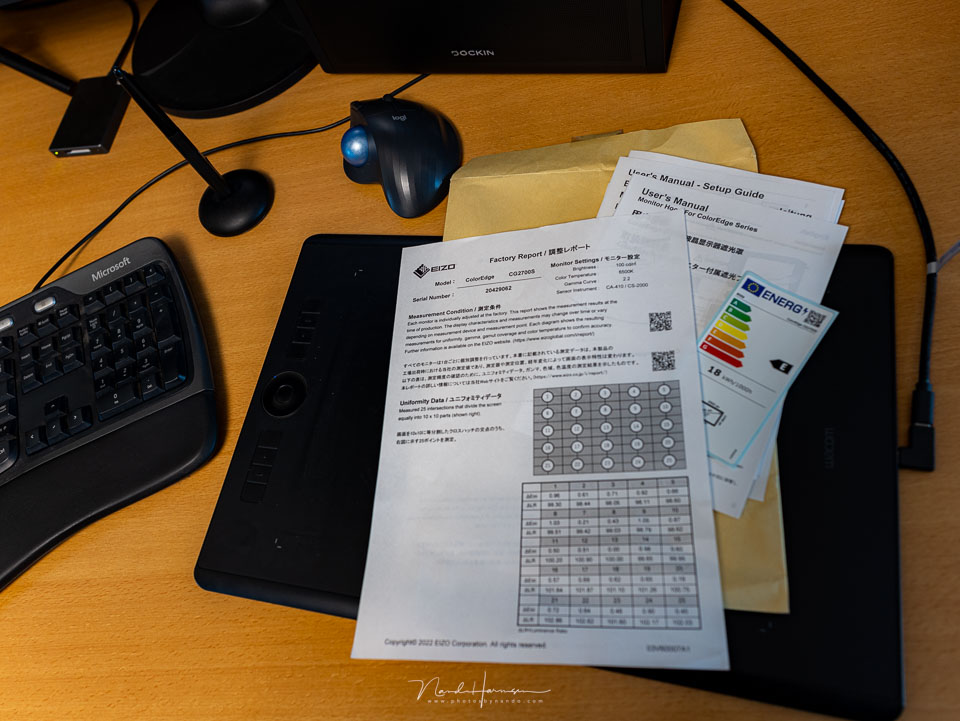
In general, the measurement report will show that everything is within the standards. Otherwise, the monitor would not be allowed to be shipped.
Conclusion, should you choose the CS or CG line?
With the Eizo CG line, you have a monitor that meets the highest standard. The ColorEdge CG 2700S is therefore not a cheap monitor. With a recommended retail price of 2,334 euros, it is almost twice as expensive as the CS version.
You do get a light shield, a cleaning kit and, of course, the built-in calibration unit. In addition, the connection options of the CS 2700S make it possible to integrate it almost completely into your workspace.
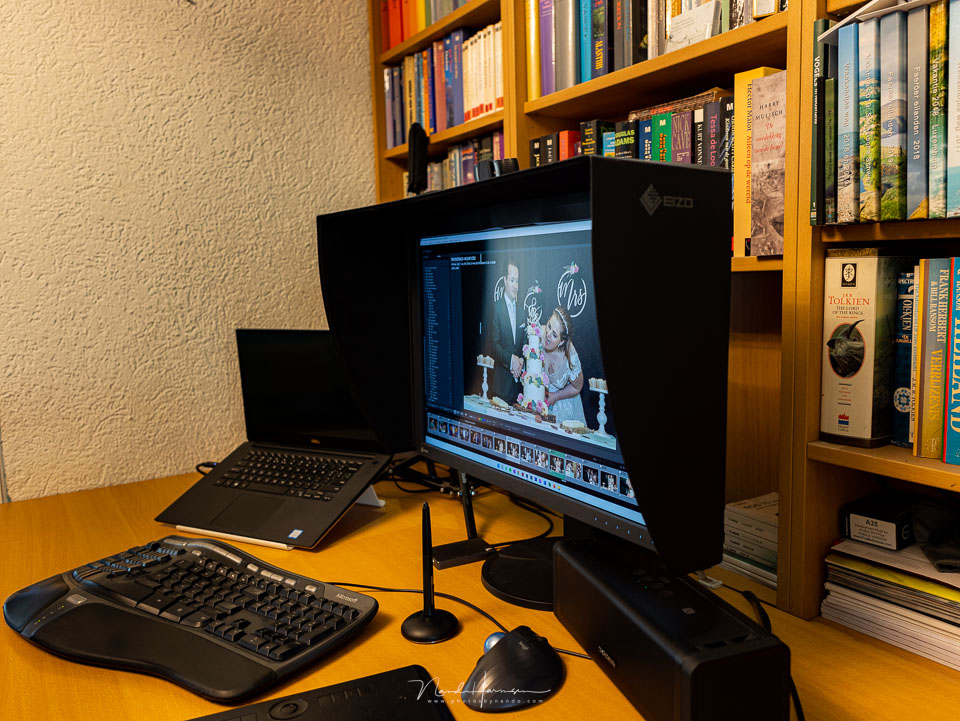
Of course, none of this is the main reason why you choose such a monitor. You choose it for the options it offers in terms of colour. The question is, however, do you really need this highest quality as a photographer?
You naturally have to answer that question for yourself. It is not that you simply choose this monitor because it is better, since the CS version is also very good.
You choose this monitor because you want the highest standards for colour accuracy and contrast, and because you want to be able to switch between colour profiles without problems when necessary.
The built-in calibration helps you guarantee that quality, so you do not depend on separate calibration units and software.
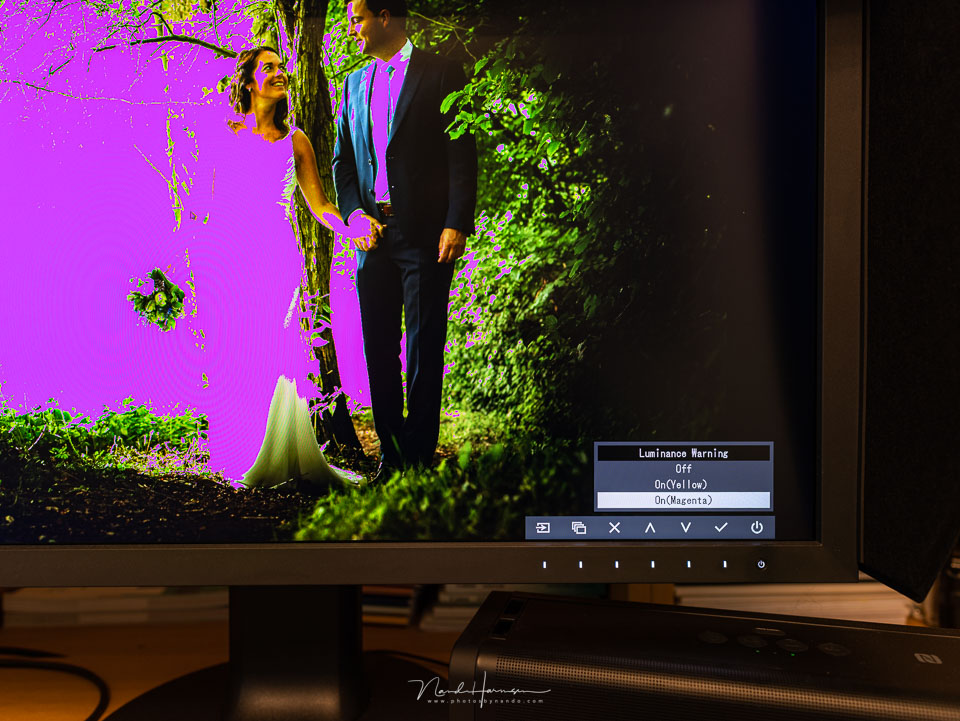
There are more options offered by the monitor, such as clipping display, image scaling and image cropping, allowing you to set everything up as optimally as possible for your work.
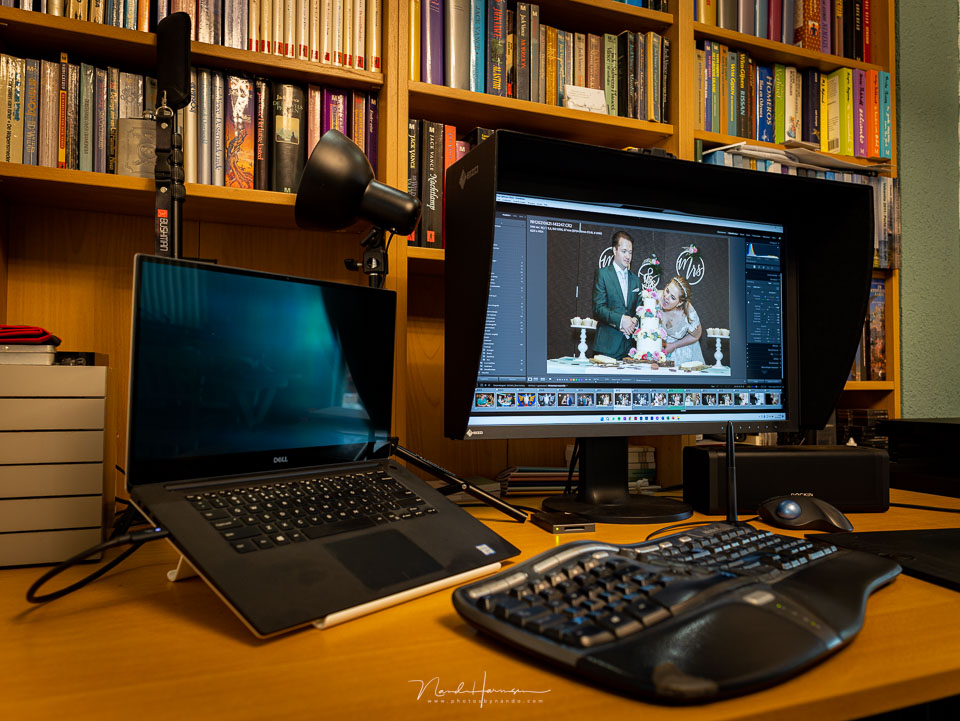
I have little to criticise about the monitor. As far as I can determine, the image is excellent, and the options for adjusting and setting the colour range and image display will not disappoint.
The touch-sensitive controls work flawlessly and the menu is well organised. The image display is pleasant thanks to the non-reflective surface, and the light shield helps keep out ambient light.
The USB hub is somewhat limited. If it were really meant to function as a hub, I would have expected more USB-C or Thunderbolt ports. If you are only connecting a laptop, most things can be handled through the monitor.
I think that for most people, a monitor from the CS line will already offer sufficient image quality, such as the excellent CS 2731 that I tested previously.
If you do have the highest standards, however, the additional cost of the Eizo CG 2700S will pay for itself.
Update: At present, until the end of 2024, Eizo is offering an 18 per cent discount on the Eizo CG 2700s.
Een eerdere versie van dit artikel is verschenen op vrijdag 21 oktober 2022, 14:07.
About the author
Nando Harmsen has been photographing for more than 40 years. He specialises in wedding photography and landscape photography. Nando also gives talks, workshops, masterclasses and photo trips, and regularly reviews new and interesting equipment.
You might also like
-
 Review of the Eizo ColorEdge CG3100X monitor
by Nando Harmsen
-
 Review: Eizo CS2740 ColorEdge 4K monitor
by Elja Trum
-
 Review: Eizo ColorEdge CS2731 monitor
by Nando Harmsen
-
 Review: Eizo ColorEdge CS2400S 24-inch monitor
by Nando Harmsen
-
 EIZO introduces two new 27-inch ColorEdge monitors
by Nando Harmsen
-
 Eizo’s ColorEdge CG3100X monitor announced
by Elja Trum
3 comments
-
 Jac wrote on Tuesday 25 October 2022 at 14:56 | reply
Can I connect two computers to it (CG2700S)? And how do you switch between the two?
Translated from Dutch. -

 Nando
wrote on Tuesday 25 October 2022 at 15:31
| reply
Nando
wrote on Tuesday 25 October 2022 at 15:31
| reply
@Jac:
Translated from Dutch.
I think that should work.
Connect one computer to the HDMI, the other to the DisplayPort or via USB-C.
You switch between them with the button on the front where you select the input signal. I just tried this out right away, and it works perfectly. -
 Bart wrote on Sunday 14 May 2023 at 21:39
| reply
Bart wrote on Sunday 14 May 2023 at 21:39
| reply
I read your reviews and basically work with a wired desktop and occasionally with a laptop. LR and photos on an external SSD drive. Can I connect both to the mentioned EIZO monitor. Both my desktop and laptop have a USB-C connection.
Translated from Dutch.
Have your say
Please note: Articles older than a week can only be commented on by signed-in visitors.Would you still like to comment? sign in or create a free account.
Become a better photographer every week
A practical photography tip in your inbox every week.
38,886 photography enthusiasts already receive the tips! More about the weekly mail. Or keep up to date via  Facebook.

Elja Trum
Photofacts; everything to do with photography!
Would you like to take better photos and keep up with what is happening in photography? Photofacts publishes articles that teach you something about photography — from a product announcement to a practical shooting tip or a look at a website. Photofacts covers photography every day and is a hobby project of Elja Trum's that got out of hand. The articles are written by a team of volunteer authors. If you would enjoy writing one or more articles for Photofacts, do get in touch.More about PhotofactsPhotofacts is made possible in part by
