

Review: Sony Xperia 5 III smartphone for photography
Friday 11 February 2022, 16:08 by Nando Harmsen | 5,929 views | 0 commentsThis article was translated from Dutch with the help of AI. Read the original.
With a smartphone, you always have a camera to hand. Sony has added features to the Xperia 5 III that would normally only be found in the mirrorless camera segment.
I was given the Sony Xperia 5 III for a review, to see how this smartphone performs for photography.
Do you take photos with a smartphone? Then you probably know that photos nowadays have a high resolution, and sometimes even look more attractive than what you get as standard from a DSLR or mirrorless camera.
There is another advantage to the smartphone that particularly appeals to social media enthusiasts. At the touch of a button, you can share a photo on Facebook or Instagram, optionally with a creative filter. For these fast content creators, the smartphone is an ideal solution.
Despite the filters being used, a good-quality photo is still the starting point. The better the original photo, the better it will look with a little filter.
Smartphone manufacturers even go as far as placing several lenses in a smartphone, so you are no longer dependent on digital zooming.
With the Xperia 5 series, Sony has gone a step further by adding features to the smartphone that were previously reserved exclusively for the Alpha series mirrorless cameras. The camera app screen is also comparable to what you might find on a real camera.
The smartphone I received for this review was the Xperia 5 III. You can take photos, record videos and use all kinds of apps. You can listen to music and, you could almost forget, make phone calls too. In this review, I am limiting myself to using the Xperia 5 III as a camera.
Appearance
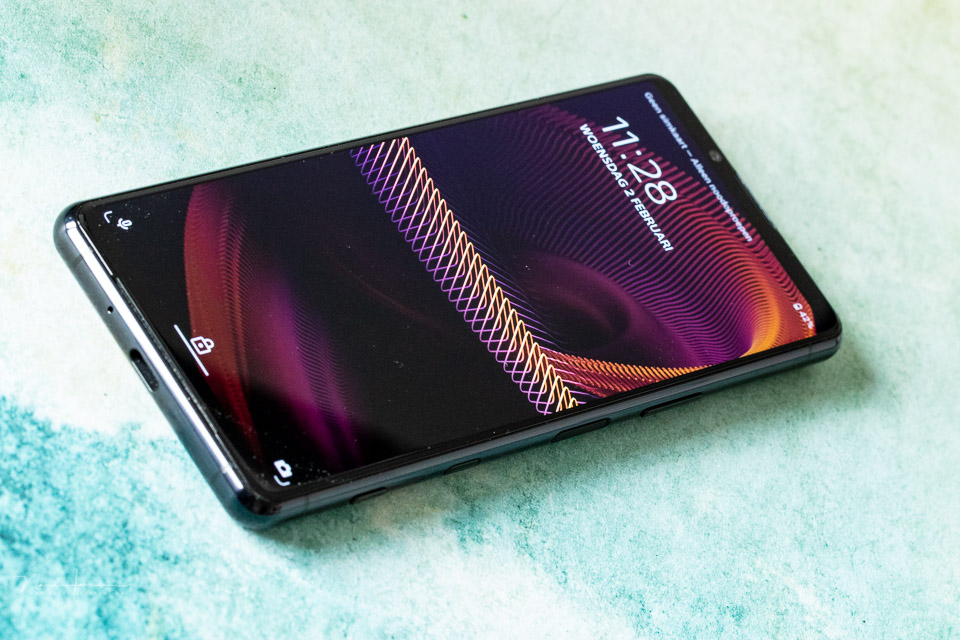
A smartphone should be compact and light. After all, you carry it in your trouser pocket. The Xperia 5 III is 15.7 centimetres tall, 6.8 centimetres wide and just 8.2 mm thick. It weighs 168 grams.
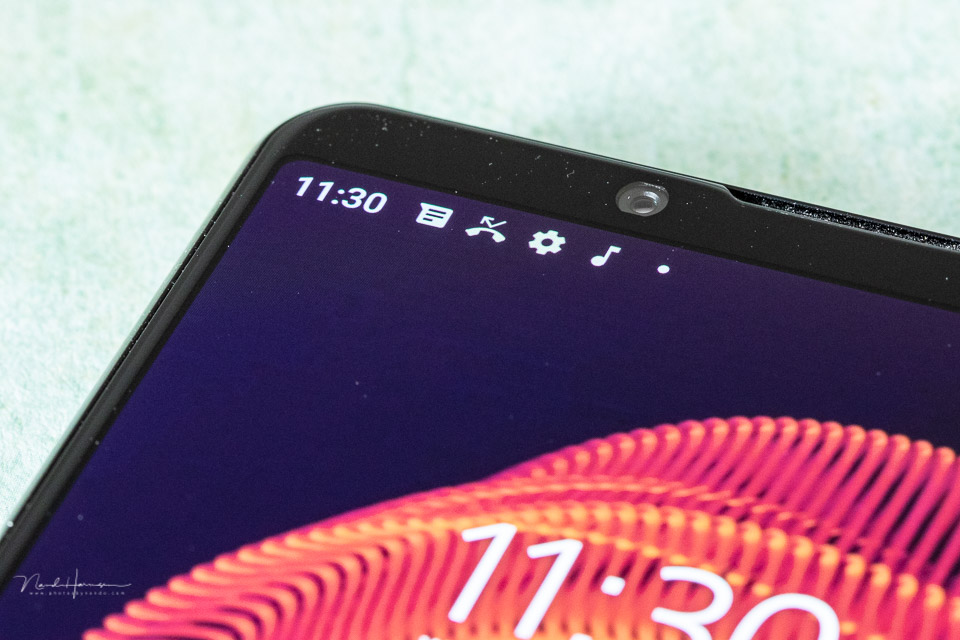
The screen is a 6.1-inch 21:9 CinemaWide HDR OLED screen with a refresh rate of 120 Hz. The screen resolution is 2520 x 1080 pixels. Sony has made the Xperia water-resistant and dustproof. The operating system is Android.
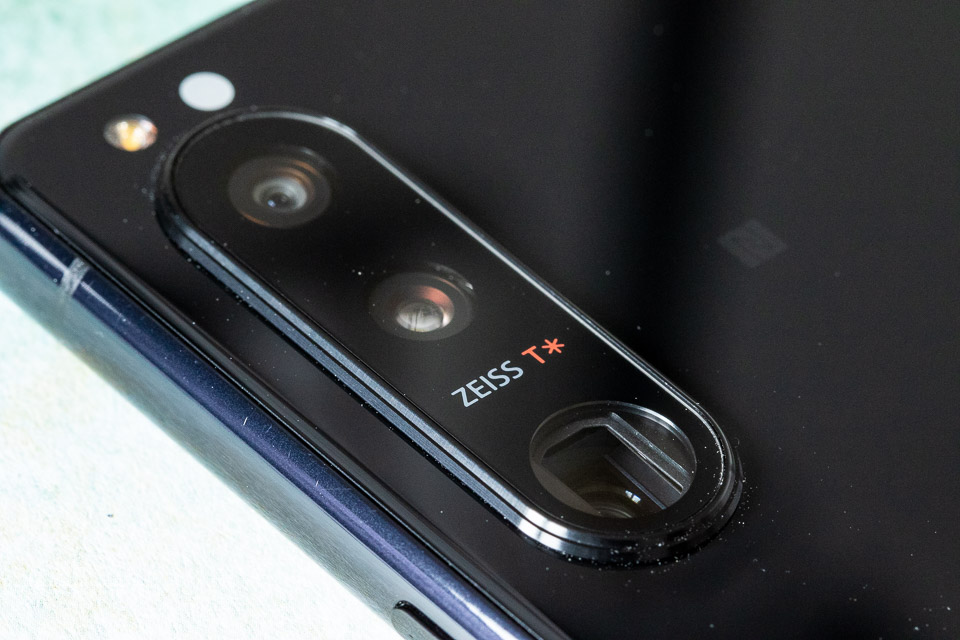
The Xperia 5 III has three lenses, consisting of a 24mm f/1.7, a 70mm f/2.3 and a 16mm f/2.2 wide-angle lens.
Although there are three lenses, Sony combines the 70mm with a 105mm f/2.8 focal length, giving you four effective focal lengths. The front also has an 8-megapixel camera with an f/2 aperture.
Each lens has an Exmor RS-type camera sensor. The 24mm has a 1/1.7-inch format, the 70mm/105mm a 1/2.9-inch sensor and the 16mm a 1/2.5-inch sensor. Each has a resolution of 12 megapixels.
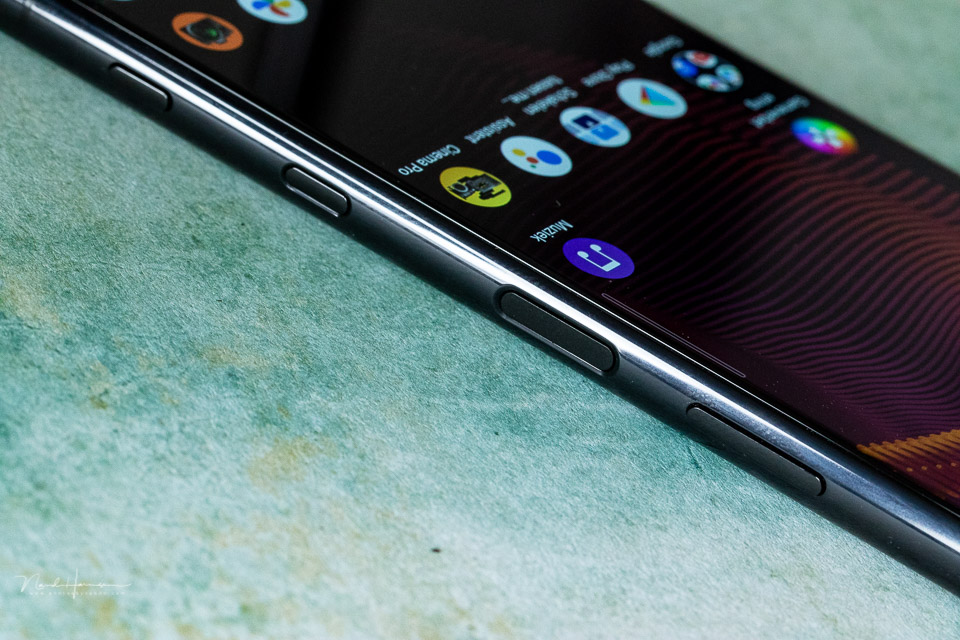
The smartphone controls are all located on the right-hand side. The top button is the volume button, which can also serve as a zoom button for photography.
Below that is the standby button with a fingerprint reader. Below that is a shortcut button that opens Google by default. At the very bottom is the camera shutter button.
The other side of the Xperia 5 III has a tray where a memory card or two SIM cards can be inserted. The memory card can be up to 1TB in size. The internal memory of the Xperia 5 III is 128GB.
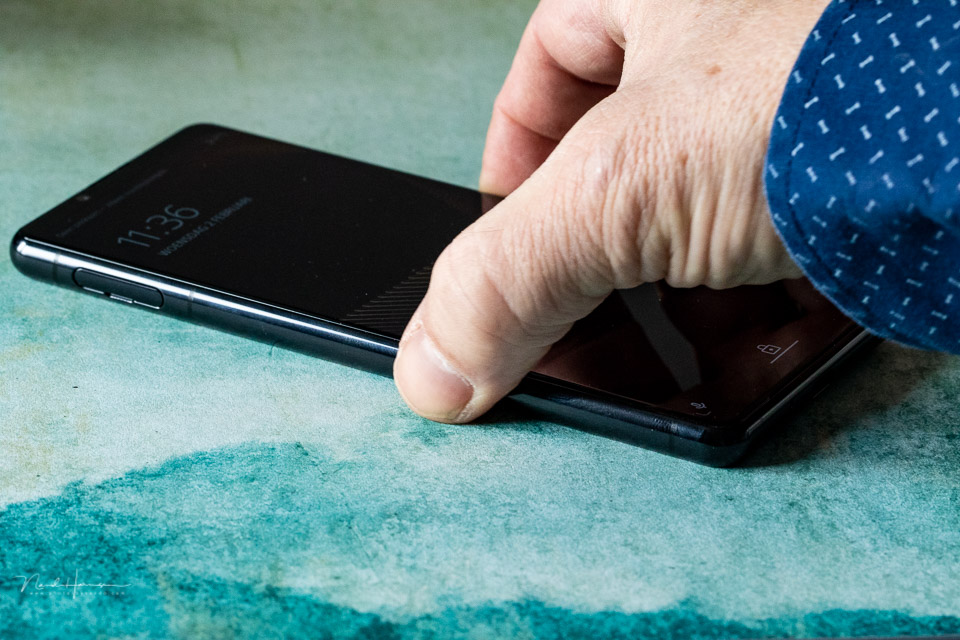
The entire casing is made from so-called Corning Gorilla Glass 6. This glass can withstand a fall onto a hard, rough surface from a height of 1.6 metres. This is the height you can expect during normal smartphone use. It is also highly scratch-resistant.
Since the glass is used on both the front and back, the Xperia 5 III is very slippery. This is certainly something to take into account.
The autofocus
The special thing about the Sony Xperia 5 III is its autofocus capabilities. You have Sony's famous real-time autofocus tracking, which calculates focus up to 60 times per second. Eye AF is available for both people and animals.
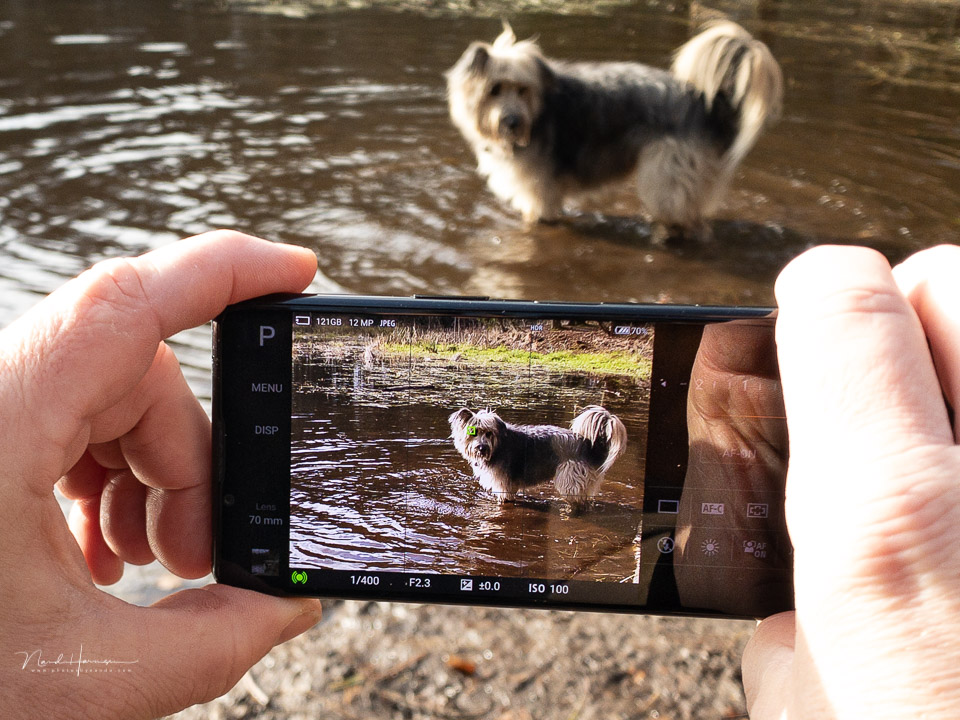
The autofocus tracking works just as you would expect from an Alpha mirrorless camera. The system recognises an eye quickly and efficiently and also keeps it in the frame well. This AF system also works for video recordings in 4K and FHD.
The camera app
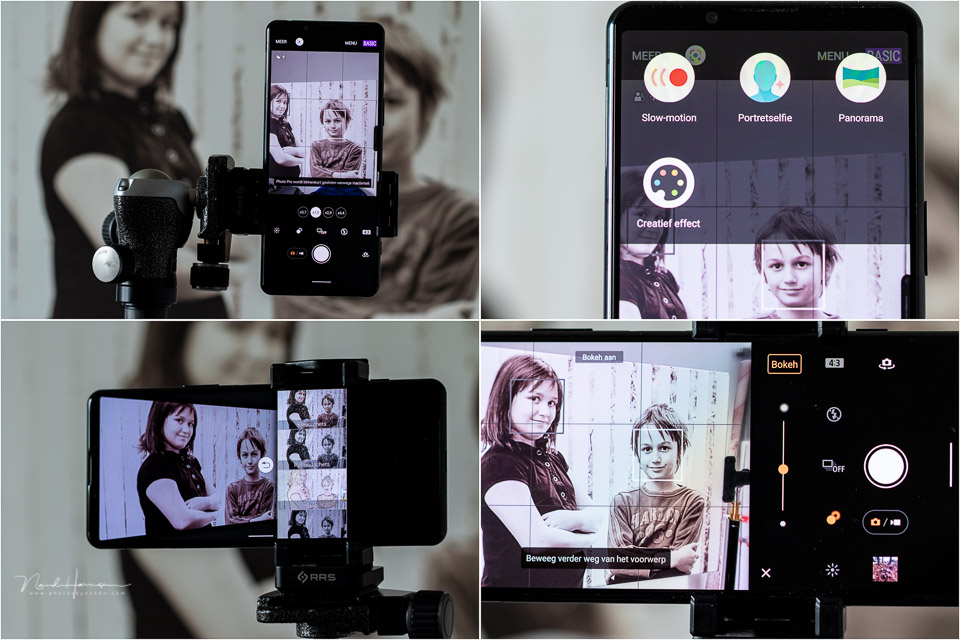
The appearance of the camera app is based on the information you can also find on the LCD screen of a Sony Alpha series camera. The screen is effectively split into two sections, with the settings on the right and the camera image on the left.
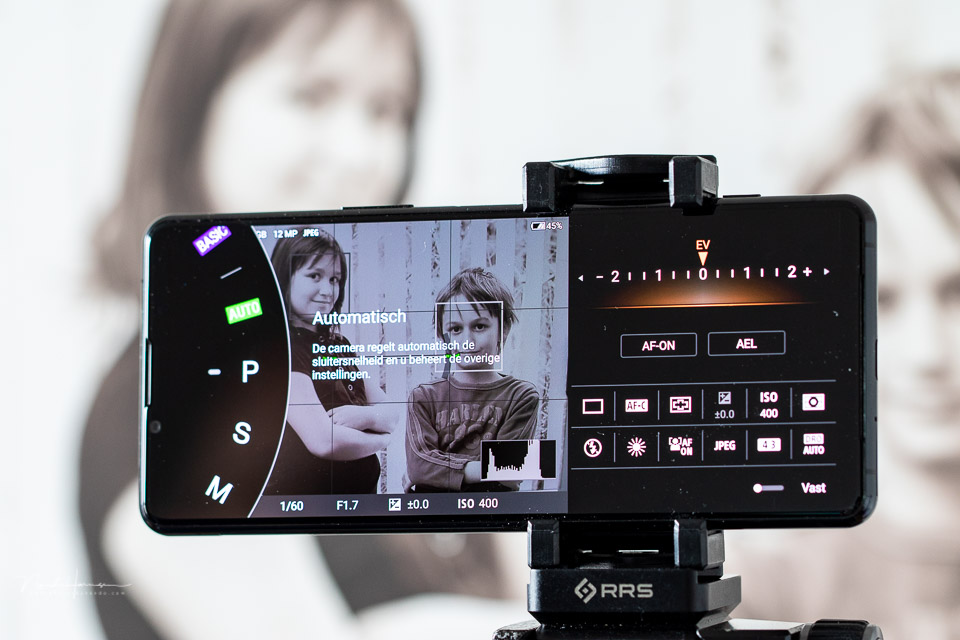
On the left, you have the settings for the exposure modes, program, shutter priority and manual exposure settings. It is noticeable that aperture priority is missing.
Manual is therefore also limited to manually selecting a shutter speed between 1/8000 second and 30 seconds, and the ISO value.
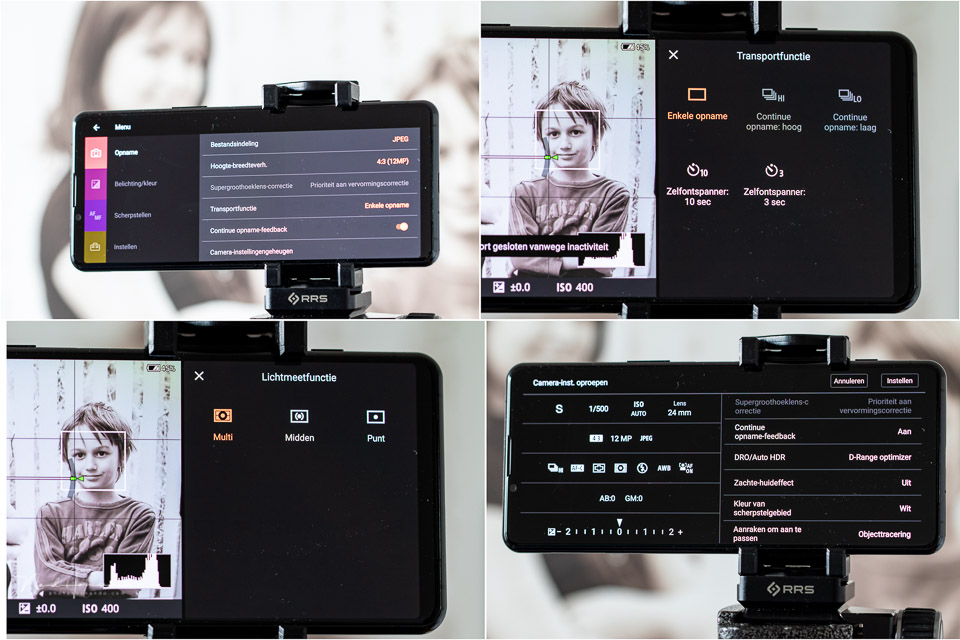
A custom setting is also available, indicated by the letters MR. You can program it with a preselected camera setting, for example for action photography. A safe 'green' mode is also available.
Besides the PSM settings, you can also change the focal length in that area. You can choose between 16mm, 24mm, 70mm or 105mm. Each of the focal lengths also lets you zoom in digitally, with the 105mm going as far as 300mm. This gives you access to all focal lengths between 16mm and 300mm.
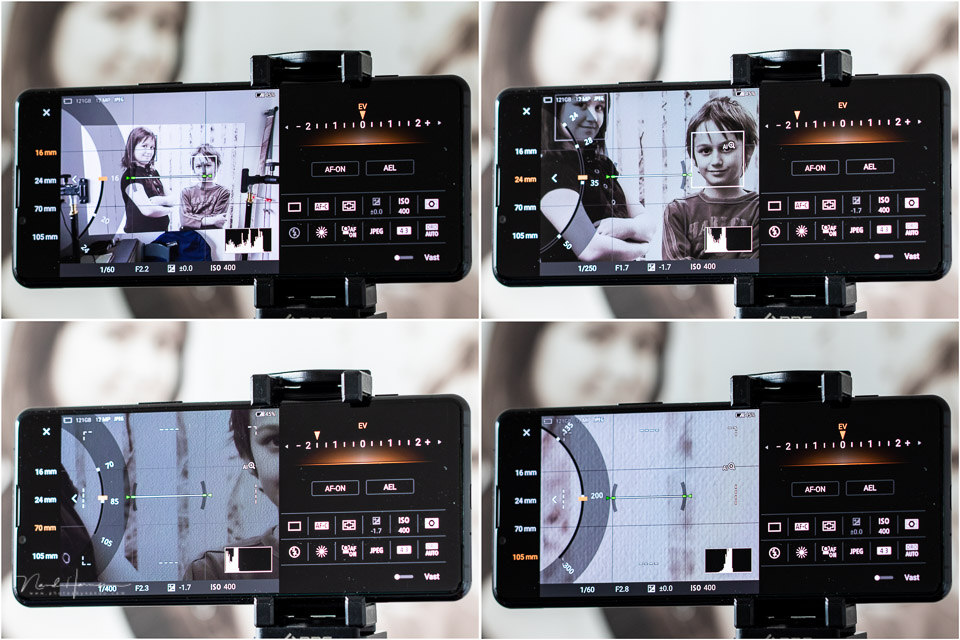
The camera app can also be used as a traditional smartphone camera app, the basic mode. It is noticeable that only in this basic mode do the controls rotate when you switch from a landscape photo to a portrait photo.
Image quality
The Sony Xperia 5 III lets you shoot in both JPEG and raw (DNG). You can edit the photo yourself using your favourite photo editing programme with the DNG file. This could be Lightroom on your computer, or another programme, for example on your smartphone.
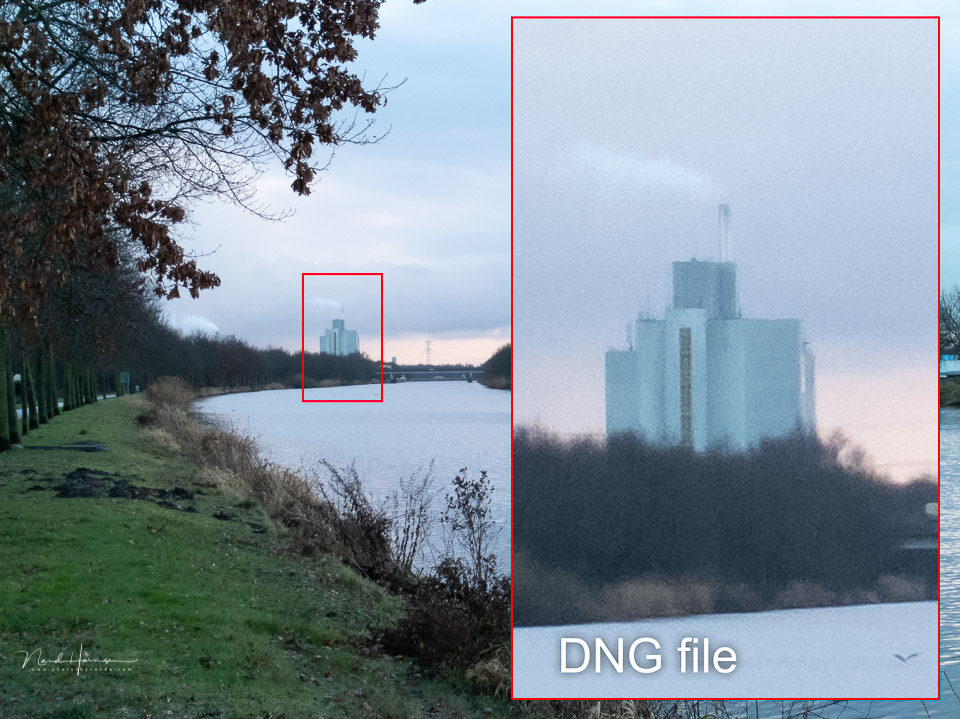
It is striking how large the differences are between a JPEG and a raw file. The JPEG from the smartphone is much sharper than the raw file. Or rather, the DNG file is so soft and woolly in appearance that at first I thought they were two different photos, one of which was simply out of focus.
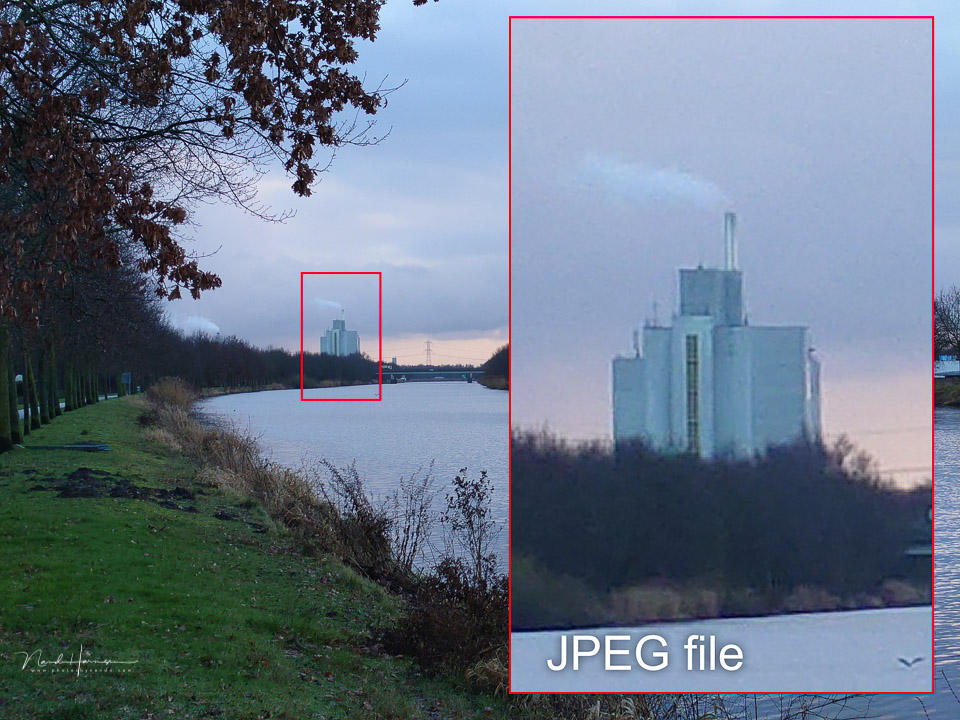
Although it initially seemed impossible to get good sharpness from the DNG file, it is possible. You need to apply very aggressive sharpening, which creates unavoidable noise. Relatively strong noise reduction can compensate for this.
The softness and woolliness of the DNG file can be seen at every focal length. It does not matter which lens you use. The 16mm, 24mm and 70mm/105mm all show the same result.
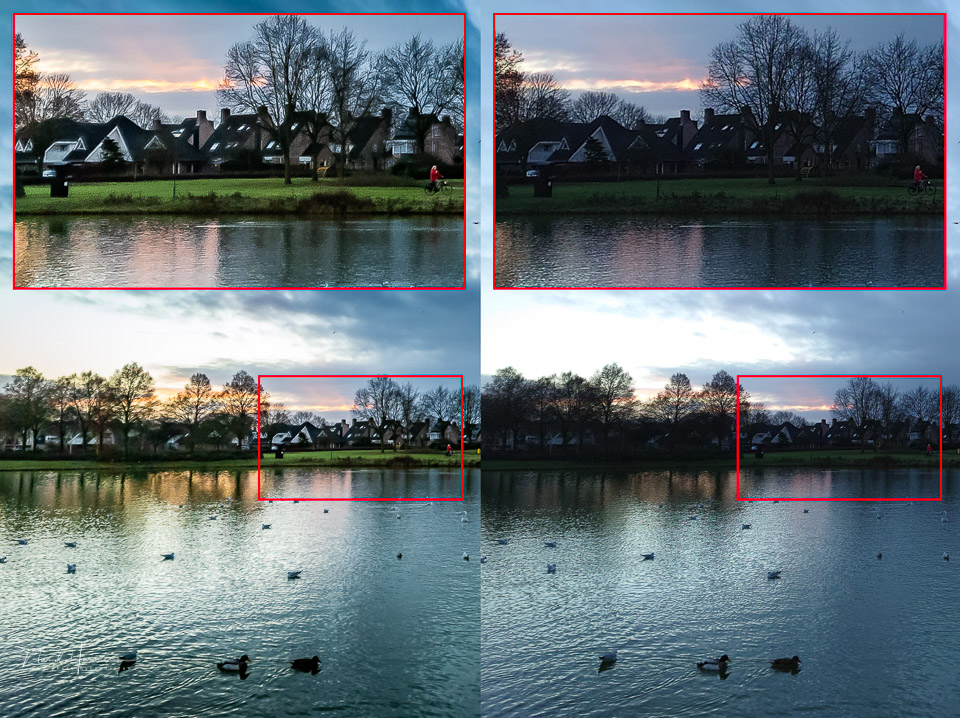
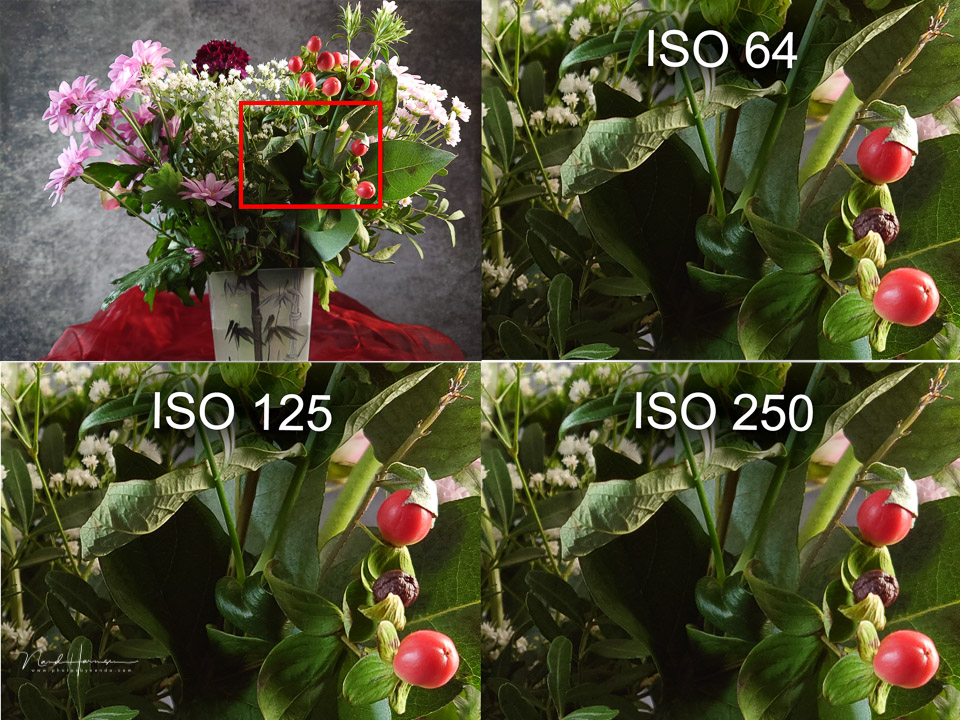
The ISO performance of the Sony Xperia 5 III is fairly good. Of course, you cannot compare this directly with a camera that has a larger sensor.
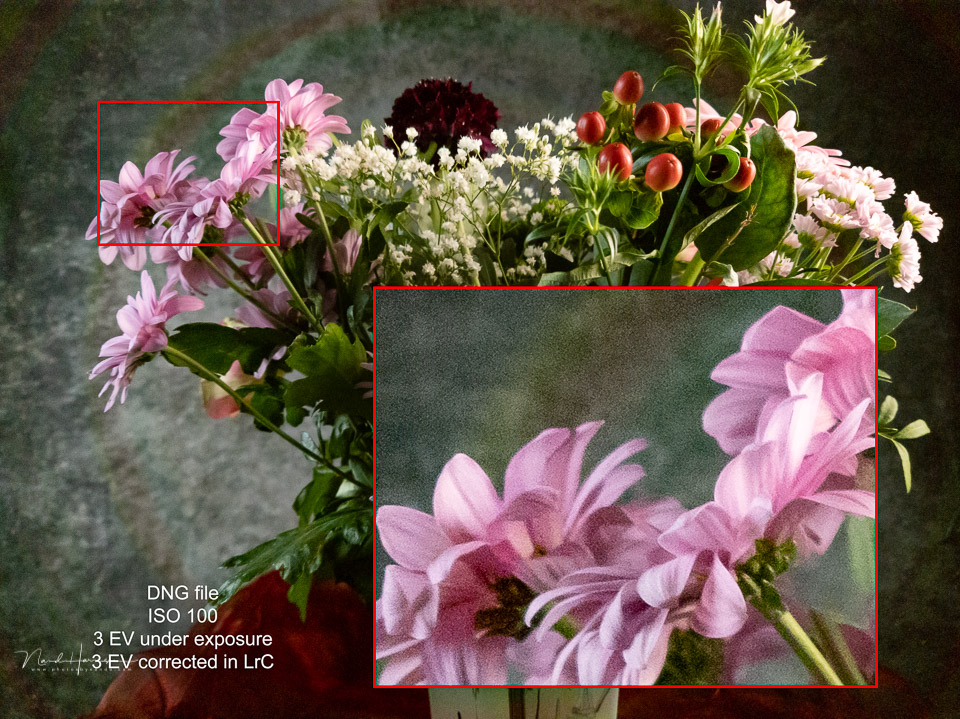
You cannot recover dark areas in the DNG file without consequences, as you would expect. I would not recommend more than 2 stops of correction.
.jpg "Nando sony xperia5III ISO 2(1)")
Practical use
The awkward way of holding the smartphone can cause problems with the Sony Xperia 5 III. The combination of the smooth Gorilla 6 glass and the dimensions of the smartphone means it is only a matter of time before it slips out of your hands. I highly recommend a smartphone case.
The buttons on the side work well, but the position of the fingerprint sensor is unfortunate. It gets pressed accidentally at the most inconvenient times, especially when the smartphone is being used as a camera and when struggling with its slippery surface.
The shutter button is well positioned, though. There are also two pressure points, the first to activate AF and the second to take the photo.

When you use the volume button to zoom, you need to bear in mind that it happens very quickly. Your hand also soon ends up in front of the screen, or in front of the lenses.
Zooming via the touchscreen is ultimately easier, especially since you can also switch between the different focal lengths. The Xperia 5 III does not automatically switch to the next or previous lens when zooming.
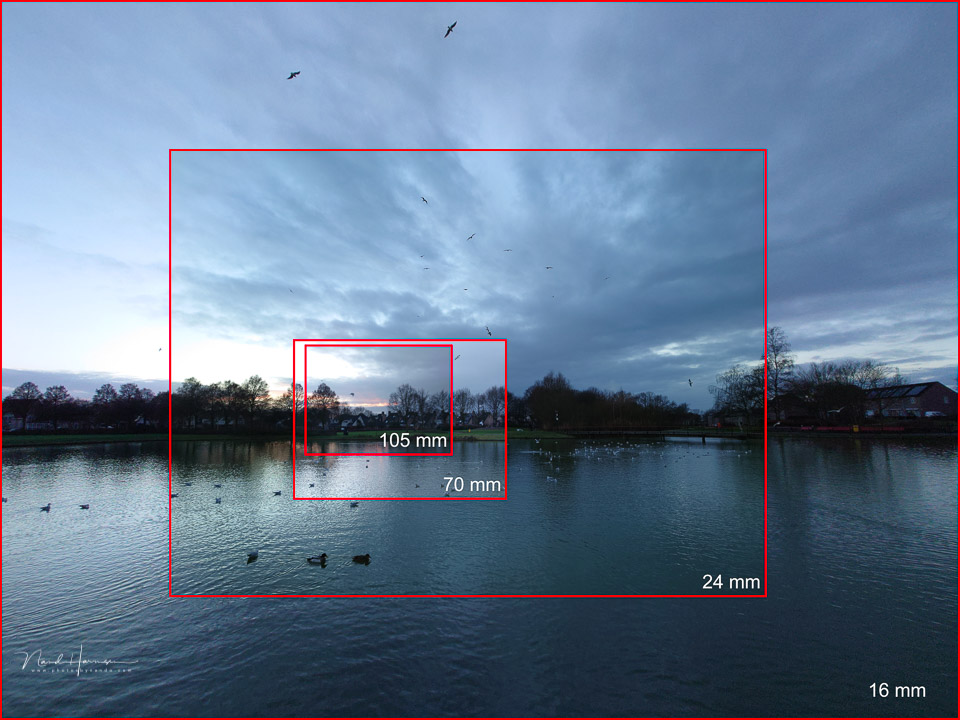
I do not find the choice of focal lengths very logical. A 16mm wide angle is good, and so is 24mm, but the difference in focal length between 24mm and 70mm is very large.
It might have been better to choose a 50mm focal length instead of 70mm. Of course, you can zoom in at 24mm, but this is digital.
Digital zooming still produces a 12-megapixel resolution. In other words, the resolution is enlarged by software. Sony uses AI super-resolution zoom for this, which you have to activate in the photo menu. If you photograph in raw, digital zooming is of no use. You will still have a 16mm, 24mm, 70mm or 105mm photo.
Autofocus in practice
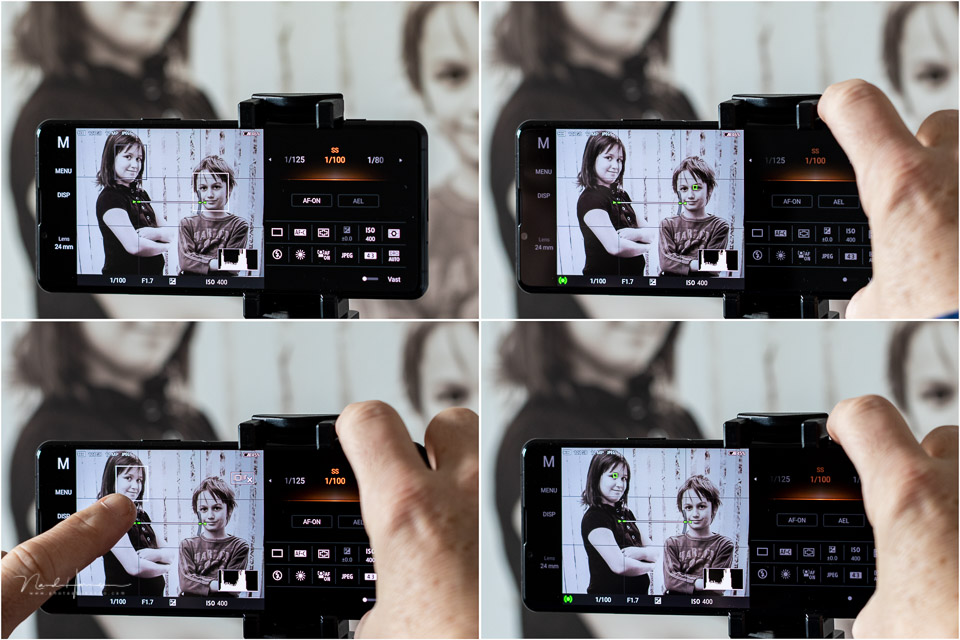
The autofocus works as you would expect from a Sony Alpha mirrorless camera. Real-time AF tracking works smoothly and quickly, and eye AF for people and animals is accurate. This means the Xperia 5 III focuses accurately on your main subject.
Keep in mind that the small sensor naturally gives you a very large depth of field, even at a 70mm focal length. This means that the Xperia 5 III's precise focusing is not always necessary in practice. Even if the autofocus is slightly off, the image will still be sharp.
If you do want a shallow depth of field, you have to use the standard camera app, where you can change the bokeh using software.
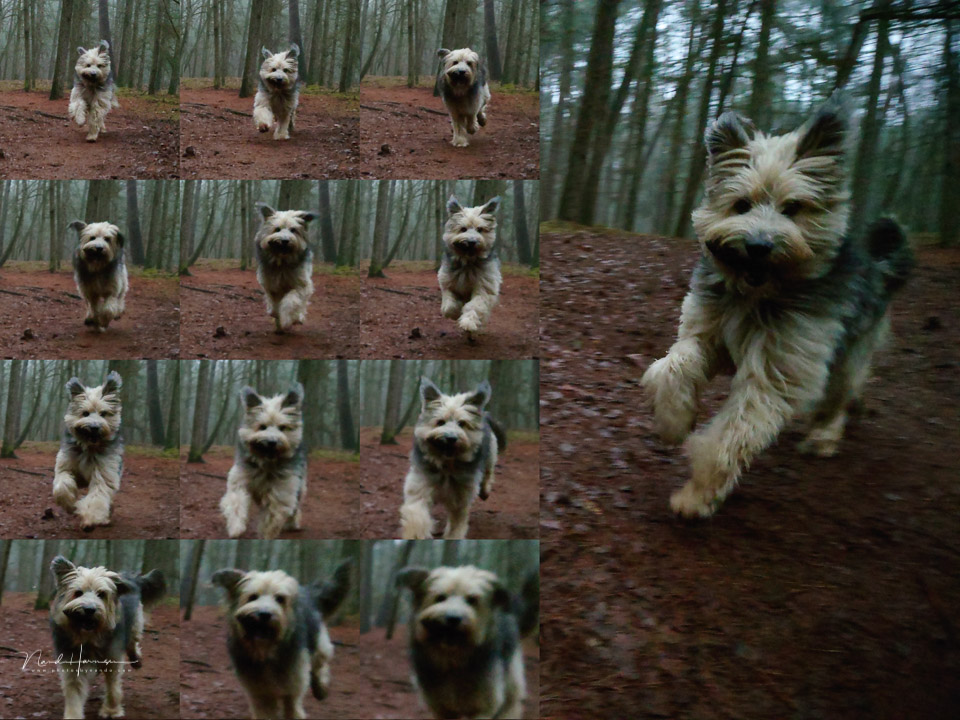
The Xperia 5 III lets you take continuous shots at both low and high speed. At high speed, the smartphone reaches as many as 20 frames per second. The condition is that you shoot in JPEG and use the 24mm focal length.
This is where the MR custom setting comes in handy, especially if you normally shoot in raw. It saves you from changing a lot of settings.
Conclusion
I should say upfront that I am not a fan of smartphone photography. That does not mean I do not use a smartphone, as it does offer the possibility of quickly taking a reasonably good-quality photo. I would not even consider a smartphone for professional use. My conclusion may therefore be somewhat coloured by that point of view.
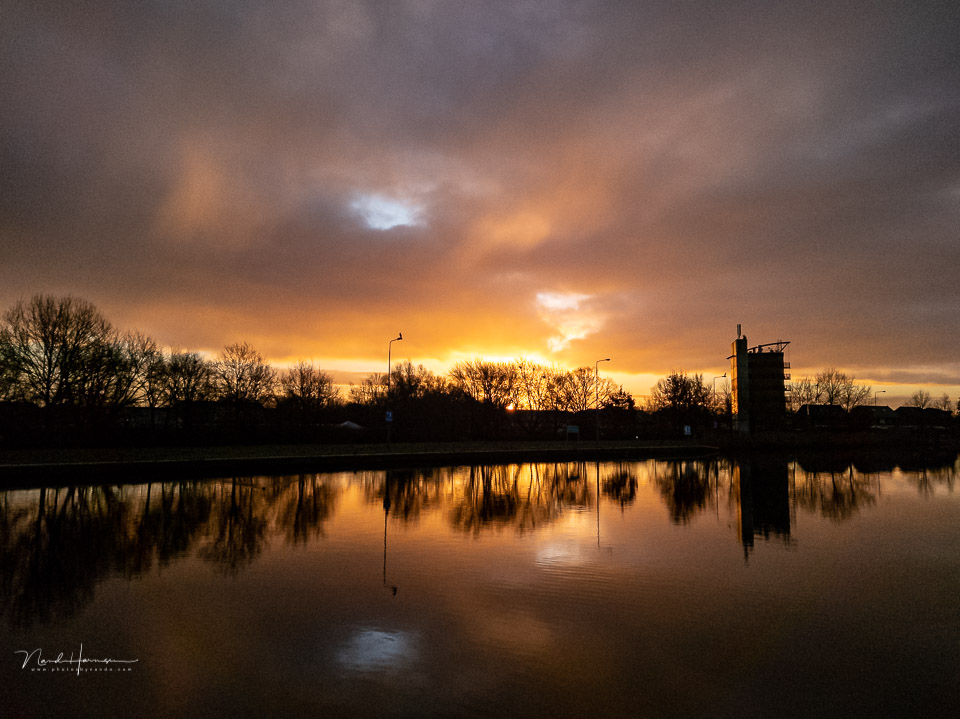
The Sony Xperia 5 III is of course poor ergonomically, but that is not specific to this smartphone. This applies to all smartphones. You cannot blame Sony for this. The glass casing does make it somewhat harder to use, with the risk of the smartphone slipping out of your hands.
The placement of the main switch with fingerprint reader is very inconvenient. I pressed this button accidentally too often, after which the smartphone unintentionally went into standby, or there were too many failed unlock attempts and I had to enter the PIN. This even happened when taking the smartphone out of my trouser pocket.

Using the photo app is manageable, and the touchscreen and swiping make changing settings reasonably quick. It is a shame that you have to choose one of the lenses manually.
You cannot zoom in while the smartphone automatically switches from 16mm to 24mm, or from 24mm to 70mm.
If you are not that interested in the settings, there is always the standard camera app. This also gives you eye AF, zooming and the use of all kinds of filters and effects. In addition, the controls rotate along with the smartphone when you tilt it, something that unfortunately does not happen in the other camera app
The real-time AF tracking and eye AF work very well. The tracking and 20 frames per second make action photography possible. Even here, though, I would like to add a note of caution. The 24mm is a wide angle, so your subject will need to be reasonably close to appear large in the frame. I do not consider the Xperia 5 III suitable for really fast action, despite its capabilities.
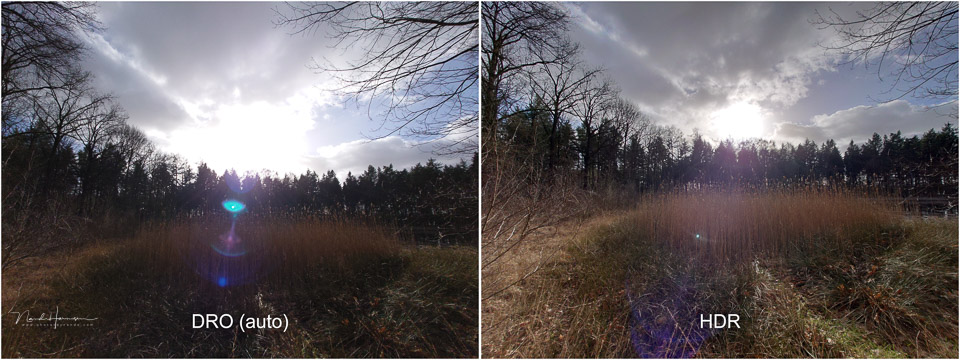
As far as image quality is concerned, I am not very impressed. Do not get me wrong, it is not bad, but it does not stand out either. The DNG files look woolly and soft, so it is not easy to achieve better image quality than the JPEG from the smartphone itself.
My conclusion after testing is clear. The Sony Xperia 5 III certainly cannot replace a normal camera. If you want to get serious about photography, I would recommend buying a proper camera and using the smartphone for snapshots. Or for making phone calls, of course.
Pros
- Reasonably good ISO performance for a smartphone
- Effective eye AF for people and animals
- Real-time AF tracking works well
- Shutter button with two pressure points, one for AF and the second to take the photo
- Extensive settings give you plenty of control
- Spot metering available
- Histogram with real-time display
- AI super-resolution zoom
- Clear AEL button for locking the exposure
- Many creative options in the standard photo app, including a bokeh control
Cons
- Smartphone is very slippery and therefore difficult to hold securely
- Power button with fingerprint sensor is poorly positioned
- Photo app controls do not rotate when the smartphone is tilted (in creative mode
- Raw (DNG) files are woolly and require aggressive sharpening to be usable
- There is too large a gap between the 24mm and 70mm focal lengths
- You have to switch from one lens to the other, there is no automatic switching when zooming
- HDR function only available in JPEG
- Continuous shooting at the highest speed (20fps) only at the 24mm focal length and in JPEG
- When zoomed to 300mm, it is almost impossible to keep the smartphone steady
- Half the screen is taken up by the settings
- The value of the precise AF capabilities is questionable because of the large 'natural' depth of field
- There are too few physical buttons to fully imitate a normal camera (which is of course not practically achievable)
- Smartphone is very slippery and therefore difficult to hold securely
- Power button with fingerprint sensor is poorly positioned
- Photo app controls do not rotate when the smartphone is tilted (in creative mode
- Raw (DNG) files are woolly and require aggressive sharpening to be usable
- There is too large a gap between the 24mm and 70mm focal lengths
- You have to switch from one lens to the other, there is no automatic switching when zooming
- HDR function only available in JPEG
- Continuous shooting at the highest speed (20fps) only at the 24mm focal length and in JPEG
- When zoomed to 300mm, it is almost impossible to keep the smartphone steady
- Half the screen is taken up by the settings
- The value of the precise AF capabilities is questionable because of the large 'natural' depth of field
- There are too few physical buttons to fully imitate a normal camera (which is of course not practically achievable)

Besides the photographic capabilities I have discussed in this review, the Sony Xperia 5 III naturally offers much more.
The video capabilities are extensive, with 4K and FHD at various frame rates, including 120p. There is SteadyShot and the excellent autofocus capabilities also work for video.
There are also many audio options, including spatial sound and Dolby Atmos support. If you are a gamer, you have PS4 Remote Play and DualShock available. Naturally, it can also be used to make phone calls.
I have deliberately left all these options and features out of the review, as it focuses on the smartphone as a camera. If you want to see more specifications, I refer you to Sony's website. The Sony Xperia 5 III is available for 999 euros.
Many thanks to Sony Netherlands for providing the smartphone.
About the author
Nando Harmsen has been photographing for more than 40 years. He specialises in wedding photography and landscape photography. Nando also gives talks, workshops, masterclasses and photo trips, and regularly reviews new and interesting equipment.
You might also like
-
 Review: Sony Xperia 10 IV smartphone for photography
by Nando Harmsen
-
 Review: Sony Xperia 1 IV smartphone for photography
by Nando Harmsen
-
Choosing between a camera and a smartphone
by Nando Harmsen
-
 Review: Sony a7r mark III
by Elja Trum
-
 Review: Sony A7 IV
by Nando Harmsen
-
 Review: Sony A1 mirrorless camera
by Nando Harmsen
0 comments
Be the first to share what you think!
Have your say
Please note: Articles older than a week can only be commented on by signed-in visitors.Would you still like to comment? sign in or create a free account.
Become a better photographer every week
A practical photography tip in your inbox every week.
38,886 photography enthusiasts already receive the tips! More about the weekly mail. Or keep up to date via  Facebook.

Elja Trum
Photofacts; everything to do with photography!
Would you like to take better photos and keep up with what is happening in photography? Photofacts publishes articles that teach you something about photography — from a product announcement to a practical shooting tip or a look at a website. Photofacts covers photography every day and is a hobby project of Elja Trum's that got out of hand. The articles are written by a team of volunteer authors. If you would enjoy writing one or more articles for Photofacts, do get in touch.More about PhotofactsPhotofacts is made possible in part by
