

Review: Sony Xperia 10 IV smartphone for photography
Saturday 27 August 2022, 20:10 by Nando Harmsen | 5,978 views | 3 commentsThis article was translated from Dutch with the help of AI. Read the original.
Sony Netherlands sent me the Xperia 10 IV smartphone for a review. I took the Xperia 10 IV with me on a short holiday to see how the smartphone performs when it comes to photography.
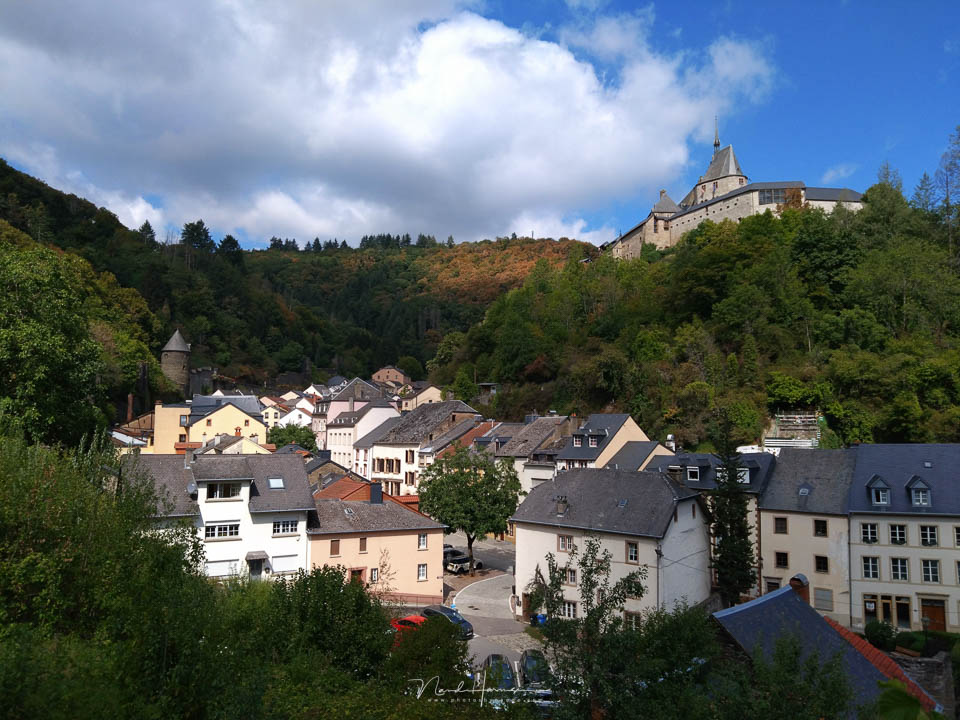
In May 2022, Sony announced the successor to the Xperia 10 III. This Sony Xperia 10 IV, as the model is called, does not differ that much from its predecessor.
At a price of 499 euros, it can also be described as a kind of entry-level model for the smartphone market.
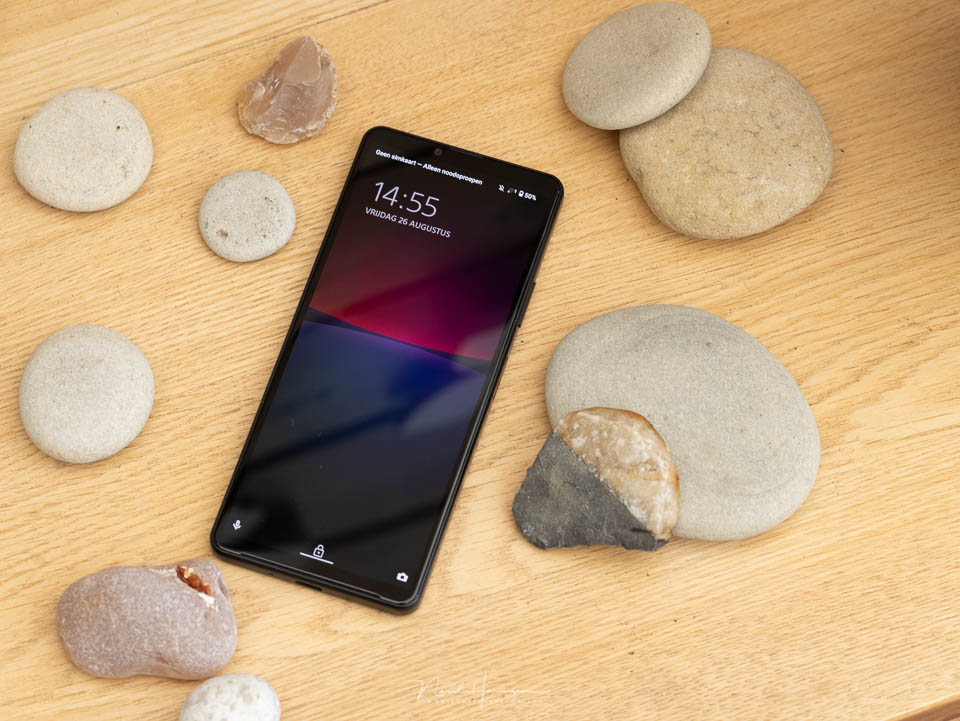
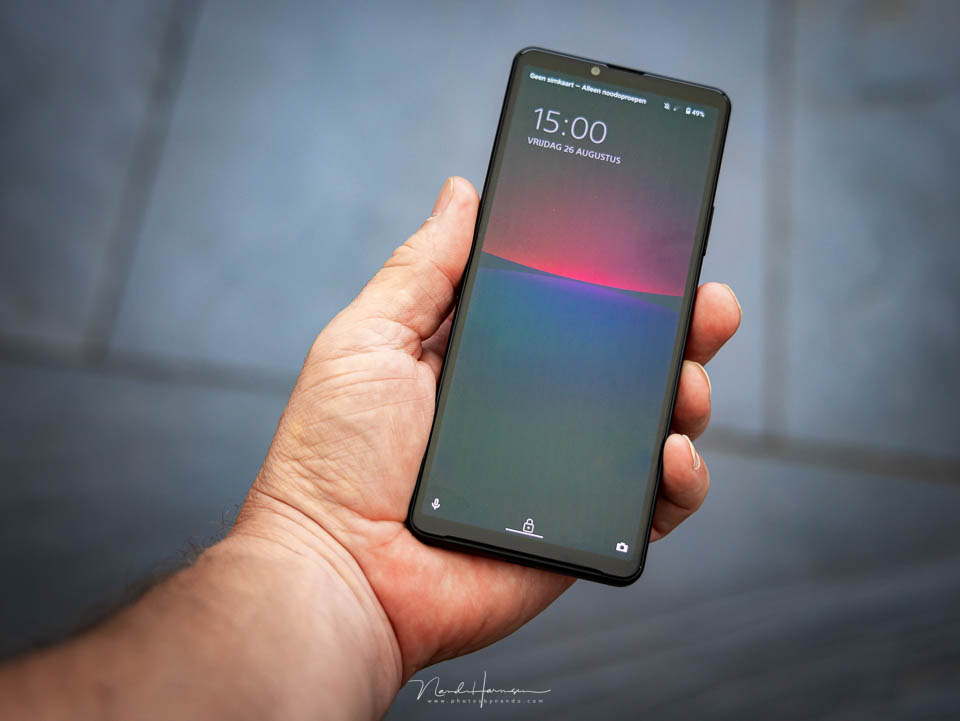
It is a relatively small but powerful smartphone, measuring 153 x 67 x 8.3 mm and weighing just 161 grams. The smartphone is water-resistant and dustproof, and has a 6-inch OLED screen with a 21:9 aspect ratio and 2520 x 1080 pixels.
The biggest, and perhaps only, differences from its predecessor are the powerful 5000 mAh battery and the faster Snapdragon processor. The Xperia 10 IV supports 5G networks.
Some specifications at a glance
The dimensions of the Xperia 10 IV, the screen and the battery capacity have already been mentioned. What else does the smartphone offer? Below, I list some of the options.
- Three rear cameras (8 MP ultra-wide-angle, 12 MP wide-angle, 8 MP telephoto)
- Up to 10 frames per second
- HDR and creative filters
- Hybrid zoom up to 10x
- Super-resolution zoom
- Night modes, panorama and bokeh filter
- Optical SteadyShot for video
- Slow-motion video in 720p at 120 fps
- 8 MP front camera
- Hi-res audio and 360 Reality Audio certified
- 3.5 mm audio connection
- 6 GB RAM and 128 GB internal storage
- Expansion with micro SD up to 1 TB possible
- Dual SIM (nanoSIM and eSIM)
- Android 12
- WiFi, GPS and Bluetooth 5.1
- USB Type-C with USB 2.0
- Fingerprint sensor
- Volume switch
What this review covers
This review does not cover smartphone functions such as sound and calling. Online use and filming are not covered either. I used this smartphone exclusively for photography, so the review is written from the point of view of a smartphone photographer.
Sony states in the specifications that the Xperia 10 IV is mainly intended for straightforward shooting, without the need for special settings. The smartphone takes care of that.
It is suitable for everything from landscapes to portraits, with advanced noise reduction and photography in low light. You can zoom more clearly and take selfies with AI.

That is what the product description on Sony's website says. I took the Xperia 10 IV with me on holiday to the German Eifel to use the smartphone in that way as well. The idea was that it would simply be a matter of opening the camera app and taking photos.
The appearance
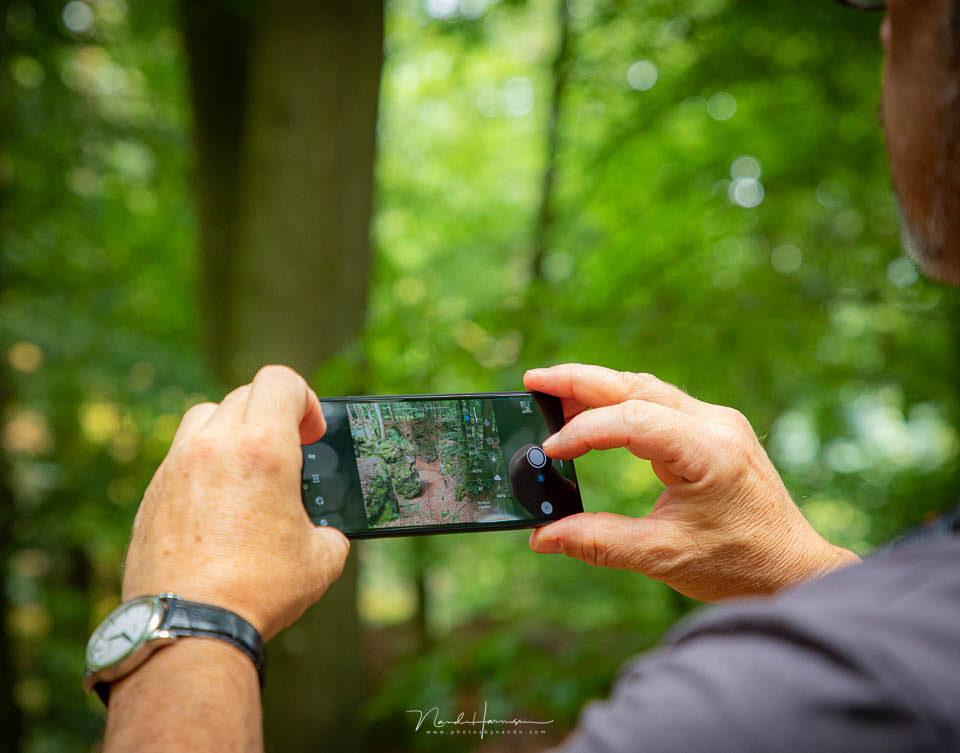
The smartphone is small and light. It is designed so that you can operate the Xperia 10 IV with one hand in principle. That works until you want to take a landscape photo. Then you do need both hands.
Fortunately, the smartphone is not as slippery as, for example, the more expensive Xperia 5 III, which I reviewed earlier.
I cannot say much about the battery, as I used the Xperia 10 IV exclusively as a camera. There was no SIM card in it, and I did not use the internet via WiFi or install any apps.
According to Sony, there is enough power for a whole day, with the battery life guaranteed for 3 years.
It is charged with a USB-C cable. Bear in mind that data transfer, if applicable, uses the USB 2.0 protocol. There is a slot on the side of the smartphone for a micro SD card of up to 1 TB. This slot also has room for a SIM card.
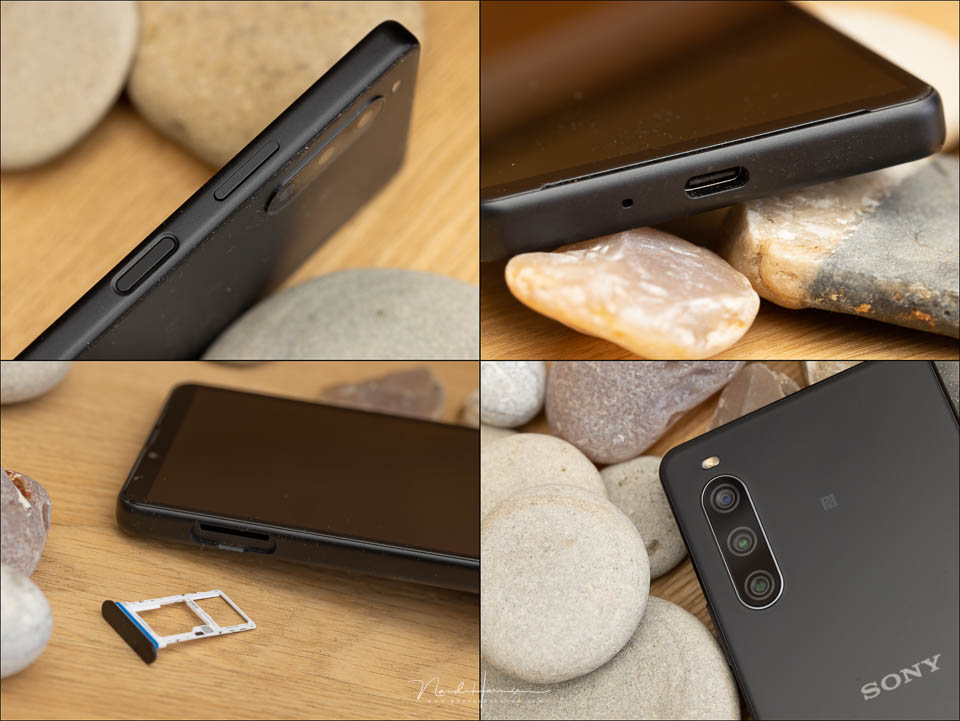
A button with a fingerprint sensor is located in the middle of the side of the smartphone. Above it is a volume switch, which can also be used for zooming in the camera app. The 3.5 mm audio connection is on top of the Xperia 10 IV.
The cameras of the Xperia 10 IV
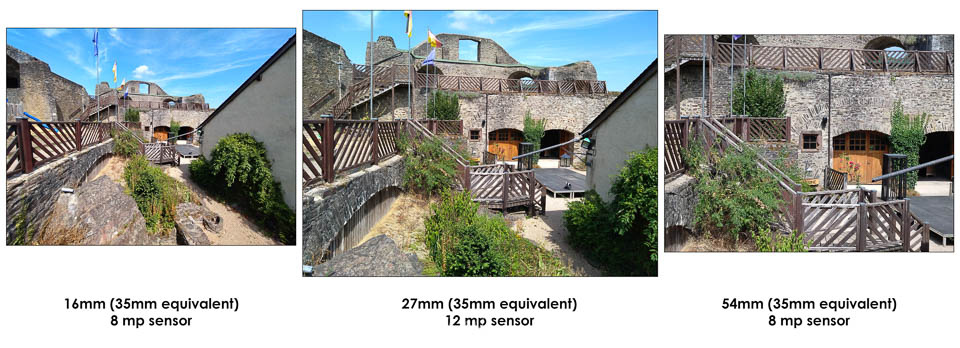
There are four cameras on the smartphone. Three on the back and one on the front. The main camera has a 12-megapixel 1/2.8-inch sensor, a 27mm focal length (35mm equivalent) and an aperture of f/1.8.
The other two cameras are 8 megapixels, with 1/4.4-inch and 1/4-inch sensors, an aperture of f/2.2 and focal lengths of 54mm and 16mm respectively (35mm equivalent). The front has an 8 MP camera with a 1/4-inch sensor and an aperture of f/2
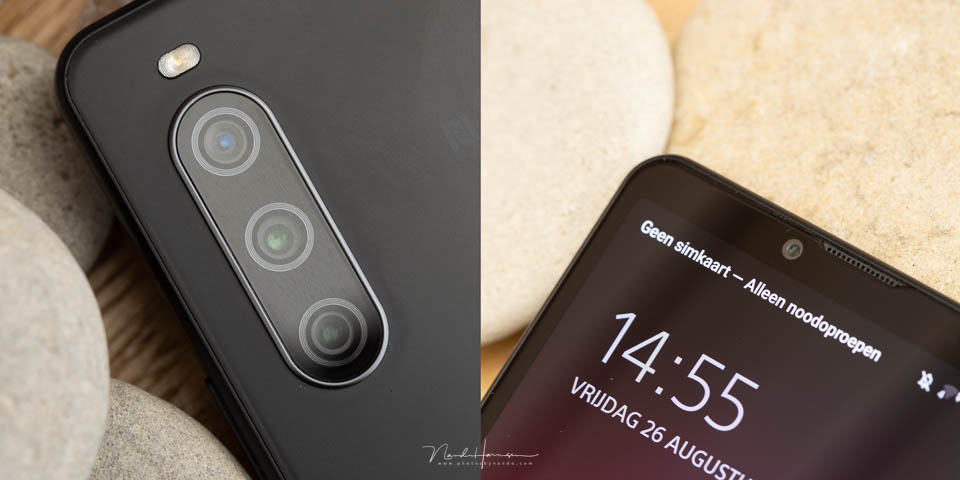
In the camera app, you can immediately choose between 1x, which is the 27mm camera, 2x, which switches to the 54mm telephoto camera, and 0.6x, which gives you the 16mm angle of view. You can also swipe to zoom in further. The superzoom function is then activated automatically.
The camera app
The camera app on the Sony Xperia 10 IV is very simple. The system recognises the scene and chooses the settings it considers suitable for that type of photography. In principle, all you have to do is zoom in or out and press the button to take the photo.
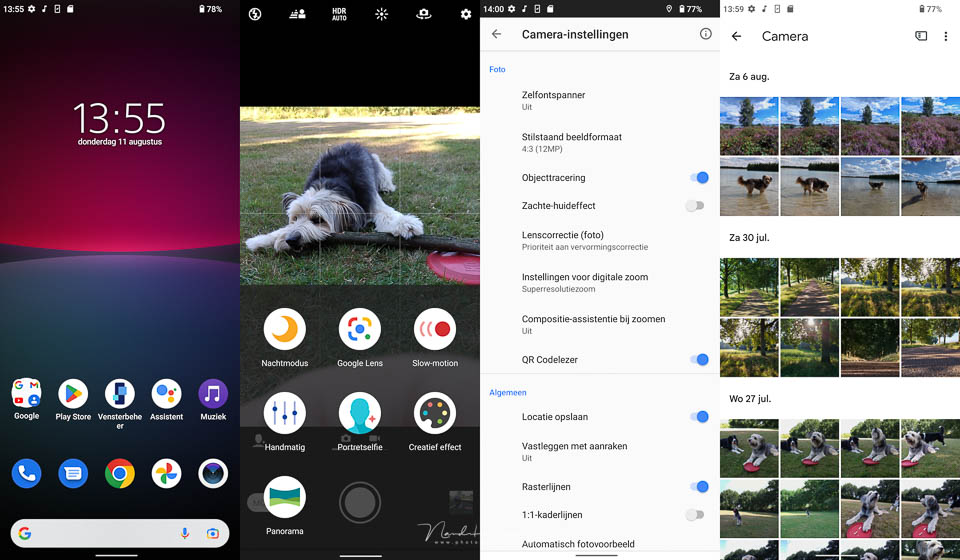
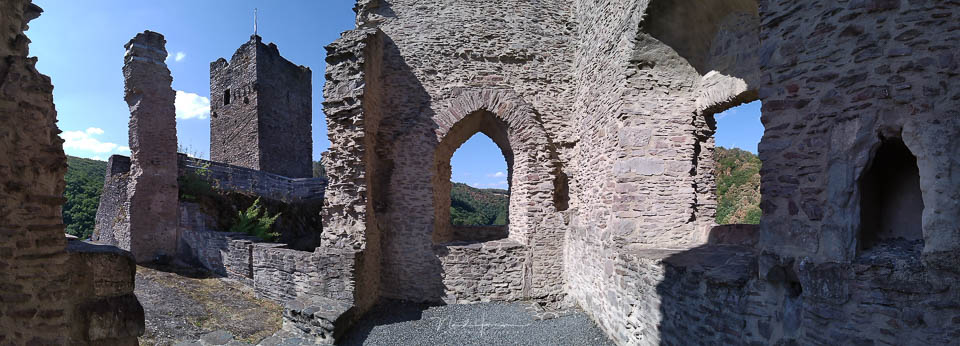
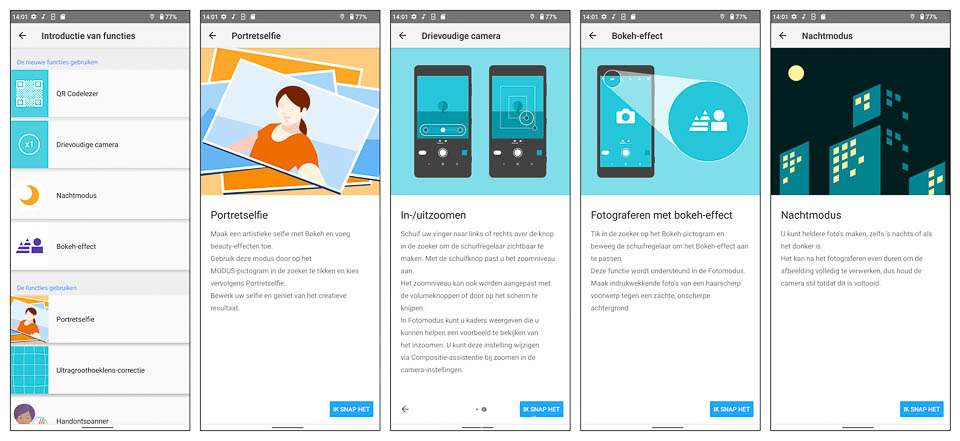
The camera app gives you a selection of different creative options. There is Night mode, Portrait selfie, Creative effect and Panorama. You can also set the camera manually.
You also have access to Google Lens, which lets you search Google directly using image recognition, and Slow motion for video.
The top bar lets you switch the flash, exposure, HDR or the front and rear camera. There is also the settings button. What is missing from the Xperia 10 IV is the option to photograph in raw format.
Creative effect and portrait selfie
You can apply all kinds of creative effects to your photos with the Xperia 10 IV. You can choose from 18 filters, which you can adjust to some extent depending on the filter you choose.
Bear in mind that these filtered photos are always saved to the camera's internal storage, and not to the SD card, even if you have set it that way.
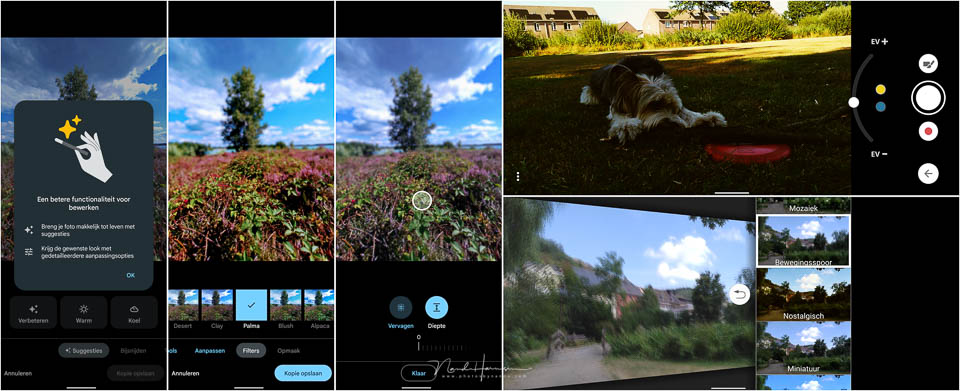
Portrait selfie lets you make the face narrower, smooth the skin, enlarge the eyes and adjust the facial lighting. This is also where you find the bokeh button, which can blur the background.
Activating the Portrait selfie function also immediately switches to the front camera. You cannot use this option with the normal rear camera.

Night modes
A common problem with smartphone photography is taking photos in dark conditions. The Night modes on the Xperia 10 IV let you do this with a fair amount of noise reduction, so the photos look less poor.
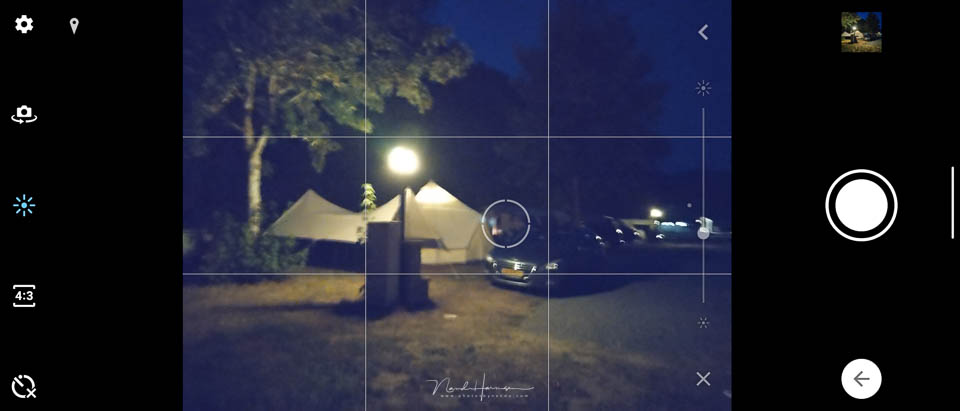
It takes time to take a photo in Night mode. You cannot take a photo quickly, as you have to keep the smartphone still while the camera is working. This can take 2, 3 or more seconds.
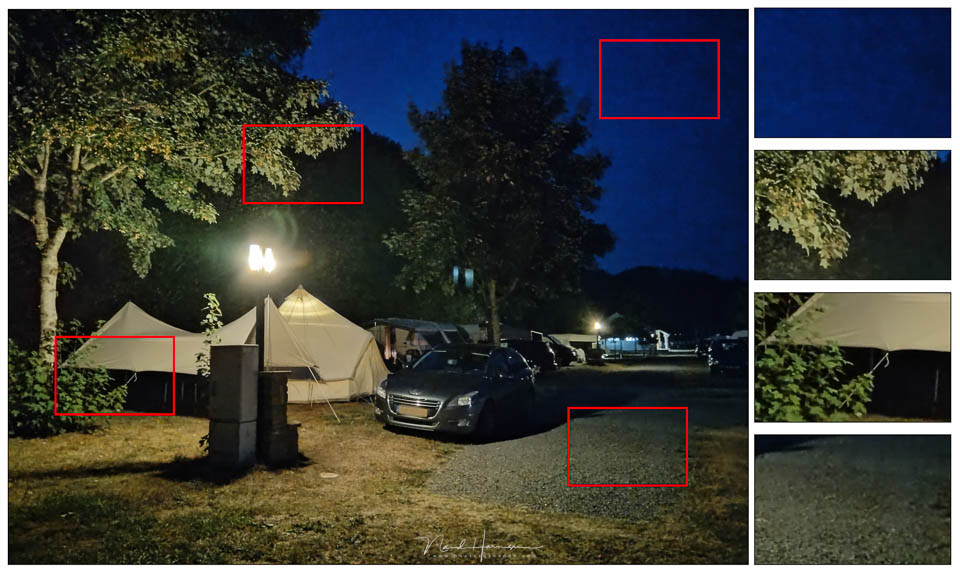
The result is better than without Night mode, but the quality is not very good. Look at the photos taken in the dark with the Xperia 10 IV in Night mode and judge for yourself.
Manual settings
With the manual settings, you can choose your own settings. Think of white balance, ISO, overexposure and underexposure, shutter speed and autofocus modes.
This option means that, fortunately, you can deviate from what the Xperia 10 IV chooses for you. White balance in particular is an interesting function to choose yourself.
You can also improve the photo afterwards by clicking edit when viewing the photo in the gallery. The Xperia 10 IV gives you suggestions, general adjustments and filters, or you can change the layout.
Bear in mind that this can mean a loss in quality, as you are editing a JPEG rather than a raw file.

Using it in practice
It quickly becomes clear that the Xperia 10 IV is intended for simple use, without further adjusting the camera settings. The only thing you have to decide yourself is the composition.
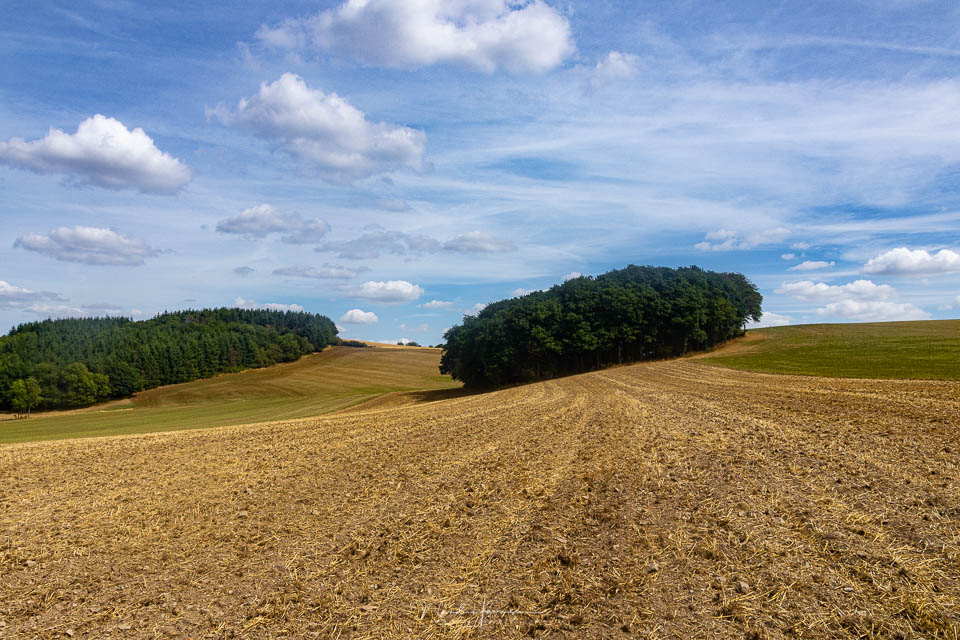
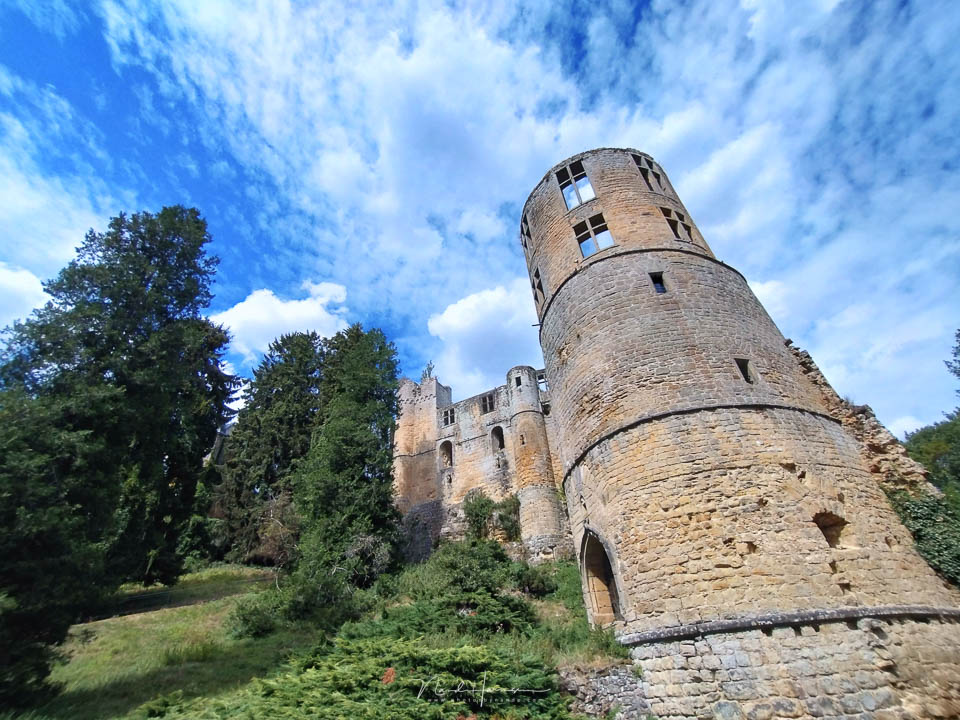
The 16mm wide angle in full-frame equivalent is an advantage. It allows you to fit more into the frame than you normally would.
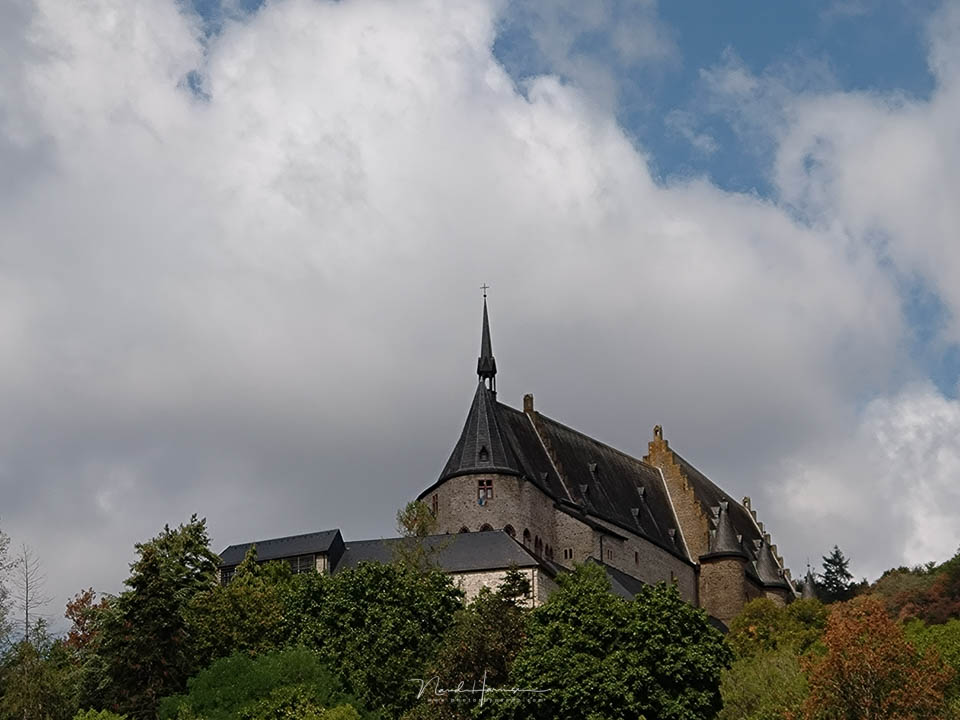
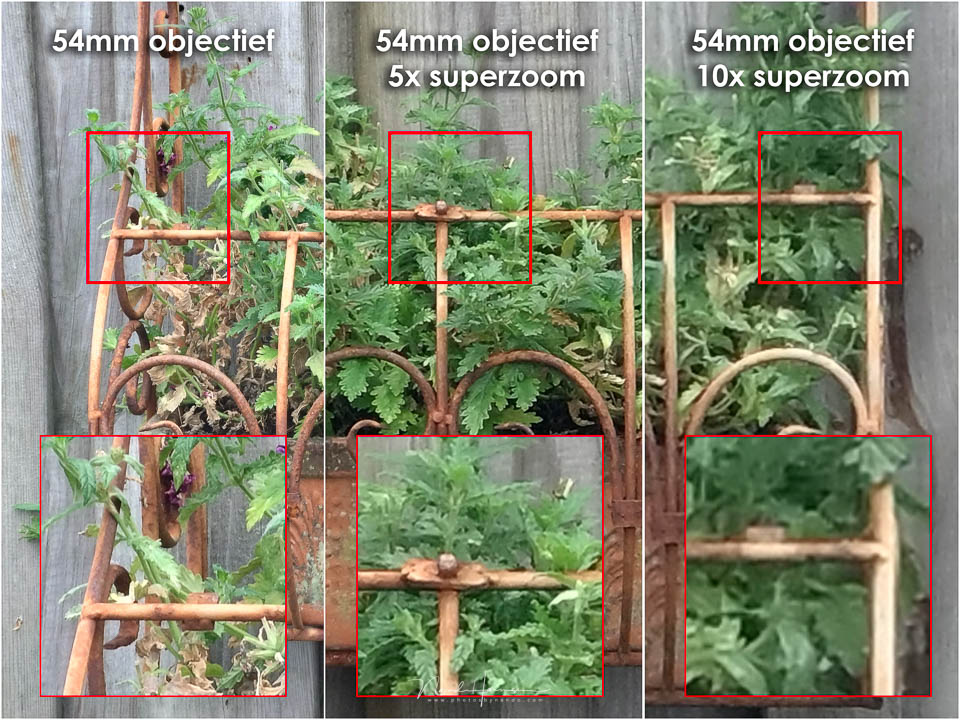
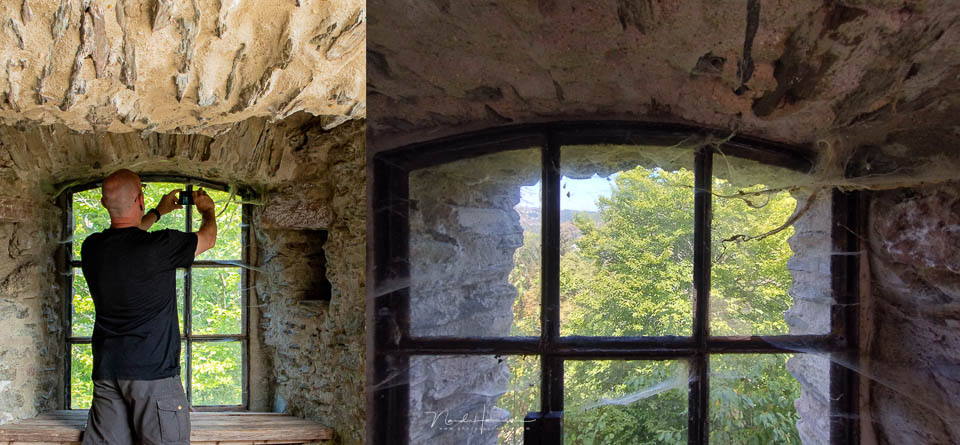
The 54mm focal length, 35mm equivalent, can hardly be called telephoto, and zooming in further to 5x or even 10x is tempting. Digital zooming from 54mm, 35mm equivalent, means that the Xperia 10 IV makes a digital crop and then enlarges that photo until it is 8 megapixels again. This means that the detail in the photo does not improve.
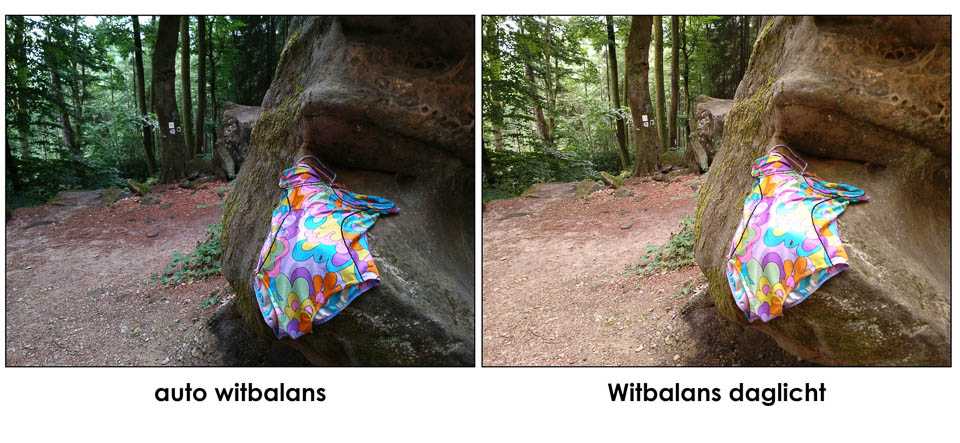
It was noticeable that the white balance of the Xperia 10 IV does not always produce a good result. This naturally depends on the situation you are in, but it stood out that the photo was on the cool side both in woodland and in urban surroundings.
It is therefore advisable to keep a close eye on the white balance and adjust it where necessary.
Conclusion
I have never been very enthusiastic about smartphone photography. The results are often reasonable, but you are quite limited by the restrictions imposed by a tiny camera and sensor. When you photograph in raw format, you do have some room to work with.
Unfortunately, the Xperia 10 IV cannot shoot in raw, so you depend on the built-in JPEG engine. It produces a reasonable result as long as you do not use digital zoom.
In other words, stick to 16mm, 27mm and 54mm, 35mm equivalent, and the images look fine. If you zoom in further, the images look oversharpened and you lose detail.
The Night modes did not convince me. Although you can achieve slightly better quality, you lose a lot of detail. However, as long as you view the photo on a smartphone screen, it is fine. Just make sure you do not zoom in on the details, if you can see them at all.
What I like
- Compact design
- Good screen
- Touchscreen works well
- Three rear cameras with 16mm, 27mm and 54mm
- Night modes, creative filters, HDR and panorama function
- Good battery capacity
- Simple operation
- Suitable for those who do not want to worry about settings
- Google Lens available directly from the camera app
- Good beginner explanations for various functions
What I like less
- Auto white balance is often too cool
- No raw format
- Digital zoom causes considerable loss of detail and quality
- Night mode is not convincing
- Portrait selfie settings only work with the front camera
- Portrait selfie settings quickly produce an exaggerated, plastic look
- Sample photos in the gallery were not taken with this smartphone
- Not suitable for the advanced photographer who wants more than a snapshot
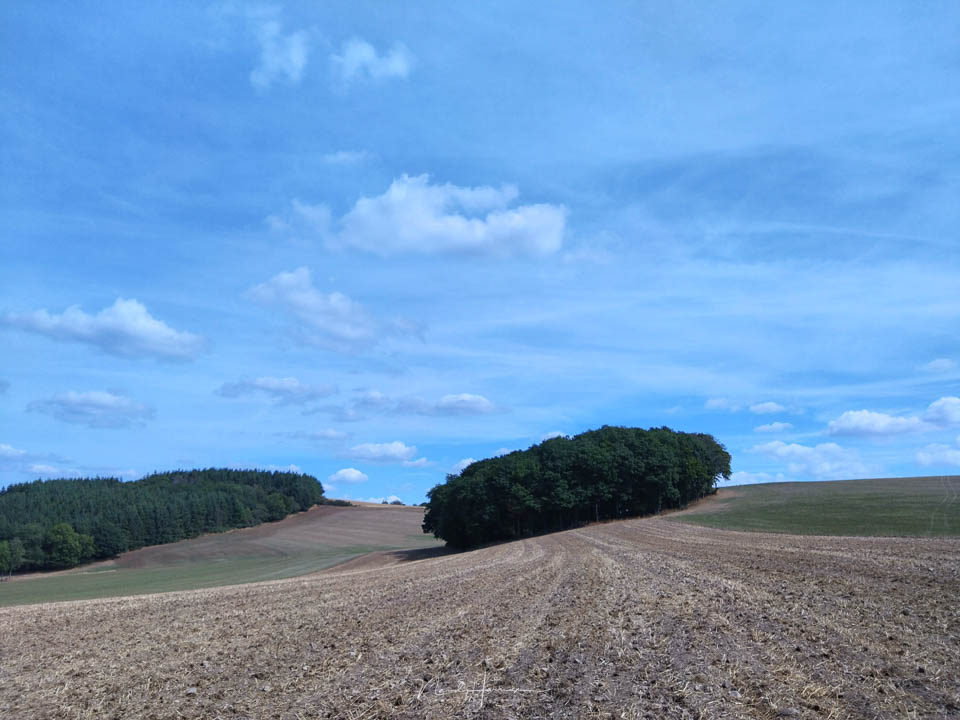
The Sony Xperia 10 IV is, of course, an entry-level model, or at least that is how I see this smartphone. The results in good lighting conditions are good, apart from the white balance.
Are your photos intended for social media and for viewing on your smartphone screen? Then the Xperia 10 IV offers a fine camera function. If you want more than that, investing in a more advanced smartphone is probably a sensible choice.
About the author
Nando Harmsen has been photographing for more than 40 years. He specialises in wedding photography and landscape photography. Nando also gives talks, workshops, masterclasses and photo trips, and regularly reviews new and interesting equipment.
You might also like
-
 Review: Sony Xperia 1 IV smartphone for photography
by Nando Harmsen
-
 Review: Sony Xperia 5 III smartphone for photography
by Nando Harmsen
-
 Review: Sony A7 IV
by Nando Harmsen
-
 Choosing between a camera and a smartphone
by Nando Harmsen
-
 Review: Sony A7R V mirrorless camera
by Nando Harmsen
-
 Preview: Sony Alpha 7R IV
by Aäron Nasarany
3 comments
-
 Jan Willem wrote on Tuesday 30 August 2022 at 15:53 | reply
Have an old Sony, it still works well, Sony phones last quite a long time, but I don't think the superzoom is that great, not even on my old Sony and lastly, how long are these Sony phones supported.
Translated from Dutch. -

 Nando
wrote on Wednesday 31 August 2022 at 10:59
| reply
Nando
wrote on Wednesday 31 August 2022 at 10:59
| reply
@Jan Willem:
Translated from Dutch.
The development of these kinds of smartphones is progressing very quickly. You have an old Sony with a not so great superzoom. Modern ones might be able to produce much better results.
It also depends on what model you have, as this review shows. An entry-level model like this Xperia 10 IV also doesn't have such a great superzoom. Who knows how a more expensive model will perform? -
Jan Willem wrote on Wednesday 31 August 2022 at 12:58 | reply
I've also seen a Sony for around 1800 euros, then I'd rather buy a good lens for that money and still get a cheap phone. The prices of so-called (good) phones nowadays really aren't fun anymore and I don't buy one either. But that's more a personal choice.
Translated from Dutch.
Have your say
Please note: Articles older than a week can only be commented on by signed-in visitors.Would you still like to comment? sign in or create a free account.
Become a better photographer every week
A practical photography tip in your inbox every week.
38,937 photography enthusiasts already receive the tips! More about the weekly mail. Or keep up to date via  Facebook.

Elja Trum
Photofacts; everything to do with photography!
Would you like to take better photos and keep up with what is happening in photography? Photofacts publishes articles that teach you something about photography — from a product announcement to a practical shooting tip or a look at a website. Photofacts covers photography every day and is a hobby project of Elja Trum's that got out of hand. The articles are written by a team of volunteer authors. If you would enjoy writing one or more articles for Photofacts, do get in touch.More about PhotofactsPhotofacts is made possible in part by
