

Camera tip: use your My Menu
Thursday 2 July 2020, 22:44 by Nando Harmsen | 4,382 views | 0 commentsThis article was translated from Dutch with the help of AI. Read the original.
The possibilities offered by a modern digital camera are almost endless. All those functions need a place in the camera's menu. Try designing a good structure for that. It is very difficult, and sometimes almost impossible.
Although some manufacturers manage to put together a good and reasonably usable menu, others continue to fail miserably at this. Fortunately, almost every manufacturer has a solution to this almost impossible problem: the "My Menu."
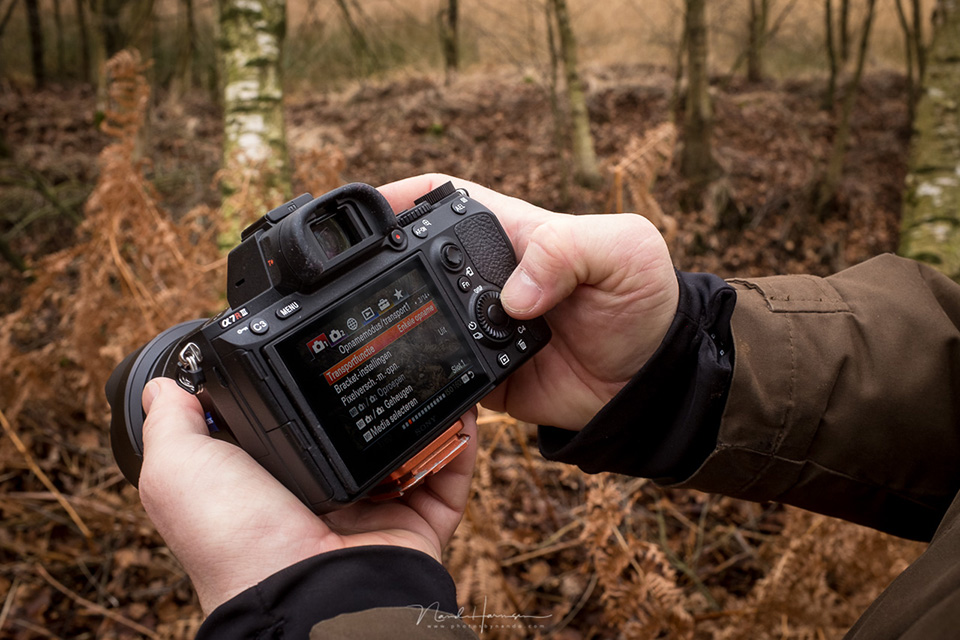
In "My Menu", you can collect the menu options you use most, and that you cannot or do not want to assign to a button when customising your camera. For example, I put the battery information, formatting my memory card, the Wi-Fi setting, a bulb timer, and the brightness of my LCD screen there.

The functions I put in "My Menu" are the things I personally use a lot, which is why it has literally become "My Menu". Your collection of functions may be completely different, so it will become your menu.
"My Menu" can have different names, depending on the camera manufacturer. They may also look different, or be built into the camera system in a different way. Some are very extensive, while others are limited to just a few functions.

About the author
Nando Harmsen has been photographing for more than 40 years. He specialises in wedding photography and landscape photography. Nando also gives talks, workshops, masterclasses and photo trips, and regularly reviews new and interesting equipment.
You might also like
-
 Do you use your camera's My Menu yet?
by Nando Harmsen
-
 Do you know your camera's menu?
by Nando Harmsen
-
 What is Nikon's exposure delay mode for?
by Nando Harmsen
-
 Changing autofocus behaviour in a Canon camera
by Nando Harmsen
-
 Saving a JPEG in Photoshop has changed
by Nando Harmsen
-
 Manual photography? Back to A(f)?
by Antonette de Groot
0 comments
Be the first to share what you think!
Have your say
Please note: Articles older than a week can only be commented on by signed-in visitors.Would you still like to comment? sign in or create a free account.
Become a better photographer every week
A practical photography tip in your inbox every week.
38,938 photography enthusiasts already receive the tips! More about the weekly mail. Or keep up to date via  Facebook.

Elja Trum
Photofacts; everything to do with photography!
Would you like to take better photos and keep up with what is happening in photography? Photofacts publishes articles that teach you something about photography — from a product announcement to a practical shooting tip or a look at a website. Photofacts covers photography every day and is a hobby project of Elja Trum's that got out of hand. The articles are written by a team of volunteer authors. If you would enjoy writing one or more articles for Photofacts, do get in touch.More about PhotofactsPhotofacts is made possible in part by
