

What is Nikon's exposure delay mode for?
Friday 17 April 2026, 17:17 by Nando Harmsen | 2,030 views | 12 commentsThis article was translated from Dutch with the help of AI. Read the original.
All cameras have a self-timer. This lets you take a photo with a delay. Many Nikon cameras also have an exposure delay mode. This also lets you take a photo with a delay. What is the difference?
You are undoubtedly familiar with the self-timer. It takes a photo with a delay. With Nikon, you often have a choice between 2, 5 and 10 seconds. Sometimes 20 seconds too.
This is perfect for taking a photo where you want to be in the frame yourself. In group photos, or other photos where you want to be in the frame yourself. You can also use it to prevent the camera from moving on a tripod when you press the button.
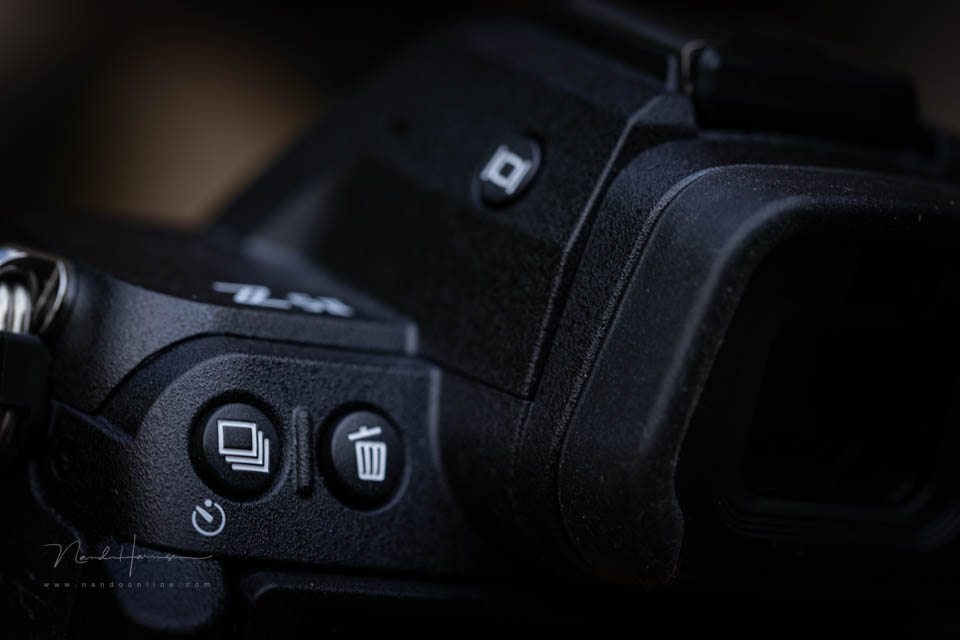
Nikon is, as far as I know, the only one that also has an exposure delay mode. You can find this in the menu. It lets you take a photo with a delay, as the name suggests. That sounds the same as the self-timer.
The exposure delay mode can be set to short delays between 0.2 and 3 seconds. This does not give you enough time to get into the photo yourself. But what is this mode for?
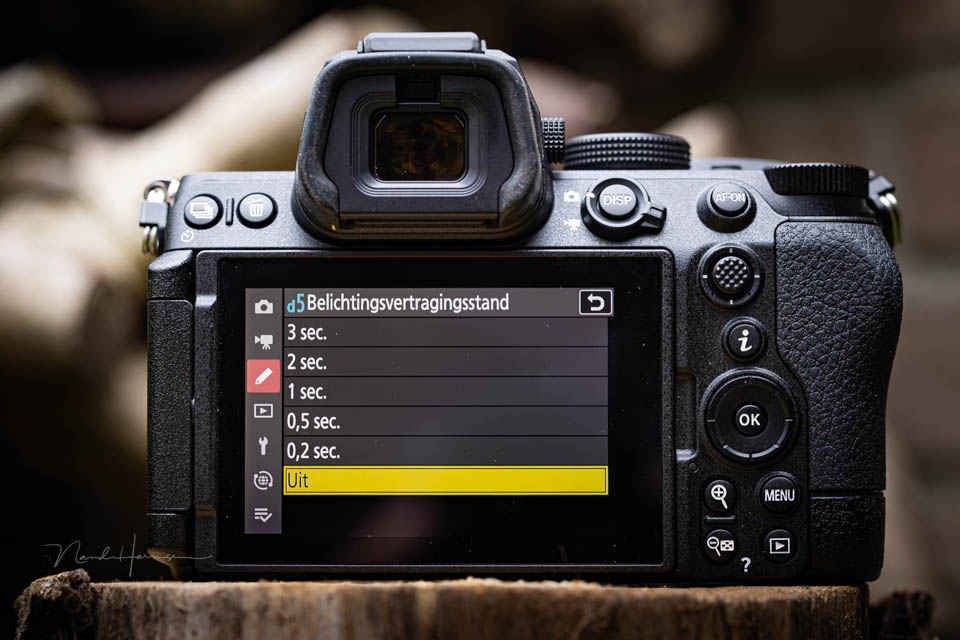
When you press the shutter-release button, there is a delay before the photo is taken. You could use this when the camera is on a tripod. But only with 2 or 3 seconds. With anything less than 1 second, your finger is still on the button.
I do not know for certain why Nikon chose this function. It seems almost the same as the self-timer, but it is not. Why would you choose a delay of 0.2 or 0.5 seconds? What is the purpose?
If you are expecting to get an answer in this article, I have to disappoint you. I do not know the answer. But I would really like to know and understand it.
Are you a Nikon user? Do you know what the purpose is? Do you use this function? Let us know in a comment below this post why you would choose this function. I promise I will play devil's advocate.

About the author
Nando Harmsen has been photographing for more than 40 years. He specialises in wedding photography and landscape photography. Nando also gives talks, workshops, masterclasses and photo trips, and regularly reviews new and interesting equipment.
You might also like
-
 Do you use your camera's My Menu yet?
by Nando Harmsen
-
 Aeroplane mode on a camera
by Nando Harmsen
-
 Review: Nikon Z5 II
by Nando Harmsen
-
 Review: Nikon ZR
by Nando Harmsen
-
 Do you know your camera's menu?
by Nando Harmsen
-
Camera tip: use your My Menu
by Nando Harmsen
12 comments
-
 Hanry Doorn wrote on Friday 17 April 2026 at 20:03 | reply
Nando, this is stated in my camera's manual. So the aim seems to be to prevent blur caused by camera shake.
Translated from Dutch.
Quote:
In situations where the slightest camera movement can lead to blurry photos, the shutter speed can be delayed by approximately 0.2 to 3 seconds after the shutter-release button is pressed.
An icon appears in the shooting display when an option other than [ Uit ] is selected.
End of quote.
Regards, Hanry -

 Nando
wrote on Friday 17 April 2026 at 21:15
| reply
Nando
wrote on Friday 17 April 2026 at 21:15
| reply
That’s all clear and logical. You don’t need an instruction manual for that. But what is the added value over an ordinary self-timer? What is a practical situation in which that is better suited? That is the question.
Translated from Dutch.
I don’t see any added value in it, but if you do, tell me. -
 guest wrote on Friday 17 April 2026 at 20:11 | reply
Nikon’s Exposure Delay Mode (found in the Custom Setting Menu, often under d4) reduces camera shake by creating a 0.2 to 3-second pause between pressing the shutter and the photo being taken. This allows vibrations from the mirror flip or button press to subside, ensuring sharper images on tripods, particularly for landscapes and macro shots.
Translated from Dutch. -
-
 MacBigfoot wrote on Friday 17 April 2026 at 23:48
| reply
MacBigfoot wrote on Friday 17 April 2026 at 23:48
| reply
I come across something about ‘micro blur’:
Translated from Dutch.
It goes too far for me to translate or quote the article:
https://vuegraphy.com/difference-between-timer-and-exposure-delay/
I wonder if you can actually see it, I’m also hearing about it for the first time. But it basically comes down to the camera generating micro-vibrations that become visible with high-megapixel cameras. -
Nando
wrote on Monday 20 April 2026 at 09:52
| reply
Thank you for sharing the article. This is about a DSLR camera. And yes, with that, the mirror flipping up can cause vibrations. A well-known problem that this solves.
Translated from Dutch.
But this does not apply to a mirrorless camera. After all, it has no mirror.
This article suggests that it is a remnant of the function for DSLR cameras, and no longer has any direct use. -
 Ad Bervoets wrote on Tuesday 21 April 2026 at 11:05 | reply
I don't have that option on my Nikon D5300 (DSLR). But it does seem useful to me. Maybe I'm not doing something right, but I have to activate the self-timer again after taking a photo every time. That's why I use the remote control to prevent vibrations when pressing the shutter button on the camera. Perhaps that's what this option is intended for?
Translated from Dutch. -
-
guest wrote on Tuesday 21 April 2026 at 12:55 | reply
The self-timer only works in Single mode. I always use Continuous mode and then the self-timer doesn't work but the delay mode does. So I don't have to select Single mode first.
Translated from Dutch.
-
-
 Thierry Declerck wrote on Wednesday 22 April 2026 at 08:23 | reply
Hello Nando, I submitted your question to Nikon Belgium and below you will find the answer to your question, there is indeed a difference, even if it is only minimal. Regards Thierry.
Translated from Dutch.
Dear Thierry,
Thank you very much for your question. We have looked into this for you and discussed it with our support team. Below you will find a clear explanation of the difference between the two functions.
Exposure Delay Mode
The primary purpose of Exposure Delay Mode is to minimise vibrations caused by internal camera mechanisms.
When you press the shutter-release button, focus, exposure and aperture are locked immediately.
The camera then waits for a short, adjustable delay (0.2 to 3 seconds) before the shutter actually opens.
All mechanical actions have therefore already been completed before the exposure begins, allowing any vibrations to completely die down.
This mode is specifically designed for vibration reduction and is ideal for tripod and landscape photography.
Self-timer
The self-timer is mainly intended to give you time to get into position or to avoid touching the camera during the exposure.
After pressing the shutter-release button, a countdown follows (e.g. 2, 5 or 10 seconds) before the photo is taken.
Unlike Exposure Delay Mode, the camera only locks focus, exposure and aperture at the end of the countdown, which means that mechanical actions such as closing the aperture still take place just before the exposure and can thus cause small vibrations.
The self-timer is also less discreet, because it has a flashing light and sometimes a beep during the countdown.
In short:
- Use Exposure Delay Mode for maximum sharpness on a tripod, it is faster, quieter and more accurate at eliminating vibrations.
- Use the self-timer when you need time to physically prepare yourself for or participate in a photo.
- If you are already using a remote control, the self-timer is largely unnecessary.
We hope this clarifies the difference. Should you have any further questions, we will be happy to assist you.
Kind regards,
Victor V. -
Have your say
Please note: Articles older than a week can only be commented on by signed-in visitors.Would you still like to comment? sign in or create a free account.
Become a better photographer every week
A practical photography tip in your inbox every week.
38,937 photography enthusiasts already receive the tips! More about the weekly mail. Or keep up to date via  Facebook.

Elja Trum
Photofacts; everything to do with photography!
Would you like to take better photos and keep up with what is happening in photography? Photofacts publishes articles that teach you something about photography — from a product announcement to a practical shooting tip or a look at a website. Photofacts covers photography every day and is a hobby project of Elja Trum's that got out of hand. The articles are written by a team of volunteer authors. If you would enjoy writing one or more articles for Photofacts, do get in touch.More about PhotofactsPhotofacts is made possible in part by
