

Changing autofocus behaviour in a Canon camera
Thursday 7 December 2023, 20:20 by Nando Harmsen | 4,779 views | 4 commentsThis article was translated from Dutch with the help of AI. Read the original.
A good autofocus setting on a camera can mean the difference between your subject being in focus or just missing focus. The right setting is the starting point for making the best use of autofocus. In this article, I tell you more about the autofocus behaviour of Canon cameras.
This article was written in response to my question about what the readers of this blog would like to read. This subject, autofocus settings on a Canon EOS camera, was suggested by Luc (ifiamminghi), for which I thank him.
Most modern cameras have few problems focusing these days. Intelligent autofocus systems recognise your subject and focus in a fraction of a second. You would think that an out-of-focus photo is no longer possible.
When speed and movement are involved, focusing becomes much more difficult. The autofocus system must be able to follow the subject through the frame. This goes further than just a servo AF setting.
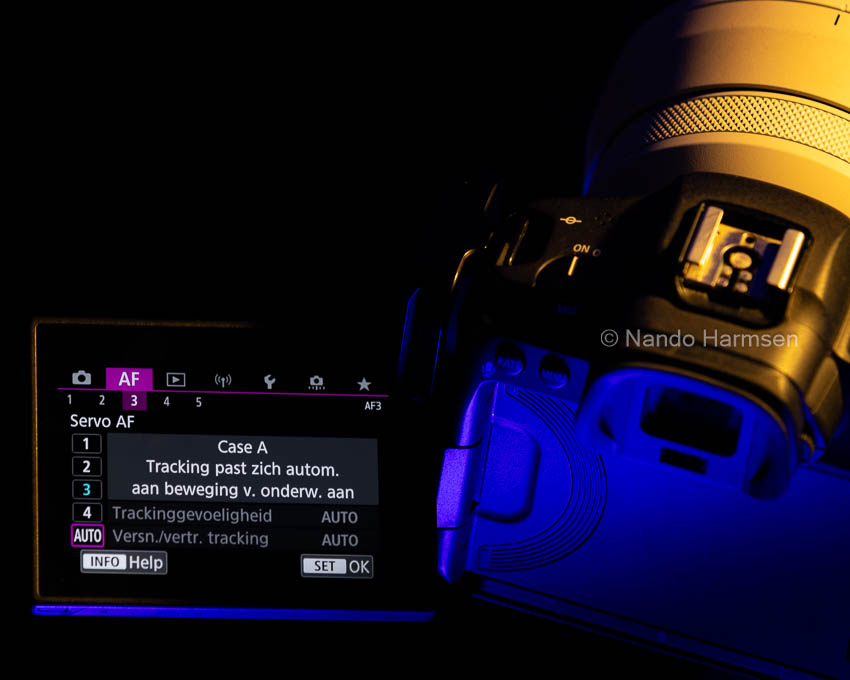
With constant movement, this is relatively simple. The subject's movement is predictable. If the direction of movement suddenly changes, the autofocus can easily lose your subject.
Other difficulties that can arise are objects appearing between you and the subject, or a very busy background. The size of your subject can also play a role.
Fortunately, the behaviour of the autofocus on almost any camera can be adjusted. This can make it easier to keep your moving subject in focus in the frame. For Canon cameras, cases have been created: presets for particular types of movement.
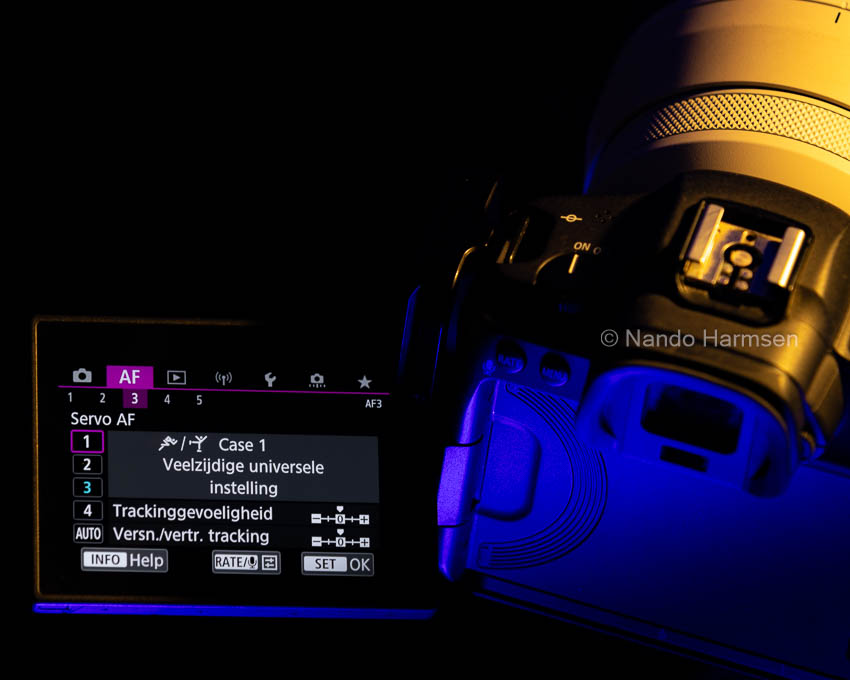
Case 1: General setting
This is for general use. It works in most situations, but the autofocus is not optimised for unique situations.
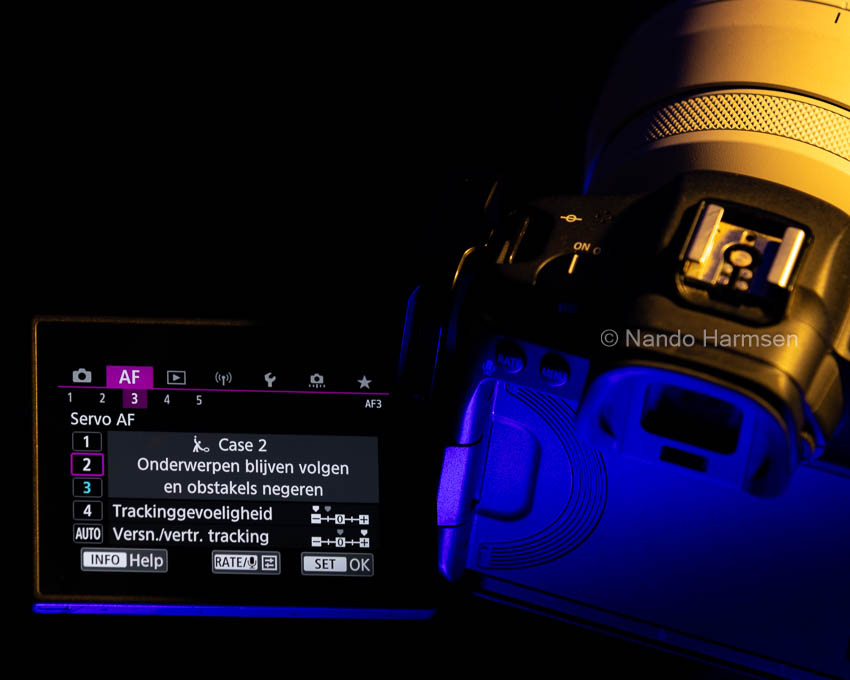
Case 2: Ignoring obstacles
If there is a chance that objects will appear between you and the subject, they will be ignored as much as possible. This is perfect for following a specific subject in a busier environment.
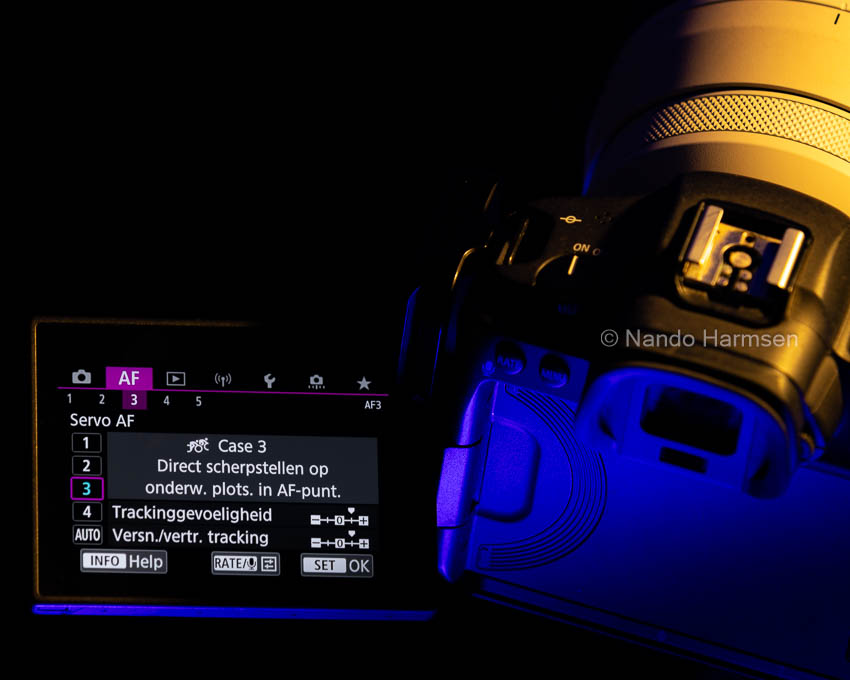
Case 3: Focusing immediately when something enters the frame
The autofocus quickly switches to a subject as soon as it enters the frame, and then continues to follow it.
Case 4: For changes in speed
If there are many changes in speed, these are taken into account. The autofocus is able to keep up with these changes.
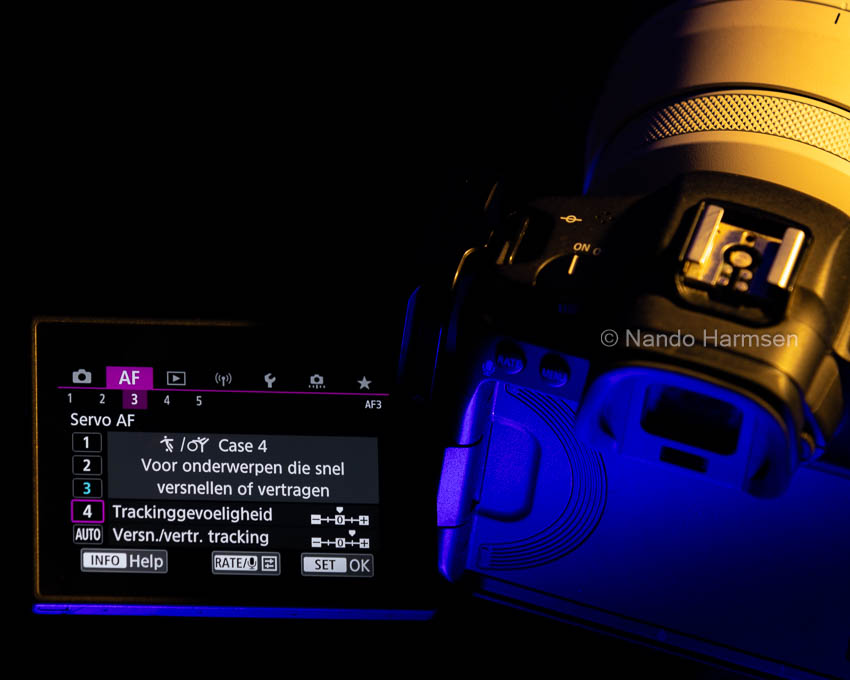
Use the help function
Canon has a help button on almost every menu page. Use it to find out exactly what a case setting does. This gives you a reasonable idea of what the setting does and what it is for. It also tells you when you might use it.
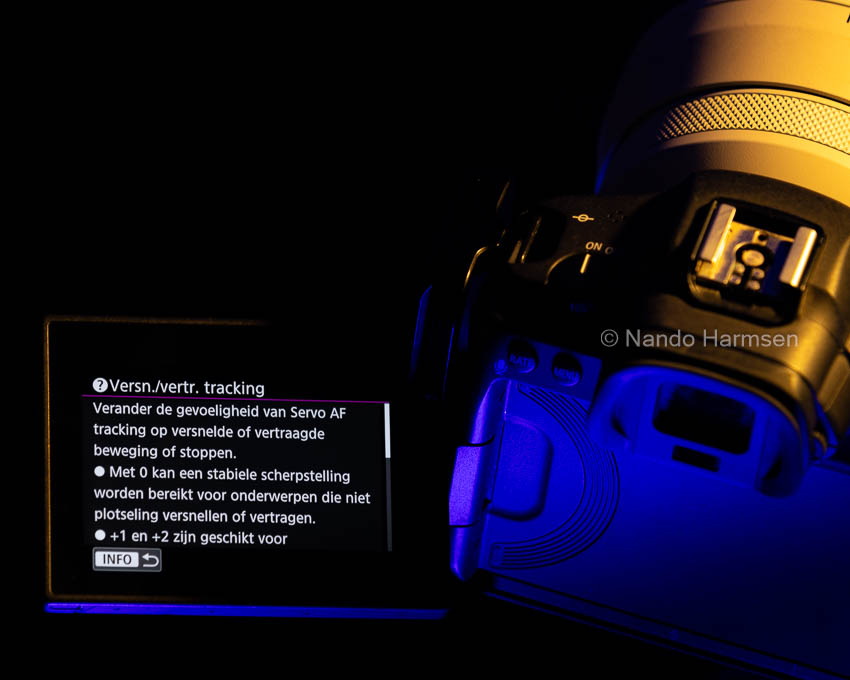
Fine-tuning a case setting
There are situations where the autofocus still does not work properly despite using the right case setting. In that case, you have the option to adjust the settings of this case.
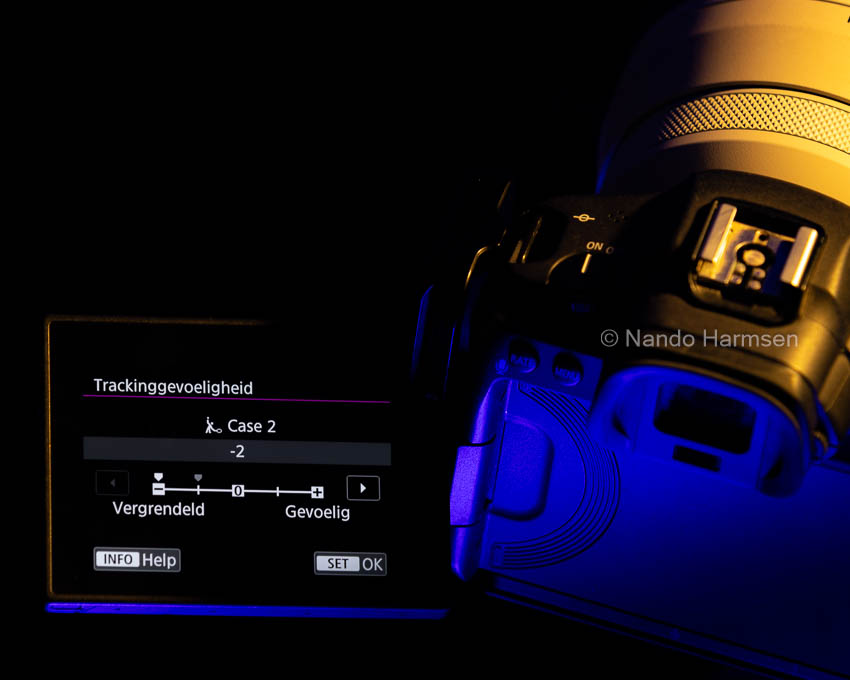
You can increase or decrease the sensitivity for following the subject, known as tracking sensitivity. It is also possible to adjust the sensitivity to changes in direction, known as acceleration/deceleration tracking.
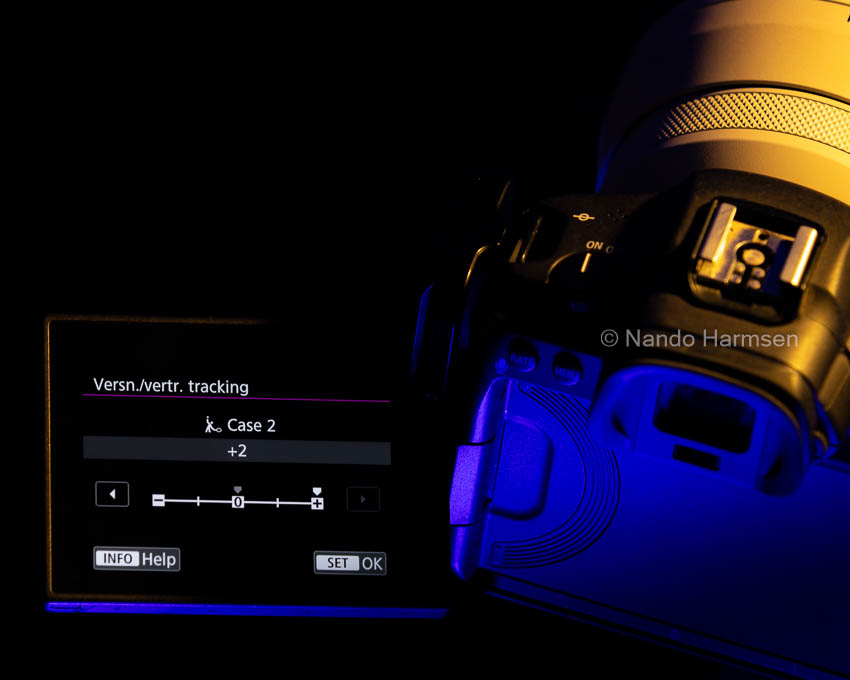
There are no magic settings here that guarantee a good result. Every situation is unique, and it takes practice and experience to find the best setting. The only magic words that work here are: lots of practice.
What if things still go wrong?Even with the most optimal settings, things can still go wrong. There are several factors that play a role, and a combination of these factors certainly does not make things any easier.
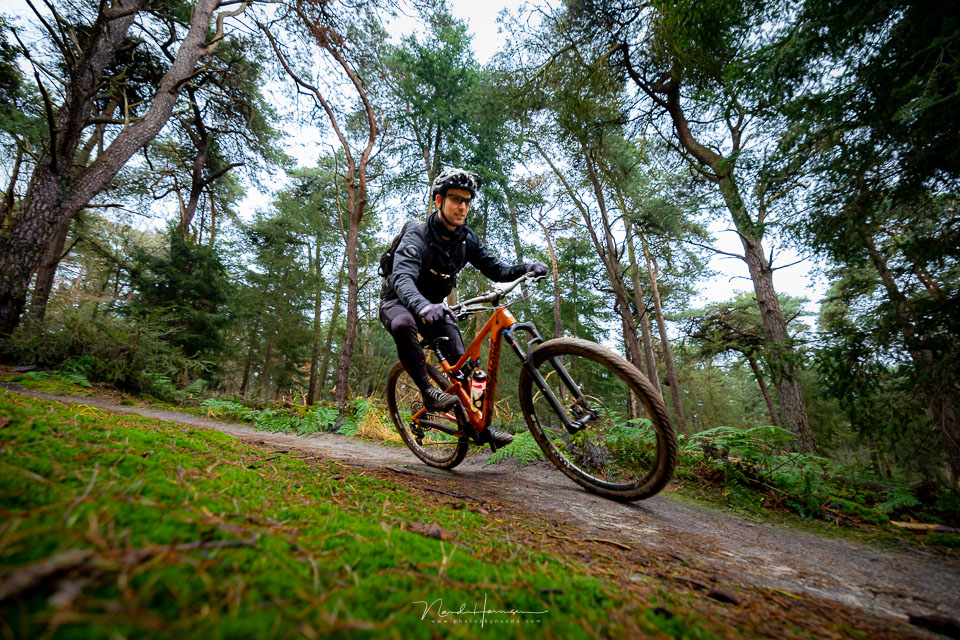
When a subject is in front of a busy background, recognising the subject becomes more difficult. The distinction between subject and background can disappear.
When a subject is very small in the frame, it will be difficult to recognise it as the subject. Especially when larger and clearer objects appear in the foreground or background.
A subject can enter an area of the frame where there are no focusing points. Although this often does not apply to mirrorless cameras. On those cameras, autofocus works across 90 per cent or more of the frame.

The type of camera and lens may not be suitable for your kind of action photography. With the camera, this may be down to the sensitivity of the autofocus or the number of focusing points. With a lens, the speed of the autofocus motor may play a role, as may the maximum aperture.
And the most important thing is still technique and experience. Make sure you use the right posture when taking photos. Hold the camera and lens correctly, choose the right viewpoint and a good focal length.
Learn to anticipate, know your subject, and make sure you have a good tracking technique. Remember those two magic words: lots of practice.
About the author
Nando Harmsen has been photographing for more than 40 years. He specialises in wedding photography and landscape photography. Nando also gives talks, workshops, masterclasses and photo trips, and regularly reviews new and interesting equipment.
You might also like
-
 Eye autofocus is a joy for portrait photographers
by Elja Trum
-
 Camera tip: use your My Menu
by Nando Harmsen
-
 Do you use your camera's My Menu yet?
by Nando Harmsen
-
 Better autofocus with a wide aperture
by Nando Harmsen
-
 Review: Laowa 10mm f/2.8 Zero-D autofocus
by Nando Harmsen
-
Do you know your camera's menu?
by Nando Harmsen
4 comments
-
 Donald Willemsen wrote on Tuesday 12 December 2023 at 11:38 | reply
Excellent article Nando. Especially users of Canon cameras from the R series will benefit a lot from this. The number of users of the R series is rising quickly. The R5 and the R7 are extremely popular.
Translated from Dutch. -
 guest wrote on Tuesday 12 December 2023 at 14:19 | reply
Nice to see again. I adjusted my settings again after reading the article.
Translated from Dutch. -
 Marcel wrote on Tuesday 12 December 2023 at 17:43 | reply
All very basic, as far as I’m concerned nothing new. A lot depends on the choice of lens: a 2.8 telephoto has very little depth of field due to its wide maximum aperture and will work much faster and more accurately than a 6.3 lens. The focal length is also of very great influence
Translated from Dutch. -


Have your say
Please note: Articles older than a week can only be commented on by signed-in visitors.Would you still like to comment? sign in or create a free account.
Become a better photographer every week
A practical photography tip in your inbox every week.
38,938 photography enthusiasts already receive the tips! More about the weekly mail. Or keep up to date via  Facebook.

Elja Trum
Photofacts; everything to do with photography!
Would you like to take better photos and keep up with what is happening in photography? Photofacts publishes articles that teach you something about photography — from a product announcement to a practical shooting tip or a look at a website. Photofacts covers photography every day and is a hobby project of Elja Trum's that got out of hand. The articles are written by a team of volunteer authors. If you would enjoy writing one or more articles for Photofacts, do get in touch.More about PhotofactsPhotofacts is made possible in part by
