

How many shots do you need for an HDR?
Thursday 2 May 2024, 14:28 by Nando Harmsen | 3,429 views | 11 commentsThis article was translated from Dutch with the help of AI. Read the original.
Do you have pure white or pure black in your photo? Then the subject's dynamic range is too great for your camera. The solution is an HDR photo. How many shots should you take in the exposure bracket? Are three enough, or five? Or can you manage with just two?
To create an HDR photo, you need a series of photos with different exposures. This is an exposure bracket. You can spread the different exposures over 2, 3, 5, 7 or even 9 photos. More if you set the exposures manually.
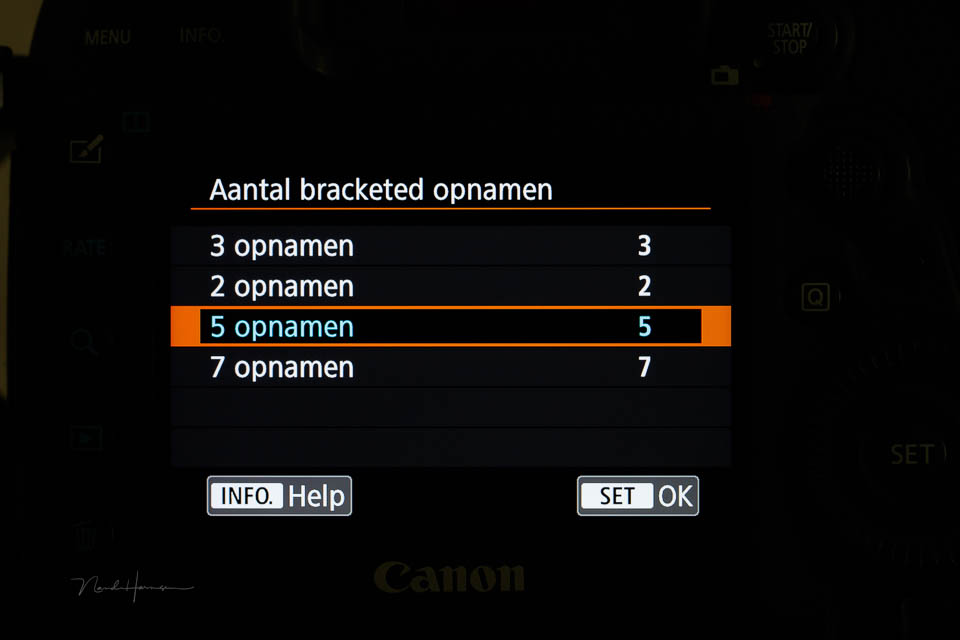
How many photos do you actually need? Is three best? Or five? Or should you take as many as possible? It is difficult to give a definitive answer. It depends on your camera, your preferences and the situation.
A guideline is an exposure bracket with a 1-stop difference between the exposures. You can stretch this to 2 stops, but preferably no more than that. The larger the steps, the more noise can appear in the HDR photo.
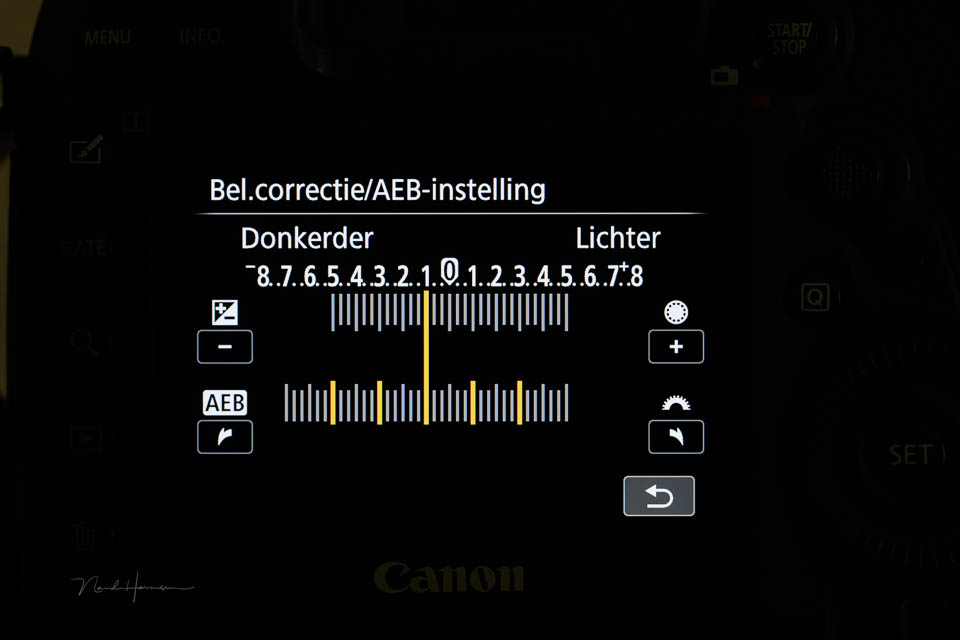
Is the difference between light and dark not that great? Then you can easily work with two photos for an HDR photo. If the difference is greater, three is better. And so on. The idea is that the darkest photo is intended for the lightest areas, and the lightest photo for the darkest areas.
You can then calculate how many photos are needed to cover the dynamic range. You can use a 1-stop difference, or two. You can also choose to simply take five photos as standard and always use a 1-stop difference. This is more than enough for most situations.
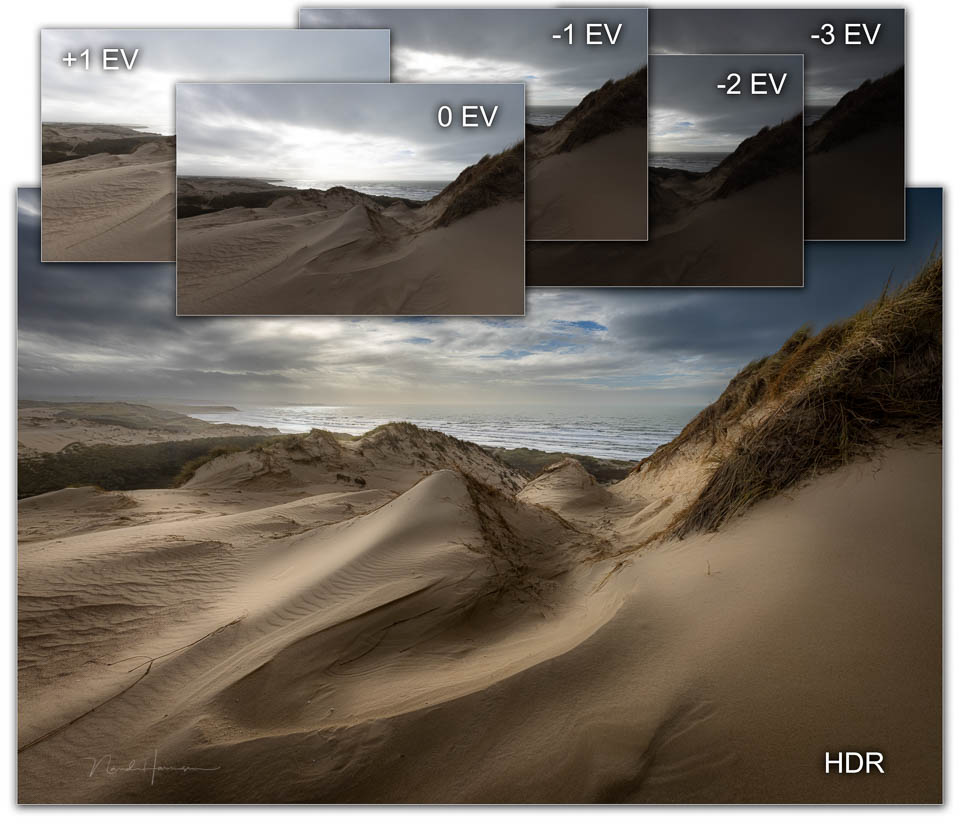
If you choose five photos, that does not mean you always have to use five photos for the HDR photo. If one is too dark or too light, you simply do not use it. It is that simple. Can your camera not create an exposure bracket with five photos? Then just choose three photos.
About the author
Nando Harmsen has been photographing for more than 40 years. He specialises in wedding photography and landscape photography. Nando also gives talks, workshops, masterclasses and photo trips, and regularly reviews new and interesting equipment.
You might also like
-
 Exposure bracketing without a tripod
by Nando Harmsen
-
 Programme your camera for HDR
by Nando Harmsen
-
 Exposure bracketing instead of brightening dark areas
by Nando Harmsen
-
 Review: HDR and Dynamic Range Course
by Martin van Rooij
-
 An HDR photo is just a photo
by Nando Harmsen
-
 HDR: What do you mean?
by Rob IJsselstein
11 comments
-
 Donald Willemsen wrote on Saturday 4 May 2024 at 00:10 | reply
Nando, I like the photo of the dunes that you show, but very often you see photos that you immediately recognize as HDR because of the exaggerated contrast and the white edges that you often see in an HDR photo. I find that distracting.
Translated from Dutch. -

-
Donald Willemsen wrote on Saturday 4 May 2024 at 15:19 | reply
The first sentence says it all and I agree with you 100%!
Translated from Dutch. -
 Viviane wrote on Tuesday 7 May 2024 at 14:04 | reply
Thank you Nando for the clear explanation, the darkest photo for the lightest parts and vice versa. Your advice to skip #5 and the too dark or too light one is also good advice. I then assume that the ‘automatic merging’ is turned off.
Translated from Dutch. -
 Nando
wrote on Wednesday 8 May 2024 at 10:47
| reply
Nando
wrote on Wednesday 8 May 2024 at 10:47
| reply
If you use your camera's HDR function, you usually have a maximum of three photos in the exposure bracket. The end result always comes out of the camera as a JPEG photo.
Translated from Dutch.
The exposure bracket I am talking about always consists of separate photos. These are never automatically merged in the camera. Merging them into an HDR photo is therefore always done with software on the computer. -
Donald Willemsen wrote on Wednesday 8 May 2024 at 11:43 | reply
Nando, if you let the camera automatically combine the HDR photo from, for example, 3 photos, you indeed get a JPG as the end result. But if you shoot in RAW, you also have the 3 separate photos that you can still process as you see fit to make the HDR yourself. So you don't only have the JPG. At least that's how it is with my Canon camera.
Translated from Dutch.
It works the same way with the R7's automatic focus stacking. Say you make a focus stack of 30 photos in RAW, then the camera will merge them into one JPG. However, you also have the 30 RAW files. -
-
 Paul van Aken wrote on Wednesday 8 May 2024 at 16:15 | reply
My experience is, that you only rarely need HDR, Adobe raw and Photoshop contain functions that can sufficiently correct both the highlights and the shadows in a well-exposed shot, although there are of course always extreme situations.
Translated from Dutch. -
Nando
wrote on Wednesday 8 May 2024 at 16:25
| reply
The amount you can correct depends on so many factors. Blown highlights absolutely cannot be corrected. Dark areas can, but too much causes an increase in noise. Moreover, there are more disadvantages to brightening, such as reduced color reproduction. And it is precisely in these areas that an HDR shot adds value.
Translated from Dutch.
If it isn't necessary, then there is no reason for an exposure bracket. But if you know beforehand that the dark areas need to be brightened, then you know that this will produce noise and that HDR processing completely prevents this. -
Paul van Aken wrote on Wednesday 8 May 2024 at 17:08 | reply
That’s what I meant with my first sentence too.
Translated from Dutch.
Bright sun on one side and a dark cave on the other (I think I’ve had that once) won’t save you, but in general the contrasts aren’t that extreme, besides, it should remain realistic, I think.
When scanning my old b&w and colour negatives, I was surprised by the amount of information that can be extracted from them, unbelievable that we used to do that with dodging and burning! -
Nando
wrote on Wednesday 15 May 2024 at 09:30
| reply
Negatives were known for their large dynamic range. I remember an Agfa film, for which, as a seller, you had a whole strip of photos with over- and underexposure at your disposal to show the customer how many stops the negative film could handle. That was a selling-point.
Translated from Dutch.
Slide film, on the other hand, had an exteemly small dynamic range. Perhaps even comparable to the digital sensor (from a number of years ago).
Have your say
Please note: Articles older than a week can only be commented on by signed-in visitors.Would you still like to comment? sign in or create a free account.
Become a better photographer every week
A practical photography tip in your inbox every week.
39,103 photography enthusiasts already receive the tips! More about the weekly mail. Or keep up to date via  Facebook.

Elja Trum
Photofacts; everything to do with photography!
Would you like to take better photos and keep up with what is happening in photography? Photofacts publishes articles that teach you something about photography — from a product announcement to a practical shooting tip or a look at a website. Photofacts covers photography every day and is a hobby project of Elja Trum's that got out of hand. The articles are written by a team of volunteer authors. If you would enjoy writing one or more articles for Photofacts, do get in touch.More about PhotofactsPhotofacts is made possible in part by
