

Night photography tip: turn light sources into stars
Thursday 20 January 2022, 15:15 by Nando Harmsen | 4,911 views | 4 commentsThis article was translated from Dutch with the help of AI. Read the original.
When you are taking photos in the dark, it can look great when the light sources in your image have a nice star shape. You used to need a special star filter for this, but with a well-chosen aperture, it is also very easy to do without filters. I will explain how to do it.
Not everyone likes it, but if you do, it is possible to turn light sources in your photo into a nice star shape. The only thing you need to do is choose a small aperture. For example, aperture f/8, f/11 or even f/16.
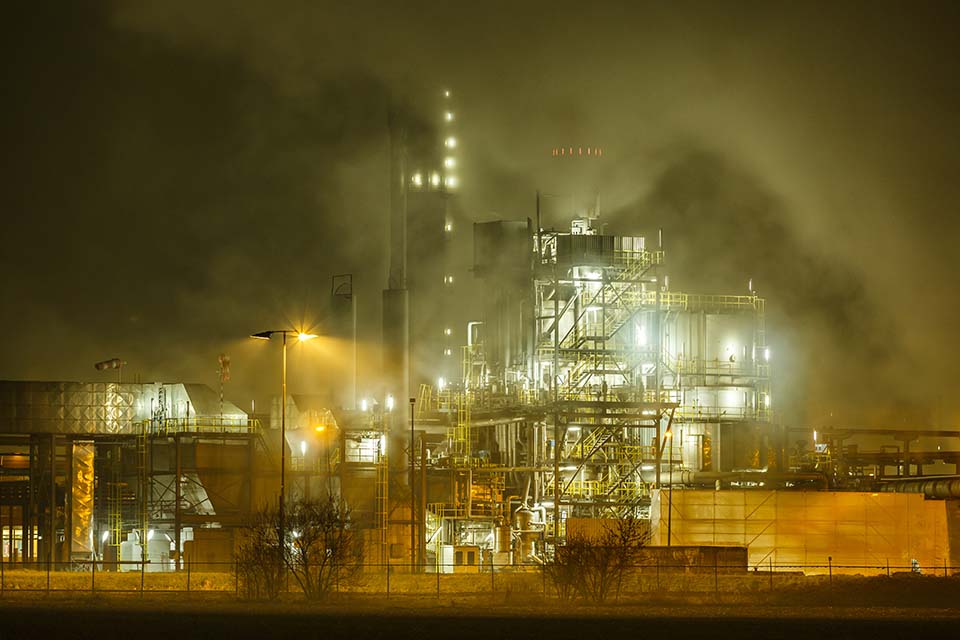
All you need is a small aperture, so it is really that simple. What the star shape looks like depends on your lens. Some lenses produce five points, others six or seven, or even more.
There are also lenses that show almost no star shape. So try it out to see how your lens performs in this regard.
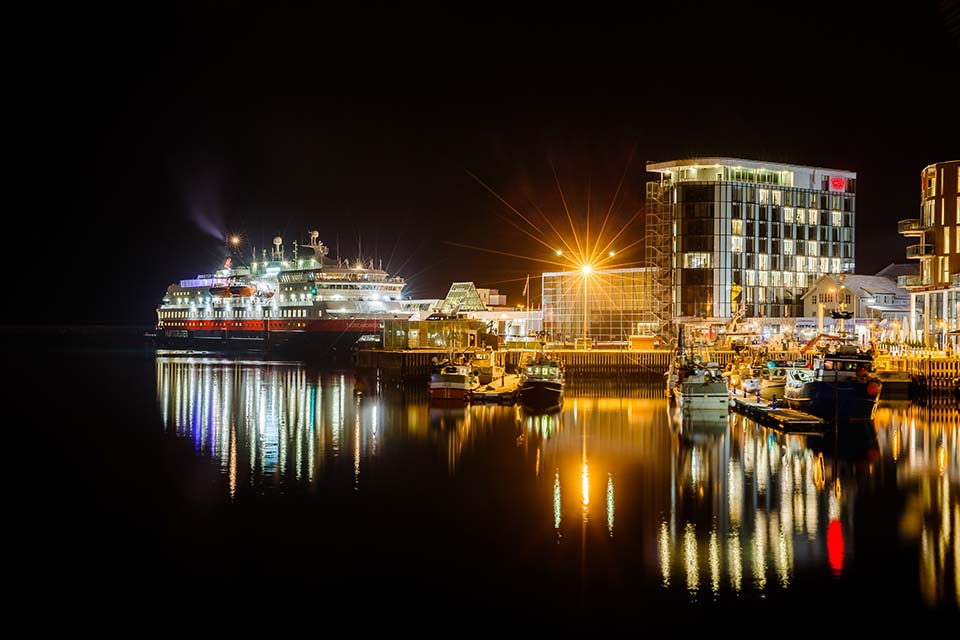
The light source also affects whether a star shape appears. A bright light source is more likely to show a star shape than a weak light source. The size of the light source also has an effect.
And then there is the exposure. If the exposure is set for the light source itself, with the surroundings very dark, the star shape will no longer be visible because it is too faint to see.
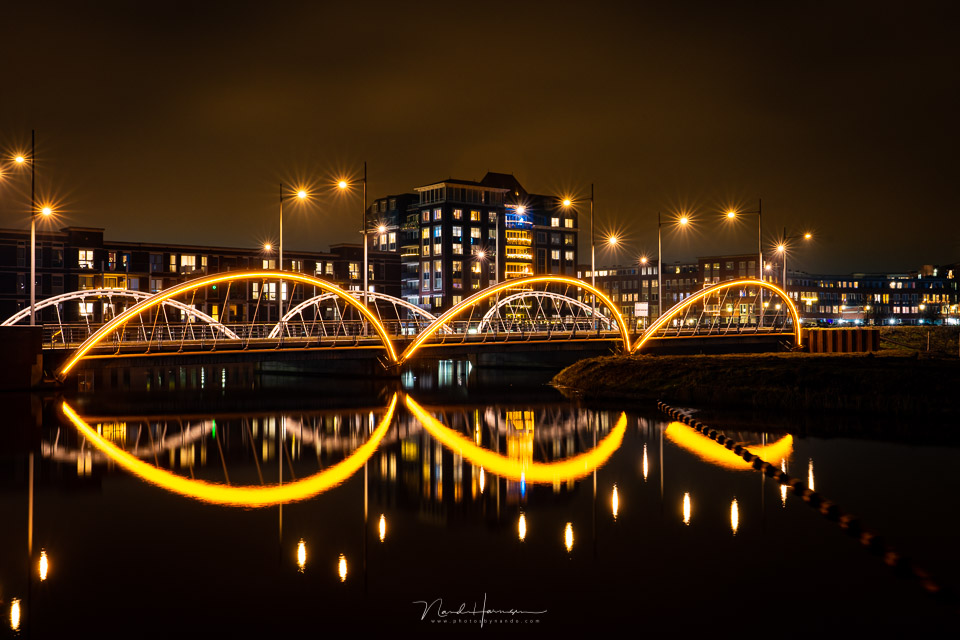
In general, you can assume that a star shape appears in street lamps or similar light sources from aperture f/8 with a good exposure. The further you stop down the aperture, the more noticeable the star shape will be.
Bear in mind that a smaller aperture will result in a longer shutter speed, or require a higher ISO. In other words, make sure you have a good exposure.
About the author
Nando Harmsen has been photographing for more than 40 years. He specialises in wedding photography and landscape photography. Nando also gives talks, workshops, masterclasses and photo trips, and regularly reviews new and interesting equipment.
You might also like
-
 Night photography tip: choose the blue hour
by Nando Harmsen
-
 6 Tips for Creating Star Trails
by Nando Harmsen
-
 Night photography tip: the eye is drawn to the brightest point
by Nando Harmsen
-
 Night photography tip: keep bright lights bright
by Nando Harmsen
-
 Night photography tip: try black and white too
by Nando Harmsen
-
 Night photography tip: Choose the right white balance
by Nando Harmsen
4 comments
-
 Matt wrote on Thursday 20 January 2022 at 17:29 | reply
The star shape is determined by the aperture in the lens: how many aperture blades there are and whether the aperture blades are rounded or straight. Straight aperture blades result in nicer star shapes.
Translated from Dutch. -
 Mac wrote on Friday 21 January 2022 at 18:51 | reply
Another addition to Matt.
Translated from Dutch.
Older lenses are usually the best for stars.
Modern lenses are nowadays also often made with beautiful "bokeh" in mind. So round aperture blades -
 Arie wrote on Tuesday 25 January 2022 at 13:52 | reply
Can I also make these 'stars' in Photoshop?
Translated from Dutch. -

 Nando
wrote on Tuesday 25 January 2022 at 15:25
| reply
Nando
wrote on Tuesday 25 January 2022 at 15:25
| reply
@Arie:
Translated from Dutch.
You can add stars in Photoshop. A brush with a star shape is sufficient to do that. There are more ways, but it remains something you add afterwards. It will never be exactly the same. My advice is to create this on location as much as possible with your aperture.
Have your say
Please note: Articles older than a week can only be commented on by signed-in visitors.Would you still like to comment? sign in or create a free account.
Become a better photographer every week
A practical photography tip in your inbox every week.
38,981 photography enthusiasts already receive the tips! More about the weekly mail. Or keep up to date via  Facebook.

Elja Trum
Photofacts; everything to do with photography!
Would you like to take better photos and keep up with what is happening in photography? Photofacts publishes articles that teach you something about photography — from a product announcement to a practical shooting tip or a look at a website. Photofacts covers photography every day and is a hobby project of Elja Trum's that got out of hand. The articles are written by a team of volunteer authors. If you would enjoy writing one or more articles for Photofacts, do get in touch.More about PhotofactsPhotofacts is made possible in part by
