

How do you deal with photos on a photography trip
Monday 18 March 2024, 20:02 by Nando Harmsen | 4,691 views | 13 commentsThis article was translated from Dutch with the help of AI. Read the original.
When you're on a photography trip, you want to make sure your photos get home safely. There are many ways to do this. There probably isn't one right way, but several ways. I explain how I deal with my photos when travelling.
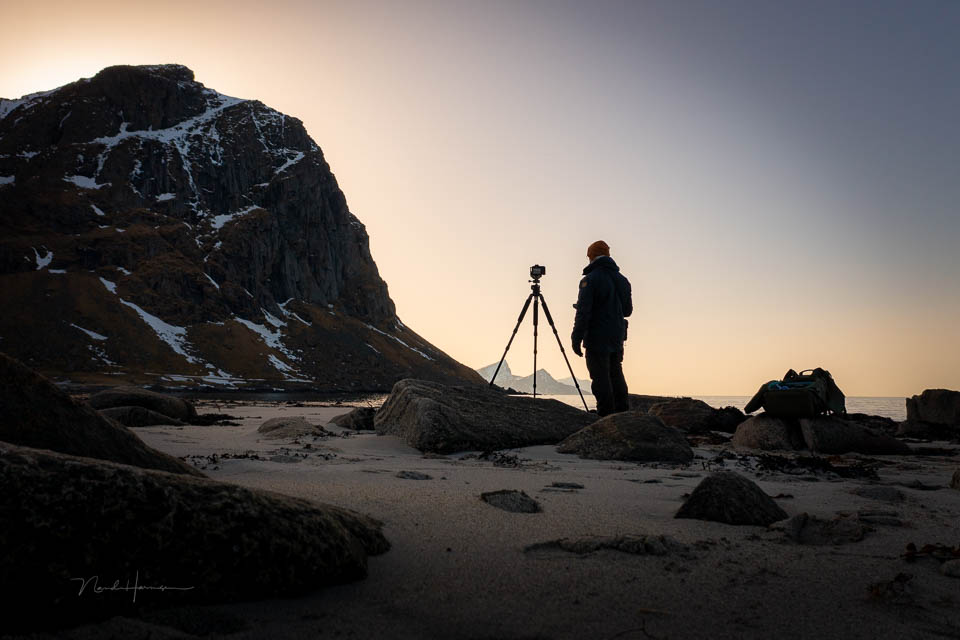
Recently, I was in Lofoten, Norway again to guide a group of photographers. As always, I get asked how to deal with the photos you've taken. How do you make sure nothing happens to all those beautiful images?
The answer to that question comes down to making a backup. Make sure your photos aren't stored in just one place. That's easier said than done. Although it doesn't have to be very difficult.
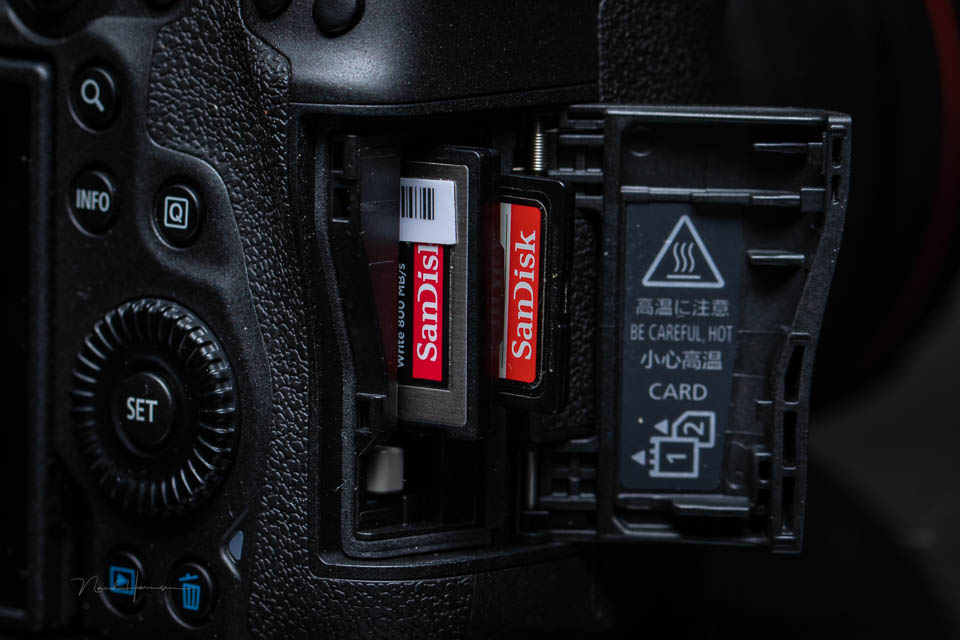
Because I use cameras with two memory card slots, I can write the photos taken to two memory cards at the same time. In short, I have a backup as soon as the photo is taken.
Remember that you need to write the same files to both cards. A JPEG file as a backup for a RAW file isn't a backup. In that case, write a RAW file to both cards.
This isn't possible with my drone, as it only has one memory card. That means I need to save the photos somewhere else as well. You can buy a separate hard drive with a memory card slot for this, but a laptop is a better choice.
By copying all the photos to the laptop every day, you have an extra backup of your camera. Leave the photos on the memory cards as well. Do not format the cards. If you run out of memory, buy extra cards or get cards with more storage space.
A laptop is useful and offers extra benefits too. You can already add photos to Lightroom, or to the editing programme you use. You can view or edit them. That's ideal on evenings when you don't go out, or while waiting at the airport.
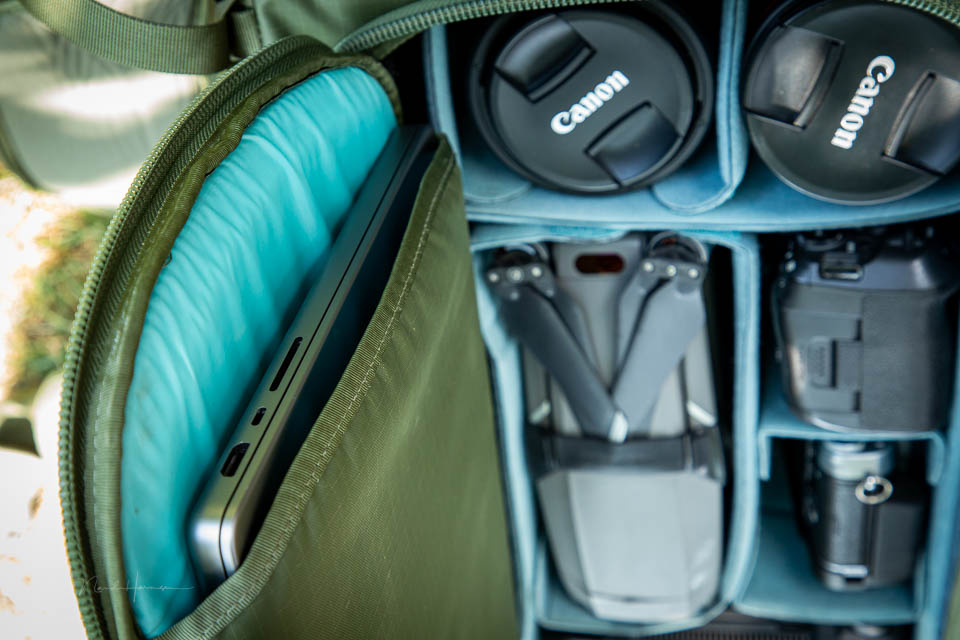
I create a separate Lightroom Classic catalogue for my trip, as my work catalogue is on a separate SSD drive at home. I don't take that with me. I don't take an external hard drive either, as that's just extra bulk and weight. That's what the laptop is for.
Once I've added my photos to the travel catalogue, I can transfer this catalogue to the computer you always use when I get home. In my case, that's the same laptop. I open my work catalogue and import the photos from the travel catalogue. That way, I keep all edits, collections and other information intact.
This works perfectly for me. It's flexible and offers many advantages. However, it's not the only way to deal with your photos during a photography trip. How do you do it? Let us know in a comment below this post.
About the author
Nando Harmsen has been photographing for more than 40 years. He specialises in wedding photography and landscape photography. Nando also gives talks, workshops, masterclasses and photo trips, and regularly reviews new and interesting equipment.
You might also like
-
 A Laptop in Your Camera Bag, or Not?
by Nando Harmsen
-
 5 Tips for Managing Photos in Lightroom Classic (and Other Software)
by Nando Harmsen
-
 File names are not important in Lightroom
by Nando Harmsen
-
 Lightroom update with generative AI
by Nando Harmsen
-
 6 Tips for Importing Photos into Lightroom
by Nando Harmsen
-
 The difference between file size and resolution
by Nando Harmsen
13 comments
-
 Donald Willemsen wrote on Monday 18 March 2024 at 21:29 | reply
I don't have a laptop for budgetary reasons. Moreover, I don't think a laptop is suitable for editing photos. A laptop generates so much heat while processing photos that it gets too hot and then starts working more slowly. Especially now that AI is also being used in Lightroom, Photoshop and, for example, Luminar Neo. I use a PC for that, which can be cooled much better. Moreover, the hardware of a PC is much easier to upgrade and therefore also cheaper.
Translated from Dutch.
On trips I take enough SD cards with me to be able to switch every day. -
 Mac wrote on Tuesday 19 March 2024 at 09:34 | reply
I use fairly small memory cards, so I have to swap them reasonably often. So if one breaks, it's not that many photos that are lost.
Translated from Dutch.
And what's gone, well, that's just bad luck then -

-
 Bart wrote on Tuesday 19 March 2024 at 12:21 | reply
If you use a laptop and have Wi-Fi available at the location, you could also consider uploading your photos to a cloud service
Translated from Dutch. -
 Nando
wrote on Tuesday 19 March 2024 at 13:50
| reply
Nando
wrote on Tuesday 19 March 2024 at 13:50
| reply
Hello Bart,
Translated from Dutch.
That is a good option.
Unfortunately, internet connections are usually slow, especially when they are shared with all the other guests.
Transferring a number of gigabytes of files via those kinds of connections is usually not workable, or there is too little time available for it. -
 Lodewijk Thiriart wrote on Tuesday 19 March 2024 at 12:56 | reply
Dear Nando
Translated from Dutch.
in the evening when I come into the hotel room, I put my photos on a file on my laptop and on an external SSD drive, never had no problems. -
 Paulus van Aken wrote on Tuesday 19 March 2024 at 14:46 | reply
Hi Nando,
Translated from Dutch.
I actually do it just like you, double in the camera, then as quickly as possible a copy on an external drive (my little travel laptop doesn't have much space, but does have multiple USB ports) and I always keep the original, when my card is full, it gets locked, provided with a sticker saying what's on it, and goes into the archive. Cards are cheap, and many fit in a small box.
So I still have my first card from 2007 available, completely untouched..... -
 Henk Heijnen wrote on Tuesday 19 March 2024 at 14:51 | reply
I use a solution that is similar to Lodewijk's.
Translated from Dutch.
I use my lightweight (in terms of size and processing power) Laptop(MacBook) to put my photos on a compact external SSD(Sandisk). I can then immediately import them into a separate Lightroom catalog and also already view and sort them if I have time. I often use a 2nd compact external SSD to make a copy of the file on that other SSD. The compact SSDs are so small that you can take them with you in almost any coat pocket. That way, should I lose my laptop, I always have my photos and any work safely with me..
At home I simply plug the SSD into my iMac and can continue working on it right away...
I had hoped that this way of working would also work with an iPad(pro), but that version of LR 'prefers' to work 'in the cloud' -
 Stefanie
wrote on Tuesday 19 March 2024 at 15:17
| reply
Stefanie
wrote on Tuesday 19 March 2024 at 15:17
| reply
Unfortunately I don't have a real backup with me on the road, I also don't use very large memory cards in case one of them fails and through my camera brand's app I can transfer the best shots to my phone and possibly upload them to the cloud right away but that's not really a solution either since it can only transfer jpegs, but oh well, if something happens on the road jpegs are still better than nothing
Translated from Dutch. -
 Liesbeth Verkade wrote on Tuesday 19 March 2024 at 19:06
| reply
Liesbeth Verkade wrote on Tuesday 19 March 2024 at 19:06
| reply
I do take an external hard drive with me on holiday to put my photos on. My husband always takes his, by now reasonably antique, laptop with him. It doesn't have very much storage space. Using that laptop, I put the photos from that day onto the external hard drive every evening, which doesn't take up much space in my camera bag. My own laptop is far too big and too heavy to take with me. Buying a thin, lightweight one for this kind of purpose is still a bit too expensive for me, and this solution has been working perfectly for years. All the cards are carefully kept. By now, an archive of almost 20 years.
Translated from Dutch. -
 ronald Maas wrote on Thursday 21 March 2024 at 01:00 | reply
As long as I’ve been photographing digitally (>15 years), I’ve never had any problems with memory cards. Possibly because after the photos have been transferred to a PC at home, I always reformat the cards.
Translated from Dutch. -
-
Stefanie
wrote on Thursday 21 March 2024 at 10:30
| reply
I had a faulty card once with my 1st digital camera already, luckily I had also thought back then not to bet on just 1 card, so I swapped cards and checked later what could still be salvaged (not very much unfortunately), then you learn to take defects into account
Translated from Dutch.
Have your say
Please note: Articles older than a week can only be commented on by signed-in visitors.Would you still like to comment? sign in or create a free account.
Become a better photographer every week
A practical photography tip in your inbox every week.
39,024 photography enthusiasts already receive the tips! More about the weekly mail. Or keep up to date via  Facebook.

Elja Trum
Photofacts; everything to do with photography!
Would you like to take better photos and keep up with what is happening in photography? Photofacts publishes articles that teach you something about photography — from a product announcement to a practical shooting tip or a look at a website. Photofacts covers photography every day and is a hobby project of Elja Trum's that got out of hand. The articles are written by a team of volunteer authors. If you would enjoy writing one or more articles for Photofacts, do get in touch.More about PhotofactsPhotofacts is made possible in part by
