

HELP. Lightroom, Photoshop or Adobe Camera Raw is not working properly
Monday 15 January 2024, 15:51 by Nando Harmsen | 7,227 views | 32 commentsThis article was translated from Dutch with the help of AI. Read the original.
Something has gone wrong. You start Lightroom, Photoshop or another Adobe programme, and it is not working properly. That is frustrating, and finding a solution can be difficult. A good solution is to ask for help.
If a programme does not do what you want, there can be several reasons. Either you are not familiar enough with how it works or what it can do, or the problem lies with the programme itself. In the first case, you need to study, take a course at Photofacts Academy, or listen to an expert.
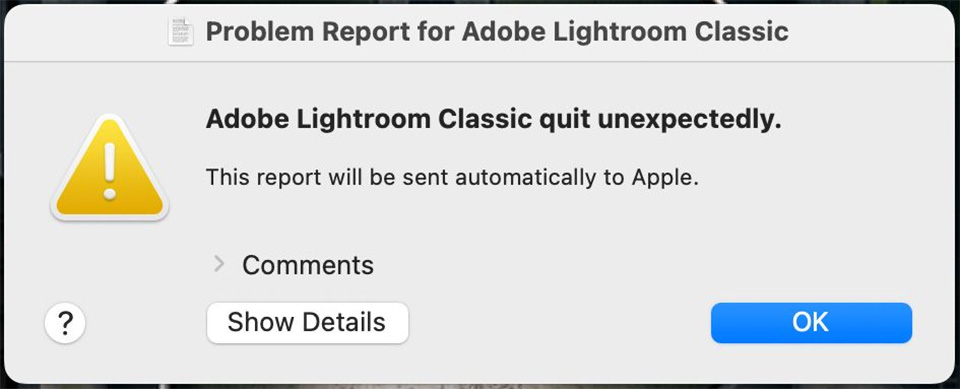
The second case is something completely different. A programme can freeze or simply stop opening. In that case, it can be even more frustrating than the first case. Unless you are a programmer or a computer wizard, you need to ask for help.
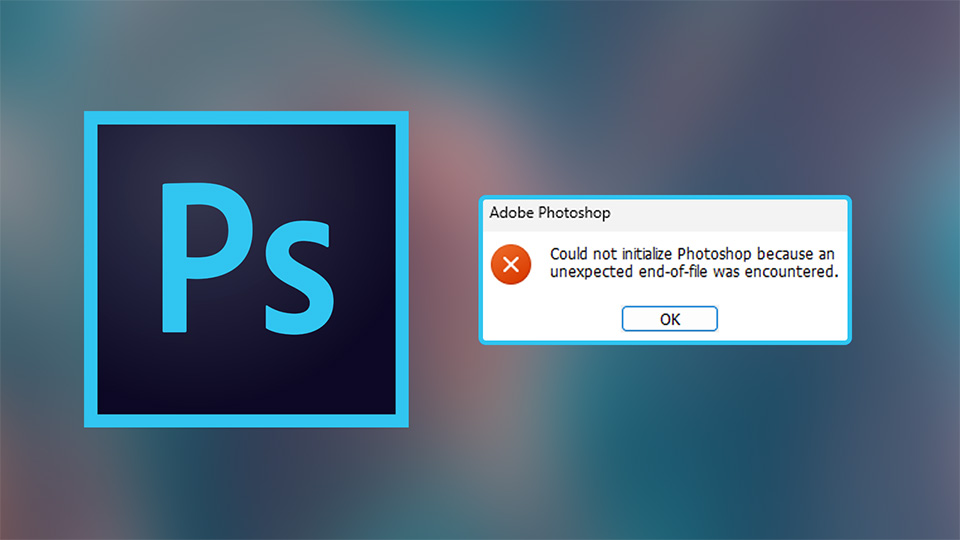
Before you ask for help, you can of course try a few things. You can follow a step-by-step plan, which takes time but may provide the solution. If the first one does not work, move on to the second, then the third, and so on.
- Check whether all your Adobe software is up to date
- Check whether your computer and drivers are up to date
- Are the permissions in your operating system set correctly?
- Perform a fresh installation
- Contact the Adobe helpdesk
1. Up-to-date Adobe software
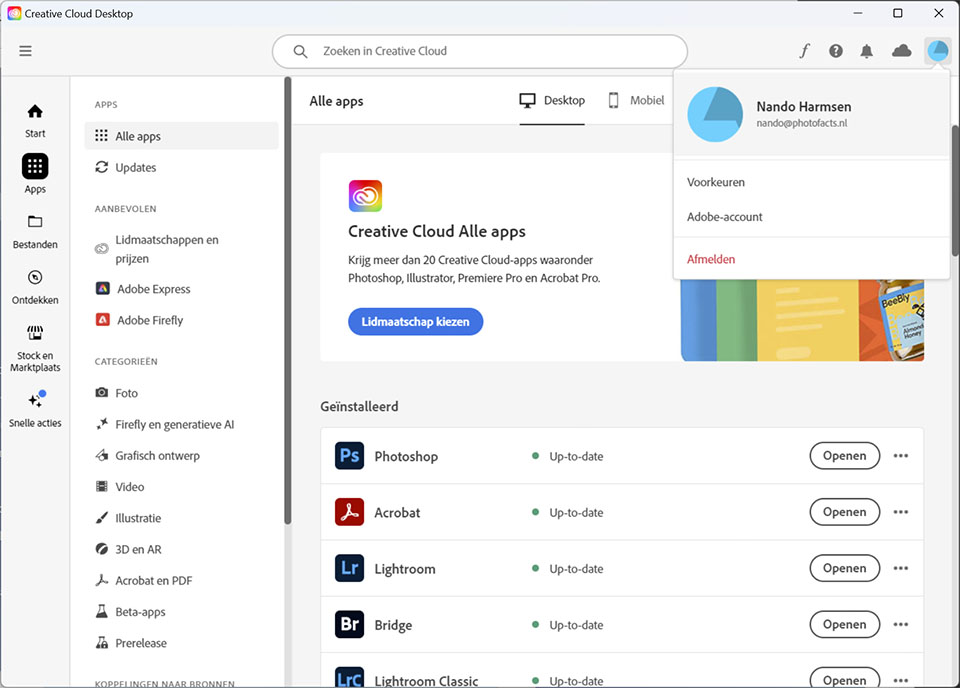
Make sure all Adobe software is up to date. Open the Creative Cloud app and check whether there are any updates. Install them if there are. When doing this, it is important to read any information windows and not blindly click through everything. They may contain important information.
2. Up-to-date operating system
If it still does not work, check whether your operating system is up to date. Are there updates for Windows or MacOS, and are all drivers for your graphics card, sound card and other peripherals up to date? If not, update them and check whether everything works properly then.
3. The correct permissions
Adobe software may need to be given special permissions. For example, it needs permission to write to the hard drive. This can sometimes be reset when updating an operating system.
4. Reinstall Adobe
If the software still does not work after all these attempts, it is advisable to remove all Adobe software. Then restart the computer, which is important, and install everything again.
You do not have to worry about your photos disappearing from Lightroom or your catalogue being deleted. They remain safely in place when you remove the software. However, it may be sensible to make a backup first, which is always sensible.
5. Contact Adobe
Does everything still not work after a fresh installation? Then something serious is going on. But do not worry, you do have an Adobe subscription for a reason. Contact the Adobe helpdesk. They can help you further.
You can find the Adobe helpdesk when you log in to your account on the Adobe website. Do bear in mind that all of this is in English. Are you not confident in the language, or do you have doubts about it? Then ask someone from your family or circle of friends to help you. Do not be afraid to ask for help.
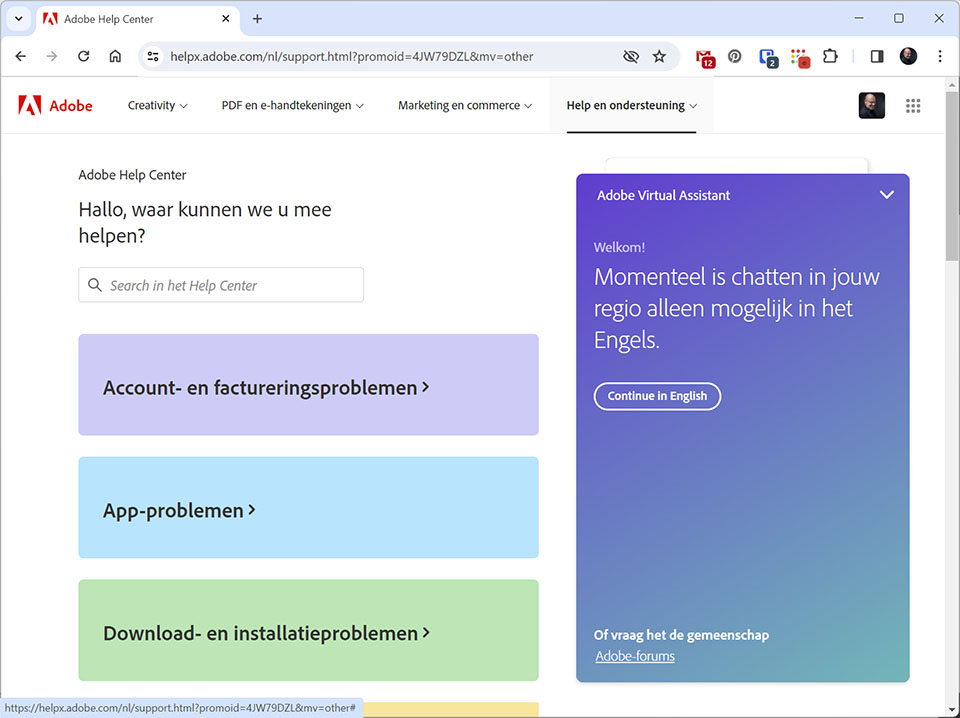
In many cases, Adobe will ask for permission to take control of your computer remotely. You can do this safely, and you remain in control of everything that happens. In many cases, they can solve the problem fairly quickly.
If that does not work, as I experienced myself recently, they will arrange an appointment to contact you by phone. This is also in English, unfortunately often with a strong Indian accent, so ask someone to help you if you have difficulty with the language.
Do not put up with it, ask for help when needed
Nothing is more frustrating than software not working as it should. Do not put up with it, ask for help. You have a subscription for a reason, so make use of it.
About the author
Nando Harmsen has been photographing for more than 40 years. He specialises in wedding photography and landscape photography. Nando also gives talks, workshops, masterclasses and photo trips, and regularly reviews new and interesting equipment.
You might also like
-
 The new updates for Adobe Lightroom and Photoshop
by Nando Harmsen
-
 Editing photos without Lightroom or Photoshop
by Nando Harmsen
-
 Who is Photoshop Beta for?
by Nando Harmsen
-
 Which is better to use? Lightroom or Photoshop?
by Nando Harmsen
-
 How much do Lightroom and Photoshop subscriptions really cost?
by Nando Harmsen

32 comments
-
 Donald Willemsen wrote on Monday 15 January 2024 at 17:12 | reply
Last nut not least: Check whether you have paid the subscription and that there are no arrears in the bv payments.
Translated from Dutch.
-
 Harriet wrote on Tuesday 16 January 2024 at 05:12 | reply
suddenly I can no longer save a photo, opened from LR in PS and edited there, back to LR. never had a problem before. anyone have tips or experiencing problems with that too. I always dutifully install all updates and have a CC subscription.
Translated from Dutch. -

-
 Trudy Kunst wrote on Wednesday 17 January 2024 at 10:05 | reply
Personally, I would put this at the top of the list: close the frozen program and all other software on your computer and restart your computer. That has worked for me before.
Translated from Dutch. -
-
 Henk de Reus wrote on Wednesday 17 January 2024 at 11:03 | reply
Thanks for this useful information, Nando!
Translated from Dutch. -
 Martin Keuter wrote on Wednesday 17 January 2024 at 11:04 | reply
I would think that if a company like Adobe, and this applies in principle to any company in the Netherlands or Europe, sells a product for which help and support are an essential part of the product, this should be in the language of the country concerned! This should be enforced at a European level...... But that will probably never happen, unfortunately!
Translated from Dutch. -
-
Donald Willemsen wrote on Wednesday 17 January 2024 at 11:42 | reply
@Martin Keuter, totally agree!
Translated from Dutch. -
Henk de Reus wrote on Wednesday 17 January 2024 at 11:54 | reply
This is useful information, Nando. Thank you very much!
Translated from Dutch. -
 Harrie van Meijel wrote on Wednesday 17 January 2024 at 11:57 | reply
Adobe's service is good, but in English. My opinion is the same as Martin's.I chatted with Adobe for 1.5 hours yesterday, in English. With the help of Google Translate. It's doable…. The problem was, I got a notification that the cloud service would no longer be active as of February. I have a version of Lightroom in the cloud with 1 Tb. But after 1.5 hours and two employees later, it turned out that this notification did not apply to Adobe photography products.
Translated from Dutch.
I also have a question for Photofacts: why is there NEVER any attention paid to Lightroom in the cloud? It's always Lightroom Classic. Kind regards, Harrie -
-
Martin Keuter wrote on Wednesday 17 January 2024 at 12:02 | reply
Nando, why would something like that be unaffordable? In my opinion, a very easy conclusion to draw! It should 'simply' be a requirement...! All kinds of requirements are also imposed on social media platforms.
Translated from Dutch. -
 Nando
wrote on Wednesday 17 January 2024 at 12:11
| reply
Nando
wrote on Wednesday 17 January 2024 at 12:11
| reply
That’s not so difficult to figure out. The rent for a building, purchasing equipment, wages for paid staff. And that for every country.
Translated from Dutch.
Requirements are indeed imposed on social media platforms, and that results in, for example, even more advertising. Moreover, infinitely more money is involved in social media.
People are already complaining about the price per month. Imagine also having to pay for those hundred separate help desk centres. Brrr.. I don’t even want to think about it. -
Donald Willemsen wrote on Wednesday 17 January 2024 at 12:15 | reply
@Nando: One helpdesk in Europe is sufficient, where you then appoint a number of multilingual employee(s). Problem solved. Just to give an example: my wife works as a customer service employee and she is perfectly trilingual. That is the advantage of growing up in Belgium in a family where French is the language spoken at home and attending a Dutch-speaking school where you also learn English.
Translated from Dutch.
A company like Adobe can speak to you in Dutch when they can sell you something (their sales department has Dutch-speaking employees). Why not anymore once you have bought something from them?
Seems to me to be a matter of personnel policy. -
-
 Jef Langenaeken wrote on Wednesday 17 January 2024 at 13:36 | reply
indeed! It should be mandatory for the government to require that when they sell their software in a country, they also support the buyers or users in their own national language. Years ago, that was even the case with Adobe and you automatically got a so-called case no. assigned for every question.
Translated from Dutch. -
 Remko wrote on Wednesday 17 January 2024 at 14:23 | reply
Was this about: Termination of synced Creative Cloud files? I don't understand any of it and I can't get anywhere with Adobe. Only in English. I got a Dutch number that routes through to English support. What is this about then if it isn't about photography products? I also have Lightroom cloud 1 TB. But I'm afraid my wife will suddenly lose all her photos. I found this on the internet: https://helpx.adobe.com/nl/creative-cloud/kb/eol-creative-cloud-synced-files.html
Translated from Dutch.
Help 🧐. -
Nando
wrote on Wednesday 17 January 2024 at 14:29
| reply
This has nothing to do with the Lightroom Cloud subscription. Ending that concerns documents that are shared with a team via the cloud. It has NOTHING to do with your photos in the Lightroom Cloud
Translated from Dutch.
It is indeed confusing. -
 Peter wrote on Wednesday 17 January 2024 at 14:30
| reply
Peter wrote on Wednesday 17 January 2024 at 14:30
| reply
You are absolutely right about that and it isn't that difficult for Adobe (or any other organization for that matter). I myself have worked at a help desk (in a completely different industry) where there were employees who were multilingual and could therefore help pretty much all of Europe.
Translated from Dutch. -
Remko wrote on Wednesday 17 January 2024 at 14:30 | reply
@nando Great. Thanks.
Translated from Dutch. -
Remko wrote on Wednesday 17 January 2024 at 15:29 | reply
Still, just to reassure myself: In my LR under the cloud for cloud storage it says the following:
Translated from Dutch.
✅ library synchronization (up to date)
✅ Synchronization of Creative Cloud Files (up to date)
⚠️ (icon is red) Synchronization of Creative Cloud Files will be discontinued as of February 1, 2024. With an i next to it, which refers to the link I had included above.
Apologies for my lack of expertise, but does any of this still have nothing to do with the photos in Lightroom? -
-
Nando
wrote on Wednesday 17 January 2024 at 15:53
| reply
For everyone who is unsure about the upcoming discontinuation of Creative Cloud files: Read this help page where it has been stated since November last year:
Translated from Dutch.
https://helpx.adobe.com/nl/creative-cloud/kb/eol-creative-cloud-synced-files.html
In particular, this line on that page:
" Adobe will continue to offer and support cloud storage and synchronization within Creative Cloud with cloud documents, Creative Cloud Libraries, Lightroom cloud storage and Frame.io cloud storage. This change does not affect these cloud storage solutions. " -
 guest wrote on Wednesday 17 January 2024 at 18:09 | reply
Completely agree with Donald Willemse. And... when it comes to costs, then you know that the best solution is to immediately provide things properly. Can only help make Adobe even better.
Translated from Dutch.
Besides, there are all those new Ai functions that are quite nice, but with a 'standard little PC' you can no longer manage. I bought myself a gaming PC to at least get fewer crashes and a bit more speed. Works pretty well, but is once again immediately a hidden cost (just call it an investment...). besides that, a few little settings to increase swap memory and now it runs like a dream. Hopefully not until the next AI adjustment.
greetings -
 MacBigfoot wrote on Wednesday 17 January 2024 at 21:48
| reply
MacBigfoot wrote on Wednesday 17 January 2024 at 21:48
| reply
An up-to-date operating system can cause problems if the program software has not yet been updated for it.
Translated from Dutch.
I am currently running macOS Sonoma 14.2.1, for example.
An update to 14.2.2 will not be a problem, 14.3 might require paying attention for a moment, but for version 15 you should first take a look at the extent to which the program software is suitable for it.
And if you need the program software for business purposes, I would certainly first wait and see and keep an eye on the forums on the internet for possible problems. -
 Rik Denekamp wrote on Thursday 18 January 2024 at 10:44 | reply
Apple does do that, even when I was connected to a specialist from Ireland, I was helped in Dutch. Adobe is and always remains somewhat arrogant despite the competition that keeps gaining ground.
Translated from Dutch. -
Jef Langenaeken wrote on Thursday 18 January 2024 at 11:07 | reply
Perhaps the incident described below fits perfectly into the theme being discussed here, but it does illustrate that Adobe's service could be considerably better!
Translated from Dutch.
When I checked my accounts and billing during November 2023, I found that Adobe was charging me for three memberships.
I will list them:
• Photography membership - expiry date 18/11/2023 - amount: € 12.09/month
• InDesign - expiry date 25/11/2023 - amount: € 24.19/month
• Creative Cloud All apps 100 GB - expiry date 18/11/2023 - € 62.99/month
In addition, I still had an Adobe Export PDF membership - expiry date 6/6/2024 - € 24.54 per year, which I have since cancelled effective on the aforementioned expiry date.
After checking, I had to conclude that the “Photography membership” and “InDesign” memberships had become unnecessary. The apps I commonly use, namely Photoshop, Lightroom, Illustrator, InDesign and Bridge, were in fact automatically available in the Creative Cloud app.
Consequently, to avoid paying twice for the same thing, I immediately terminated the “Photography membership” and “InDesign” memberships.
To my great surprise, I unfortunately had to conclude that despite the fact that I had taken out a Creative Cloud membership and therefore remained a customer of Adobe by definition, I was immediately charged cancellation fees twice (€ 60.44 and € 24.19). Contractually I understand that, but from a customer-oriented perspective this is a real turn-off! It is possible that their software system is not capable of resolving this kind of thing automatically.
Having no other choice, I have consequently watched with dismay as both cancellation fees, amounting to almost € 100.00, were taken from my account.
I tried to explain this negative experience through the available channels at Adobe, but unfortunately I had to give up. At the beginning of December 2023, I then sent Adobe a letter by post to their address in Brussels. To this day, there has still been no response! -
Rik Denekamp wrote on Friday 19 January 2024 at 19:17 | reply
Hi Jef, I assume that you took out these subscriptions yourself and not Adobe without you knowing about it.
Translated from Dutch. -
 Sabine Van Hecke wrote on Saturday 20 January 2024 at 16:23 | reply
Recently had contact with Adobe via chat, also using Google Translate (I’m not very good at writing in English)
Translated from Dutch.
I was abroad, you see, and had to have my Visa card blocked, which meant my subscription wasn’t paid for, and nothing worked anymore. Very satisfied with the service, I even got one month free on my subscription -
Jef Langenaeken wrote on Saturday 20 January 2024 at 23:15 | reply
Hi Rik,
Translated from Dutch.
I did indeed take out the subscriptions for InDesign and Illustrator myself, since these two apps are automatically included in Creative Cloud and therefore I don't want to pay twice for the same thing. -
Jef Langenaeken wrote on Saturday 20 January 2024 at 23:17 | reply
Thanks for the tip. Tomorrow I'll try to use that channel to elicit a response from Adobe.
Translated from Dutch.
Have your say
Please note: Articles older than a week can only be commented on by signed-in visitors.Would you still like to comment? sign in or create a free account.
Become a better photographer every week
A practical photography tip in your inbox every week.
38,981 photography enthusiasts already receive the tips! More about the weekly mail. Or keep up to date via  Facebook.

Elja Trum
Photofacts; everything to do with photography!
Would you like to take better photos and keep up with what is happening in photography? Photofacts publishes articles that teach you something about photography — from a product announcement to a practical shooting tip or a look at a website. Photofacts covers photography every day and is a hobby project of Elja Trum's that got out of hand. The articles are written by a team of volunteer authors. If you would enjoy writing one or more articles for Photofacts, do get in touch.More about PhotofactsPhotofacts is made possible in part by
