

Review: Datacolor Spyder X2 Elite
Friday 26 January 2024, 14:14 by Anno Huidekoper | 4,417 views | 1 commentThis article was translated from Dutch with the help of AI. Read the original.
If you print a file yourself or have it printed, you naturally want the colours on your monitor to match the colours on the print. For that, your colour management needs to be in order. The Datacolor Spyder X2 Elite can help with that.
Displaying colours correctly is also important when posting photos on social media. Skin tones can be particularly critical. You cannot share a portrait of a healthy person when, because of incorrectly displayed skin tones, they do not look very healthy!
And if you work in black and white, you want to know whether there is enough contrast in a particular part of the photo.
When editing photo files, you start by calibrating your screen to achieve the best possible final result. The Datacolor Spyder X2 Elite is a very useful tool for this.
How the Spyder X2 Elite works
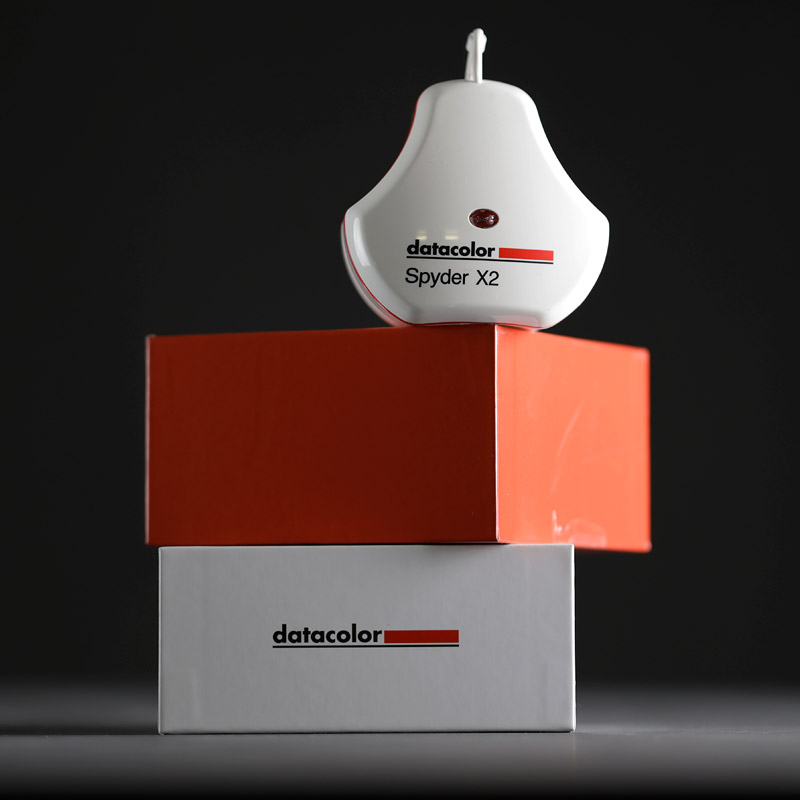
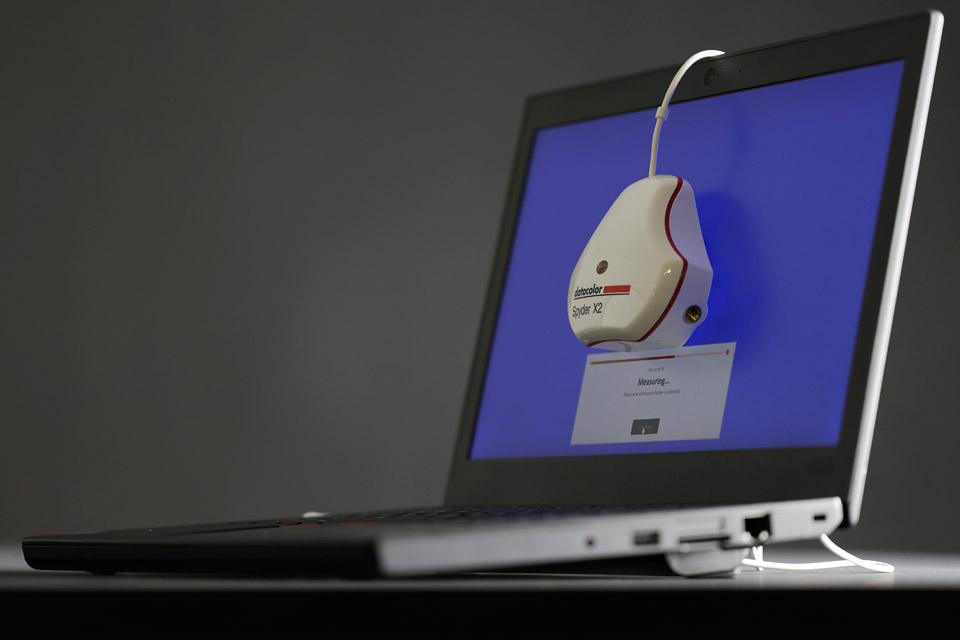
The Spyder's plastic housing contains a measuring cell. You place the Spyder in front of the monitor, while the cover acts as a counterweight behind the monitor.
During calibration, all sorts of colours appear on your screen. The measuring cell reads them and compares the values obtained with the values they should have. The monitor's, or laptop screen's, ICC profile is then adjusted.
The Spyder X2 Elite in practice
The cardboard box containing the Spyder holds, besides the gadget mentioned above, a note with the serial number and a reference to the Datacolor website for more information.
That site contains brief but clear information about downloading the required software and the entire calibration procedure.
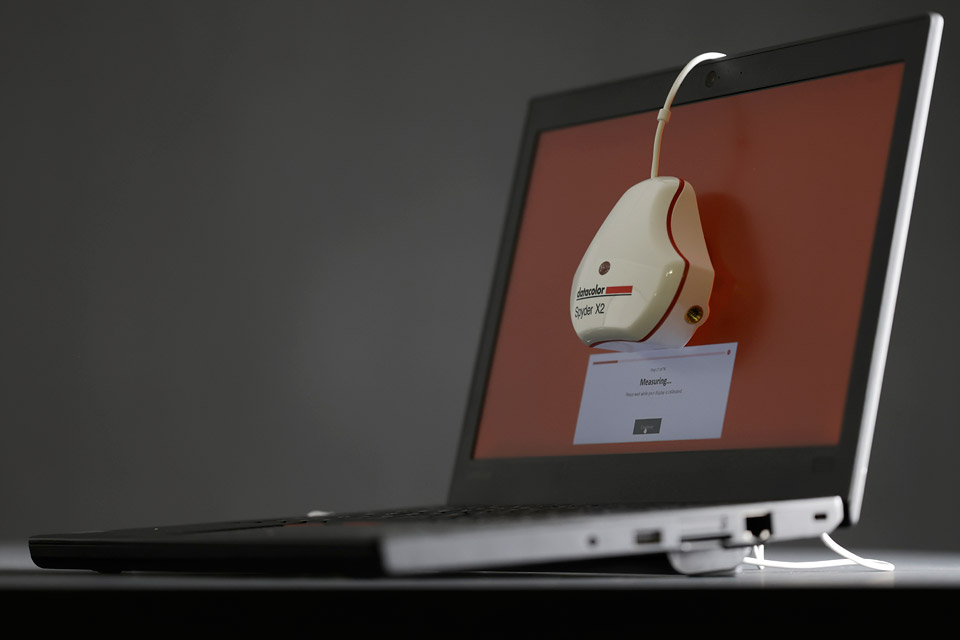
Once you have installed the software on your computer, calibration can begin. Clear instructions appear on screen. You start by placing the measuring cell against the monitor, with the counterweight keeping everything neatly in place.
You then see all sorts of fancy colours appear on the screen and, before you know it, your screen is calibrated. This is clearly indicated, by the way. After that, you just need to tick a few boxes here and there and you are done.
It is advisable to set the screen to the correct brightness and contrast beforehand.
From Elite to Ultra
The Spyder X2 Elite has two very useful options. You can tick a box to include the ambient light in the calibration. Unlike simpler Datacolor models, it can also match two monitors to each other.
There are two versions of the Spyder X2, the Elite tested here and the Ultra, which costs a few dozen euros more.
The former is not suitable for HDR and extra-bright displays, while the latter is. You can always update the Elite to the Ultra through the software, for a fee.
The result of calibrating with the Spyder X2 Elite
As a reviewer, you want to have something to grumble about, but in this case I have nothing to complain about. The instructions are clear, installing the software is easy and the actual calibration is quick.
Using special test charts that I use to test printers and photo paper, I have found that the calibration is very accurate.

Availability
The importer Transcontinenta BV provided the Spyder X2 Elite for this review. Many thanks.
The Datacolor Spyder X2 Elite, along with the other models, is available in the Benelux exclusively from a selected number of expert dealers: Coolblue, Kamera Express, Cameranu, Cameraland, Foto de Vakman and Grobet.
The recommended retail price is 278 euros including VAT.
About the author
Anno Huidekoper fotografeert al bijna een halve eeuw. Hij houdt zich bezig met (klassiek) concertfotografie, straatfotografie en portretfotografie. Hij schrijft veel over zwart-wit en hij bekleedt bestuurlijke functies bij fotoclub Heerenveen en afdeling Friesland van de Fotobond. Geregeld geeft hij workshops portretfotografie.
You might also like
-
 Review of the Eizo ColorEdge CG3100X monitor
by Nando Harmsen
-
 Review: Eizo ColorEdge CG 2700S monitor
by Nando Harmsen
-
 Review: Eizo ColorEdge CS2400S 24-inch monitor
by Nando Harmsen
-
 Review: Canon EOS R5
by Nando Harmsen
-
 Review: Sony A7 IV
by Nando Harmsen
-
 Review: Canon EOS R50 mirrorless camera
by Nando Harmsen
1 comment
-

 Henri
wrote on Tuesday 30 January 2024 at 11:47
| reply
Henri
wrote on Tuesday 30 January 2024 at 11:47
| reply
Too bad that the differences between the new Datacolor Spyder X2 and the 'old' Datacolor Spyder X are not discussed at all
Translated from Dutch.
Nowhere does it become clear whether it is worth buying the latest version.
Incidentally, the difference between the Datacolor Spyder X2 Elite and the Datacolor Spyder X2 Ultra is purely software-related: as far as I know, the hardware is 100% identical.
When I bought my Datacolor Spyder X Pro, there were also multiple versions, but back then it was also only the software that was more extensive. The Pro was € 119 at the time (special offer) and the other versions went up to approx. € 249
The Datacolor Spyder X Pro is still available, by the way, and now costs € 149
Unfortunately, the test above does not make it clear anywhere whether it is still better to buy the latest version, or whether the old version is still perfectly adequate......
Previously I worked with the X-Rite DTP64. In combination with my Eizo monitor, it had the advantage that you did not have to fiddle with the monitor's adjustment buttons yourself: everything happened automatically after you had clicked the 'calibrate' button. Unfortunately, the software supplied with the device is no longer supported in Win10. They force you to buy the latest version of the X-Rite (from € 265) So I switched to the Spyder X Pro. A shame, because I really found the X-Rite much nicer to work with.
Have your say
Please note: Articles older than a week can only be commented on by signed-in visitors.Would you still like to comment? sign in or create a free account.
Become a better photographer every week
A practical photography tip in your inbox every week.
39,023 photography enthusiasts already receive the tips! More about the weekly mail. Or keep up to date via  Facebook.

Elja Trum
Photofacts; everything to do with photography!
Would you like to take better photos and keep up with what is happening in photography? Photofacts publishes articles that teach you something about photography — from a product announcement to a practical shooting tip or a look at a website. Photofacts covers photography every day and is a hobby project of Elja Trum's that got out of hand. The articles are written by a team of volunteer authors. If you would enjoy writing one or more articles for Photofacts, do get in touch.More about PhotofactsPhotofacts is made possible in part by
