

Review: Eizo ColorEdge CG2420 monitor
Friday 12 August 2016, 20:20 by Elja Trum | 12,700 views | 2 commentsThis article was translated from Dutch with the help of AI. Read the original.
Eizo makes ColorEdge monitors for photographers who want to assess their photos as accurately as possible. We tested the Eizo ColorEdge CG2420, a 24-inch monitor with an integrated calibrator.
In the box
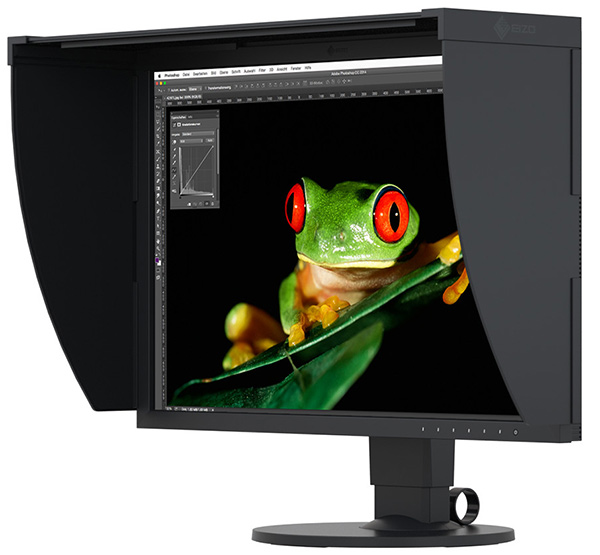
The Eizo ColorEdge CG2420 comes with everything you need. As well as the monitor and, of course, a power cable, a USB cable, a mini DisplayPort to DisplayPort cable and a DVD-D cable are included. You will also find a cleaning kit in the box, consisting of a spray and a microfibre cloth.
The monitor comes with a hood. This is a dark cover that you can place on the monitor to prevent light coming in from the sides and above. This is useful if you have to deal with this kind of light at your workstation.
The box also contains a compact manual and a CD-ROM with utilities. This includes an extensive manual and Eizo's ColorNavigator software for calibrating your monitor. A calibration report for your specific monitor is attached to the monitor.
It is good to see that all the USB connections on the side of the monitor are now USB 3 connections. You can simply connect your card reader to it if you want to transfer your photos quickly.
Looking to the future, it would perhaps have been nice if it had already included a USB-C connection. This connection looks set to become more widely used over the next few years.
Appearance
The Eizo CG2420 looks sleek. The bezel is much thinner than on earlier Eizo monitors, giving it a slim design. At the back, a handy grip is incorporated into the design, making it easy to pick up the monitor when you want to move it.
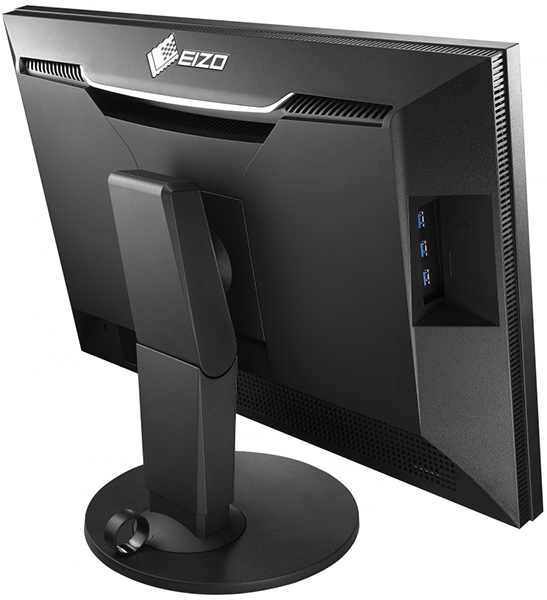
The appearance is not flashy, as you see with some other brands. Instead, it is solid and looks very robust. The fact that the monitor draws little attention with its black matt finish may actually be a good thing. All the attention therefore goes to what is shown on the screen.
Hardware-based automatic calibration
What I really like about these professional monitors from Eizo is that they can calibrate themselves automatically. That is exactly the kind of job you do not look forward to as a photographer.
This monitor performs the calibration completely independently when you are not using it. The calibrator is almost invisibly built into the top of the monitor. In the past, you could clearly see it, but that is no longer the case.
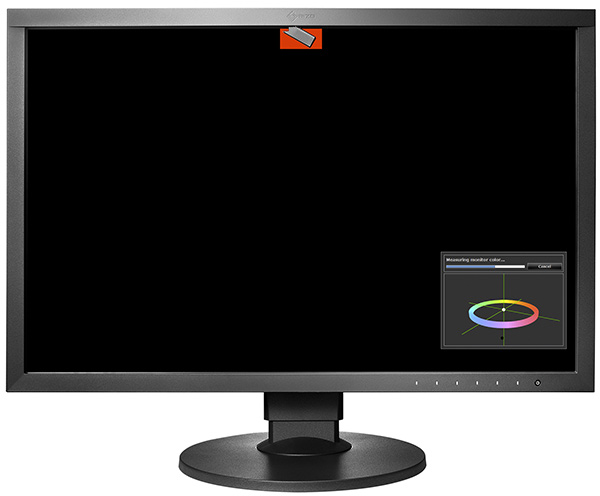
The hardware-based automatic calibration means you can always be sure that your colours are correct. The sensor in this model is not as advanced as the ones in Eizo's more expensive models. That is not a major problem, but if you really need to demonstrate to a client that your colours are accurate, you should use a separate colour calibrator to perform the measurement and validation.
The first time, you calibrate the monitor using Eizo's ColorNavigator software supplied with it. You can also set when the monitor should perform its automatic calibration.
Image quality
As you would expect from Eizo, and from a screen in this price range, the image quality is excellent. The screen is matt and therefore barely reflects any light. You will certainly not have problems with reflections in normal conditions, especially when using the hood.
The 1920 by 1200 pixel resolution is pleasant on a 24-inch screen. This also gives the screen a 16:10 aspect ratio, instead of the more common 16:9 ratio.
Personally, I find this very pleasant to work with, and it is nice to have those extra pixels compared with a Full HD image, which has 1920 x 1080 pixels. Those extra pixels let you see a little more of a web page you are visiting, a text you are writing or, of course, the space around your photo during post-processing.
The screen can display 99 per cent of AdobeRGB and 98 per cent of the DCI-P3 colour space. You therefore see much more of the colours contained in your RAW photo than you would on a cheap monitor.
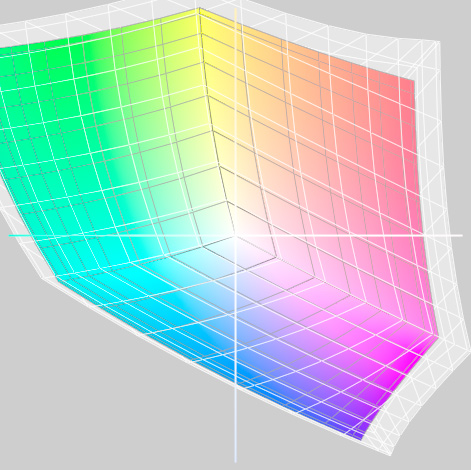
AdobeRGB (in colour) compared with the monitor's colour space (in grey)
The monitor's accuracy is important when editing your photos. For example, you want to ensure that skin tones in your photo are reproduced perfectly and that grey tones really are the correct shade of grey. If you supply photos to paying clients, they expect the colours to be correct.
It is also important that the screen provides very uniform lighting. This is not always the case with cheaper monitors. Photos shown on them may, for example, appear lighter or darker around the edges of the screen.
Price
The Eizo ColorEdge CG2420 has a recommended retail price of 1,426 euros, but the street price is around 1,289 euros. A substantial price for a 24-inch monitor.
Conclusion
This monitor is really aimed at professional photographers or serious amateurs. The image quality is superb, which is of course very important for a photographer. If you want roughly the best image quality you can get and 24 inches is a good size for you, this monitor is perfect for you.
About the author
Elja Trum is the founder of Photofacts and online photography course website Photofacts Academy. He has been writing about photography since 2006. Elja is also the author of (Dutch) books on composition, black-and-white photography, flash photography and portrait photography.
You might also like
-
 Review: Eizo CS2740 ColorEdge 4K monitor
by Elja Trum
-
 Review: Eizo ColorEdge CS2731 monitor
by Nando Harmsen
-
 Review of the Eizo ColorEdge CG3100X monitor
by Nando Harmsen
-
 Review: Eizo ColorEdge CG 2700S monitor
by Nando Harmsen
-
 Review: Eizo ColorEdge CS2400S 24-inch monitor
by Nando Harmsen
-
 Discover the EIZO ColorEdge CS3200X
by Nando Harmsen
2 comments
-

 Arthur Wittendorp
wrote on Friday 12 August 2016 at 21:25
| reply
Clear review Elja, However for around €700,-- you can also buy the Eizo CS2420. The big difference between the CG2420 and CS2420 is that the CG2420 has a built-in calibration system and comes with a hood. Otherwise the screens are identical. Whether the built-in calibration and the hood are worth an extra nearly €725,--? I think you would be better off buying the CS2420. You would be better off buying a calibration system (€200,--) and hood (€100,--) separately. This way you can save around €425,--.
Translated from Dutch. -
 Elja Trum
wrote on Saturday 13 August 2016 at 13:57
| reply
@Arthur; I haven't tested the CS2420, but I understood that there are more differences than just the calibrator and the hood. For example, the CS doesn't reach 98% of the DCI-P3 color space, and the brightness, response time and contrast ratio are lower.
Translated from Dutch.
So they don't seem to be exactly the same screens after all. Although I do expect the CS2420 to indeed be a very interesting (and especially much cheaper) alternative.
Have your say
Please note: Articles older than a week can only be commented on by signed-in visitors.Would you still like to comment? sign in or create a free account.
Become a better photographer every week
A practical photography tip in your inbox every week.
38,695 photography enthusiasts already receive the tips! More about the weekly mail. Or keep up to date via  Facebook.

Elja Trum
Photofacts; everything to do with photography!
Would you like to take better photos and keep up with what is happening in photography? Photofacts publishes articles that teach you something about photography — from a product announcement to a practical shooting tip or a look at a website. Photofacts covers photography every day and is a hobby project of Elja Trum's that got out of hand. The articles are written by a team of volunteer authors. If you would enjoy writing one or more articles for Photofacts, do get in touch.More about Photofacts Photos





Photofacts is made possible in part by
