

Which is better to use? Lightroom or Photoshop?
Monday 19 June 2023, 16:32 by Nando Harmsen | 8,296 views | 20 commentsThis article was translated from Dutch with the help of AI. Read the original.
I am sometimes asked which is better to use, Lightroom Classic or Photoshop. The answer is that you can use both without any problems. You can choose Lightroom Classic, or use Adobe Bridge with Photoshop. In this article, I will tell you more about it.
If you take out a subscription with Adobe, you get access to both versions of Lightroom, Lightroom and Lightroom Classic, as well as Photoshop. You also get access to Bridge, which is always free, by the way.
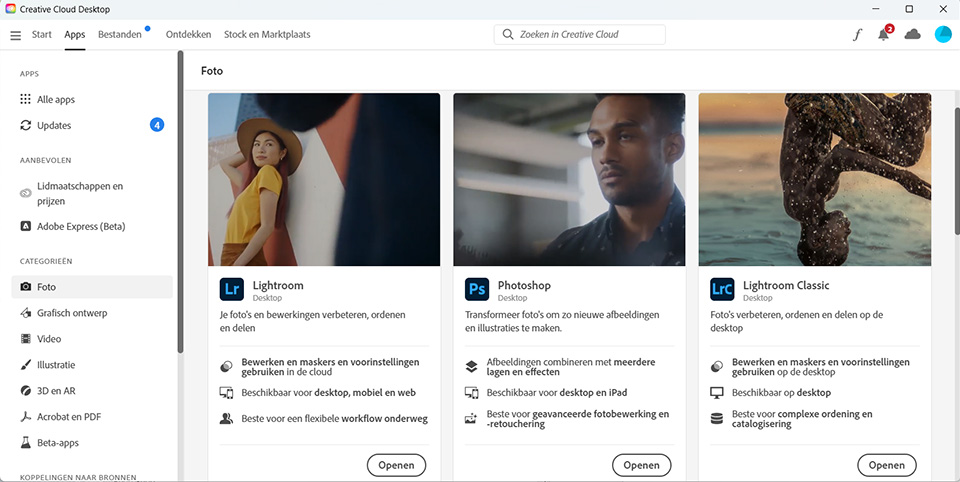
To get a good understanding of all these programmes, I need to explain what each programme is for.
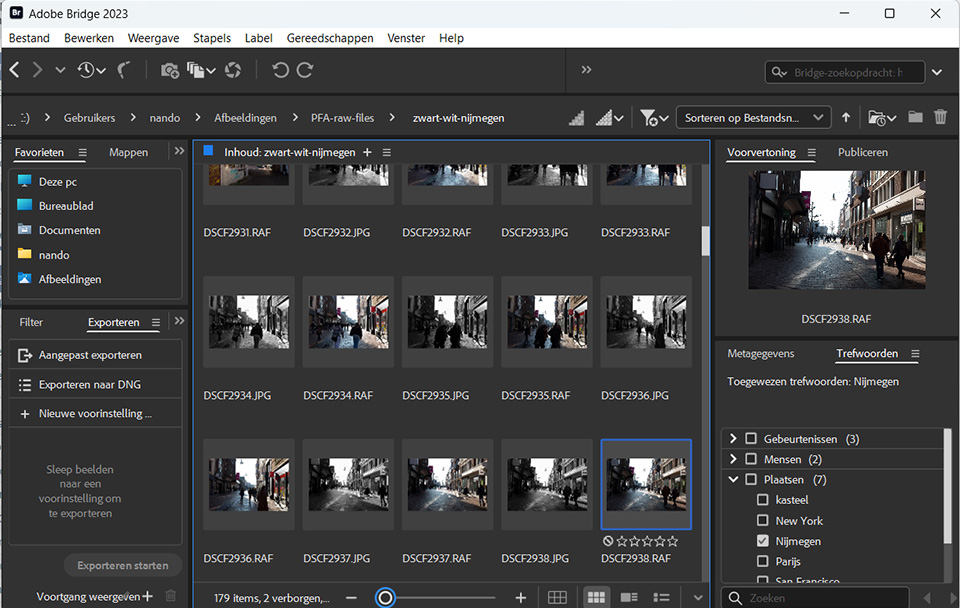
Bridge is a photo management programme. You can manage your photos on your hard drive. View them, give them ratings and put them into collections. Through Bridge, you can open the photos in any photo editing programme. By default, this is set to Photoshop.
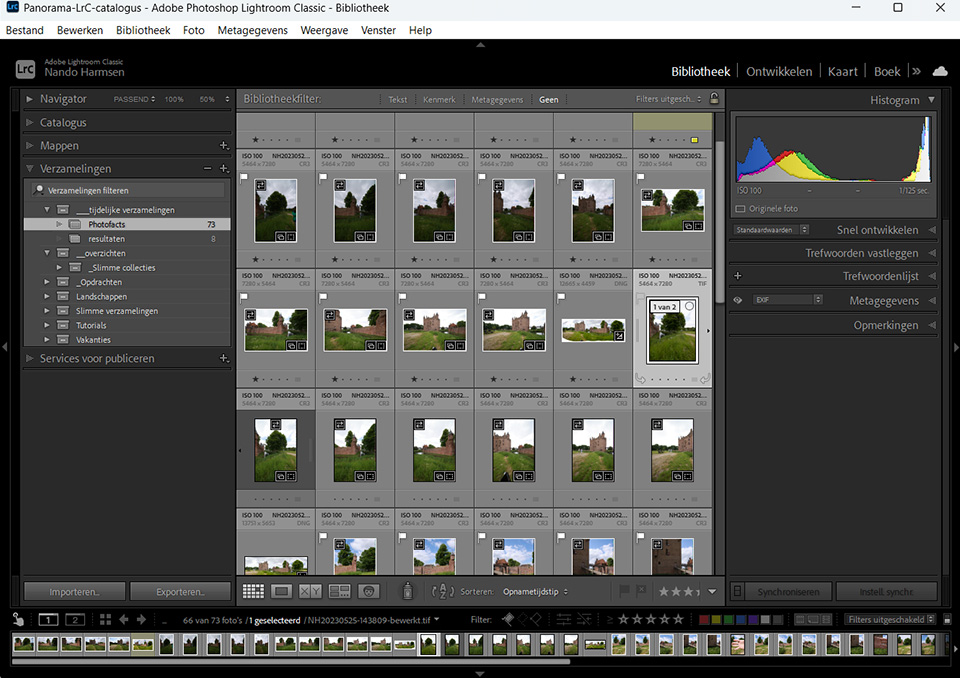
Lightroom Classic is a programme that lets you manage photos on your hard drive, just like Bridge. However, it also has a Develop module for editing photos. This is Adobe Camera Raw.
Finally, there is Adobe Camera Raw, abbreviated to ACR. This is not a separate programme, but it is part of both Lightroom Classic and Photoshop. You always use ACR when editing raw files, regardless of whether you work through Lightroom Classic or Photoshop.
Editing photos through Bridge and Photoshop
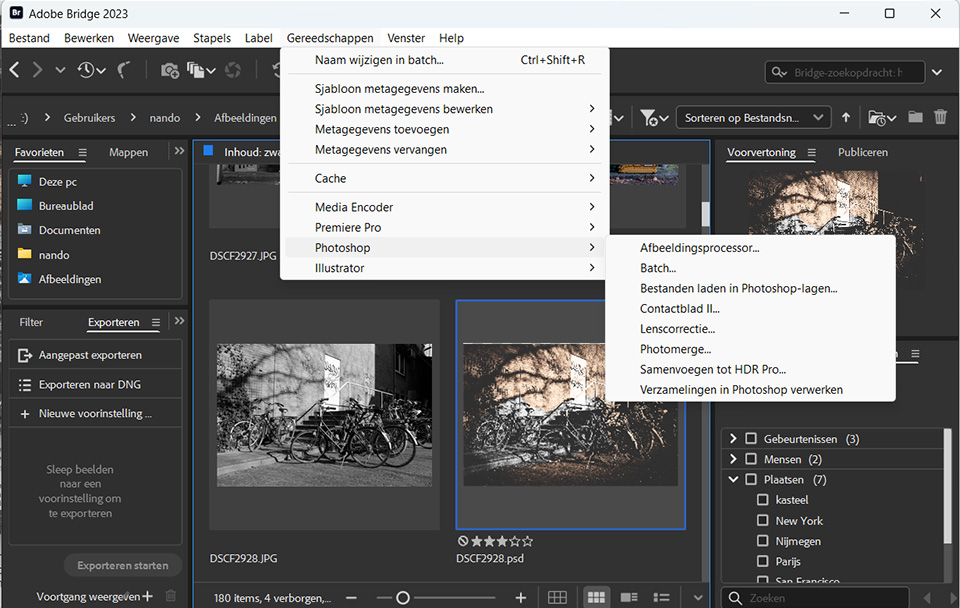
When you open one or more raw files from Bridge, Photoshop will start automatically. However, your photos are not opened directly in Photoshop, but first in ACR. In other words, you only use Photoshop to launch ACR.
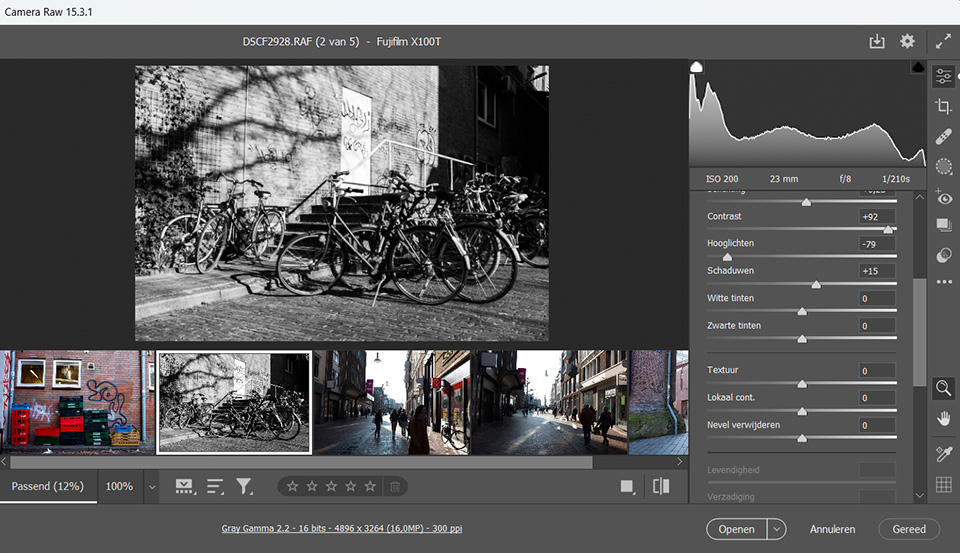
In ACR, you can edit the raw photos. Each edit is saved in a separate XMP file stored next to the raw photo. You can close ACR after editing, and the result of the edit will also be visible in Bridge.
If you want to edit the photo again, you have to open the photo or photos again. This will once again happen through the same route. Photoshop starts first, and ACR is opened in it so you can edit your photo again.
But do you want to continue editing the photo in Photoshop? Then you can open the photo directly in Photoshop from ACR. Edit the photo there as you wish, and then save the photo. This will appear as a separate file next to your raw file.
Editing photos through Lightroom Classic and Photoshop
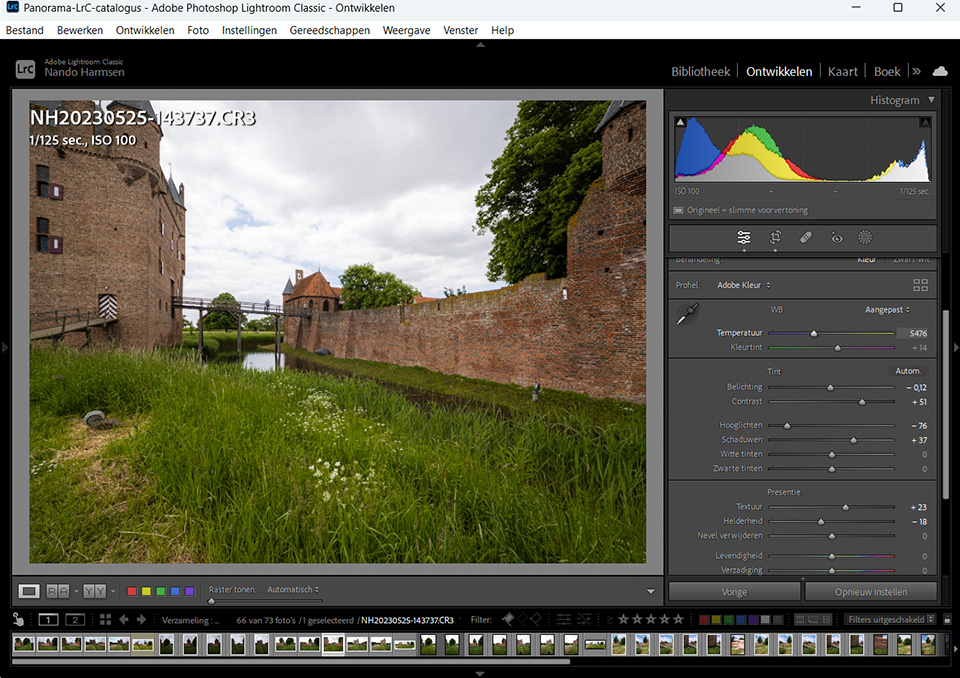
Lightroom Classic has direct access to ACR. You do not have to open Photoshop or any other programme first. Simply click Develop and you can edit your photo on the fly. These edits are saved in a database. Or in an XMP file, if you want.
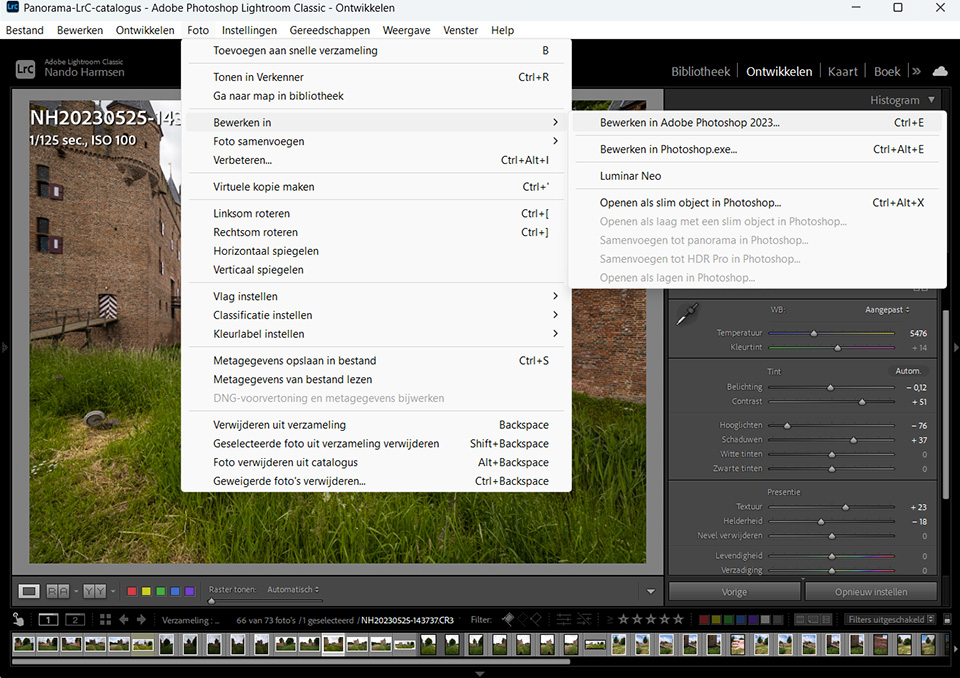
Do you want to apply a more complex edit to a photo, one that is not possible in Lightroom Classic? There is always a direct link to Photoshop available. From Lightroom Classic, you open the photo in Photoshop, make your edits and close the photo in Photoshop when you are done. The Photoshop file is placed next to the raw file in the catalogue.
The big difference between Photoshop and Lightroom Classic
Editing photos through Bridge and ACR, via Photoshop, means that you always have to run two programmes side by side. ACR, which you use for your raw files, cannot work without Photoshop.
Unless you use Lightroom Classic. ACR is already built in there. So you only need a single programme to manage and edit your photos.
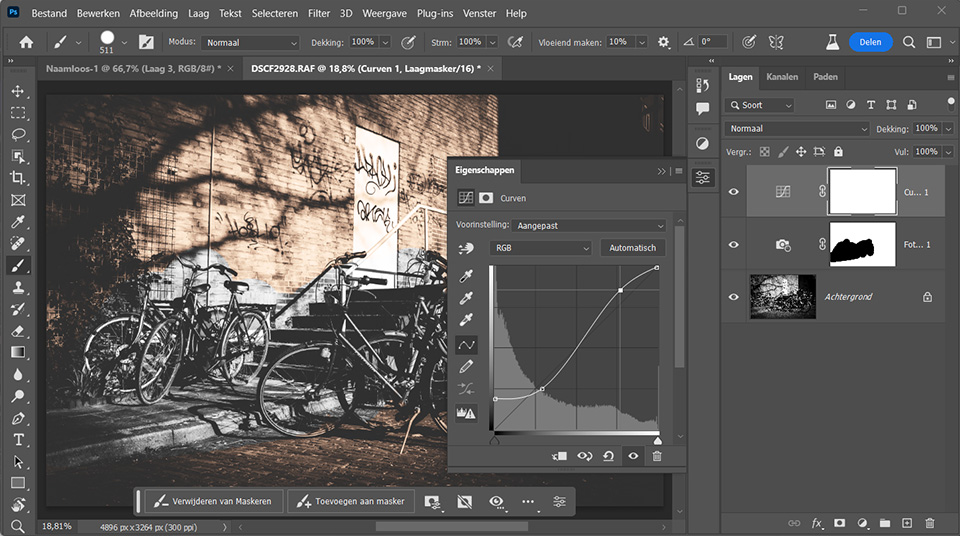
Do you want to continue editing a photo in Photoshop because ACR or Lightroom Classic cannot do it, or because you prefer it? Then you can send the photo directly to Photoshop from both ACR and Lightroom Classic.
It is a little different for jpeg files
All of this applies to raw files. Do you shoot jpeg and want to edit them? Then Lightroom Classic is probably much easier to use. Lightroom Classic treats jpeg files as if they were raw files.
Opening jpeg files through Bridge works quite differently, though. Because it is not a raw file, ACR will not be used. If you open several jpeg photos, they will already be opened as separate files in Photoshop. Two photos are not such a problem. Open twenty, and you will have twenty separate files in Photoshop.
Choose what you find most comfortable
Ultimately, it makes no difference at all which method you use for raw files. There is no difference because you use exactly the same programmes in both cases. Only the route to get there is different.
Which programmes do you prefer to use and why? Is it based on a particular belief, or simply because you are used to them? Tell us in a comment below this post.
About the author
Nando Harmsen has been photographing for more than 40 years. He specialises in wedding photography and landscape photography. Nando also gives talks, workshops, masterclasses and photo trips, and regularly reviews new and interesting equipment.
You might also like
-
 Who is Photoshop Beta for?
by Nando Harmsen
-
 The new updates for Adobe Lightroom and Photoshop
by Nando Harmsen
-
 Adobe updates Lightroom (Classic) with new AI masks
by Elja Trum



20 comments
-
 Jan R Smit wrote on Tuesday 20 June 2023 at 10:17 | reply
Completely agree
Translated from Dutch. -
 RAWshooter wrote on Tuesday 20 June 2023 at 10:22 | reply
Lightroom is moving quickly toward Bridge. In the past, it was a disaster if you wanted to manage your photos physically, so via drives and folders. The database (catalog) kept getting corrupted. Now that the physical link is actually present in LrC, that catalog has suddenly become much less important. But Lightroom remains inadequate when it comes to local edits and proper sharpening. Making selections and working with layers isn't possible, except in a contrived crappy way. If you put LrC and Bridge side by side, Lightroom wins. But comparing Lightroom with Photoshop is nonsense. You use those two side by side. Now all that's left is a replacement in Ps for the Edit in ACR function. Because that is rather illogical for the LrC user.
Translated from Dutch.
By the way, your piece about JPG is full of errors. You can process JPGs perfectly well in Bridge-ACR. It's just a matter of one single checkbox. And that thing about opening multiple JPGs at once works identically in ACR and LrC, even when you open them in Ps. -
 Donald Willemsen wrote on Tuesday 20 June 2023 at 10:55 | reply
I prefer to use Photoshop. Back when I started with Photoshop, Lightroom did not exist yet. So I am used to working with Photoshop. In Lightroom, the tools are not always in the same place as in Photoshop, and that is confusing for me. I then have to search.
Translated from Dutch.
A major advantage of Photoshop for me is working with layers. You can put all edits in separate (adjustment) layers. You can give layers different opacity. If an edit in a layer does not turn out well, you only have to delete that layer and do it again. You do not have that option in Lightroom. In addition, certain edits are not possible in Lightroom and you still have to use Photoshop. So I do not have to switch from Lr to Ps.
I admit that Lightroom has improved enormously in recent years and that the Develop module is increasingly resembling ACR and the tools are being placed in the same locations. On the other hand, I think Lightroom's library is really great. Bridge cannot hold a candle to that.
Purely because I started years ago and have continued to follow the developments in Ps, I use Photoshop by default for developing photos. I mainly use Lightroom for the library function.
I do take courses related to Lightroom's Develop module, but purely so I also know the necessary things about it. -

 PixelDude Raoul
wrote on Tuesday 20 June 2023 at 11:42
| reply
PixelDude Raoul
wrote on Tuesday 20 June 2023 at 11:42
| reply
I prefer the more recent LR6 to carry out most of my edits. The much older LR version (I still have a purchased version of it) had a file manager that in my opinion works much better than the current bridge, which I’m therefore not very satisfied with. And for the more complex edits: Affinity Photo, no Photoshop, which is far too expensive. But I also use Luminar AI, Luminar Neo and Topaz Sharpen AI.
Translated from Dutch. -
 Stefanie wrote on Tuesday 20 June 2023 at 15:07 | reply
I was just starting to find my way around PS a bit when they came up with LR. I have my own system for organizing photos, so I don't need it for that either. Maybe some edits are a bit easier to do in LR than in PS, but I can manage perfectly well without it
Translated from Dutch. -
 Thoni Houtveen wrote on Tuesday 20 June 2023 at 20:55 | reply
I use Affinity Photo myself in combination with Adobe Bridge. Thanks to Nando's clear course (as always), it works very well. I still hope for an advanced course on Affinity Photo, especially about all the possibilities after a raw file has been developed.
Translated from Dutch.
For a hobby photographer, the other options are not only expensive, but also unnecessary -
Donald Willemsen wrote on Wednesday 21 June 2023 at 11:12 | reply
@Thoni: Expensive??? The subscription to Adobe's photography plan with everything included costs €12.09 per month. That is still much cheaper than driving a car for a month.
Translated from Dutch. -
Pixeldude wrote on Wednesday 21 June 2023 at 11:32 | reply
@ Tom
Translated from Dutch.
Yes, it's expensive when you compare it with Affiny, which can do just as much (some say more and better - I myself have no experience with it) as Photoshop. -
 Paul wrote on Wednesday 21 June 2023 at 12:21 | reply
Just responding to Thoni, Donald and pixeldude: PS is expensive in the sense that in the Netherlands people want to have everything for free, and being afflicted with that ailment myself, I bought a licence for Affinity at the time after a review of it. Turned out to be money thrown away in my case, because I never got the hang of it. The things I use most in PS (quick retouching brush, brightness/contrast and hue and saturation) I couldn't manage (well) in Affinity.
Translated from Dutch.
My daughter can, though I often see her spending much longer on certain adjustments than I need for them.
As for the article itself: I've also been busy with photography for a very long time, and since 98 I've been tinkering with PS (version 4.5 for Mac at the time), initially mainly to preserve my negatives and slides and give them a second life, and later of course for 'developing' my NEFs. When Lightroom came along I tinkered with that a bit, but especially the automatic storage, or rather the management, put me off so much that I never continued with it, whereas I think Adobe raw is fantastic. -
Donald Willemsen wrote on Wednesday 21 June 2023 at 13:03 | reply
@Paul, nothing comes for free. You know that saying. Besides, something like free simply doesn't exist. I am Dutch too, even though I live in Belgium. However, I am quite used to paying for good software. With that free software, you have no leg to stand on if something goes wrong with it.
Translated from Dutch.
I think Adobe's photography package is simply good. Okay, I have had it crash on me once in a while, but after a subsequent update the problem was solved.
But let's just say: one person loves the mother and the other the daughter .
. -
Stefanie wrote on Wednesday 21 June 2023 at 13:36 | reply
It doesn't have to be free as far as I'm concerned, but I'm less keen on the subscription idea, I've always been able to get by for years with a certain version of PS, take a look at what's new and then decide whether to go for the new version or stick with the old one for a bit longer. Now you almost feel obliged to go along with every upgrade and I get stuff with it that I don't use at all such as LR and the pro app versions, I'd rather have the old principle back and that's why I'm also looking at what the competition can offer for stand alone versions instead of cloud versions
Translated from Dutch. -
PixelDude Raoul
wrote on Wednesday 21 June 2023 at 13:52
| reply
Affinity Photo is not free at all. I paid 45€ for it at the time ... by now it has more than paid for itself. I regularly receive updates and for the three questions I asked, I got the solution each time within 24 hours. When after a few years I consider buying, let's say, a 2.0 version (not mandatory), I am still much cheaper off than with Adobe's programs. The other programs I use aren't free either, Luminar AI, Luminar Neo and Topaz Sharpen AI. And the support for these programs is also sublime.
Translated from Dutch.
My conclusion: because of its mandatory cloud versions, Adobe is 'expensive' compared to other programs that do more than well (or even better?) -
Donald Willemsen wrote on Wednesday 21 June 2023 at 14:31 | reply
@Stefanie: There are a few good solutions for you if you want 'stand alone' versions. For example, take a look at Photoshop Elements or Luminar Neo. Beware: with Luminar Neo you can choose a subscription version or a stand alone' version. With Luminar Neo, besides the stand alone version, you also have the option to purchase extensions. It's entirely up to you.
Translated from Dutch. -
Paul wrote on Wednesday 21 June 2023 at 19:45 | reply
That's why I bought that Affinity too, but it hasn't (yet) been able to convince me, for the reasons mentioned earlier. Its layout is also unclear to me, in my opinion it's more focused on changing or transforming images than on actually improving them. But that could be my imagination.
Translated from Dutch. -
 Philippe Demeyere wrote on Thursday 22 June 2023 at 07:13 | reply
Absolutely, Photoshop and Lightrom are two excellent programs.
Translated from Dutch.
I had a subscription for 2 years, but stopped it because it cost me too much for the few photos I took each year, around 2500 per year, which after sorting resulted in a good hundred.
I bought a final version of Lightroom (130 euros), I found the Library features excellent, as well as the various Collections for example, etc.
Currently I have turned to Affinity, which at this stage offers me everything I need, and this for a small price.
For professional photographers or wealthy amateurs I am sure that Adobe's subscription package is perfect. -
PixelDude Raoul
wrote on Thursday 22 June 2023 at 10:20
| reply
@Paul,
Translated from Dutch.
It's a shame that you apparently aren't very good with Affinity Photo. It really has everything you need as a photographer. I hope you have the Photo version because there are still a few other options such as Designer, ... -
Paul wrote on Thursday 22 June 2023 at 11:15 | reply
@pixeldude
Translated from Dutch.
Yes, a few years ago now, I read a review about Affinity Photo, with very complimentary words, after which I bought it. But partly due to the lack of a clear Dutch user manual and the strange layout, I never figured out how to achieve good results with it (literally never managed to edit a photo to my satisfaction).
My daughter, on the other hand, does everything with it.
However, I should mention that I haven't opened it for months, simply too frustrated. -
Donald Willemsen wrote on Thursday 22 June 2023 at 11:27 | reply
@Philippe, Adobe's photography plan costs €12.09 per month. That's 3-4 beers at the pub. I'm not a wealthy amateur on my minimum income. In any case, it's cheaper than driving a car for a month. It's just where you set your priorities.
Translated from Dutch. -
Phil wrote on Tuesday 27 June 2023 at 08:09
| reply
Okay Donald, my priority will be the pints, otherwise Adobe will pour the pints (and yours) down its own throat !
Translated from Dutch. -
 Hans van Sterkenburg wrote on Friday 23 June 2023 at 22:39 | reply
Started with Bridge ACR and Photoshop and still using them, except for 2022, when I left bridge/ACR for what it was and switched to Lightroom. And after half a year decided to stop doing this and continue again in the way I had always done it. Partly because I still sometimes go to Photoshop for certain edits.
Translated from Dutch.
A clear and practical system. First one and then the other.
Those who want to go from the ground floor to the attic use a staircase for that. The best way to use this staircase or ladder is to place one foot on each step or rung. Step by step upwards. That suits me best.
With that, I wish all my photo friends an enjoyable time working behind the Mac/PC.
Regards
Hans.
Have your say
Please note: Articles older than a week can only be commented on by signed-in visitors.Would you still like to comment? sign in or create a free account.
Become a better photographer every week
A practical photography tip in your inbox every week.
38,936 photography enthusiasts already receive the tips! More about the weekly mail. Or keep up to date via  Facebook.

Elja Trum
Photofacts; everything to do with photography!
Would you like to take better photos and keep up with what is happening in photography? Photofacts publishes articles that teach you something about photography — from a product announcement to a practical shooting tip or a look at a website. Photofacts covers photography every day and is a hobby project of Elja Trum's that got out of hand. The articles are written by a team of volunteer authors. If you would enjoy writing one or more articles for Photofacts, do get in touch.More about PhotofactsPhotofacts is made possible in part by
