
Photofacts; articles about photography, every day
Become a better photographer every week
A practical photography tip in your inbox every week.
38,982 photography enthusiasts already receive the tips! More about the weekly mail. Or keep up to date via  Facebook.
Lightroom tips | Sort by date, popularity, latest comments
- All categories
- Advertorials
- Basics
- Black and white photography
- Blog carnival
- Books
- Column
- Composition
- Contests
- Deals
- Exhibitions
- Film photography
- Firmware
- Flash photography
- Fun
- Inspiration
- Landscape photography
- Lightroom tips
- Magazines
- Marketing
- Media
- Name and shame
- Nature photography
- News
- Night photography
- Nude photography
- Oddities
- Other
- Panorama
- Personal
- Photo locations
- Photo recipes
- Photo tips
- Photofacts news
- Photofacts video
- Photographers
- Photoshop tips
- Portrait photography
- Product announcements
- Reviews
- Rumors
- Science
- Smartphone photography
- Software
- Sports photography
- Spotlight
- Statistics
- Stock photography
- Street photography
- Strobist
- Studio
- Tips and tricks
- Trade shows
- Tutorials
- Video
- Video tutorials
- Web tools
- Websites
- Workshops and courses

Lightroom tip: turn off assisted selection
| Nando Harmsen | 823 views | 0 commentsOne of Lightroom's features is assisted selection. This can mean that photos are analysed continuously. Don't want that? Collapse the panel, or turn it off completely.
» read on (about 1 minute)
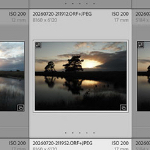
Lightroom Classic and JPG+RAW Files
| Nando Harmsen | 1,261 views | 0 commentsDo you shoot JPEG and RAW files? When importing them into Lightroom Classic, you can combine these two files. You will then see just one photo in the catalogue. The raw+jpeg label is shown. What should you do with it?
» read on (about 1 minute)
Become a better photographer every week
A practical photography tip in your inbox every week.
38,982 photography enthusiasts already receive the tips! More about the weekly mail. Or keep up to date via Facebook.
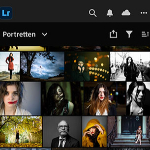
Using Lightroom Without a Catalogue
| Nando Harmsen | 1,851 views | 2 commentsLightroom Classic uses a catalogue. Lightroom desktop uses a kind of catalogue in the cloud. But with Lightroom desktop, you can also work directly on your hard drive, without needing a catalogue.
» read on (about 2 minutes)

Stop using Lightroom, but keep using Lightroom
| Nando Harmsen | 2,906 views | 0 commentsHave you always used Lightroom Classic? Then you have a catalogue with all your photos neatly organised, including keywords, descriptions, albums and more. If you do not want to say goodbye to the catalogue, but do want to cancel the subscription, there is a way.
» read on (about 1 minute)
Take your portfolio with you using Lightroom Mobile
| Nando Harmsen | 2,246 views | 9 commentsYou probably have a selection of photos that you are proud of. Photos you want to show everyone when the opportunity arises. How do you do that? Do you use Lightroom Classic? Consider putting them in Lightroom Mobile.
» read on (about 2 minutes)
File names are not important in Lightroom
| Nando Harmsen | 2,070 views | 0 commentsLightroom gives you complete freedom when naming your photos. But sometimes Lightroom adds something to the file name. If you have a system for naming files, this can look like 'clutter'. But nothing could be further from the truth. I'll explain why.
» read on (about 2 minutes)

Lightroom Classic tip: Create smart presets
| Elja Trum | 2,520 views | 1 commentLast year, Lightroom Classic gained lots of useful automatic masks. These can speed up your workflow considerably. Combine automatic masks with presets to edit your photos in no time.
» read on (about 2 minutes)

6 Tips for Importing Photos into Lightroom
| Nando Harmsen | 4,311 views | 19 commentsImporting into Lightroom is often taken for granted. You make sure your photos get into the programme so you can catalogue and edit them. But are you doing this in the most effective way?
» read on (about 4 minutes)
- All categories
- Advertorials
- Basics
- Black and white photography
- Blog carnival
- Books
- Column
- Composition
- Contests
- Deals
- Exhibitions
- Film photography
- Firmware
- Flash photography
- Fun
- Inspiration
- Landscape photography
- Lightroom tips
- Magazines
- Marketing
- Media
- Name and shame
- Nature photography
- News
- Night photography
- Nude photography
- Oddities
- Other
- Panorama
- Personal
- Photo locations
- Photo recipes
- Photo tips
- Photofacts news
- Photofacts video
- Photographers
- Photoshop tips
- Portrait photography
- Product announcements
- Reviews
- Rumors
- Science
- Smartphone photography
- Software
- Sports photography
- Spotlight
- Statistics
- Stock photography
- Street photography
- Strobist
- Studio
- Tips and tricks
- Trade shows
- Tutorials
- Video
- Video tutorials
- Web tools
- Websites
- Workshops and courses
Most popular articles right now
-
 7 tips for snow photos
by Elja Trum
-
 10 Tips for Applying the Orton Effect
by Nando Harmsen
-
 Optimise the Distribution of Space
by Nando Harmsen
-
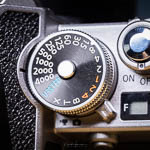 Learn How the Exposure Meter Behaves
by Nando Harmsen
-
 How Do You Know If You Need a New Lens?
by Nando Harmsen
Become a better photographer every week
A practical photography tip in your inbox every week.
38,982 photography enthusiasts already receive the tips! More about the weekly mail. Or keep up to date via Facebook.

Elja Trum
Photofacts; everything to do with photography!
Would you like to take better photos and keep up with what is happening in photography? Photofacts publishes articles that teach you something about photography — from a product announcement to a practical shooting tip or a look at a website. Photofacts covers photography every day and is a hobby project of Elja Trum's that got out of hand. The articles are written by a team of volunteer authors. If you would enjoy writing one or more articles for Photofacts, do get in touch.More about PhotofactsPhotofacts is made possible in part by
